
All
Workforce Management Solutions: Tools, Features, and Real-World Benefits
January 31, 202615 min read


Workforce management solutions have become essential these days. Experts anticipate that the global WFM market will reach $19.35 billion in 2030, growing at around 11.7% annually. Mobile workforce management solutions alone have boosted field-team productivity by up to 30%.
Meanwhile, AI-enhanced WFM systems save users around 60 minutes a day, allowing employees to focus on more strategic work. Thanks to this technology, your organization can reduce labor costs, avoid burnout, and improve compliance while making schedules smarter.
SapientPro’s engineers prepared this guide to shae 9+ years of experience in developing workforce management solutions. We'll break down the key types, features, and benefits of workforce management software solutions. Read on for more!
Key Takeaways
- Workforce management solutions help businesses schedule, monitor, and manage employees with more accuracy and less manual work;
- Key features include AI-driven forecasting, automated scheduling, time tracking, payroll integration, and mobile self-service;
- WFM tools reduce compliance risks, cut administrative time, and improve productivity across desk-based and mobile teams;
- Call centers, retailers, utility providers, and companies with contingent or remote workers benefit most from customized WFM systems;
- A smart WFM strategy improves efficiency and employee satisfaction and reduces labor costs.
What is Workforce Management Software?
Workforce management software is a set of digital tools designed to help businesses manage employees more effectively. It can track hours and forecast demand by connecting data, schedules, and operations into one system that keeps teams on track and organizations compliant.
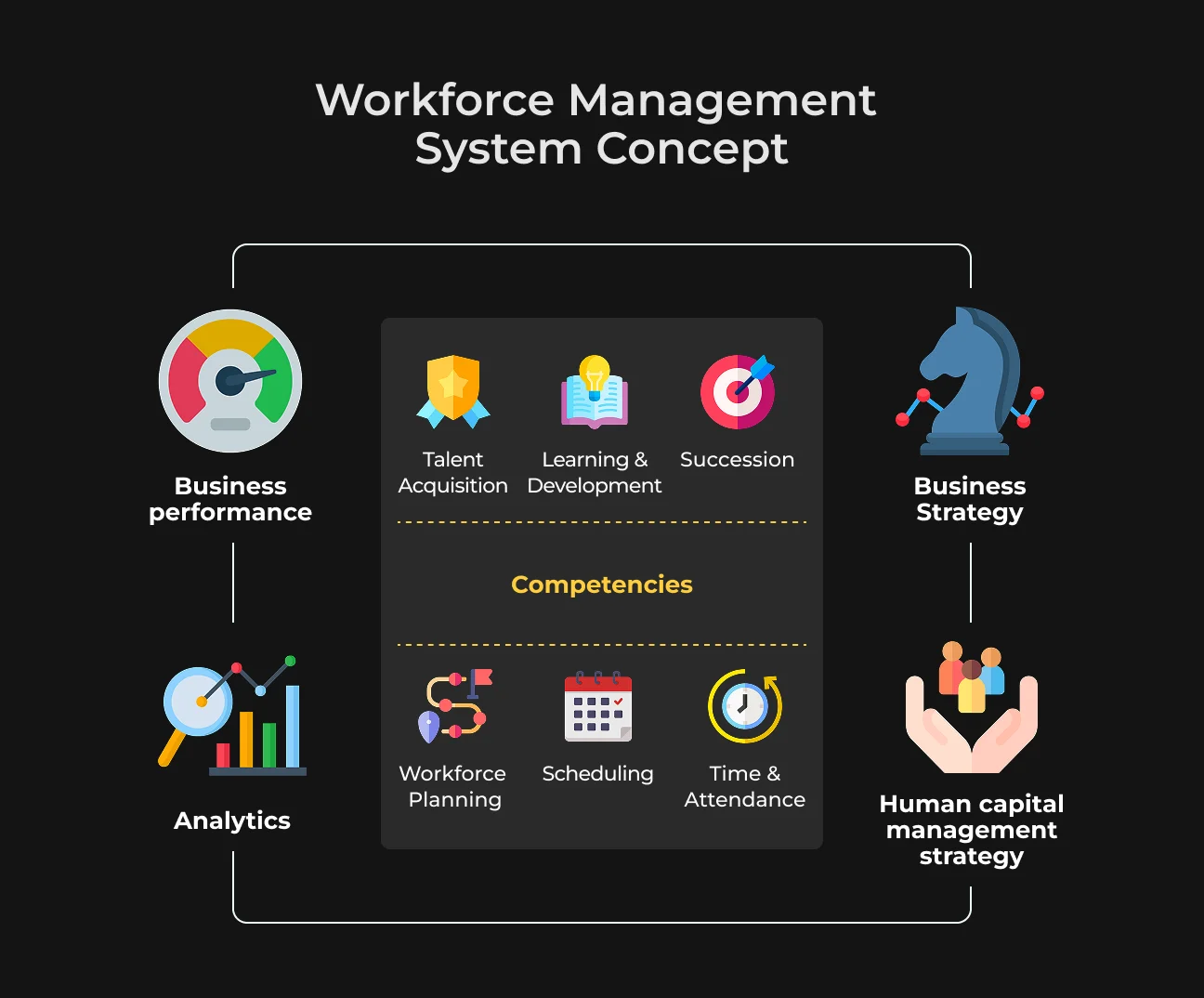
Workforce management software simplifies the day-to-day.
It helps you most if you need to:
- Plan staffing;
- Handle time tracking;
- Approve time off;
- Manage shift changes;
- Calculate wages;
- Stay within labor laws.
All these tasks are performed under a single interface. Depending on your industry, it can also support remote workforces, monitor task progress, or even link to biometric systems for clocking in and out.
The main goal of the system is to make sure the right people are in the right place at the right time, doing the right work without overspending. By achieving that, you can reduce idle time, avoid overtime spikes, and make scheduling less of a headache.
WFM software is especially important for businesses with hourly workers or fluctuating demand, such as retail, call centers, hospitality, healthcare, and logistics.
For example, contact center workforce management solutions help supervisors match agent availability to incoming call volumes, while utilities mobile workforce management solutions track field crews in real time.
When you manage a deskless team or use a hybrid setup, these tools can keep operations lean, responsive, and people-focused.
Key Features of Workforce Management Solutions
Modern workforce management solutions represent the next step in the evolution of digital calendars or time clocks. They're data-powered systems built to keep your teams productive, reduce costs, and eliminate chaos.
Below are essential features that you can find in today's best workforce management software solutions, including those we've built at SapientPro.
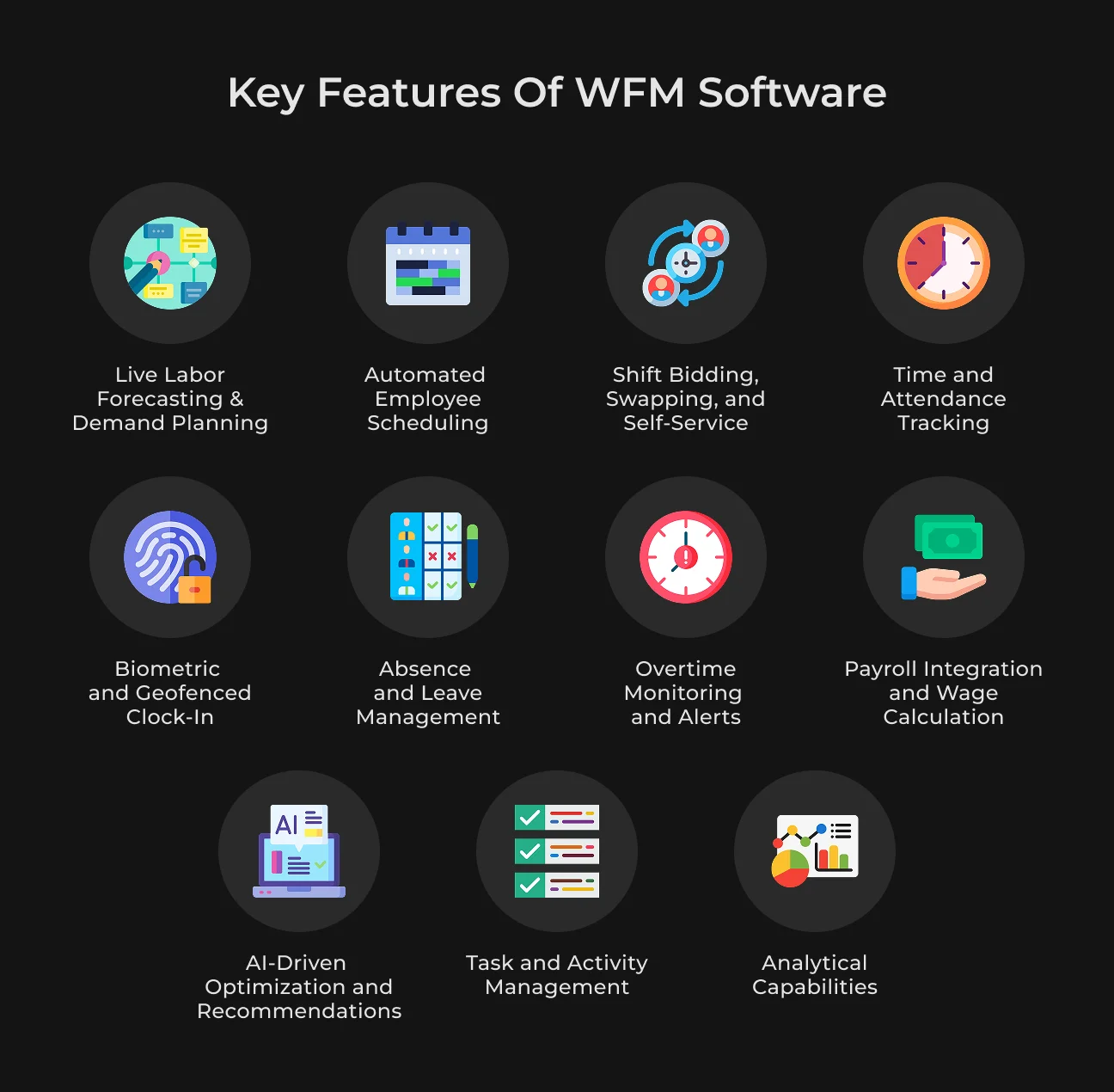
1. Live Labor Forecasting & Demand Planning
The ability to forecast labor needs in real time is at the heart of any effective WFM system. These tools analyze historical data, seasonal trends, and even weather patterns or sales projections to predict when and where labor will be needed.
This information helps your business avoid overstaffing and understaffing. For instance, retail workforce management solutions use point-of-sale data to predict busy hours and assign shifts accordingly.
As a result, you get fewer idle hours, faster service, and lower payroll waste.
2. Automated Employee Scheduling
Building staff schedules manually is a time-consuming process prone to errors. WFM platforms eliminate that burden by auto-generating shift schedules based on employee availability, business demand, labor laws, and qualifications.
If you manage a large team or rely on shift workers, automated scheduling significantly cuts admin time. It also helps you stay compliant with overtime regulations and avoid scheduling conflicts.
Some of the best workforce management solutions even suggest ideal schedules using AI and real-time feedback from your business systems.
3. Shift Bidding, Swapping, and Self-Service
The modern workforce expects flexibility. To achieve it, you need to master shift bidding and swapping. Instead of emailing managers or filling out forms, employees can use WFM apps to pick up open shifts, swap with coworkers, or request changes.
Self-service options increase employee satisfaction and reduce the back-and-forth that burdens managers. For mobile workforce management solutions, this feature is especially compelling.
Teams in the field or across time zones can manage their schedules in real time, without slowing down operations.
4. Time and Attendance Tracking
Time tracking is not limited to knowing who's on the clock. The system is also making sure you're paying people correctly, avoiding compliance issues, and spotting workflow bottlenecks.
In our work with Klokhet, a workplace access control system, SapientPro's engineers built a custom attendance module that syncs with entry points and monitors daily shifts.
Managers can instantly see who's late, who left early, or who's working overtime. That kind of visibility is critical when managing hybrid, remote, or large-scale teams.
5. Biometric and Geofenced Clock-In
Forget badge swipes and manual punch cards. Biometric systems, such as fingerprint readers or facial recognition, ensure clock-ins are accurate and fraud-proof. Combine that with geofencing, and employees can only log time when they're physically in the right location.
This feature is especially useful for utilities mobile workforce management solutions, construction teams, and field service providers. It cuts down on buddy-punching and ensures time tracking reflects actual job site presence.
6. Absence and Leave Management
Absenteeism and unplanned time off can cause serious scheduling gaps and payroll issues. To be effective, workforce management solutions must include built-in leave and absence tools.
Employees can submit requests directly through a mobile app or dashboard, while managers receive real-time alerts, review staffing impact, and approve or deny with a click.
More importantly, WFM software keeps detailed records of sick days, vacation accruals, FMLA compliance, and local labor rules. The automation prevents misunderstandings and ensures fairness across the team.
For large operations or businesses with part-time and contingent workers, this centralized tracking can help avoid a small oversight turning into a costly compliance issue.
7. Overtime Monitoring and Alerts
Without proper tracking, overtime can quietly inflate labor costs and put your company at risk of violating labor laws. WFM tools offer real-time overtime tracking with custom alerts and warnings.
Managers can receive automatic notifications when a worker approaches or exceeds legal or contractual hour limits. The system can also suggest alternative staff members to cover the shift, which protects your budget and helps prevent burnout.
This feature is essential in contact center workforce management solutions where round-the-clock shifts often result in unexpected overages.
8. Payroll Integration and Wage Calculation
Workforce management software solutions shine when they link smoothly with payroll. This integration helps reduce administrative errors and automates wage calculations based on real-time time logs, overtime, bonuses, or shift differentials.
HR and finance teams can now stop juggling spreadsheets and receive verified data that simplifies payroll runs. It also helps with tax filings, benefits tracking, and audit prep. For industries with hourly pay, rotating shifts, or complex overtime rules, this kind of automation is a game-changer.
9. AI-Driven Optimization and Recommendations
Modern WFM tools can act on collected data. AI-powered systems can recommend the best staffing strategy based on workload patterns, historical trends, and real-time updates. They'll tell you when to bring in an extra hand, adjust shifts, or even suggest training gaps that need addressing.
These recommendations can help you save money and allocate resources more effectively, improve task execution, and keep employees from being over- or underworked. In fast-moving sectors like retail or logistics, these capabilities can keep you ahead of demand without draining your team.
10. Task and Activity Management
Many workforce management systems now include task-tracking features that let you assign, monitor, and review work across shifts and departments.
For example, you can check that store displays were set up on time or verify that field service teams completed all scheduled maintenance. Task management brings clarity and accountability.
These tools are often combined with mobile access, so employees can check off tasks, upload photos, or log issues directly from the field. It's a simple way to tie time tracking to actual output, which traditional timesheets can't do.
When you're managing a contingent workforce, this kind of visibility is crucial to maintaining quality without micromanagement.
11. Analytical Capabilities
A modern WFM platform is a decision engine. Analytical dashboards turn raw workforce data into usable information. You can analyze such parameters as:
- Labor costs;
- Attendance trends;
- Shift performance;
- Turnover risk;
- Schedule effectiveness.
For example, if a specific team consistently underperforms on Fridays, your system might show a pattern of low coverage or high absenteeism. You can then reassign tasks or adjust shifts accordingly.
These analytics also help HR and operations teams benchmark performance over time, forecast future staffing needs, and report to stakeholders. For businesses managing a mix of full-time and contingent workforce management solutions, this visibility is critical to balancing agility with accountability.
12. Mobile Access and Self-Service
Employees today expect the same level of convenience from their workplace apps as they do from their smartphones. That's why mobile-first WFM platforms are leading the pack.
Through mobile workforce management solutions, your team can use their phones to:
- Check schedules;
- Clock in and out;
- Request time off;
- Review upcoming tasks.
For field teams, remote workers, or 24/7 operations like call centers, this access is essential.
Self-service features reduce the back-and-forth between workers and managers. Your employees no longer have to call HR and can resolve minor scheduling issues themselves.
Self-service improves satisfaction while reducing administrative overhead.
13. Training and Learning Management
Keeping track of who's trained, certified, or due for a refresher course is often overlooked, but now it's a key part of WFM. Many of the best workforce management solutions now include basic learning management tools.
This feature allows you to assign onboarding modules, track certifications, and schedule training refreshers before they expire. If an employee's qualification lapses, the system can automatically prevent them from being scheduled for that role.
This tool is invaluable for businesses in healthcare, manufacturing, or utilities, where regulatory compliance hinges on up-to-date skills.
14. Integrations and Ecosystem Connectors
Workforce management doesn't live in a vacuum. Your WFM platform needs to play well with others:
- HRIS systems;
- Payroll software;
- ERP platforms;
- CRMs;
- POS or dispatching software.
The more tightly integrated your systems are, the more accurate your data becomes and the less double entry or manual error you have to worry about.
Our clients often come to us with fragmented toolkits and disconnected software. We design our custom WFM solutions to bring those tools into one connected ecosystem so that your business can scale without outgrowing its tools.
15. Alerts and Notifications
Alerts and notifications about last-minute absences, shift overruns, or approaching labor cost thresholds keep your team proactive.
Managers can now receive real-time updates via email, push notifications, or SMS and forget about digging through dashboards or reports. This feature is compelling for industries with high volume or quick turnarounds, such as retail, logistics, or contact center workforce management solutions.
You can also set alerts for training deadlines, legal compliance triggers, and other key milestones. These reminders are built-in safeguards that help your business stay ahead of problems before they happen.
With all these features in play, workforce management software turns into a real-time control panel for your entire operation.
Benefits of Workforce Management Solutions in 2025
Today, workforce management software is no longer considered a support tool. It has become critical to every business owner's mission. Organizations using WFM systems see boosts across compliance, productivity, management efficiency, and employee satisfaction.
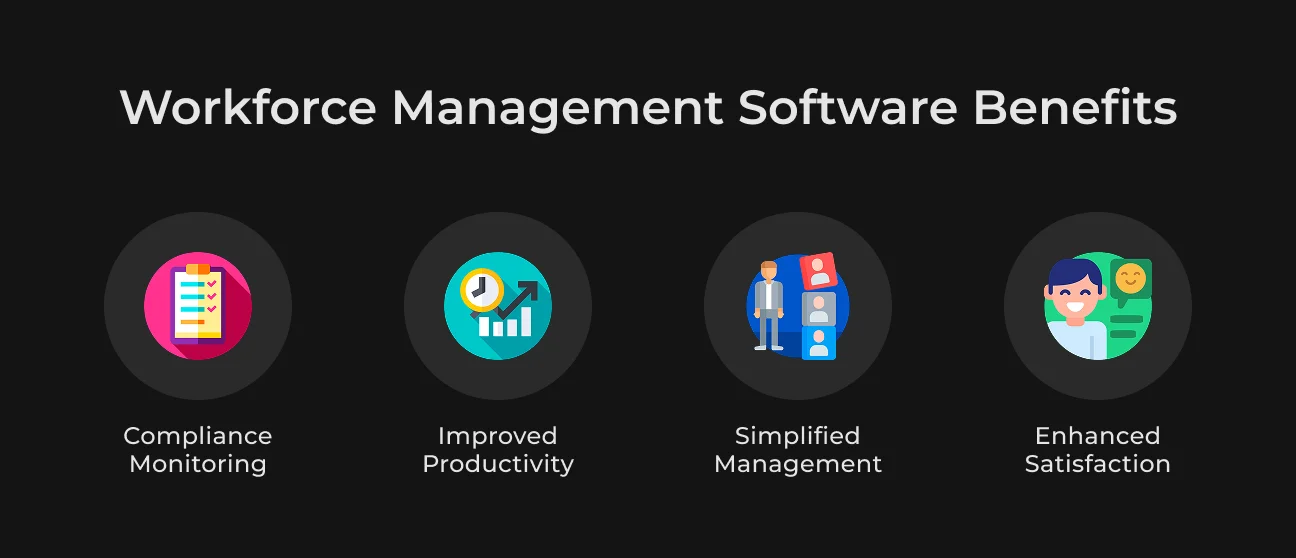
Let's break down these benefits.
Compliance Monitoring
Workforce management solutions help you stay on top of labor laws and regulations. With automated tracking of breaks, overtime, and paid leave, these systems reduce violations by up to 87% among users. They also maintain detailed audit trails, which protect your organization during reviews or investigations.
Improved Productivity
WFM platforms eliminate scheduling mismatches, gaps, and idle time. Data shows companies implementing workforce management tools can reduce labor costs by up to 12%, with some reports showing a 36% reduction over three years through optimized scheduling, accurate staff forecasting, and reduced overtime.
Simplified Management
Real-time dashboards and alerts make managing a hybrid or mobile workforce easier than ever. Managers receive proactive warnings about attendance issues, overtime, or compliance risks before they become problems.
Businesses report significant reductions in labor waste and administrative load by automating scheduling, time tracking, and compliance tasks.
Enhanced Satisfaction
Employees appreciate transparency and flexibility. Self-service features, such as shift swapping and mobile clock-in, reduce frustration and increase engagement.
A meta-analysis across 152 companies found that highly engaged teams show an 18% jump in productivity and a 60% boost in quality. Furthermore, remote and flexible work supported by WFM tools can lower turnover by up to 25%.
Summing up, workforce management software in 2026 allows you to do the right things faster, smarter, and with happier, more compliant teams.
Importance of WFM Software for Call Centers
Call centers operate under constant pressure, experiencing hundreds or thousands of customer interactions each day, strict performance metrics, and the need for 24/7 availability. It's a high-volume, high-stakes environment where the margin for error is slim. That's exactly why workforce management software is no longer optional. It has become the backbone of operational success.
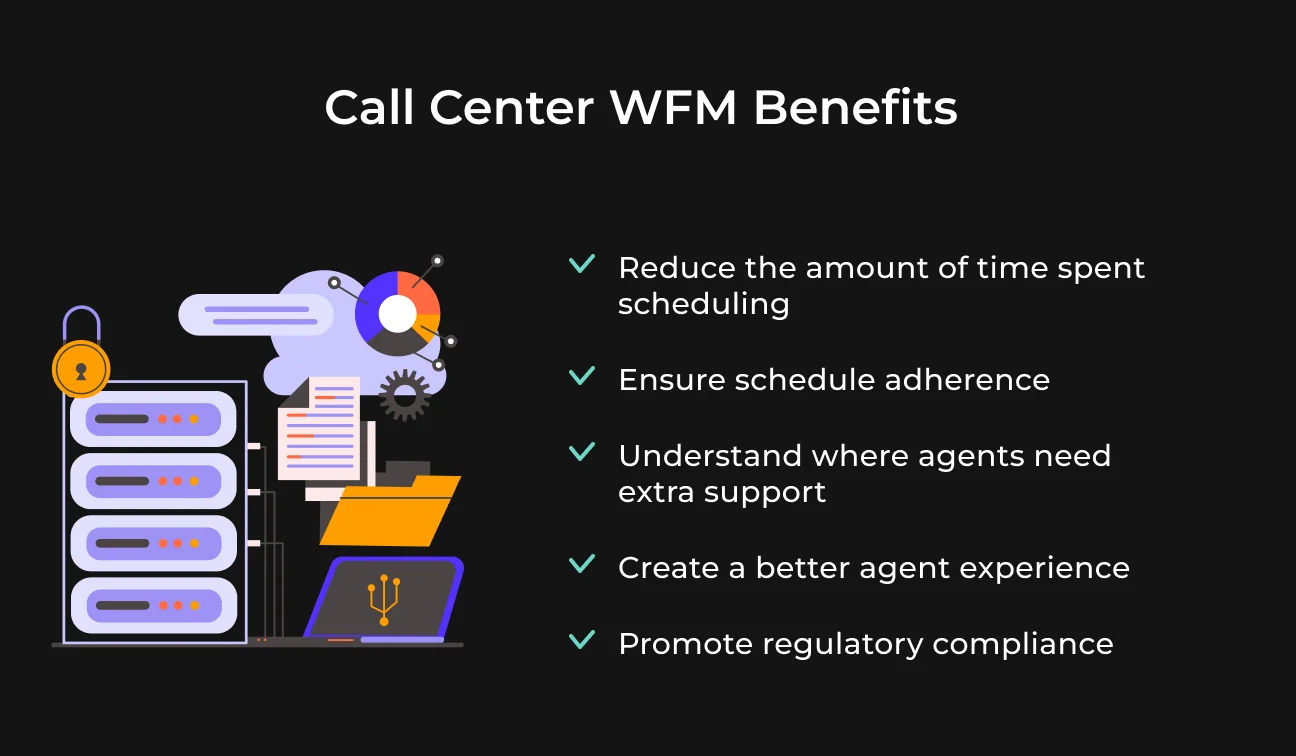
Scheduling dozens or even hundreds of agents manually is both time-consuming and error-prone. Add the growing number of remote agents post-COVID, and it becomes nearly impossible to track productivity, adherence, and coverage without digital help.
WFM software addresses this by automating employee scheduling, providing live performance dashboards, and managing time-off requests in real time.
Contact center workforce management solutions also support demand forecasting. These tools predict call volumes using historical trends and adjust staffing recommendations accordingly. During peak periods, they ensure your team is fully covered.
During quiet times, they help cut unnecessary labor costs. That kind of agility is what keeps service levels high and customers from hanging up.
One real-world example is SapientPro's work on AI agents for call centers. A client approached us with a challenge: automate first-level support, sales, and consultations while dramatically cutting costs.
Our team delivered a voice AI chatbot capable of handling thousands of calls with an average latency of under 700 ms. This result beats Amazon Polly, Azure TTS, and OpenAI TTS benchmarks by a wide margin.
The WFM system behind this solution, besides supporting scheduling, handles speech recognition (STT), intelligent response generation (via ChatGPT), speech synthesis (TTS), and detailed reporting.
So why is WFM so critical in a call center?
Because it:
- Matches labor supply with unpredictable customer demand;
- Tracks and reports agent performance accurately;
- Allows hybrid teams to stay connected;
- Cuts costs through automation and better forecasting;
- Improves the overall customer experience.
You can work with live agents or advanced AI assistants, but workforce management tools are the secret that keeps the machine running smoothly.
Partner with SapientPro to Build Your WFM Solution
Partnering with SapientPro means you're getting much more than just workforce management software — you're getting a dedicated development team that understands the challenges of running a dynamic, fast-moving operation.
With 9+ years of hands-on experience in custom software development, we've built WFM tools for different industries, including retail scheduling platforms and AI-powered contact center systems.
We don't push one-size-fits-all software.
We build solutions that fit the way your business works.
If you need mobile workforce management solutions, integrations with payroll and ERP, or AI-driven scheduling, we will do it and deliver measurable results.
Our team will work side-by-side with yours to:
- Analyze your current workflows and bottlenecks;
- Design features that reduce admin work and cut costs;
- Build a scalable, future-proof system that keeps you in control.
Let's build something that makes managing your team easier, not harder.
Contact us today to get a free consultation, and our experts will walk you through the right approach for your business.
Build Your WFM with SapientPro
Our engineers will provide a detailed estimate and bring all features to life.
FAQ
1. What are workforce management solutions?
Workforce management solutions are software tools that help businesses plan, track, and manage employee-related operations. These systems automate tasks like scheduling, time tracking, leave requests, and labor forecasting.
They also help ensure compliance with labor laws and simplify payroll calculations, which makes it easier to manage teams of any size.
2. What are the best workforce management solutions?
The best workforce management solutions are the ones that align with your specific needs. There are many popular out-of-the-box platforms.
However, many businesses, especially those with unique workflows or multiple locations, benefit more from custom-built WFM systems. SapientPro creates tailored solutions that fit your operations and scale with your business.
3. What industries can benefit from WFM software?
Almost every industry can benefit from WFM software. Retail workforce management solutions improve shift coverage and reduce labor waste. Contact center workforce management solutions handle scheduling and performance tracking across teams.
Utilities mobile workforce management solutions track field crews and ensure real-time reporting. Other common users include healthcare, manufacturing, hospitality, logistics, and construction.

