All
IT Service Desk Integration Best Practices
November 4, 202510 min read


Modern IT service desks have evolved into strategic hubs for delivering business value. With the global IT service management (ITSM) market forecast to reach $17.8 billion by 2029, businesses are investing a great deal in service desk software.
However, all systems must work in harmony to reach their full potential. Most companies use multiple tools for service desks simultaneously, distributing them for different regions and groups. But this approach requires using a single integrated support culture.
In this article, you’ll learn the definition of a service desk and its types. SapientPro’s engineers will share tips on how to improve service desk management and performance for your company.
Key Takeaways:
- An IT service desk is a single point of contact that handles a broad range of IT support services strategically, whereas a help desk is more limited and reactive;
- Service desk integration means connecting multiple support systems (and related tools) into one coherent platform;
- Common integration approaches include data integration, system integration, service/process integration, and vendor/external integration;
- Organizations should implement service desk best practices that lead to faster resolution times, higher user satisfaction, and lower support costs;
- Key metrics include the Track First Contact Resolution rate, Average Response/Resolution Time, Ticket Volume & Backlogs, and Customer Satisfaction.
What is an IT Service Desk?
An IT service desk is a centralized support center that provides a single point of contact between a company and its customers, employees, or partners for IT support needs.
In practice, the IT service desk handles everything from incident resolution and service requests to change approvals and knowledge base management.
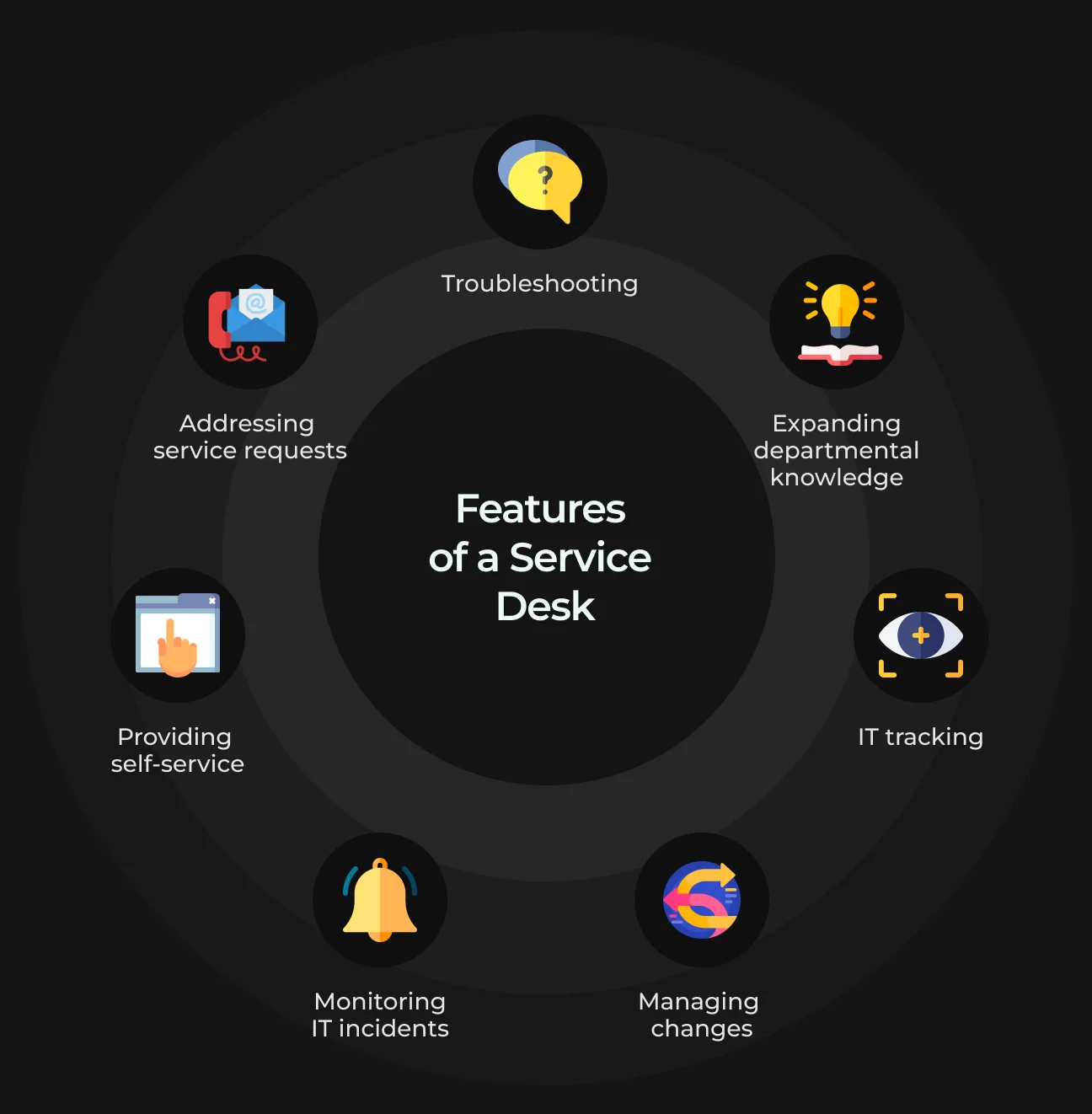
Key features of a modern IT service desk include:
- Ticketing system for tracking issues;
- Knowledge base for self-service;
- Automation of routine tasks;
- Asset management integration;
- SLA management for performance tracking.
Overall, the IT service desk acts as the “front door” of IT. It’s a strategic hub that troubleshoots technical problems and aligns IT services with business objectives. By enabling workflows and standardizing processes, it helps companies:
- Increase efficiency;
- Improve service quality;
- Identify and address recurring issues.
What is IT Service Desk Integration?
IT service desk integration is the process of connecting multiple service desk systems or tools so they operate as a single ecosystem. In simple terms, it unifies and synchronizes data from different service desks (or related applications) to create a seamless support environment.
This is especially valuable when different teams rely on separate platforms. For instance, the customer support team might use Zendesk or Freshdesk to log incidents, the IT operations team might work with Jira, and the development team might use ServiceNow to handle back-end fixes.
When implemented effectively, integration offers several key advantages:
- Centralized support services, ensuring all teams stay aligned;
- Improved operational efficiency through automation;
- Stronger collaboration between departments;
- Faster and more coordinated responses that enhance the user experience.
Let’s check out the difference between a service desk and a help desk.
Difference Between Help Desk and Service Desk
The terms "help desk" and "service desk" are often used interchangeably, but they actually refer to different scopes of IT support:
- An IT help desk typically focuses on providing quick support for end-user issues. It’s reactive firefighting for technical problems as they arise.
- An IT service desk has a broader role. It handles incident resolution and manages service delivery & improvement in alignment with business goals.
Help desks deliver immediate technical fixes, while service desks deliver full-scale management of IT services. You can see a detailed comparison of both technologies below.
Aspect | Help Desk | Service Desk |
Primary focus | Resolving end-user technical issues. | Managing overall IT services and business alignment |
Approach | Reactive — problem-solving as incidents occur. | Proactive — continuous improvement and service delivery. |
Scope | Limited to issue resolution. | Broader: incident, request, change, and knowledge management. |
User experience | Quick fixes to restore functionality. | Coordinated service delivery for long-term efficiency. |
Examples of tasks | Password resets, troubleshooting connectivity issues. | SLA management, change approvals, workflow automation, and service reporting. |
What Are the Different Types of Service Desk Integrations?
Let’s take a look at the common types of IT service desk integrations.
Service Desk Data Integration
This type focuses on synchronizing information such as tickets, user details, and asset records between different systems to create a single source of truth.
For example, customer ticket data from several help desks can be combined into one centralized database or dashboard for unified reporting. This makes it easier for support teams to find information and track issues, regardless of where the data originated.
Service Desk System Integration
This involves connecting two or more software systems so they can communicate and work together seamlessly. For example, integrating an ITSM platform with a bug-tracking tool or a messaging system.
System integrations often use APIs or middleware to enable:
- Cross-platform ticket updates;
- Real-time status syncing;
- Combined workflows.
As a result, you get reduced manual effort — an issue logged in one system can automatically trigger actions in another.
Service Desk Service/Process Integration
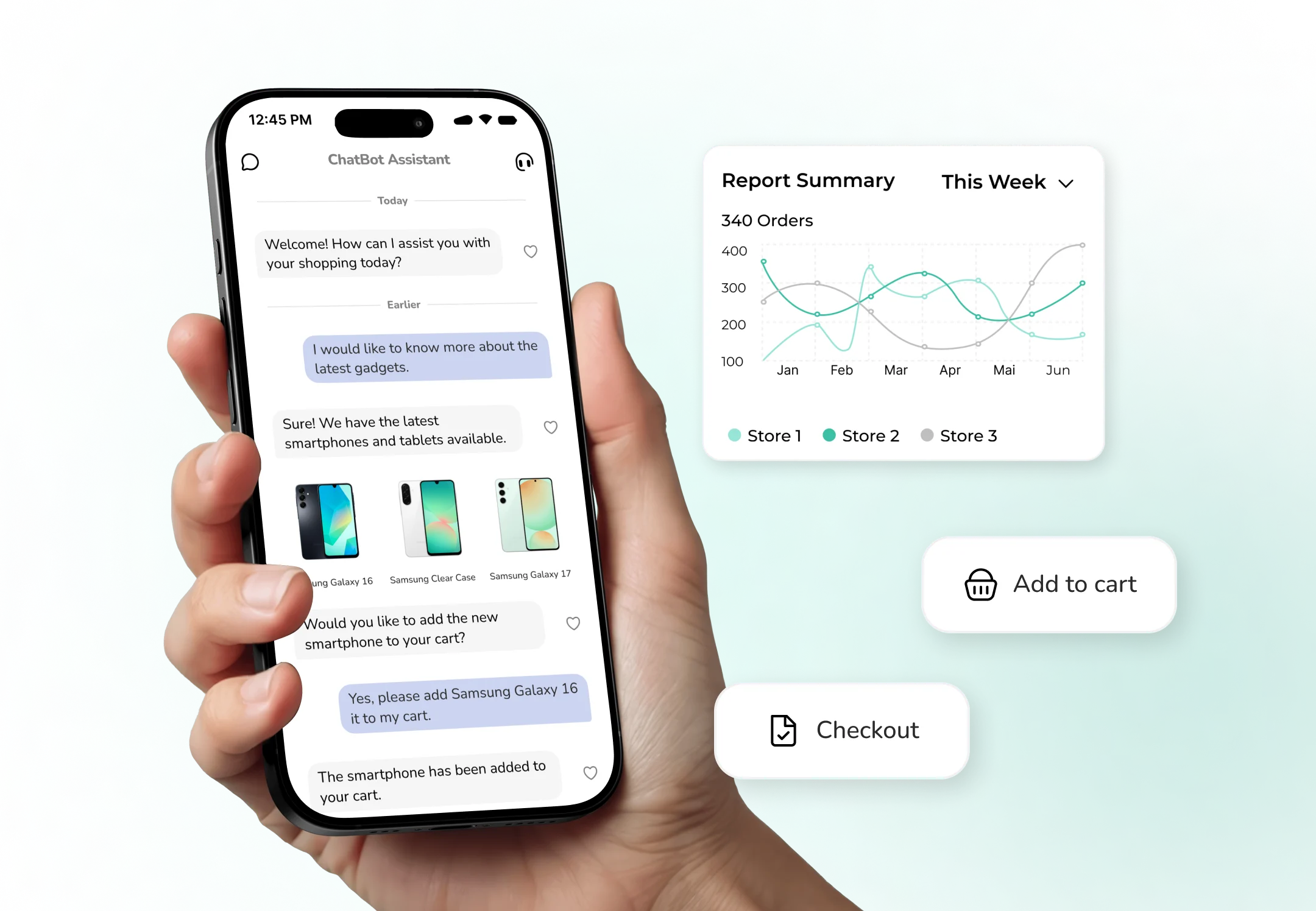
The goal is to link service-oriented components or ITSM processes across platforms to deliver end-to-end support. For example, connecting a self-service portal or chatbot with the service desk so tickets are created automatically.
This ensures that incident management, change management, and knowledge management processes stay connected across different tools. It creates a smooth workflow across departmental and tool boundaries, even when multiple systems are in use.
Service Desk Vendor/External Integration
This integration connects your service desk with external service providers and vendors like a managed service provider or third-party support team. For example, your IT service desk might automatically hand off a ticket to a vendor’s system and receive updates back — without any manual intervention.
It enables seamless collaboration between internal and external support teams, avoiding delays and confusion when multiple parties are involved. Everyone stays on the same page at all times, removing the black-hole effect.
Best Practices for Integrating Service Desk Software
Integrating your service desk with other processes and tools is often a challenging task, as it requires a powerful architecture and technical knowledge. SapientPro’s engineers suggest you follow these best practices based on our experience in the industry.
1. Use Role-Based Specialization
Not every IT support professional should be a generalist. Segment your support team into specialized groups based on technologies, areas, or types of users. For example, you can have groups focusing on:
- Network infrastructure issues;
- Business applications;
- Hardware, cloud services, and more.
Teams can also be specialized by skill sets, like incident managers and documentation specialists, or by customer segment, like VIP vs. standard support. The goal is to route each ticket to the right specialist who can resolve it efficiently. This approach ensures faster issue resolution and higher-quality solutions, as the assigned team members have deep expertise in their area.
Role-based specialization also boosts technician morale by allowing them to focus on their craft and align more closely with specific business units. For instance, each unit can have its own dedicated “IT person.”
When integrating service desk systems, it’s essential to preserve these specializations. Set up your integration rules and workflows so that incoming requests are automatically routed to the appropriate specialized team. This keeps support efficient, organized, and aligned with business needs.
2. Automate Tier-1 Support Where Possible
Implementing AI self-service automation for support tasks like password resets, software deployments, and status checks can dramatically speed up resolution times and lower costs.
According to Gartner, agentic AI will autonomously resolve up to 80% of common customer service issues by 2029, leading to a 30% reduction in operational costs. AI-driven service desk automation is no longer optional — it’s becoming the standard.
A practical way to achieve this is by deploying AI agents or chatbots to work 24/7. They can instantly respond to FAQs and simple requests, even outside regular business hours. Combine this with intelligent ticket routing (AI- or rule-based) to automatically distribute incoming tickets to the right teams without manual intervention.
Other automation opportunities include:
- Knowledge base suggestions: the system can automatically provide relevant documentation to customers or support reps based on ticket phrasing, helping resolve issues without escalation;
- Proactive monitoring: monitoring tools can detect anomalies and automatically create tickets or alerts before users even notice a problem.
Automating Tier-1 support and repetitive tasks ensures your service desk becomes more efficient. Agents can focus on complex issues, customers get faster resolutions, and support capacity grows without increasing headcount.
3. Make the Self-Service Portal Intuitive & Centralized
Think of your self-service portal as the front door of your service desk. A well-designed portal allows users to help themselves with common problems. This improves user satisfaction and reduces ticket volume, freeing up your support team to handle more complex issues.
Create one centralized portal that brings all relevant services together. Instead of making users navigate multiple systems, provide a single web interface where they can:
- Order services;
- Submit incidents;
- Search the knowledge base;
- Check ticket status.
You should know that many self-service portals underperform. According to Gartner, the average self-service success rate is only 14% — often due to poor usability or siloed departmental tools. A single, well-designed portal can change that by improving adoption and making support more accessible.
A centralized and branded portal also personalizes the experience. Users see only the services relevant to their role, which improves navigation and reduces confusion. To make the portal truly effective:
- Implement robust search with AI support so users can quickly find relevant articles or solutions by asking simple questions;
- Provide instant answers, since most users abandon self-service if they don’t get fast results — Gartner found that 38% of millennials and Gen Z lose interest if the portal doesn’t immediately help;
- Continuously monitor and improve the portal’s performance; organizations are increasingly investing in this area — 60% of companies plan to deploy or upgrade self-service portals within the next 12–18 months.
The key is accessibility and ease of use. By offering a modern and user-friendly portal, you can significantly reduce support workload while delivering a smoother user experience.
4. Align Processes with ITIL Frameworks
When multiple support teams or service desk tools operate with different approaches, chaos is inevitable. One of the most effective ways to bring structure and consistency is by aligning support operations with established best-practice frameworks like ITIL (Information Technology Infrastructure Library).
ITIL provides a set of standardized processes for IT service management. This includes incident, problem, change, and service request management. By adopting ITIL (or a similar framework) across your business , you ensure that everyone operates with a consistent methodology.
This alignment is especially valuable when integrating disparate tools, helping them work together seamlessly. Standardized processes bring structure, repeatability, and reliability to IT service operations.
A few key ITIL components to focus on:
- Change management: controls how updates and patches are rolled out, minimizing disruptions;
- Knowledge management: captures and shares solutions through a centralized knowledge base so that both agents and users can benefit from collective expertise;
- Service delivery: establishes clear guidelines and consistent workflows, ensuring that no matter where a ticket originates, it’s handled in the same structured way.
These practices build confidence and dependability. Users know what to expect, and support teams follow well-defined procedures, resulting in faster response times, fewer errors, and better use of resources.
ITIL also strengthens audit and compliance readiness. Since controls and documentation are embedded within the framework, it is particularly valuable in regulated industries where accountability is critical.
By treating your service desk as a single unit applying ITIL-based processes and best practices, you can unify workflows across different tools and teams. This leads to more consistent service delivery and a higher overall quality of support.
5. Always Monitor and Enforce SLAs
Service Level Agreements (SLAs) are your IT support's performance contracts. They define the expected response and resolution times for different types of issues or user groups. Establish clear and measurable SLAs for your service desk and monitor them continuously using your integrated support system. SLAs transform a service desk from “good” to truly effective by adding objective performance metrics.
Don’t rely on guesswork to evaluate service performance. Many companies use predictive analytics to forecast potential SLA breaches based on historical trends, current ticket volumes, and backlogs. This approach allows teams to intervene before violations occur, minimizing impact on end users.
Regular SLA reviews are just as critical. Analyze reports to identify patterns. For instance, if certain SLA targets are consistently missed, it could signal process inefficiencies or insufficient resources.
With an integrated service desk, you can aggregate compliance data from multiple tools into one report, providing a complete, actionable picture.
Visibility and transparency of SLA performance must also be provided to stakeholders. When business leaders can clearly see whether IT is meeting or exceeding commitments, it builds trust. If expectations are not being met, visibility also signals when adjustments are needed.
The key is to monitor SLAs in real time and benchmark performance against defined targets. This disciplined approach ensures consistent service quality, faster response times, and stronger accountability.
6. Improve Knowledge Management to Empower Users and Agents
A strong knowledge base is one of the most powerful yet often underestimated tools of an efficient service desk. Knowledge management (KM) is about collecting solutions, fixes, and know-how, then making that information easily accessible to both support agents and end users. Think of your knowledge base as a strategic asset, not an afterthought.
Businesses with well-made KM systems see significant returns. According to Gartner, 74% of CX leaders say improving content and knowledge delivery is a top priority. Good KM leads to cost savings (fewer tickets due to self-service) and higher customer satisfaction (faster and more accurate answers).
To achieve this, consider implementing Knowledge-Centered Support (KCS). This approach integrates knowledge creation into the support process itself. For example, when resolving a ticket, the agent either creates a new knowledge article or updates an existing one. Over time, this builds a rich repository of solutions.
Agents should also have real-time access to internal documentation to accelerate resolutions.
A well-structured knowledge base:
- Enables self-service (users solve simple problems on their own);
- Reduces Tier-1 ticket volume;
- Speeds up resolution for agents who can quickly find known solutions.
Keeping content accurate and useful requires continuous updates. Use analytics to see what users are searching for, identify content gaps, and keep articles relevant. Advanced AI integrations can even automate article suggestions or flag missing content (e.g., common questions without matching articles).
Practical steps to strengthen knowledge management include:
- Dedicating staff time to documentation;
- Implementing review workflows to ensure article accuracy;
- Requiring support agents to contribute to the knowledge base as part of their role.
When embedded into the support culture, knowledge management becomes a force multiplier — empowering users, making agents more effective, and reducing ticket volume over time.
7. Measure the Right Metrics and Act on Them
What gets measured gets managed. High-performing service desks are data-driven, tracking performance and spotting opportunities for improvement in real time. The key is to focus on metrics that reflect user experience and support effectiveness, not just operational output.
Start by selecting KPIs that align with your organization’s support goals.
Common metrics include:
- Ticket volume;
- First Contact Resolution rate;
- Average response time;
- Average resolution time / Mean Time to Resolve (MTTR);
- Backlog;
- Customer Satisfaction (CSAT);
These metrics help you identify patterns and act early. For example, if resolution times increase, it might indicate a need for extra training or improved knowledge base content. If first contact resolution rates are low, issues may need escalation or better tooling for the team.
Regular reviews are critical.
Weekly or bi-weekly metric reviews should address questions like:
- Are we meeting our SLAs?
- What does customer satisfaction look like?
- Did the new chatbot actually reduce ticket volume?
Don’t rely on numbers alone. Combine data with qualitative feedback from support agents and customers. This gives context to spikes or dips in performance. For instance, an increase in ticket volume after a software release might highlight areas needing better documentation or user training.
By turning metrics into actionable insights, you build a culture of continuous improvement, ensuring your service desk remains both efficient and responsive to changing needs.
Key Service Desk Metrics to Track
To run an effective service desk, it’s not enough to collect data — you need to track the right metrics that reflect both operational efficiency and user experience. Well-chosen KPIs help teams identify performance gaps, forecast demand, and make data-based decisions about process improvements.
The table below outlines key service desk metrics, explains what each measures, and highlights the insights they provide for maintaining high service quality, optimizing resources, and ensuring customer satisfaction.
Metric | Description | Goal / Insight |
| Ticket Volume | Number of tickets received over a given period, categorized by channel or issue type. | Tracks demand and workload; spikes may indicate recurring issues or system outages. |
| First Contact Resolution (FCR) | Percentage of tickets resolved during the first interaction without escalation. | Higher FCR = more efficient agents and better user satisfaction. |
| Average Response Time | Time between ticket submission and first acknowledgment. | Measures responsiveness; helps ensure SLAs are met and users feel heard quickly. |
| Mean Time to Resolve (MTTR) | Average time from ticket creation to resolution. | Indicates overall efficiency; lower MTTR means faster service and fewer disruptions. |
| Backlog of Open Tickets | Number of unresolved tickets at a specific time. | Reveals capacity and prioritization issues; consistent backlog signals process inefficiency. |
| Customer Satisfaction (CSAT) | Average rating from post-resolution surveys. | Directly measures user experience and overall support quality. |
| Agent Satisfaction & Utilization | Internal measure of agent engagement and workload balance. | Ensures team morale and sustainable performance; prevents burnout and turnover. |
Partner with SapientPro to Integrate & Manage Your Service Desk
SapientPro is your reliable partner to develop, integrate, and deploy a custom IT service desk for your business. We have many years of experience working with tools like ServiceNow, ManageEngine ServiceDesk, Jira/Atlassian, Zendesk, SolarWinds, and more. You’ll get the industry’s best practices backed by our engineering team’s expertise.
Check out some of our previous projects:
- Language learning assistant enhanced by AI;
- CRM migration and development to ensure 45% income growth.
Get in touch with SapientPro’s team today to discuss your project in a free consultation!
Build Your Service Desk with SapientPro