All POS Technology Trends in 2026: Future Solutions and Key Features for Business
March 18, 202620 min read


As POS terminals are becoming the legal requirement for sales and service across most countries, their market size is expected to grow significantly. They were already evaluated at $113.38 billion in 2024, constantly increasing at a CAGR of 8.1% up to 2030.
US-based retailers and restaurateurs are adopting next-gen POS systems to process transactions, improve customer experiences, streamline operations, and boost profitability.
Based on SapientPro’s 9+ years of experience in e-commerce and POS development, we provide an insider’s look at the top POS technology trends shaping 2026.
Our engineers outline the major POS technology trends for this year and how to use each trend in your business, with real-world examples of point of sale systems and case studies.
Hint: the future of POS is bright!
Key Takeaways
- AI and ML are empowering smarter POS systems with recommendations and predictive analytics;
- Headless POS architecture makes front-end experiences flexible on online, kiosk, and mobile channels;
- Cloud POS solutions deliver real-time data syncing, remote access, and less maintenance;
- Smooth integration with inventory, CRM, and accounting software streamlines operations and reduces manual effort;
- Mobile POS enables workers to deal with customers anywhere, improving service time and personalization;
- Self-check and kiosk reduce labor needs while increasing customer convenience and throughput;
- Restaurants also get POS features like online ordering, digital reservations, and QR-based self-service.
10 Technology Trends Impacting POS Systems
What is POS? It’s the place where a customer completes a purchase and a business processes the transaction. The retail point of sale market is very diverse and offers as many innovations as you can imagine. So, let's take a look at point-of-sale technology trends that can boost your retail business!
1. Artificial Intelligence and Machine Learning
Retailers use AI to optimize sales trends, make demand predictions, price dynamically, and even detect fraud in real time. In fact, 89% of retail companies use AI in operations or have active AI pilots underway.
While these technologies have long been used in the back end of retail (e.g., forecasting and inventory optimization), they are becoming front-and-center in customer-facing POS applications in 2025. AI-powered POS systems can use customer data to improve the shopper experience.
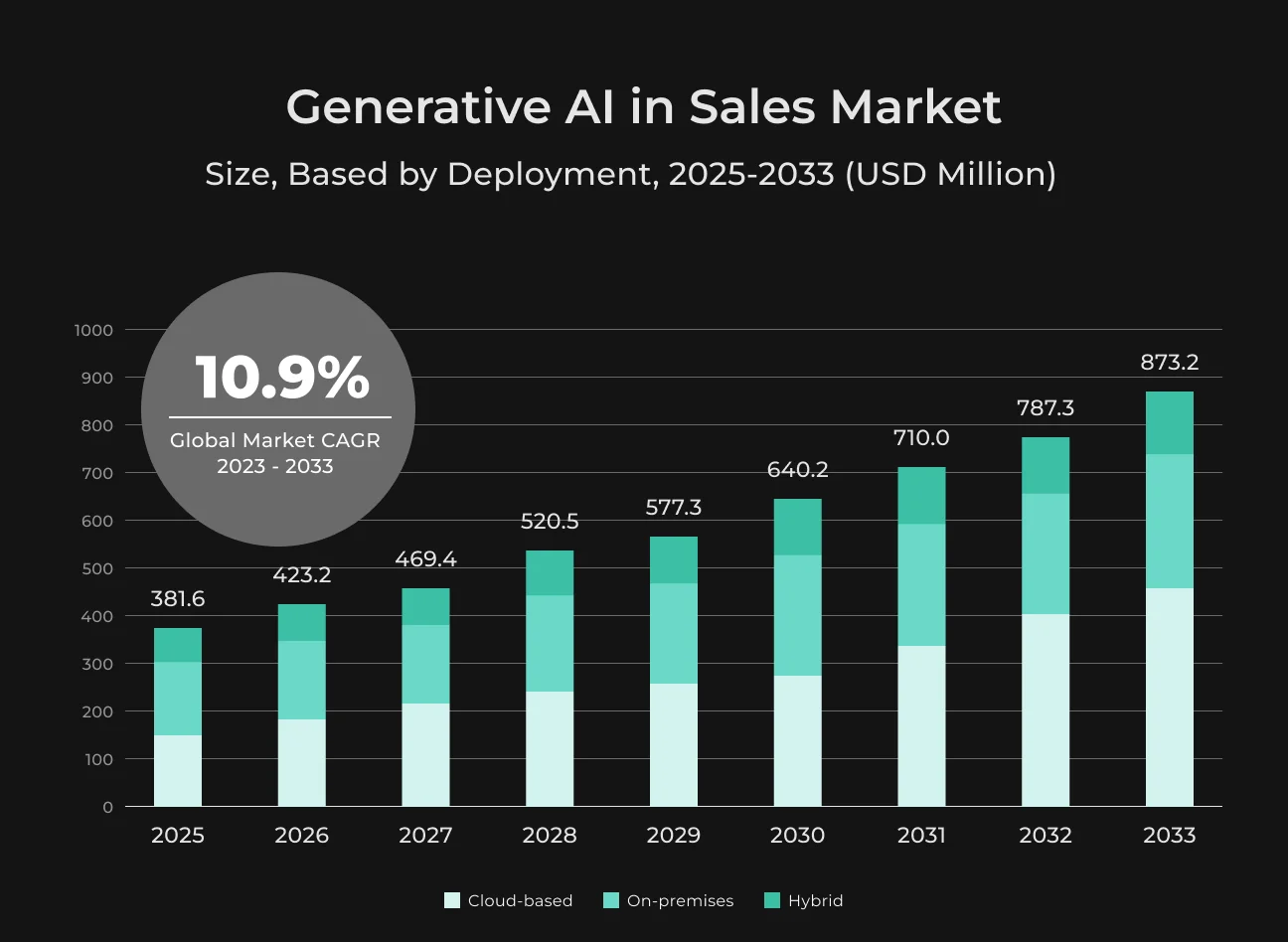
For example, as early as 2019, Starbucks used an AI engine known as "Deep Brew" to analyze customer preferences and suggest targeted drinks and food offerings to customers.
Today, the majority of restaurants use the application of AI in suggesting what a customer would like to eat or remembering prior orders for loyalty club members.
On top of personalization, AI/ML improves POS in several other ways:
- Computer vision for faster self-checkout (scanning items that have no barcode);
- Natural language processing for voice POS (utilized at certain quick-service drive-thrus);
- Predictive analytics for labor forecasting.
A recent NVIDIA survey finds 87% of retailers credit the increase in annual revenue to AI and 94% say it's reducing operational costs.
How to Use This Trend
Use ML algorithms on POS sales data to forecast demand and dynamically reorder inventory (preventing stockouts). Add an AI-powered recommendation engine to your POS or website, which suggests products based on the buying history of each customer.
In-store employees can access these suggestions on their POS tablets.
AI can power chatbots for mobile ordering apps for quick customer support. While adopting AI, it is reasonable to employ experienced AI consultants to choose the right models and data quality.
2. Headless POS Architecture
In application software, headless architecture is divided into the separation of back-end logic and front-end user interface. Employed in POS, a headless POS system unbundles point-of-sale UI (checkout screen, register interface, or mobile app) from the commerce engine, inventory, and customer data.
This modular style gives businesses unimaginable flexibility. They can build custom front-end experiences for channels (in-store kiosk, mobile app, online store) but still use the same robust back-end platform for product catalog, payment processing, and analytics.
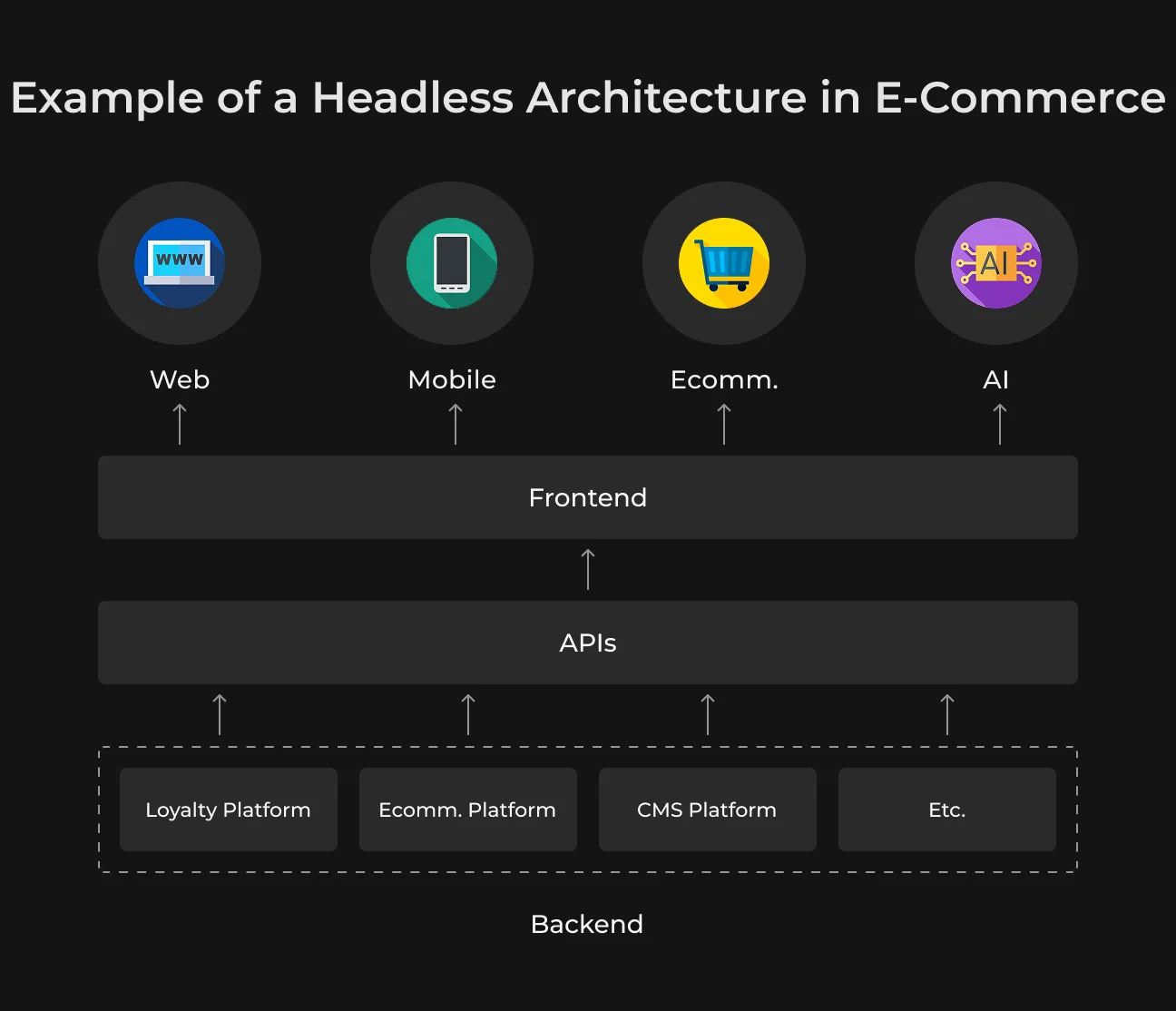
For example, a retailer could have a tablet-based POS app in-store and a separate kiosk UI for self-service checkout with the same cloud backend. This is of significant advantage to omnichannel retail: headless design lets you merge e-commerce and store systems seamlessly.
Here, the API-first philosophy is at the core. APIs expose functions of everything (adding items to the cart, applying a discount, payments, etc). This makes it easy to integrate your POS with new touchpoints, for example, voice shopping with smart speakers or AR shopping. All without needing an entirely new system.
How to Use This Trend
Start by having your current systems audited. Are your sales data in-store and online mashed together? If not, a headless solution can tie them together via a common backend.
Work with developers to create personalized front-ends for each channel. For example, develop a branded mobile POS app for your salespeople to use in-store, and a simple self-service kiosk UI for your store`s entrance, both integrated into your core inventory and CRM database.
Make your headless POS expose robust APIs so it will integrate with other business systems easily (e.g. your ERP, loyalty program, or mobile app).
Keep in mind, of course, that being headless does mean that greater technical expertise will be required to enable it. We have a separate article explaining how to develop a custom POS software.
3. Cloud-Based POS Systems
Traditional point of sale systems were typically on-premise installations, requiring store-based servers and confining use to store locations.
In 2026, cloud-based top point of sale systems are the new norm. These kinds of systems are hosted on cloud infrastructure, which implies your transaction processing, product catalog, and sales data are in a secure data center and accessed via the internet.
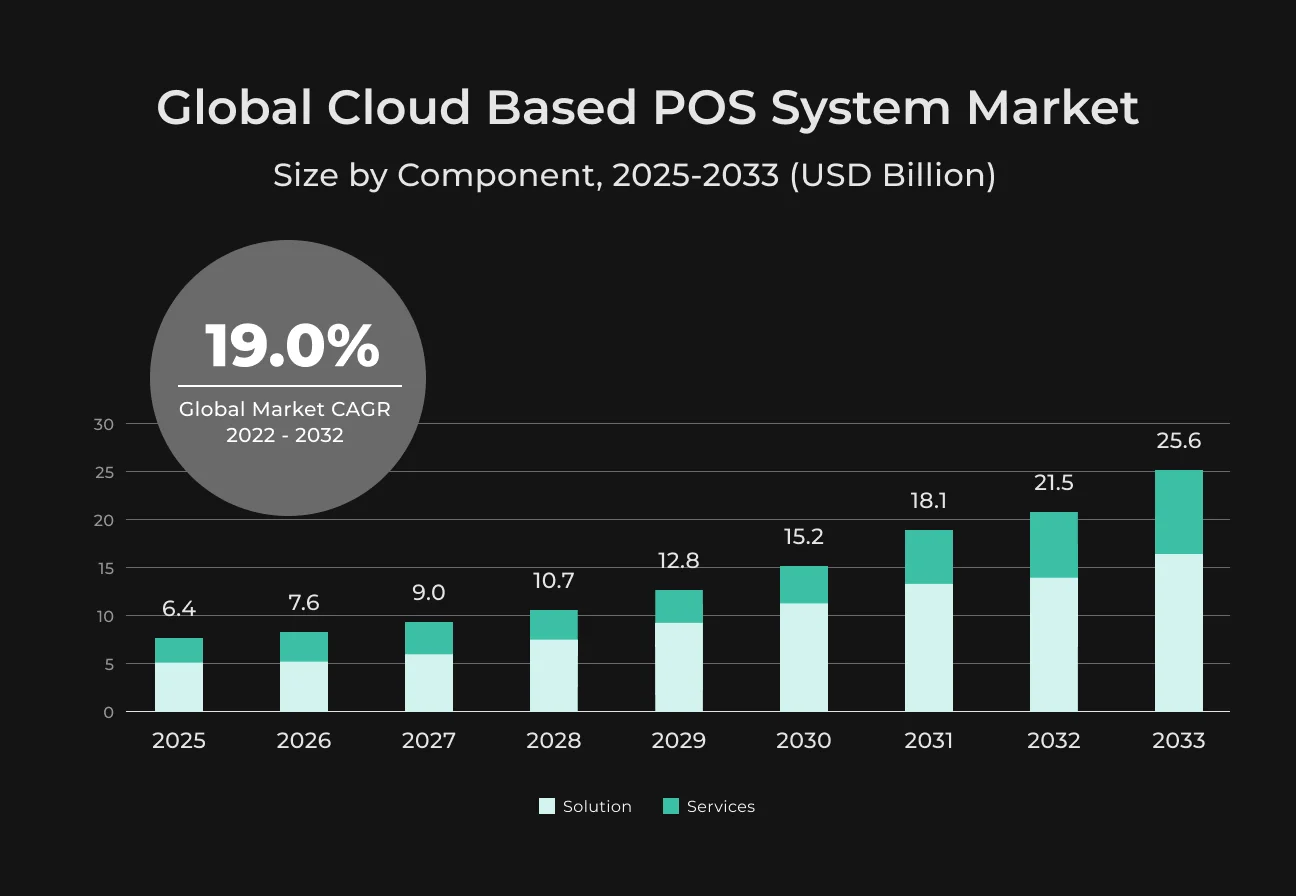
No surprise that in 2023, over 35% of retailers operated using cloud-based POS solutions. In fact, small to medium-sized retailers prefer cloud POS for cost-effectiveness and better functionality.
Retailers want to sell anywhere, anytime, without extensive IT configuration, whether at a pop-up event, a curbside pickup station, or a new store. With a virtual POS, you can literally take an iPad, download the POS application, and start selling wherever you have an internet connection.
How to Use This Trend
If you’re still on a traditional POS, evaluate cloud-based alternatives like SapientPro Magento POS.
Critical steps:
- Migrate your data (products, inventory, customers) to a good cloud POS platform;
- Ensure reliable internet (with backup options like cellular hotspots for redundancy);
- Train staff on the new interface, which is typically more intuitive and tablet-friendly than older systems;
- Employ the cloud functionality, for instance, use the real-time inventory synchronization to enable features like "buy online, pick up in-store" (BOPIS).
Security is first. Choose SapientPro’s Magento POS that already has encryption & compliance covered, and rest at ease knowing your data is backed up in the cloud.
4. Multiple Payment Options
Shoppers now expect to be able to pay in whatever method is most convenient for them.
Cash and standard credit cards are now joined by mobile wallets, contactless payments, buy-now-pay-later (BNPL) plans, and more. In 2023, 645.8 billion non-cash transactions were carried out in Asia-Pacific. Europe and North America followed, with 361.1 and 237.3 billion transactions, respectively.
Digital wallets (like Apple Pay, Google Pay) accounted for around 37% of all point-of-sale payments in the U.S., overtaking credit cards (32%) as the most popular payment method.
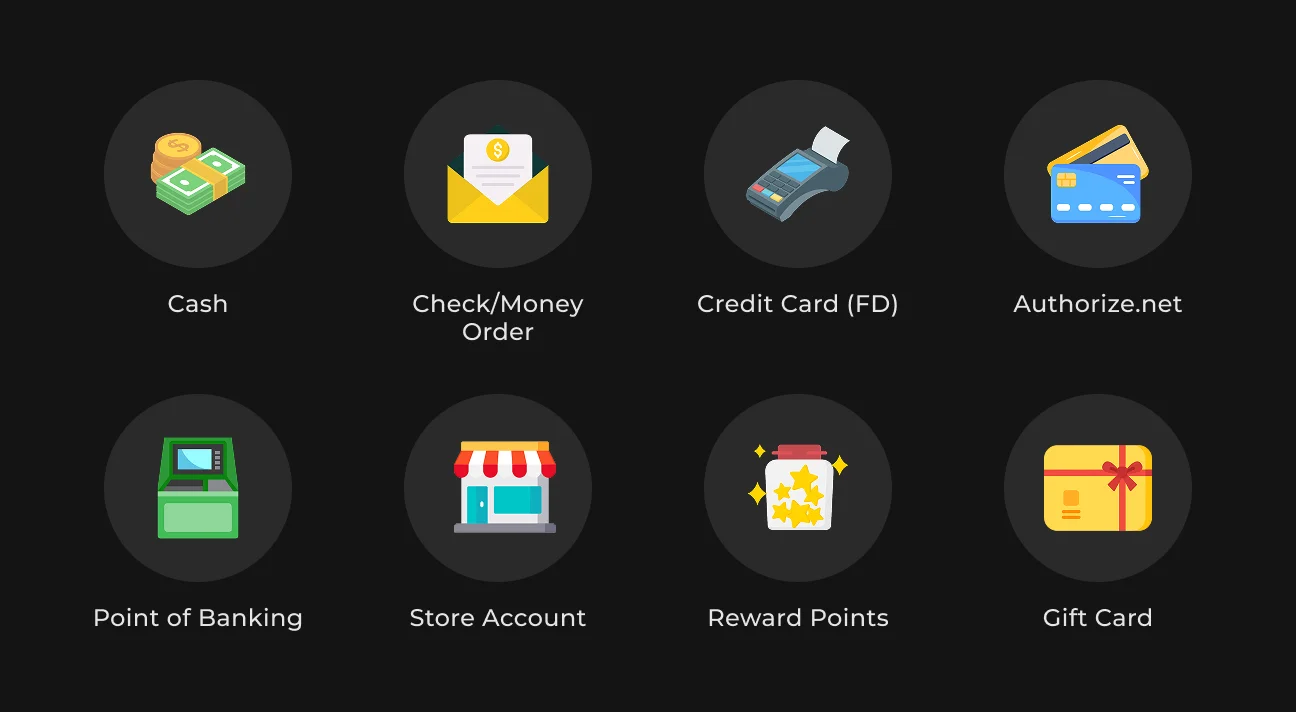
Outside of mobile wallets, alternative payment methods are proliferating. Amazon Pay (used by over 5 million merchants) and other such services allow consumers to pay using saved account details.
Buy Now, Pay Later products (Affirm, Klarna, Afterpay, and others) have spread across retail and even restaurant verticals, allowing consumers to pay for products in installments.
For restaurants and service businesses, split payments (the ability to split a bill across multiple cards or payment types) and gratuities are critical features. Modern POS terminals can split checks with ease or accept one bill paid via a cash-card combo, for example.
They also store encrypted customer card data on file (tokenization) for quicker repeat checkouts and subscription billing.
How to Use This Trend
Key actions:
- Audit your POS and ensure it accepts all major debit and credit cards, along with contactless payments (NFC tap);
- Upgrade to terminals that are Apple Pay, Google Wallet, and other mobile wallet-compatible;
- Research implementing a buy-now-pay-later option at checkout (e.g., some POS/e-commerce platforms enable you to offer Affirm or Klarna as payment methods; this will facilitate sales of higher-priced items);
- Implement gift card functionality (digital and physical) as gift card sales are projected to continue to grow at a CAGR of 17.7% in 2023-2032.
The checkout experience must be frictionless, whether a shopper is tapping their phone, splitting a $100 lunch on three cards, or using a payment link in their loyalty app.
5. Integrations with Other Business Systems
New POS systems integrate smoothly with other back-end systems like inventory control and e-commerce storefronts through CRM, accounting, and the rest. This movement recognizes that data silos are time and money drains.
What exactly do these integrations really look like?
Two examples:
- Inventory. Your POS should lower stock levels in real time when something is sold and alert your purchase system when things are running low. Ideally, it connects to an ERP or inventory control system so it can be used to automatically order more.
- CRM. Your POS collects customers' email addresses, purchase history, and preferences at the point of sale, syncing with your CRM or loyalty program so you can send them targeted follow-up promotions.
Merchants who receive POS information from unified channels integrated see 38% higher average order values compared to merchants with fragmented systems. Why?
Smooth integration offers a better customer experience (like welcoming a frequent online shopper when he or she comes into a store) and optimized operations (reconciliation between online and in-store inventory done automatically).
How to Use This Trend
Map out all the systems in your business (e-commerce site, warehouse management, CRM, accounting software, etc.) and establish integration points with your POS. Most modern POS systems have an app marketplace or APIs to integrate with common software.
For example, when you're selling online through Magento 2 and another POS within your stores, use an app connector or switch to a POS native to Magento 2 to sync products and inventory.
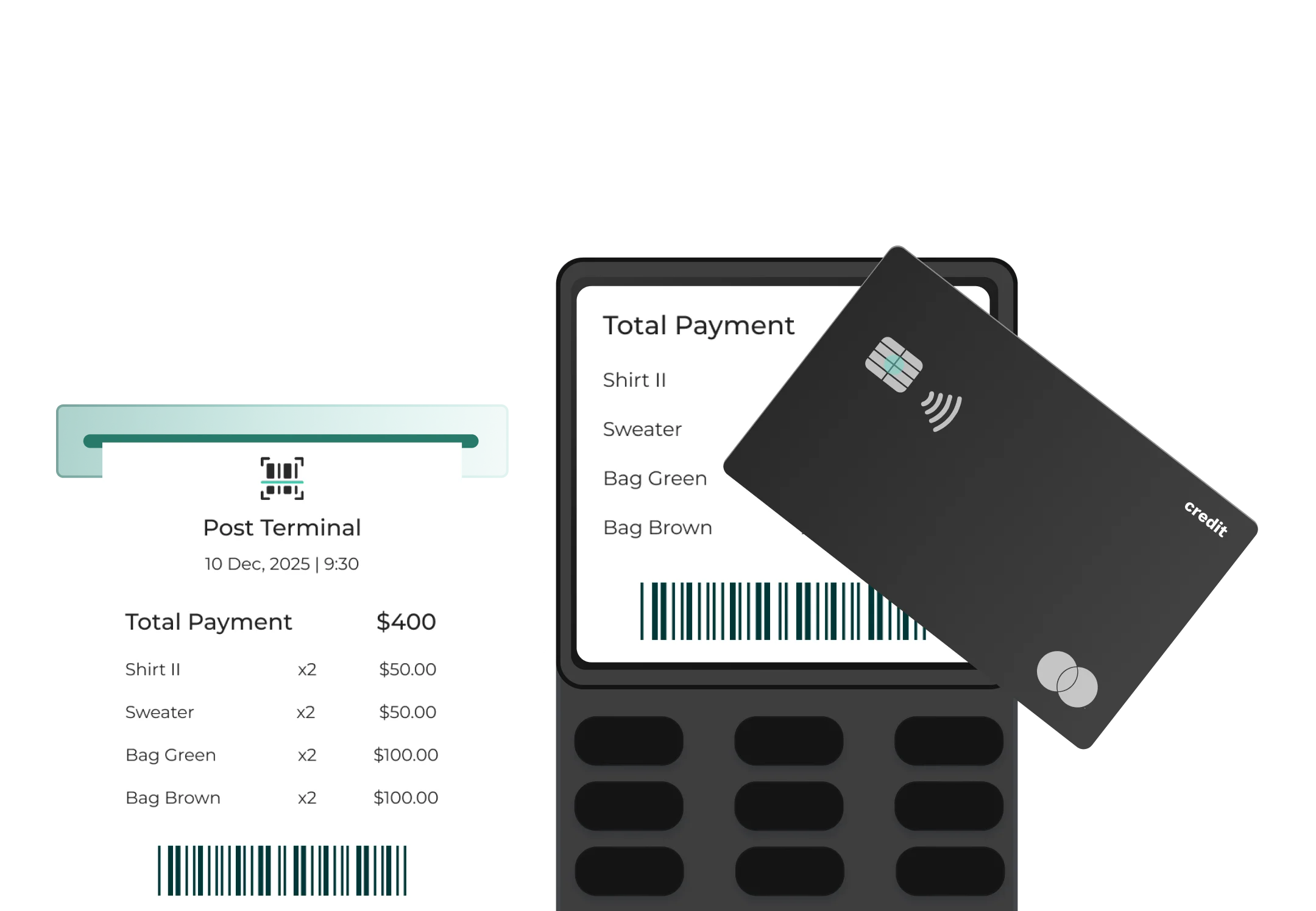
Seamless Payments & Integrations
Try SapientPro's POS for Magento 2 in your business.
6. Mobile POS Solutions
Why must one be anchored to the checkout stand? Mobile POS systems are providing staff with the freedom to interact with customers anywhere in the store (or outside of it).
Whether it's an associate with an iPad serving customers on the floor or a food truck with a phone card reader, mPOS enables line-busting, pop-up sales, and a more personalized shopping experience.
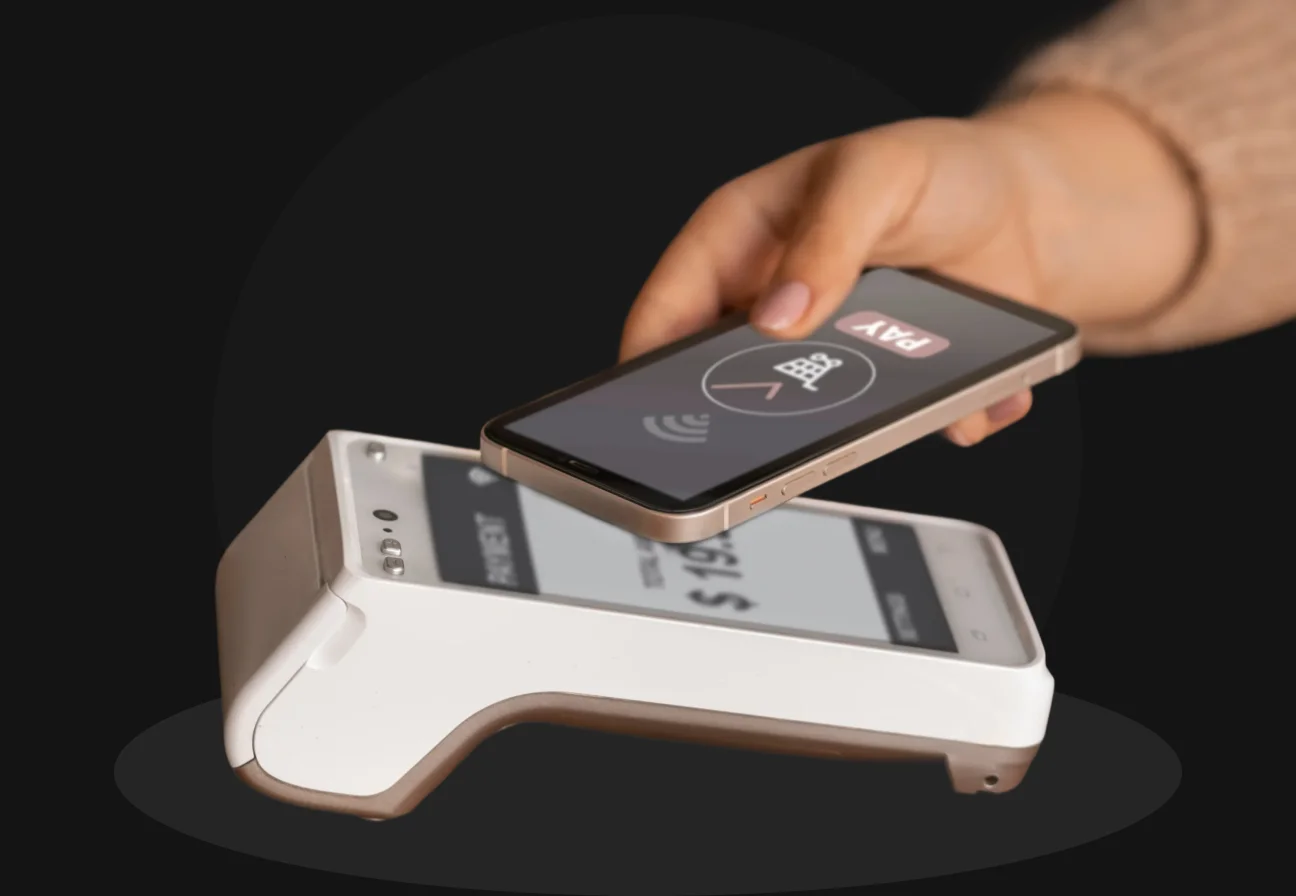
Among the motivations for mPOS adoption is its suitability for omnichannel fulfillment.
With a tablet POS, store associates can readily support curbside pickup or line-bust by ringing up customers in long lines (especially holiday rushes). Transaction value in the mobile point of sale industry is projected to reach $12.56 trillion in 2025. The number of users is expected to amount to 3.71 billion by 2030.
Mobile POS in restaurants appears as tableside ordering stations. They appear as waitstaff carrying ordering stations around their necks or even as customers ordering and paying with their own devices (scan table QR code, appears to order on your phone).
How to Use This Trend
To implement mPOS, you’ll need hardware (tablets or mobile devices and possibly portable receipt printers or Bluetooth card readers) and a POS software that supports mobile use. For instance, SapientPro’s Magento POS is mobile-first.
Start small:
- Equip a few staff with devices and see how it impacts sales and customer satisfaction;
- Teach them to use it not just as a till, but as a clienteling tool. An mPOS can also access product information, verify inventory in other stores, or sign customers up to loyalty programs instantly;
- Use mPOS for line management. During rush hours, dispatch personnel with mPOS to take payments from people waiting in line (reducing waiting times and walk-outs);
- Also use mPOS for off-site or out-of-doors sales. If you sell at farmers' markets, trade shows, or have delivery locally, a mobile POS gets those sales into your central system.
The average transaction value per user in the mobile point of sale industry is expected to amount to $4.65k in 2025.
7. Personalization Capabilities
The idea is to use customer data to tailor the experience. It implies greeting a customer by name (since the POS recognizes their loyalty account), applying a coupon on the ticket for a category that they consistently buy, etc.
During a 2023 survey among senior marketing executives worldwide, it was found that basic information (first name, e-mail content, homepage) would be the most important type of data used for customer experience personalization, at 80% in 2024.
Purchase-based and advanced personalization techniques were also growing and were expected to reach 62% and 70% in 2024, respectively.
How to Use This Trend
To personalize it via POS, first ensure that you are gathering customer information in a responsible manner. Encourage consumers to sign up for a membership or loyalty program so you can track their purchases (with their consent). Then, link that program to your POS.
Even something as minimal as asking the cashier to ask for the customer's phone or email (and checking their profile) can get the ball rolling.
The system can display their last purchases or points status, and the staff can use them as discussion points. Configure your POS or CRM to segment customers and associate promotion rules.
After a client spends $500 in total, the next visit rewards them with a free gift.
8. POS Data Analytics
You can get unexpected insights. What kind of insights are we talking about?
Here are a few:
- Sales trends and product performance;
- Customer insights;
- Operational metrics;
- Store layout and conversion;
- Inventory optimization.
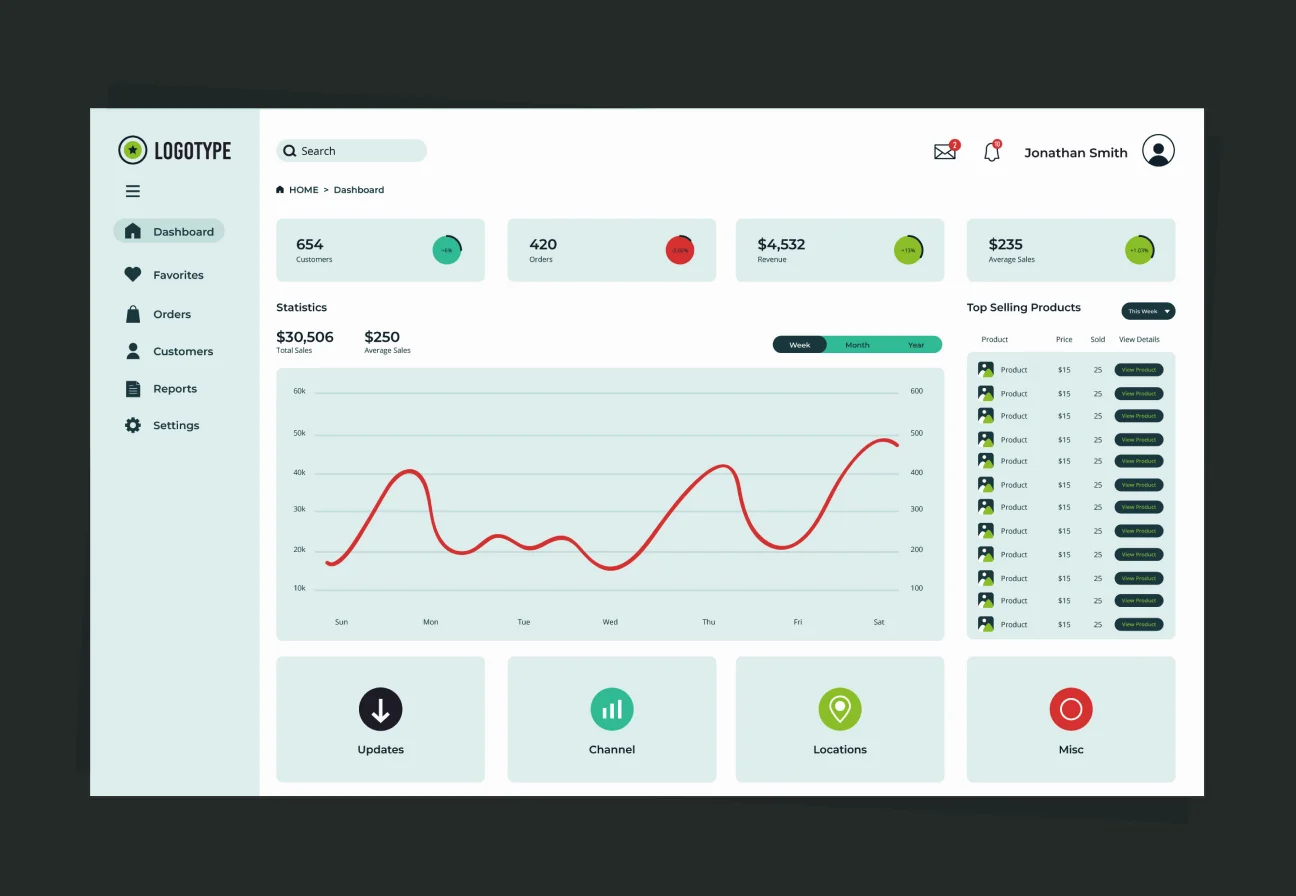
The majority of top point of sale systems today have dashboards integrated or can export the information to BI (business intelligence) tools.
The trend is to take those insights and make them more real-time and accessible. Rather than waiting for an end-of-week report, managers get immediate alerts e.g., "today's sales are 20% below average by 3 pm". So, they can take immediate action (maybe call in more staff or alter a promotion).
How to Use This Trend
Use a POS platform with robust reporting or one that integrates well with analytics software like Tableau, PowerBI, or even Excel for smaller enterprises. Identify key metrics (KPIs) that matter to your business:
- Daily sales;
- Gross margin per order;
- Sell-through rate;
- Customer average spend, etc.
Track these metrics on a consistent basis and set benchmarks or alerts when something gets off track. If, for instance, the sales of a specific product reduce week-over-week, determine why (Did stock fall out? Did a competitor drop price?).
Similarly, watch for nice spikes (a sudden surge on an item could equal a social media trend that you can capitalize on with more inventory).
You can even schedule analytics checks to be automated. Maybe weekly report auto-emails management with results like "Top 5 items of the week, Bottom 5 items, Top employee by sales, etc.".
9. Implemented Inventory Management
The moment an item is sold (or returned), the POS updates inventory counts in real time across all channels. Conversely, when new stock arrives or is transferred, that too is reflected so that sales staff and customers (online or in other stores) have an accurate view of availability.
Such tight integration prevents the dreaded “Sorry, we actually don’t have that item in stock” situation and helps avoid both overselling and overstocking.
Why is this important? Globally, inventory distortion (i.e. lost sales from out-of-stocks plus markdown losses from overstocks) was about $1.7 trillion in 2024.
An implemented inventory management system tied to POS helps mitigate this by providing real-time stock visibility and data for smarter purchasing.
Features of an integrated inventory-POS solution typically include:
- Real-time stock deducting;
- Multi-location tracking;
- Automated purchase orders;
- Inventory forecasting;
- Integrated inventory for online and offline.
For restaurants (or grocery stores), inventory integration means deducting ingredients or menu items as they’re sold, which helps with food cost control and reordering supplies just in time.
How to Use This Trend
If you’re not already on an integrated inventory + POS industry system, it’s time to upgrade.
Many modern POS solutions have built-in inventory modules. If not, look for third-party inventory management software that syncs with your POS via API.
You should follow this checklist:
Category | Action Item | Key Details |
| Data Integrity | Clean up inventory data | Audit SKU codes, descriptions, and starting quantities for 100% accuracy. |
| Automation | Set thresholds and alerts | Set "Low Stock" alerts (e.g., < 5 units) to notify managers or auto-draft POs. |
| Optimization | Analyze product velocity | Use POS reporting to identify slow vs. fast movers. Plan clearance for 90-day stagnant stock. |
| Operations | Implement Cycle Counting | Replace annual counts with small, frequent counts performed by personnel. |
| Omnichannel | Enhance Customer UX | Show location-based availability on the web; enable store-to-store transfers via POS. |
In retail, margins are tight. So, not having an extra 10% of capital stuck in unsold stock can be a competitive advantage. Plus, you’ll avoid either extreme of inventory distortion – no empty shelves (lost sales) and no overflowing stockrooms (lost capital).
10. Self-Checkout POS Systems
Consumers often find self-checkout faster and more convenient.
As of September 2024, 86% of US adults have used self-checkout, and 70% have used mobile apps for shopping. Retailers are responding accordingly. The market for self-checkout technology is growing 9-10% annually, projected to reach around $9-11 billion by 2035.
While self-checkout comes with challenges like heightened theft, it offers convenience, particularly for younger shoppers. Over half (53%) of Gen Z and millennial shoppers prefer self-checkout over traditional registers.
For retailers, self-checkouts can reduce labor costs (one attendant can oversee 4-6 machines), alleviate queues during peak hours, and appeal to those who prefer a no-interaction experience.
Outside of retail, restaurants are using self-service kiosks for ordering and payment. Fast-food chains like McDonald’s, Panera, and Taco Bell have widely implemented kiosks where you tap in your order on a screen and pay directly.
These not only address labor shortages (which hit restaurants hard in 2021–2022), but also tend to increase order sizes. The result is an average 20% higher check size for kiosk orders compared to cashier orders.
How to Use This Trend
If you run a retail store with a little bit of floor space to commit, add a self-checkout station (or multiple). Most POS industry vendors have self-checkout modes or dedicated kiosk hardware that integrates into your system.
Start with a pilot: maybe one or two machines in a high-traffic store, with a staff member roving to help customers learn it. Evaluate the results. Does it cut wait times? Are customers using it?
Address any issues (like signage for how to scan produce, security measures like weight sensors to reduce theft). Also, design the physical space for ease: a clear area for customers to bag items, intuitive touch-screen prompts, and always an option for assistance.
How Can Modern POS Help Restaurants
Restaurants have unique needs different from retail, and modern POS systems are stepping up with POS innovations tailored to food service. Beyond the general trends above, here are three critical ways innovative point-of-sale systems are helping restaurants win in 2026.
1. Online Ordering & Delivery Integration
In the USA, there were an estimated 138 million online grocery delivery users and another 173 million meal delivery users in 2024. These people make up a significant portion of restaurant revenue.
Instead of juggling separate tablets for UberEats, DoorDash, and Grubhub, an integrated POS system funnels all online orders directly into your kitchen display or ticket system just like an in-house order.
This automation significantly reduces errors by eliminating manual re-entry and ensures consistent menu management; for instance, when you "86" an item in the POS, it’s instantly marked out-of-stock across all online platforms.
Ultimately, this integration simplifies your workflow by consolidating reporting, allowing you to view on-premise and off-premise sales in one unified dashboard.
Many restaurants also offer online ordering through their own websites or apps to avoid high third-party commissions. A good POS will provide a web ordering module or easily integrate with systems like GloriaFood or Olo.
42% of all off-premise sales in casual dining now come from online ordering. Nearly half! Restaurants that ignore this channel risk losing a huge market of customers who prefer digital ordering.
Modern POS maintains a single menu database across in-house and online, so price changes or daily specials update everywhere. It aggregates order streams, so the kitchen isn’t overwhelmed by two systems.
Some even have delivery dispatch integration, so once an order is ready, it can ping a delivery service or driver.
2. Reservation Features
Modern POS systems often include or integrate with reservation platforms (like OpenTable, Resy, Yelp Reservations) to help manage bookings, waitlists, and table turnover. In 2024, about 65% of casual dining restaurants have adopted digital reservation systems.
A POS-linked reservation system means that when a party checks in, the POS is aware – host staff can seat them and it reflects in the system (which servers have which tables, etc.).
Conversely, any special notes or preferences recorded in the reservation (e.g. “birthday” or “allergic to peanuts”) can be flagged to the serving staff via the POS or handheld device.
Integration also helps with staffing and pacing. If the reservation book shows 50 people coming at 7pm, the kitchen and floor staff can be prepared. Table management tools in the POS show a visual layout of your dining room with status of each table (occupied, vacant, waiting for food, needs cleaning).
Modern POS unifies the guest data. A customer who made a reservation is likely also dining and paying, so the POS can connect the dots. Later, you know that John Doe who booked via OpenTable spent $100 and liked a particular wine (because it’s all recorded).
This feeds your CRM for targeted marketing (maybe invite him to a wine tasting event next time).
For the guest, the benefit is huge: no more paper waitlist or clunky buzzers, and reservations are handled efficiently. For the restaurant, it means fewer no-shows (digital systems can send reminder texts or take credit card holds for reservations) and smoother service flow.
3. Self-Service Solutions
Fast-casual and quick-service restaurants are increasingly adopting self-service ordering solutions like chatbot development. Retail’s self-checkout trend influences restaurants in two forms: self-order kiosks on-premise and QR code or app-based ordering (letting customers order from their own device).
Kiosks in restaurants let customers browse the menu, customize their order, and pay – all on a touch screen, without needing a cashier. We’ve all seen these at McDonald’s or airport food courts, but now even mid-sized restaurants are adding them.
As mentioned earlier, kiosk orders tend to be larger, 20% higher on average for QSRs. Why? Because the kiosk can upsell (“Add extra cheese? Make it a combo?”) and customers feel more comfortable indulging in upgrades when no one is watching/judging.
For implementation, start with 1-2 kiosks in your restaurant’s ordering area. Design an intuitive interface – use large pictures, simple modifiers, and make sure the flow for payment is clear (card reader attached, etc.). Keep the kiosks sanitized and accessible.
A QR code at the table opens a menu on the customer’s phone. They can select items, place the order, and even pay on their phone. The order goes directly to the POS and then to the kitchen printer or display, as if a server entered it.
This hybrid self-service model is great for cafes, breweries, or busy casual restaurants. It frees up servers to focus on food delivery and customer service rather than just taking orders.
Test QR ordering on different phone types and ensure your Wi-Fi is robust. It’s wise to still have some staff checking in on tables even if they order via QR. Hospitality isn’t completely DIY.
But these solutions give guests control over the pace of ordering and can reduce the time waiting to catch a server’s attention for the check.
How Can SapientPro’s POS Support Your Business
SapientPro POS Terminal for Magento 2 is the leading solution of modern POS technology.
It's designed specifically to unify online and offline transactions for e-commerce merchants on Magento without third-party POS services. Our POS terminal brings your Magento store to points of sale in the physical world, with real-time synchronization and simplicity.
Features included are:
- Barcode scanning and printing;
- Multiple cashier support;
- Customizable receipts;
- Real-time inventory synchronization;
- Flexible payment methods;
- Customer management;
- Product search and quick-add.
By unifying e-commerce and in-store selling, you have a 360° view into your business and simplified administration (one system to manage all your sales channels). Our solution is intelligent & tailored by nature – we tune the POS to your workflows and can implement any of your point of sale ideas.
Try SapientPro's POS for Magento 2
You'll get a detailed walkthrough from our engineers with custom features available.
Partner with SapientPro to Integrate our POS Into Your Business
Don’t let legacy point-of-sale systems hold you back. Join forces with SapientPro and let’s build a POS ecosystem that propels your business into the future.
If you need to expand POS functionality or develop a custom solution from scratch, our experts are ready to help. Contact us today to discuss how SapientPro can integrate the latest POS technologies into your operations!
FAQ
What’s the next big thing in POS tech?
Expect predictive analytics, voice/vision ordering, and smarter automation. Also, watch for biometric payments and “POS-as-a-platform” ecosystems with modular apps.
What’s the difference between headless and traditional POS?
Traditional POS ties the front-end and back-end together. Headless POS decouples them. It allows for custom UIs (mobile, kiosk, app) while maintaining a unified backend for data and logic.
Are cloud POS systems secure?
Yes. Top providers use encryption, PCI compliance, and backups.
How do I integrate POS with my systems?
Use built-in integrations or APIs to connect POS with CRM, inventory, or accounting tools. Middleware platforms or a tech partner like SapientPro can help with custom setups.
How do I measure POS ROI?
Compare costs (hardware, software, setup) with gains. These can be sales growth, time saved, reduced errors, and better data. Many businesses recoup POS investments within 1–2 years.
A simple example. Suppose a new POS costs $5,000 a year but enables 5% more sales by cutting stockouts and speeding up checkout. If you do $500,000 annual sales, that’s $25,000 extra revenue.