
All
Mobile POS Systems in 2025: Meaning & Benefits
July 15, 202510 min read


In the United States alone, the POS market is flourishing: recent estimates place it at around $4.97 billion in 2022, with figures set to rise to $13.49 billion by 2030. A key catalyst is the uptake of mPOS – North America's mobile POS market alone is predicted to expand at a 15% CAGR through 2030. Over half of small businesses are becoming cashless or transitioning fully to digital payments.
The result: mPOS is becoming business-as-usual by 2025. It enables businesses to check out customers anywhere in the store and capture sales information in real-time. More than 50% of businesses will have integrated smartphone-based checkout solutions by then. These trends imply that CEOs and investors need to consider mPOS a core growth and efficiency driver.
Key Takeaways
- Retailers using mPOS and connected systems enjoy up to 30% quicker transactions on average;
- 48% of consumers use their digital wallets for online shopping, while 39% use them in-store in the USA;
- Modern mPOS syncs in-store sales with eCommerce, inventory, loyalty and CRM systems, giving managers instant data access and unified customer views;
- mPOS delivers real-time sales data and inventory updates, faster checkout (line-busting) with NFC/payments, and personalized loyalty interactions – all customizable to business needs.
What is a Mobile POS system?
MPOS meaning is a point of sale system that operates on handheld devices. It integrates mobile software and hardware to make transactions remotely from a fixed checkout counter. An mPOS generally includes a smartphone or tablet running POS software, occasionally accompanied by a Bluetooth or plug-in card reader, barcode scanner, and printer. This setup enables sales associates to ring up customers on the spot anywhere in the store, at pop-up kiosks, or on the go.
That is, an iOS/Android mobile POS extends the capabilities of standard point of sale systems into the aisles and beyond. With apps on iOS/Android devices, merchants can accept payments, track inventory, and keep tabs on customer data in real time.
How does an mPOS Work?
A mobile POS transforms the checkout process into a few simple steps.
The table below compares a typical transaction flow using a traditional POS terminal versus a mobile POS (mPOS) system.
Step | Traditional POS | Mobile POS (mPOS) |
| Item selection | Customer brings items to a cashier at the fixed register. The cashier scans or enters products into a stationary terminal. | Sales associate scans items on a handheld device (tablet or phone) using a built-in camera or barcode scanner. The process can happen anywhere (floor, pop-up). |
| Total calculation | The fixed POS computer calculates totals, taxes, and discounts at the register. | The mPOS app instantly tallies the purchase, automatically adding taxes/discounts. |
| Customer pays | Customer pays at the counter with cash, credit/debit card (swipe/chip), or gift card using the register’s reader. | Customer pays on the spot: the mPOS can process credit/debit (via a mobile card reader or tap-to-pay), accept cash, or use digital wallets (Apple Pay, Google Pay). |
| Complete sale | The transaction finalizes at the terminal. A paper receipt prints, or a digital copy is sent. Inventory may update end-of-day or batch sync. | Once payment is authorized, the mPOS completes the sale. The cashier emails or prints a receipt from the mobile device, and the system immediately updates inventory across channels. |
This interactive process is what makes mobile POS so powerful: sales are at the customer's pace, and back-office data rolls in in real time. With Wi-Fi or cellular connectivity, mPOS devices send transactions to cloud servers in real time, keeping sales and inventory synchronized. A few point of sale systems even accommodate offline mode, queuing up sales in case connectivity is lost.
Benefits of Mobile POS Systems
Let's check out the advantages of POS systems for retailers.
1. Instant Data Access
The current mobile POS systems are cloud-based, allowing managers and employees to have real-time access to business information. Sales, inventory levels, and customer information are updated at all times. For example, inventory balances update as soon as a sale is made.
Real-time updated dashboards tell marketers what's selling and where. With this dashboard intelligence, executives can make faster decisions regarding pricing, promotions, and restocking.
Integrated mPOS solutions enable retailers to see bestsellers and sales trends in real time, eliminating stockouts and over-ordering. In simple terms, real-time access to data means:
- Better forecasting;
- Staff can answer customer queries (e.g., “Do you have this in back?”) on the spot;
- Head office has a live picture of performance across the branches.
Mobile POS systems allow companies to capture data at the point of sale and use it to improve operations in real time.

Max Tatarchenko
2. Better Inventory Management
One of the greatest advantages of mPOS is smarter inventory management. Because every sale is recorded in real-time, inventory levels update automatically everywhere. Sales staff can use the device to scan for current stock, research products, or ship products between locations. All of which cuts down errors significantly.
Managers can set auto reminders for low-stock alerts and re-order before stockouts. This tighter inventory loop increases customer satisfaction (fewer “out of stock” moments) and lowers carrying cost. It keeps online stock in sync with store stock levels, too. An integrated mPOS lets an in-store sold item be removed from the eCommerce catalog immediately to prevent oversells.
3. Faster Operations with Integrated Systems
Mobile POS quickens checkout and simplifies processes by weaving systems together. Retailers using mPOS and connected systems enjoy up to 30% quicker transactions on average. As mobile point of sale can interface with other applications (e.g., CRM, accounting, and ecommerce solutions), clerks spend less time on manual processes. As an example, POS integration into a loyalty or email system facilitates on-the-spot sign-up.
The result is a simpler experience for employees and customers both: ring-ups are no longer held up because prices and discounts are pre-loaded, and employee handhelds may have saved carts to avoid rescanning. Aside from functionality like barcode lookup and quick-add, online POS systems allow companies to service more customers during busy periods without needing additional tills or staff.
4. Printing Receipts On-the-Go
Mobile POS solutions typically come with portable receipt printers or electronic receipt capabilities. This enables a customer to receive a printed or electronic receipt anywhere they are, not by going to a checkout station. For instance, a pop-up market vendor can ring up a sale on an iPad and hand the buyer a printed receipt from a Bluetooth printer nearby.
Some systems also allow SMS/e-receipts instantly. This mobility improves service (no more long lines), and many customers appreciate having a digital copy sent to their email. It also supports green initiatives by reducing paper use.
5. Accepting Card and NFC Payments
Mobile POS devices are intended for contactless payments: they typically come with EMV chip readers, magnetic stripe swipes, and NFC support (tap-to-pay). Credit/debit cards, mobile wallets, and even smartwatches can be used anywhere in the store to pay at any moment. As of November 2024, there were a total of over 1.6 billion contactless transactions made only in the UK. Contactless transactions using debit cards amounted to almost 1.4 billion, while those made using credit cards amounted to approximately 238 million.
As online POS systems have modern operating systems, they welcome the new payment methods (Apple/Google Pay, QR codes, etc.) with ease. Interestingly enough, 48% of consumers use their digital wallets for online shopping, while 39% use them in-store in the USA. mPOS devices simplify PCI compliance and security too, as many offer encrypted connections and in-built tokenization.
6. Integration with Other Systems
The mobile point of sale with all functionality doesn't operate in a vacuum. It connects to inventory, CRM, accounts, loyalty programs, and eCommerce. This connectivity provides substantial efficiency advantages.
For example, mPOS transfers sales and customer data with the eCommerce application so that online and in-store catalogs stay synchronized. It connects to loyalty software so that customers earn/accumulate points during checkout. And it directly pushes financial data into the accounts back-end.
We find that clients who integrate POS with their back-end see huge time savings. It’s the only way to get an accurate 360° view of sales and inventory.

Ihor Hamal
7. Loyalty Program Integration
The mPOS can turbocharge the loyalty initiatives by making sign-ups and redemptions seamless. Because the online POS systems can look up customer profiles during checkout, it’s easy to enroll shoppers into loyalty plans on the spot. Mobile checkout can increase loyalty enrollments by up to 10× versus traditional registers.
The customer's phone number or email is entered and automatically linked with the transaction; thus, rewards and points are immediately redeemable. The system can then trigger targeted promotions. For example, it may offer a coupon on the next visit based on the current purchase. SapientPro's Magento POS also provides automatic sync for loyalty, as point balances are present across all channels in real time.
8. Customization
Modern mPOS solutions are highly customizable to fit each merchant's brand and business. Controlling the user experience (what buttons and methods of payment appear), generating receipts, and more, companies can customize almost everything.
SapientPro's Magento 2 POS uses template engines so that receipts and screens show company logos, promotions, or multilingual messaging. Rules can also be coded: for instance, managers may define that some discounts are valid only on weekends. This flexibility is not limited to software either: retailers can install peripherals (label printers, hand-held scanners, cash drawers) on a just-in-time basis.
Need a POS for your business?
SapientPro's POS system for Magento 2 stores will help you get all the features for success.
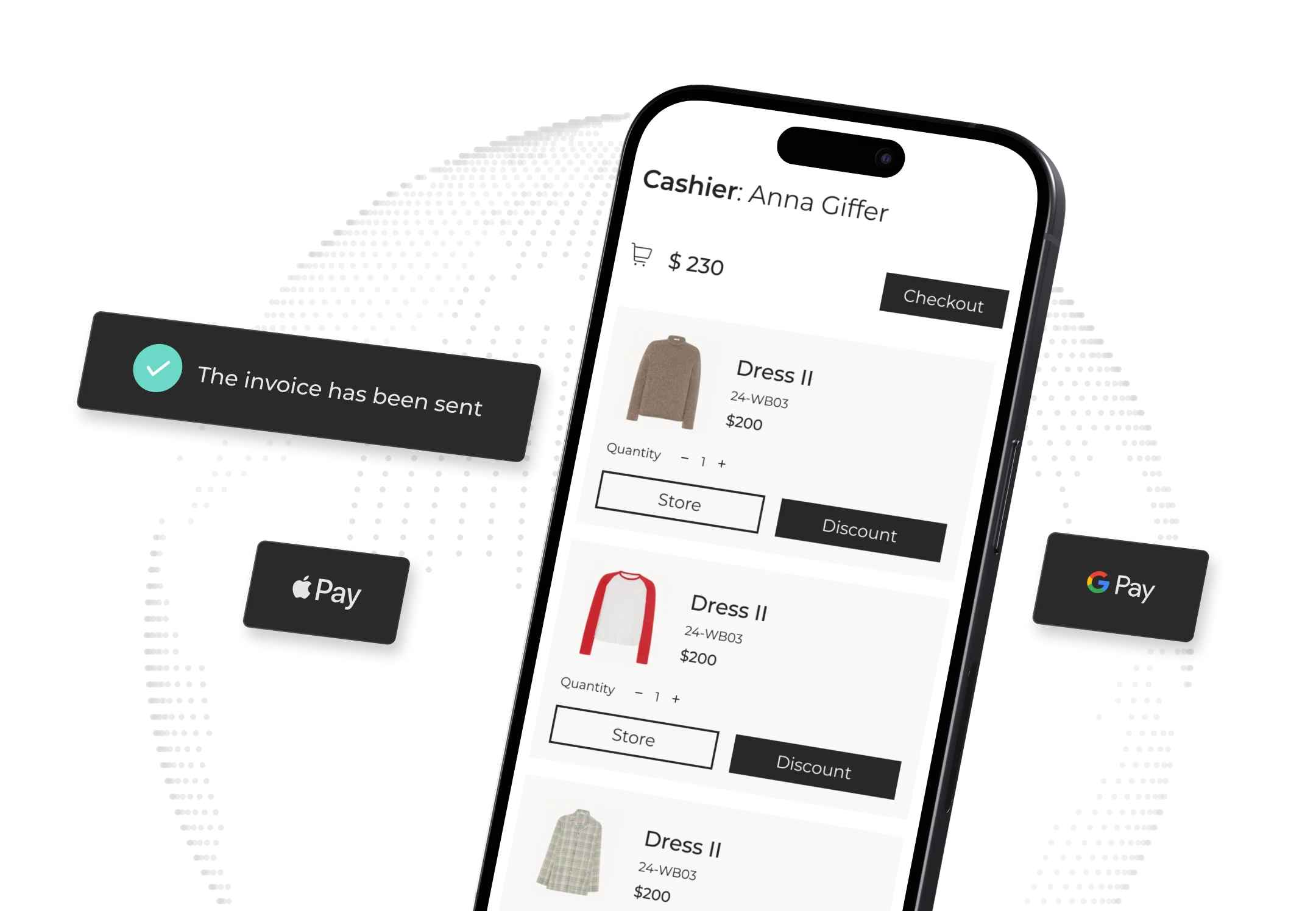
Key Components of an mPOS System
Want to develop a custom POS system with ease? Building a complete mobile POS involves three main components.
Hardware
This includes the mobile device (smartphone or tablet) itself, plus any attached peripherals.
Common hardware for a mobile point of sale includes:
- Card reader (Bluetooth or dock) for EMV/NFC payments;
- Barcode scanner (or using the device’s camera);
- Receipt printer;
- Small cash drawer (sometimes).
Together, these replicate most functions of a full register. Optional extras like wireless printers or label makers allow the mobile setup to mimic a traditional checkout when needed. The benefit is that this hardware is often already familiar (like an iPad or Android tablet) and vastly cheaper than a classic POS terminal.
Software
At the core is the mPOS application running on the device, which handles product catalogs, transaction logic, and the user interface. This software often has two parts:
- App on the mobile device. The app lets cashiers ring up items, apply discounts, and accept payments.
- Cloud/hosted back end. The backend manages data (customers, products, orders) and syncs information in real time.
Many modern mPOS solutions are cloud-based, meaning they get updates and features via the internet. They also integrate via APIs with other business systems (accounting, eCommerce, loyalty). Crucially, the software must be PCI-compliant and secure. High-end mPOS platforms also include analytics dashboards, customer management modules, and offline-mode intelligence.
In short, the software ties together sales, inventory, and customer profiles into one manageable interface.
Connectivity
Since mPOS relies on mobile devices, network connectivity is key. Most mPOS systems work over Wi-Fi or cellular data. A strong internet connection ensures transactions are processed and synced immediately.
Many solutions offer an offline mode (queuing sales if the internet fails and syncing later). Connectivity also enables features like cloud backups and real-time monitoring from remote locations.
In practice, a reliable network keeps multi-store retailers connected. Sales in New York update inventory in Chicago instantly, giving executives a unified, up-to-the-minute view of the business.
POS vs. mPOS vs. VPOS
It is useful to differentiate mobile POS from other payment systems:
- A conventional POS system generally points to a fixed register installation (cash drawer, computer terminal, printer) used at checkout stands;
- An mPOS (mobile POS) employs mobile devices to conduct the same functions anywhere in the store;
- A VPOS (virtual POS) normally signifies a software-only checkout, for example, a web- or phone-based payment portal without special hardware.

You can see the difference between all types of POS systems below.
Feature | Traditional POS (Stationary) | Mobile POS (mPOS) | Virtual POS (VPOS) |
| Hardware | Dedicated terminal (PC/tablet with attached card reader, printer, cash drawer). | Standard mobile device (smartphone or tablet) with optional card reader/printer. | No special hardware required – payments handled via web browser or phone app. |
| Portability | Fixed at the checkout desk (requires counter space). | Fully portable – can be carried anywhere in store or on-the-go. | Accessible anywhere on an internet-connected device (no physical PIN pad). |
| Payment Methods | Card payments (swipe/chip), cash; can be upgraded with NFC. | All card payments, contactless NFC, mobile wallets (Apple/Google Pay). | Primarily card-not-present (online) transactions; often supports digital wallets. |
| Internet Requirement | Often local networks (some units sync periodically). | Requires Wi-Fi/cellular (works offline too, then syncs). | Cloud-based – requires internet for every transaction. |
| Integration | May require manual data export for ecommerce/ERP. | Cloud-connected; typically integrates real-time with inventory, loyalty, and ecommerce systems. | Web-based; integrates with online store and payment gateway. |
| Use Cases | Traditional retail checkouts, restaurants, kiosks. | Pop-up shops, line-busting in-store checkout, on-site sales. | Online orders (phone/mail orders), reservations, and any remote payment capture. |
For example, a virtual POS might be a web portal where staff enter credit card details manually for phone orders – no mobile reader is needed. A mobile POS machine, on the other hand, might read a card physically using Bluetooth or NFC.
To recap:
- Traditional POS systems are hardware-intensive and site-specific;
- Mobile POS introduces flexibility and mobility;
- Virtual POS is an application interface for card-not-present transactions.
Get SapientPro’s POS for Magento 2 Today
SapientPro's Magento 2 POS Terminal is designed for omnichannel retailers. It combines in-store and online sales into a single, synchronized platform with real-time inventory and customer insights.
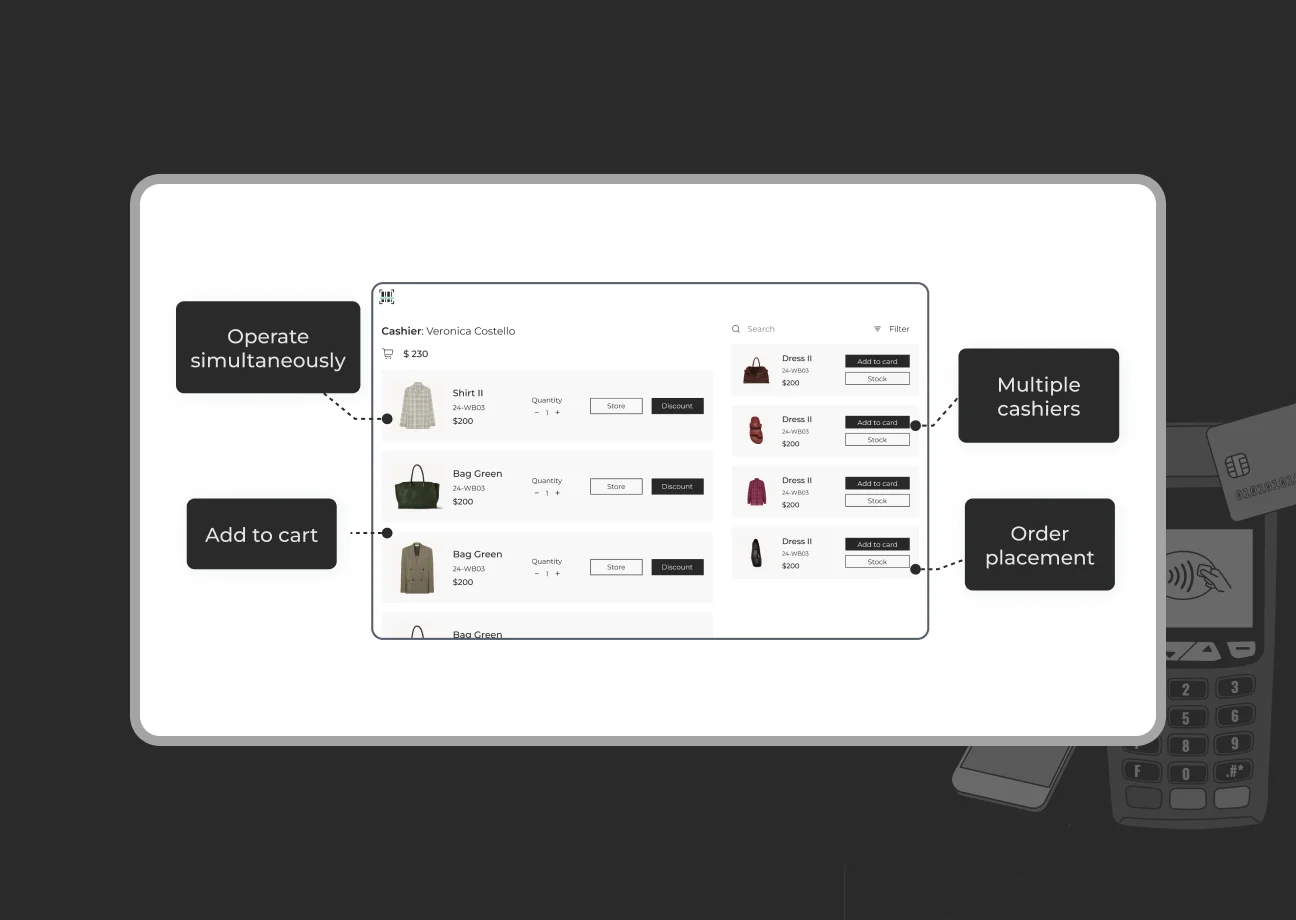
Our solution provides unlimited cashier support, meaning any number of sales associates can use tablets and other devices at the same time. There are no checkout queues. All cashiers access one backend, with managers being able to assign roles and permissions for total control.
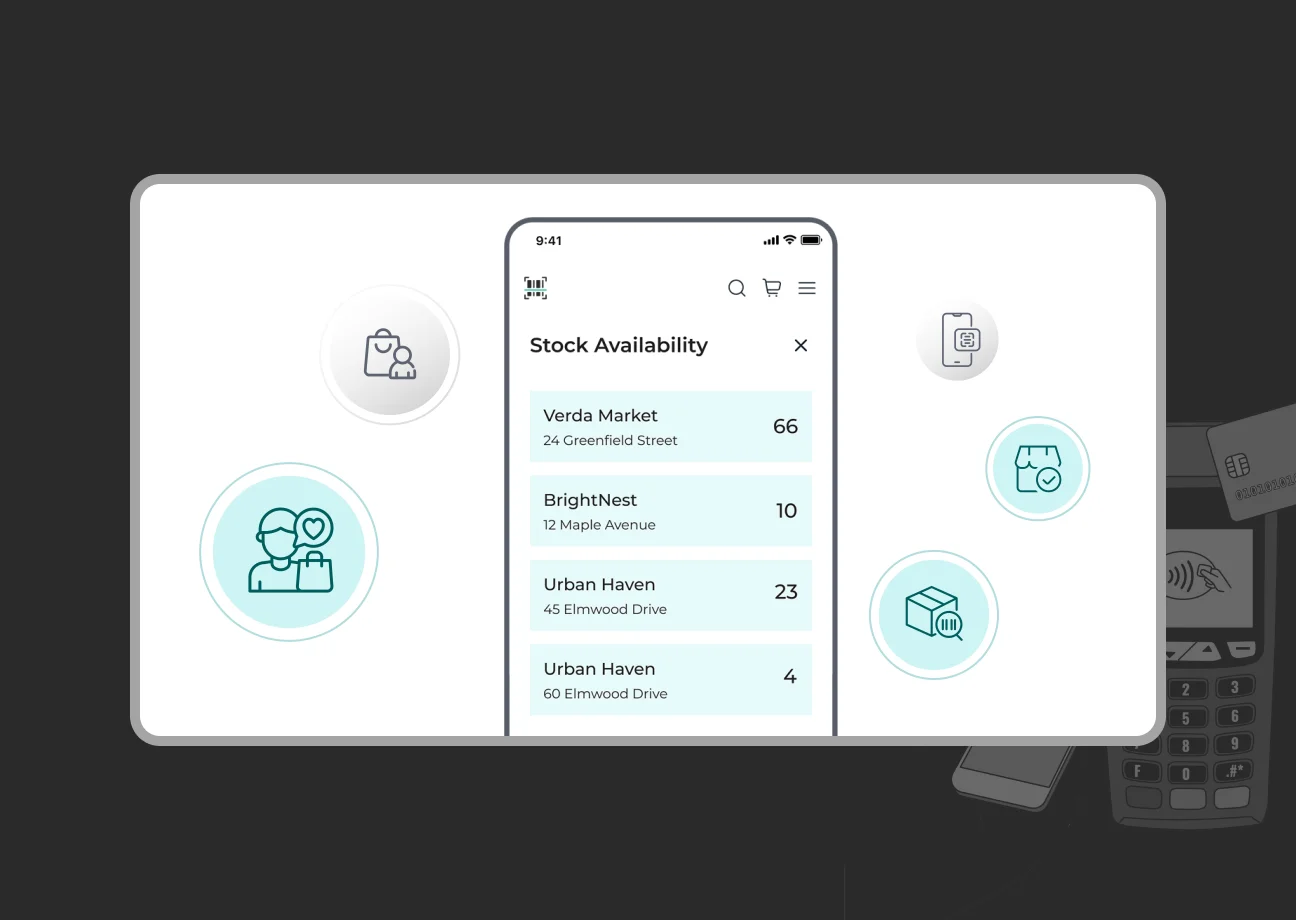
SapientPro's Magento 2 POS Terminal supports inventory sync: stock levels update instantly across all channels. If a jacket sells in a physical store, it immediately adjusts inventory on the Magento 2 website. Powerful barcode scanning and printing capabilities speed up checkout and accuracy. Registers can print custom barcodes on the spot or scan products with a handheld scanner and device camera. Built-in search and quick-add features make it easy to find items and add them to the cart.
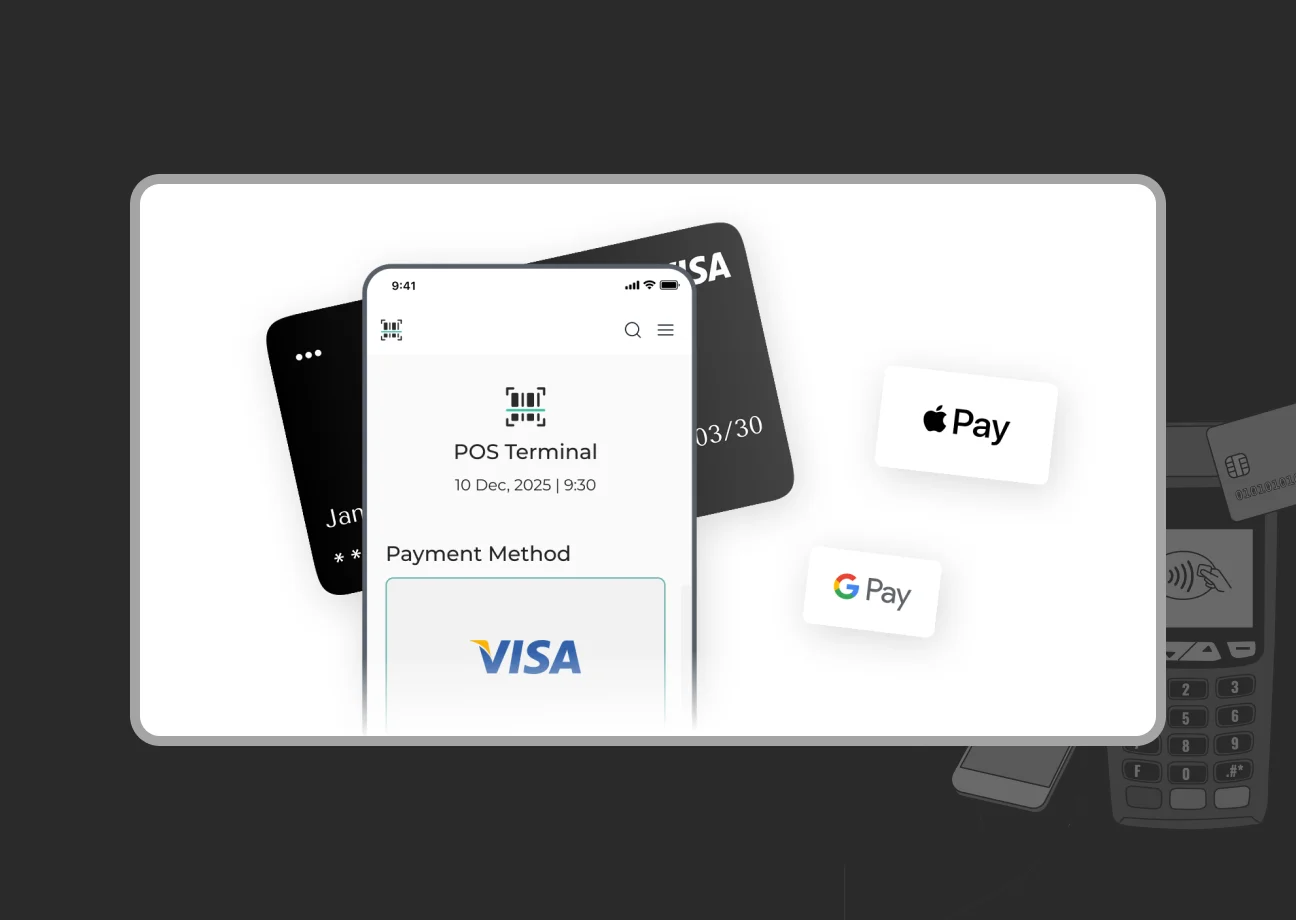
For payments, SapientPro's POS supports multiple methods: cash, credit/debit cards (swipe/EMV/chip), NFC/contactless, and even specialized custom payments. Receipts are fully customizable via PHTML templates, letting merchants print branded or promotional messages. Our solution also integrates loyalty programs and customer profiles. When a customer makes a purchase, loyalty points and contact information are captured, allowing for immediate rewards and future marketing.
If you’re already running a Magento shop or just planning to launch one, SapientPro's Magento 2 POS Terminal eliminates the need for third-party POS systems by offering a full native POS integration. To see it in action and discuss how it can be customized to your business, contact our team for a free demo.

