
All Semantic Caching for Faster LLMs: Practical Implementation Guide
October 4, 202610 min read


LLMs are powerful. But they all have latency and monetary costs every time you make a call to their underlying models. Many queries aren’t really new in production but are actually variants of the same intent.
Still, most systems process each one from scratch, triggering full inference every time.
Meanwhile, many teams have no visibility into where their LLM budget is going. When you begin to analyze the data, you may find that about 20% of use cases produce 80% of the costs.
This is where LLM optimization with semantic caching makes a difference.
By matching queries based on meaning (not exact wording), it enables the reuse of existing responses instead of re-running the model. In practice, this can reduce LLM calls by 60–80%, while delivering faster, more consistent responses.
Read SapientPro’s latest guide to see how semantic caching in large language models works.
What Is Semantic Caching?
Semantic caching is an optimization that allows LLM responses to be stored and retrieved based on the meaning of a query, rather than just its wording.
Instead of treating every prompt as unique, the system recognizes when a new request is semantically similar to a previous one — and reuses the existing response instead of running fresh inference.
This is usually achieved by converting queries to vector embeddings and then comparing them using similarity search. If a new query is closely enough related to an already cached one (within some distance), we just return the cached response as it is — skipping the call to the LLM.
Exact Match Cache vs Semantic Cache
Here’s a comparison of how exact match cache and semantic cache differ.
Aspect | Exact Match Cache | Semantic Similarity-Based Cache |
| Matching method | Compares raw text (string match) | Compares meaning using embeddings |
| Cache hit rate | Low (only identical queries match) | High (captures variations of the same intent) |
| Implementation complexity | Simple | Moderate (requires embeddings + vector search) |
| Performance impact | Limited optimization | Significant reduction in LLM calls |
| Latency improvement | Minimal | High (instant responses on cache hits |
| Cost savings | Low | High |
| Best use cases | Static queries, APIs, exact lookups | Chatbots, support systems, assistants |
Exact match caching is great for structured, repeatable inputs, but not natural language. Semantic caching, by contrast, would look a lot more like people actually use LLMs to give semantic updates rather than tokens.
Why Semantic Caching Matters for LLM Cost and Latency
LLM inference is one of the costliest and slowest components in any AI system.
Each request typically includes:
- Model computation (often GPU-intensive);
- Network latency (for API-based models);
- Token processing costs.
When similar queries are processed with repeated algorithms, systems end up doing the same work over and over again. This leads to redundant inference, increased costs, and slower performance.
Semantic caching is a mechanism to avoid recomputation by reusing responses to similar queries. It results in:
- Faster responses. Because cache hits are returned in milliseconds versus seconds (or longer), they speed things up and improve the user experience;
- Better scalability. It lets you get more users in traffic for less load on your infrastructure;
- More consistent outputs. Reusing verified responses minimizes variability and increases consistency for often-asked queries.
Semantic caching transforms LLM systems from the need to compute everything to reusing only what already works.
How Semantic Cache Works
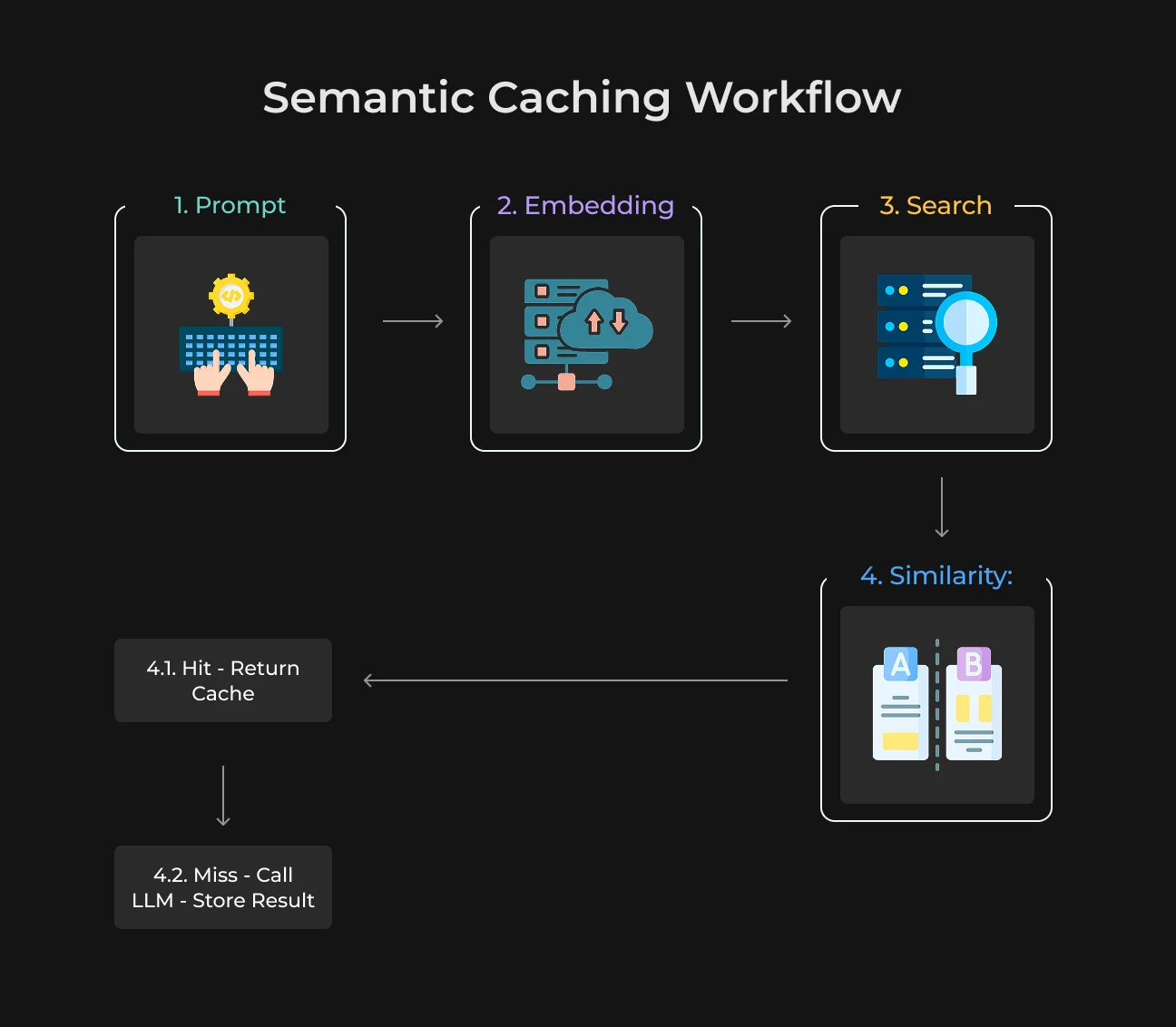
Semantic caching acts as a smart layer between the user and LLM. It determines whether it needs to undertake any new model call or if there is a repeatable answer from previous interactions that can be used. Here's the workflow:
- User prompt. The incoming query is transformed into a vector embedding that captures its sense;
- Vector search. This embedding is then compared to previously generated embeddings, stored in a vector database, to identify similar queries;
- Similarity check. The system measures how close the new query is to existing ones using metrics like cosine similarity. If similarity is low, it results in a cache miss;
- Response decision:
- Cache hit returns the previously stored response instantly;
- Cache miss sends the query to the LLM, generates a new response, and stores it in the cache for future use.
This approach ensures that repeated or similar queries don’t trigger unnecessary LLM calls.
Key Components of Semantic Caching LLM
Semantic caching is based on a few important components, which interact in order to recognize similar queries and reuse results.
Embeddings
Embeddings are used to turn text into numeric vectors corresponding in some way to the meaning of a query. That lets the system compare prompts by intent instead of actual wording.
Vector Database
A vector database holds embeddings and performs fast similarity searches. It helps quickly retrieve earlier queries that are semantically most relevant to the latest request.
Similarity Threshold
This defines how similar the two queries need to be in order to consider a match. A higher threshold, for example, makes this more accurate and results in fewer cache hits.
A lower threshold means more cache hits and a higher chance of an irrelevant match.
Why Semantic Caching Matters for LLM Optimization
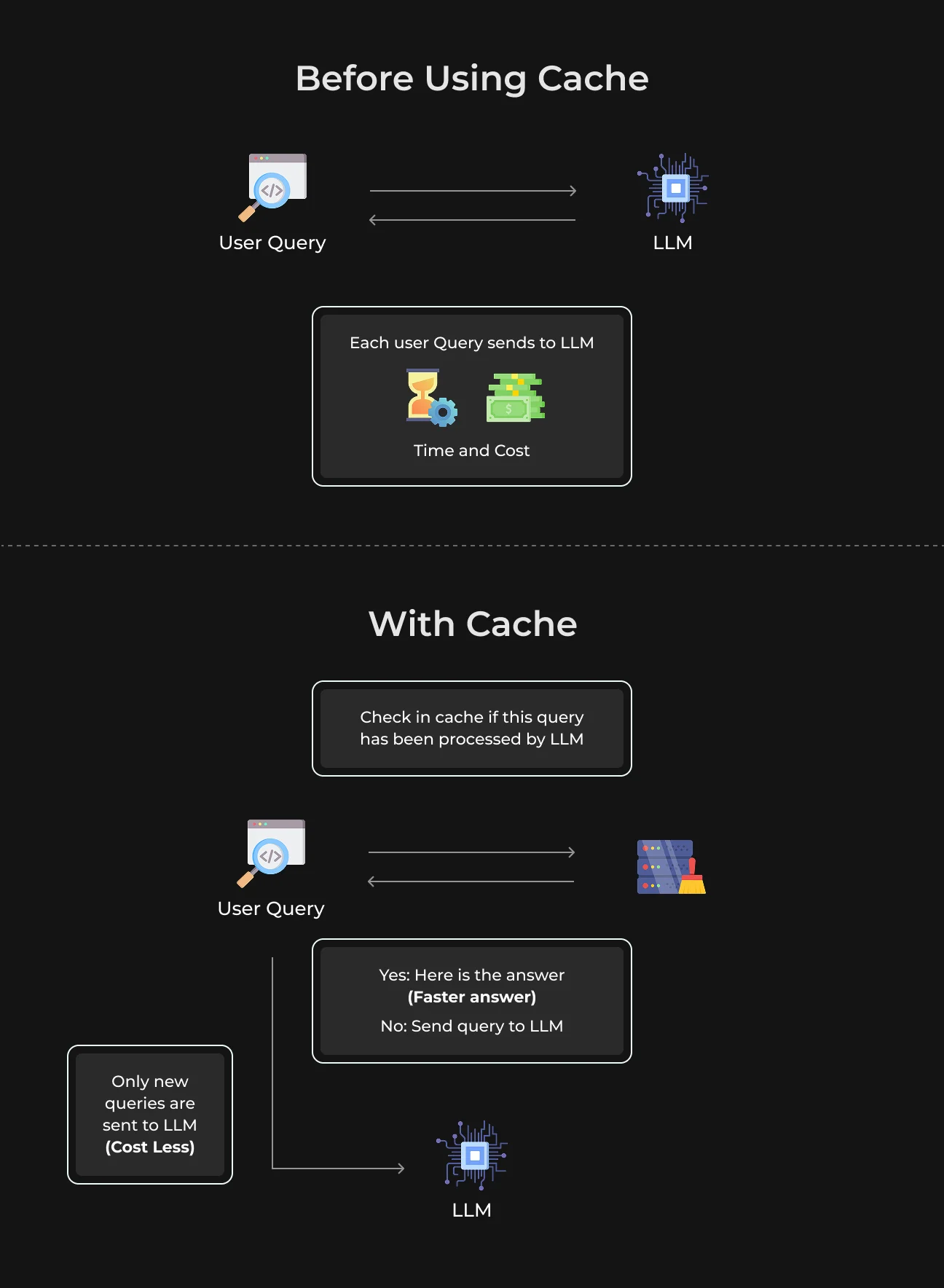
The cost of running LLM applications at scale is extremely high.
Particularly with models like GPT-4, where the price tag can be as high as $30 to run a million input tokens and $60 for a million output tokens.
When you have a lot of queries that are the same or slightly rephrased, systems pay multiple times for essentially doing the same computation, which can impact cost and performance.
See what semantic caching actually does for LLM optimization.
Reducing Latency
Semantic caching boosts speed since the model does not need to be called repeatedly. Production teams report 3–5x speedups for repeated or similar queries.
For instance, the response time of a chatbot may come down from 1–2.5 seconds to 200–400 ms.
Cutting LLM Costs
Semantic caching lowers the number of calls made to LLMs as it reuses responses. Businesses working with approximately 1 million queries a month report between 40% and 60% lower inference costs, and optimized systems can reduce API usage by as much as 80%.
It directly reduces the amount of GPU being used and also helps prevent costs from scaling linearly with traffic.
Improving Scalability
Semantic caching can make repeated queries easier for the system to answer, especially at scale.
And if the cache continues to grow over time (after 10,000–50,000 queries), hit rates are 60–80%. This offloads the infrastructure and enables applications to scale up traffic.
Better Resource Efficiency
Systems experience lower CPU usage for cache hits, along with reduced network traffic because fewer external API calls are needed.
This does slightly increase memory usage, mainly 10–20% extra to store embeddings and responses, but this effect is negligible compared to the performance and cost improvements.
Better User Experience
Users have a more seamless experience as responses are quicker and answers are consistent. Both common queries return instantly, and the quality of response becomes more predictable between interactions.
Semantic Caching vs Traditional LLM Cache
Conventional caching in LLM systems works like classic software caching: it records exact inputs and returns cached outputs only when the same request comes again. It’s quick and easy, but in any real-world AI application, nobody asks the exact same question twice.
Semantic caching addresses this limitation by allowing inexact matches. It compares the meaning (embeddings) of the queries rather than raw text. It means that even if a question is worded differently but has the same intent, the system can give back a cached response.
For example, questions like “What is natural language processing?” and “Explain how NLP works” are traditionally treated as disparate. While semantic caching considers them similar.
Let's explain the key differences:
- Matching logic. Conventional caching is based on exact string matching. Semantic caching is based on vector similarity;
- Efficiency in real use cases. Traditional caching works great for repeated API calls or identical prompts. Semantic caching works well in chatbots, support systems, and search-based applications where the phrasing can be changed often;
- Performance gains. Semantic caching can increase cache hit rates, allowing for quicker answers and reduced costs. Traditional caching typically suffers from a low hit rate.
Take a look at this sheet to get a better idea of how caching works.
Feature | Traditional LLM Caching | Semantic LLM Caching |
| Matching type | Exact match | Semantic similarity |
| Input requirement | Identical queries only | Similar meaning queries |
| Cache hit rate | Low | Medium to high |
| Speed improvement | Limited | Significant |
| Best use cases | Repeated API calls, static prompts | Chatbots, search, knowledge bases |
| Scalability | Basic | High (with vector indexing) |
Real-World Use Cases of Semantic Caching
Let's see how semantic caching helps minimize costs, optimize performance, and ensure a coherent experience for users in a real business context.
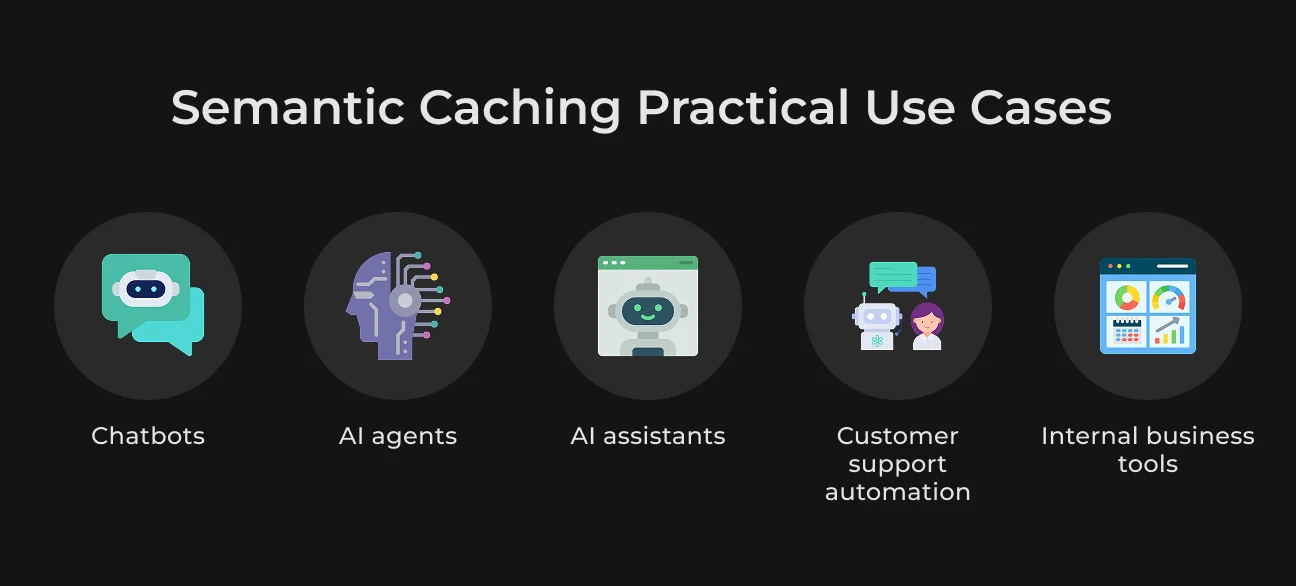
Chatbots & AI Assistants
Users rarely ask a chatbot (or AI assistant) the same question in the same way. The example might be one user asking to reset a password and another user formulating it as a login problem.
Normal caching would see these as totally separate queries, but semantic caching understands the common intent. This way, the system is able to reuse answers to similar questions.
Customer Support Automation
One of the most pragmatic domains for semantic caching is customer support.
These incoming queries can often be about the same few things — how to gain access to an account, payment questions, or refund inquiries. Although users use various words to describe their issues, the intent is very similar.
Based on these patterns, semantic caching enables support systems to respond nearly instantly, avoiding the need to reprocess each request.
Internal Enterprise Tools
Within companies, semantic caching improves internal tools like knowledge assistants or employee copilots. It can reuse the answer by meaning. This combination makes internal tools feel faster and more responsive and offloads computation from backend systems.
AI Agents & Workflows
AI agents frequently use multi-step workflows in which several operations recur between tasks. These could be something like accessing data, making decisions, or converting inputs.
The same goes for steps without caching. Each gets recomputed at every iteration.
These systems can reuse intermediate results under similar conditions through semantic caching. This helps automate and press repeat on complex workflows.
How Semantic Caching Works (in Practice)
This is a simple, practical write-up on how semantic caching works.
- User sends prompt. Example: “How do I reset my password?”.
- Convert to embeddings. The prompt is transformed into a numerical vector using an embedding model.
- Search vector database. The system looks for similar vectors (past queries) in a vector DB.
- Apply similarity threshold. The system is checking the new query against some previous queries and how similar it is to the old one. If the score value is above a certain threshold (say, 0.9), then it’ll be considered a match, and the cache response returns. If it fails the threshold, the system would call the LLM to generate a new response.
Here’s semantic caching explained step-by-step:
Step 1 | User sends prompt → | Capture request → | Raw text input |
Step 2 | Convert to embeddings → | Represent meaning numerically → | Vector embedding |
Step 3 | Search vector DB → | Find similar past queries → | Top-k similar vectors |
Step 4 | Apply similarity threshold → | Decide reuse or generate → | Match / No match |
Step 5.1 | Return cached response → | Save time and cost → | Instant answer |
Step 5.2 | Query LLM → | Generate new response → | Fresh output |
Step 6 | Store in cache → | Improve future reuse → | New embedding |
Cache Invalidation Strategies
To ensure responses remain accurate and up to date, semantic caches require the following invalidation.
- TTL (Time-To-Live) is one of the easiest methods. And because these cached entries are stored with a time-to-live (TTL) after which they become invalid (say, 24 hours), expired entries do not provide stale information. But it doesn’t consider context or content changes.
- You can add versioning that will make the cache dependent on various things, including the model version, prompt template, or underlying knowledge base. If any one of these changes, the cache is invalidated. This makes it a lot easier to keep track of them whenever the system is updated.
- Aspects like user role, session data, or external state take the second level a bit further, to context awareness. This guarantees that cached responses won't be maliciously reused.
Tools & Technologies for Semantic Cache
The tools below help developers store embeddings, find similar queries quickly, and put caching into real-life applications.
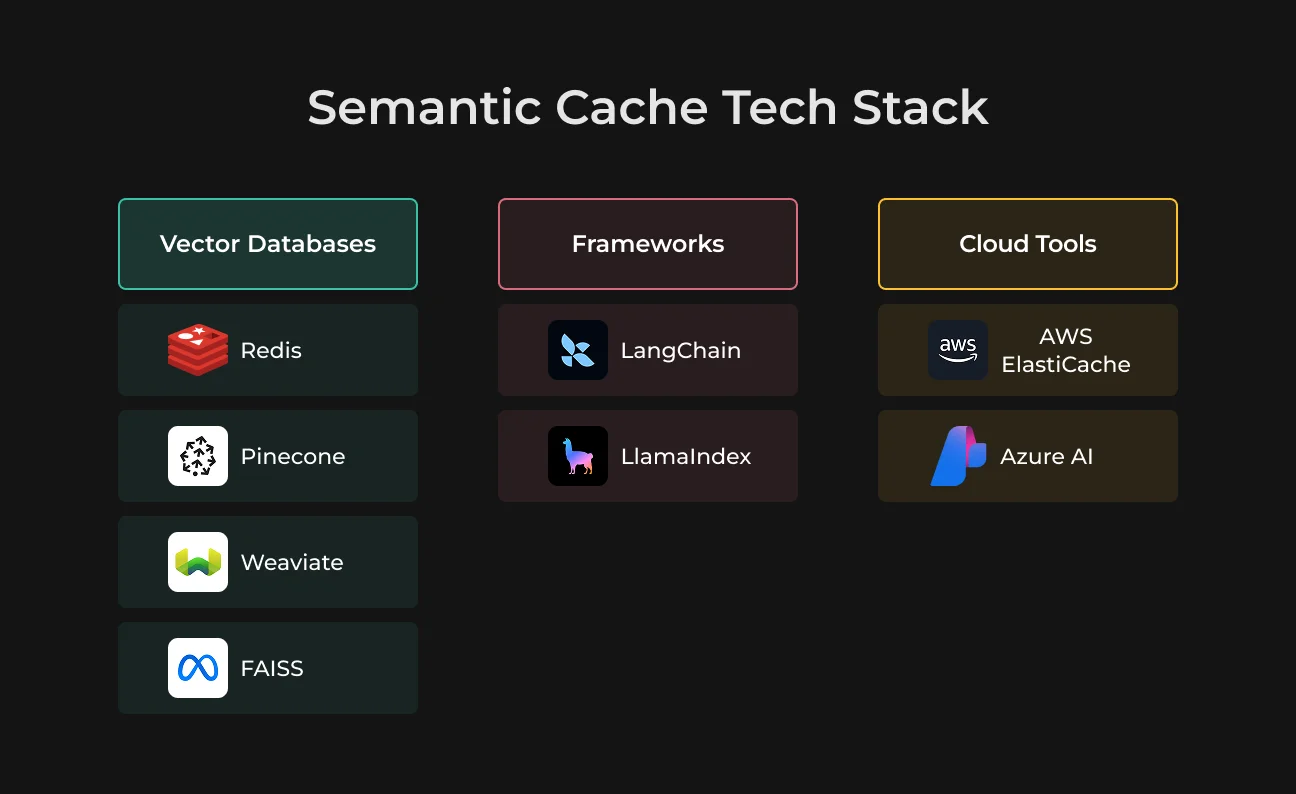
Vector Databases
Vector databases have proved to be good options for efficiently storing and searching embeddings in semantic caching. Common solutions include Redis (with vector features), Pinecone, Weaviate, and FAISS.
Frameworks
Libraries like LangChain and LlamaIndex can be used to assemble semantic caching pipelines. They deploy out-of-the-box components for embeddings, retrieval, and cache integration to minimize development effort.
Cloud Tools
Cloud providers offer managed services to help cache at scale. For the storage and retrieval of frequently accessed data with Amazon, you can use AWS ElastiCache.
Azure AI can also integrate with caching for the development and deployment of a system. These services allow for scalability, reliability, and performance in production.
How to Implement Semantic Caching: Step-by-Step Guide
Setting up semantic caching is a simple process when broken into clear steps.
| #1 Define the use case | Start with repetitive queries where caching will bring clear value. |
| #2 Choose an embedding mode | You need embeddings to compare the query meaning. |
| #3 Set up a vector database | Store and search past queries efficiently. |
| #4 Add similarity search | Find the closest cached matches for each new prompt. |
| #5 Set a similarity threshold | Decide when a cached response is good enough to reuse. |
| #6 Connect the LLM fallback | Send unmatched queries to the model for a fresh response. |
| #7 tore new responses in cache | Make future similar queries faster. |
| #8 Add invalidation rules | Keep cached content accurate and up to date. |
| #9 Test threshold quality | Balance cache hits with response relevance. |
| #10 Monitor performance | Track hit rate, latency, and cost savings. |
Make Your AI Respond Faster
Work with SapientPro to find latency bottlenecks and reduce unnecessary model calls.

Advanced Semantic Caching Strategies
Semantic caching is often insufficient as systems grow. More advanced tactics (as below) enhance accuracy, usefulness, and versatility. Let’s check them out.
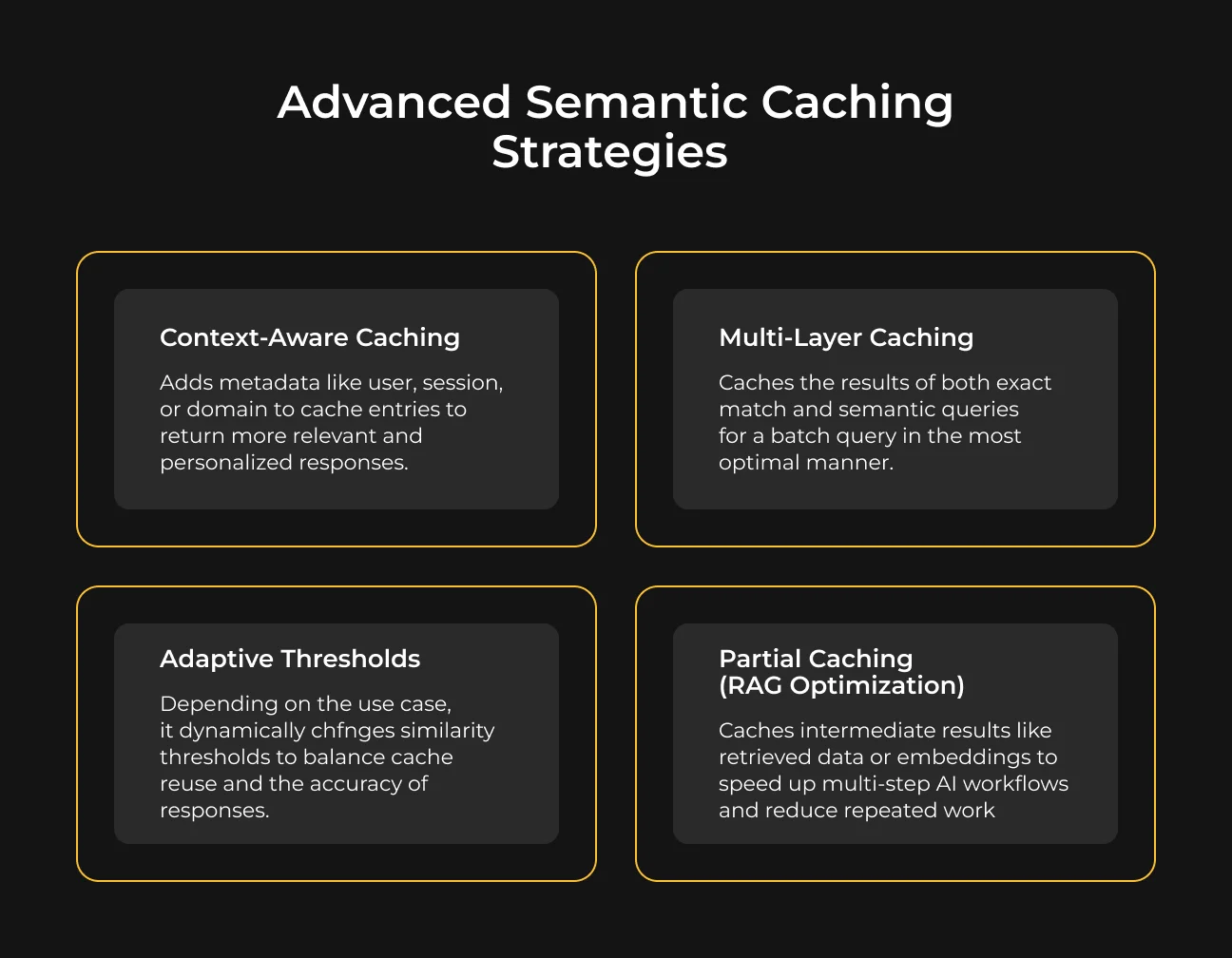
Context-Aware Caching
You don't want every request to hit the same cache response. With so many details, context-aware caching enhances the metadata of each entry with aspects like a user role, session state, location, and domain.
For example, the same question from a novice user and an advanced user would require slightly different answers targeted for each. By taking context into account, the system provides much more relevant responses.
This is critical in personalized apps, enterprise tools, and even multi-tenant scenarios.
Multi-Layer Caching
Multi-layer caching helps capture optimization opportunities that a single cache layer would miss. It combines different approaches into one system:
- Exact match cache for identical queries (fastest);
- Semantic cache for similar queries;
- Response or database cache for structured data.
In this layered setup, each incoming request is dispatched in the most optimal way:
- Immediate responses for exact matches;
- Intelligent re-use when there are similar queries;
- LLM calls are made only when necessary.
Adaptive Thresholds
Using a fixed similarity threshold doesn’t work for all cases equally well. The adaptive thresholds change flexibly depending on the query type, user intent, or risk sensitivity.
For everyday chat purposes, lower ranges of the similarity (e.g., 0.8) would be sufficient. This allows the system to reuse more cached answers, leading to increased speed and cache hits.
In use cases such as finance or healthcare, higher thresholds (e.g., 0.95) should be used. In this way, only very close matches are reused. This results in fewer chances of wrong responses.
Partial Caching (RAG Optimization)
In more powerful pipelines like RAG (retrieval-augmented generation), caching can go beyond final responses. Systems can cache intermediate steps by:
- Retrieved documents;
- Embeddings;
- Query rewrites;
- Reasoning steps.
By reusing these components, the system can avoid repeating expensive operations. This allows for faster and lower computing during complex workflows, including multi-step AI agents, document-heavy systems, etc.
Performance Benchmarks & Metrics
To decide if semantic caching really benefits your system, you need to monitor a few key metrics. These benchmarks demonstrate how adding a cache layer greatly increases your application’s speed, susceptibility, and efficiency.
Latency
Latency is how fast a system replies to a request. This translates to responses decreasing from 1–3 seconds (LLM call) to <200 ms (cache hit).
Some use cases, such as a customer support chatbot, include repetitive queries (e.g., Where is my order?) almost instantly.
Cache Hit Rate
This is the percent of requests served from cache. A hit rate variance allows us to measure how many queries were reused compared to processed again.
A QA system that handles common FAQs, for example, might achieve a sufficient hit rate, easing the load on the LLM and ensuring responses are as fast as possible.
Cost per Request
This gives information about the cost to process each request. LMM calls are the most costly area, so reducing them with semantic caching can lead to significant overall savings.
Not having to use the model for such a large proportion of queries is obviously cheaper.
Challenges & Limitations of Semantic Caching
Semantic caching can greatly enhance performance, but it is not a set-and-forget mechanism. There are some challenges that teams should understand and navigate with care.
Incorrect Matches (Hallucination Risks)
Even with carefully selected match thresholds, a very small percentage can still be incorrect for ambiguous queries.
According to a study conducted in 2025, AI search systems generate hallucinations in approximately one out of five queries. In more sensitive areas like legal use cases, research reports much higher rates (ranging from about 69% to 88% for complex, high-stakes questions).
The important thing here is careful tuning. A tighter similarity threshold improves quality, but a looser one increases the cache hit rates. For complex queries, or those that are sensitive to change only under specific conditions, it may be better to skip the cache altogether.
Memory and Storage Overhead
Though modern vector databases have the ability to manage large volumes of data, it is critical at least to manage storage. If not managed, stale or rarely needed entries can accumulate and impair system performance.
That’s why most systems use techniques like cache size limits or eviction policies (removing the least-used items, for instance).
Security and Privacy Considerations
Caching gets tricky with user data. If responses are personalized or sensitive, blindly reusing them across users is risky.
Teams often scope caches by user, session, or tenant — or ensure only safe, generalized responses are cached. Context-aware caching plays a vital role in privacy-sensitive scenarios, with a focus on mitigating data leakage.
Embedding Costs
Each query must be turned into an embedding before the system can check the cache. For each request, this step incurs additional processing time and cost.
Generating embeddings is cheaper than calling an LLM, but at scale (particularly in systems responsible for processing queries for millions of requests), it would still add up.
This is why teams often optimize this step by batching requests, caching embeddings themselves, or selecting more efficient embedding models.
Best Practices for LLM Caching
While LLM caching relies on a simple configuration for the cache, having only a setup is not enough. The right practices allow you to balance speed, cost savings, and quality of response.
- Set the right similarity thresholds.
Use thresholds carefully to signal when cached responses may be reused. Smaller values yield more cache hits at the expense of accuracy. While larger ones let you reuse your best quality yet fewer times. Ultimately, make sure you strike a balance that suits your use case;
- Combine semantic and exact caching.
Implement multi-layer caching: exact match cache for identical queries and semantic cache for similar ones. This is to ensure maximum effectiveness;
- Monitor cache hit rate.
Periodically monitor cache hit ratio. A higher hit rate is generally indicative of improved efficiency, but it must always be weighed against the quality of answers to avoid false positives;
- Use domain-specific embeddings.
General embeddings give great results, but when using domain-tuned models (for example, legal, medical, or e-commerce data), they improve similarity matching and limit irrelevant cache hits.
Caching is not just about storing the responses, it’s about continuously tweaking the system for better performance and higher accuracy at scale.
Future of Semantic Caching in AI Systems
Semantic caching has been shown to cut LLM inference costs by as much as 86%, while also reducing average end-to-end query latency by up to 88%, making responses not just cheaper but noticeably faster.
And as with most technology, the future of semantic caching is even tighter integration, smarter automation, and a wider range across environments.
Standard Layer in LLM Architectures
Caching will soon sit naturally between the user request and the model. This means most queries won’t go straight to the LLM anymore. They’ll first be checked against a semantic cache, and only new or sufficiently different requests will trigger a model call.
As tooling matures, this layer will likely come built-in — frameworks will handle caching out of the box, with simple controls for similarity thresholds and cache behavior. The result is more predictable performance, lower costs, and consistently faster responses across AI products.
Integration with AI Agents
In a May 2025 survey, 88% of executives said they plan to increase AI budgets, driven by agentic AI. As systems move toward AI agents, semantic caching becomes even more valuable.
Agents might repeat patterns, like breaking down tasks, calling tools, generating similar outputs. And a lot of this work gets recomputed again and again.
With semantic caching, agents can reuse previous results instead of starting from scratch. This makes workflows faster, but also more stable: the system relies on already proven outputs.
Edge AI + Caching
As AI moves closer to the user, semantic caching naturally follows. It’s increasingly being deployed on-device, in browsers, or in local environments. The edge caching market is expected to reach $5.38 billion in 2026, growing at an annual rate of 17.8%.
This shift has a big impact on performance. When caching happens at the edge, responses can be nearly instant, even with limited or unstable internet. Local models can handle frequent or repetitive queries without constantly calling external APIs.
Autonomous Optimization
The next step is making semantic caching smart enough to manage itself. Right now, teams often have to manually tune thresholds, decide what to cache, and balance accuracy and speed.
Future systems might adjust these parameters automatically, learning from real usage. They’ll recognize patterns in queries and refine cache expiration based on how often data changes.
Over time, this could turn caching into a self-improving system.
Why Choose SapientPro for LLM Optimization
SapientPro helps teams improve LLM systems that respond slowly, cost too much, or produce inconsistent answers. Our engineers review your models, data, and integrations to identify what needs to change.
We can help you:
- Find bottlenecks in model responses and retrieval;
- Reduce token costs through prompt optimization and caching;
- Match model selection and hosting to your workload;
- Test output quality, response speed, and cost;
- Monitor performance and catch regressions after updates.
Contact SapientPro to review your LLM setup and prioritize improvements based today.
Balance Faster Responses With Answer Quality
Have SapientPro test similarity thresholds against real queries before deploying semantic caching.