All
Running an LLM Locally: Benefits, Use Cases, and Step-by-Step Setup
May 15, 202615 min read


LLM adoption is accelerating. Approximately 72% of enterprises intend to increase their expenditure on LLMs in the next year. Cloud-based AI is, of course, fast and convenient, but it's not a match for all the use cases that require stringent data privacy, low latency, or predictable cost.
A local LLM offers a compelling alternative — providing organizations with tighter governance, greater control over infrastructure, and more reliable performance. Actually, 90% of people say the very act of storing data locally feels a lot more secure than storing it in the cloud or hosted environments.
A private LLM is no longer a niche experiment — it’s a viable option for many teams. Read SapientPro’s guide to learn how to run LLM locally, along with helpful tips and practical examples.
What Is a Local LLM?
Running a local LLM (large language model) means that the model stays in your machine: its weights are contained on your device (or server), and you carry out inference using your own CPU or GPU. In other words, it’s merely an AI model running on your own computer or infrastructure rather than someone else’s servers.
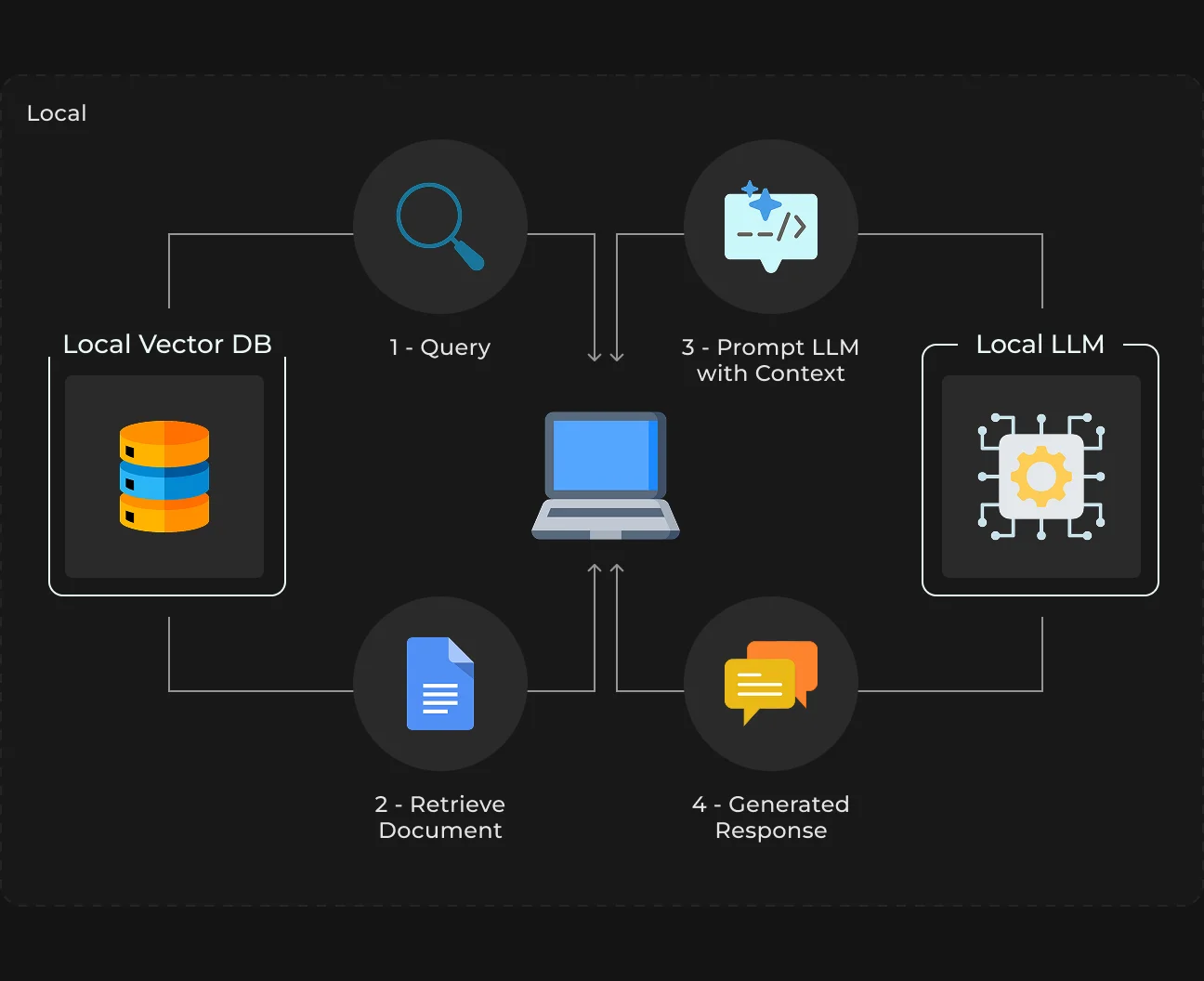
No API call, no external processing — everything is local. That’s what makes it especially appealing for teams that care about privacy, speed, or control.
Cloud LLM vs Local LLM
For most people, the first taste of AI is via cloud-based models, like OpenAI or Anthropic. With that setup, all your requests go out to external servers where they are processed and sent back to you.
It has a low barrier to entry and access to extremely powerful models, but it also means you are dependent on someone else’s infrastructure — and sharing data with them.
A local LLM flips that model. You get it, you run it, and you control its use. Simply put, the model is executing under your command.
That makes a difference in practice. With cloud AI, you sacrifice control for ease-of-use — you no longer concern yourself with environment setup, but accept API money drain, latency overhead, and external data management.
With local models, it’s the reverse. It takes you a little more setup time, but in exchange, you get predictable performance, no per-request fees, and full ownership of your AI’s behavior.
Cloud LLM | Local LLM | |
| Deployment | External provider | Your device or infrastructure |
| Data handling | Sent to third-party servers | Stays local |
| Setup | Minimal | Requires installation and config |
| Cost model | Pay-per-use | Hardware + fixed costs |
| Latency | Network-dependen | Typically lower |
| Control | Limited | Full control |
| Offline support | No | Yes (if fully local) |
How Local LLMs Work
Essentially, running an LLM locally is three pieces of architecture: the model itself, how you are doing inference on that model, and the hardware underpinning it all.
The model is the brain, basically a bag of trained weights that already knows how to write or read text, code, or answer questions. But by itself, the model is only data sitting somewhere.
For it to be useful, you need inference — the act of running the model on your input and receiving a response. And none of that is remotely possible without heavy dependence on your hardware.
Model + Inference + Hardware
If you type in a prompt into the local LLM, several things happen behind the scenes.
The model first gets loaded into memory (RAM or VRAM). And the inference engine takes your input and processes it token by token, predicting what’s most likely to happen next based on patterns it learned during training.
It happens sequentially, which is why generation speed matters so much.
The trade-off is that this requires much computation. Bigger models require higher memory and deeper computational powers.
The Role of Hardware: CPU vs GPU
You can run a local LLM on CPU, and things will work well for much smaller models. It’s also the easiest one to access — no special hardware required. But it’s slower, particularly for longer responses.
GPUs, in contrast, are built for parallel computation, which LLM inference requires. With a good GPU, generation is much quicker and smoother, and you can easily work with larger models.
Basically, many developers start with CPU and then go to GPU when they actually have real use cases over the years.
Why Quantization Matters
Quantization saves space by slashing the precision of a model’s numbers. Instead of processing values in full 16-bit or 32-bit, the model may operate in low-bit values, like 8 or even 4 bits.
That gives you:
- Smaller memory footprint;
- Faster inference;
- The ability to run models on consumer hardware.
The drawback is that such methods might produce lower quality or accuracy (which actually makes no difference in many practical use cases). This is why you’ll often see variants for models with names like 7B Q4 or 8-bit (those have been optimized specifically for local use).
Without quantization, however, most local setups won’t be practical.
Runtime Environments
Runtime is the layer that actually turns everything into something usable. You use a runtime to hide the complexity of working with raw model files. It allows you to send prompts, receive replies, and occasionally expose the model as an API.
Some popular runtime environments are Ollama, LM Studio, and llama.cpp. All of these solutions address the same fundamental challenge: how to effectively execute LLMs on a local machine without needing deep ML know-how.
Why Run LLM Locally: Business Benefits
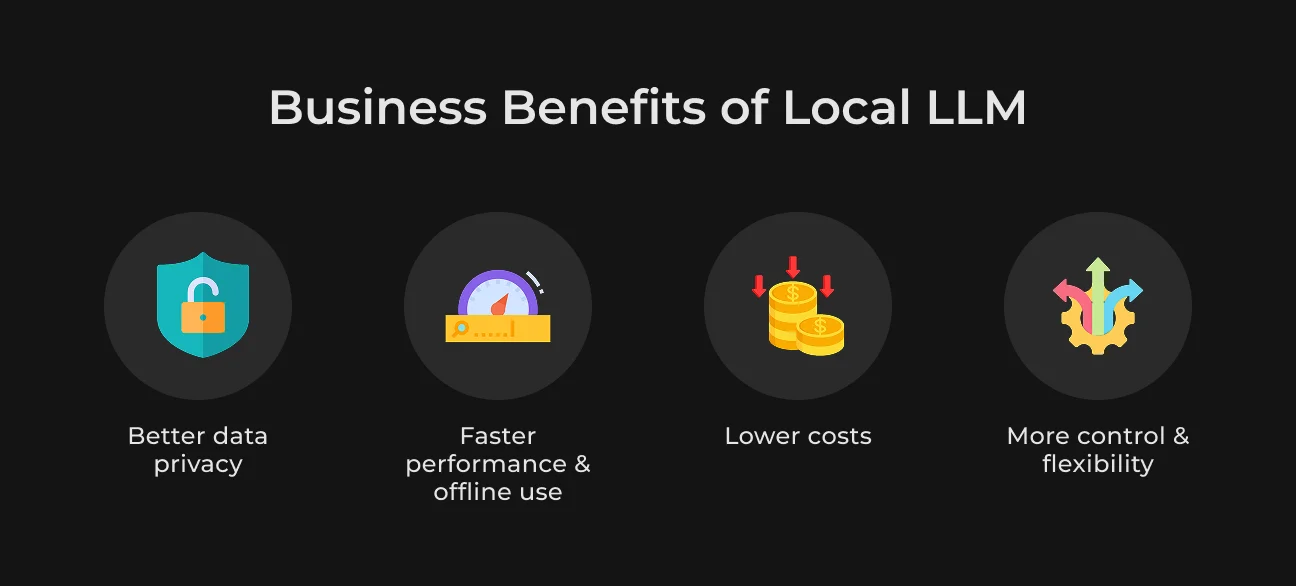
Cloud-based AI is convenient, but there are compelling reasons to run models directly on your machine. Let’s now take a look at the core benefits of using local LLMs.
Data Privacy & Compliance
For a lot of industries, calling out to external AI APIs can cause real legal and compliance problems.
GDPR and HIPAA are two of the most notable regulatory bodies with strict rules about how sensitive data should be processed and stored. API-based models still need your data to leave your environment, even if the providers offer you strong guarantees.
That changes completely when you run an LLM locally. This gives you much more control and allows for easier management of compliance and risk events. This is particularly helpful when working with internal documents, customer information, or any kind of sensitive data.
Cost Optimization
Cloud LLMs are easy to get started with. But they cost you as you use them. In this model, the number of requests you make determines what you pay. This is okay for low-volume use cases, but it can get costly in production.
With local LLMs, you pay for the infrastructure (hardware/servers) up front to run inference at almost no marginal cost, as opposed to paying per request. This helps considerably reduce overall cost over time.
Low Latency & Offline Access
Every request to the cloud incurs latency (network round-trip, queuing, processing). For some apps, that’s fine. For others, it destroys the experience.
Local LLMs eliminate that dependency. Because inference is performed on-device or with your infrastructure:
- The responses are faster and more consistent;
- Show more data accuracy independent of internet quality;
- Systems can work fully offline.
Full Control & Customization
Third-party APIs expose you only to what their provider makes available, like model behavior, rate limits, updates, and pricing.
When you run an LLM locally, you have complete control over the stack. You can, for example,
- Ingest market data from internal systems and databases;
- Update, access, and deploy environments;
- Create custom workflows, unbound by APIs.
This really works in enterprise contexts, where AI must conform to current processes.
Local LLM Use Cases and Applications
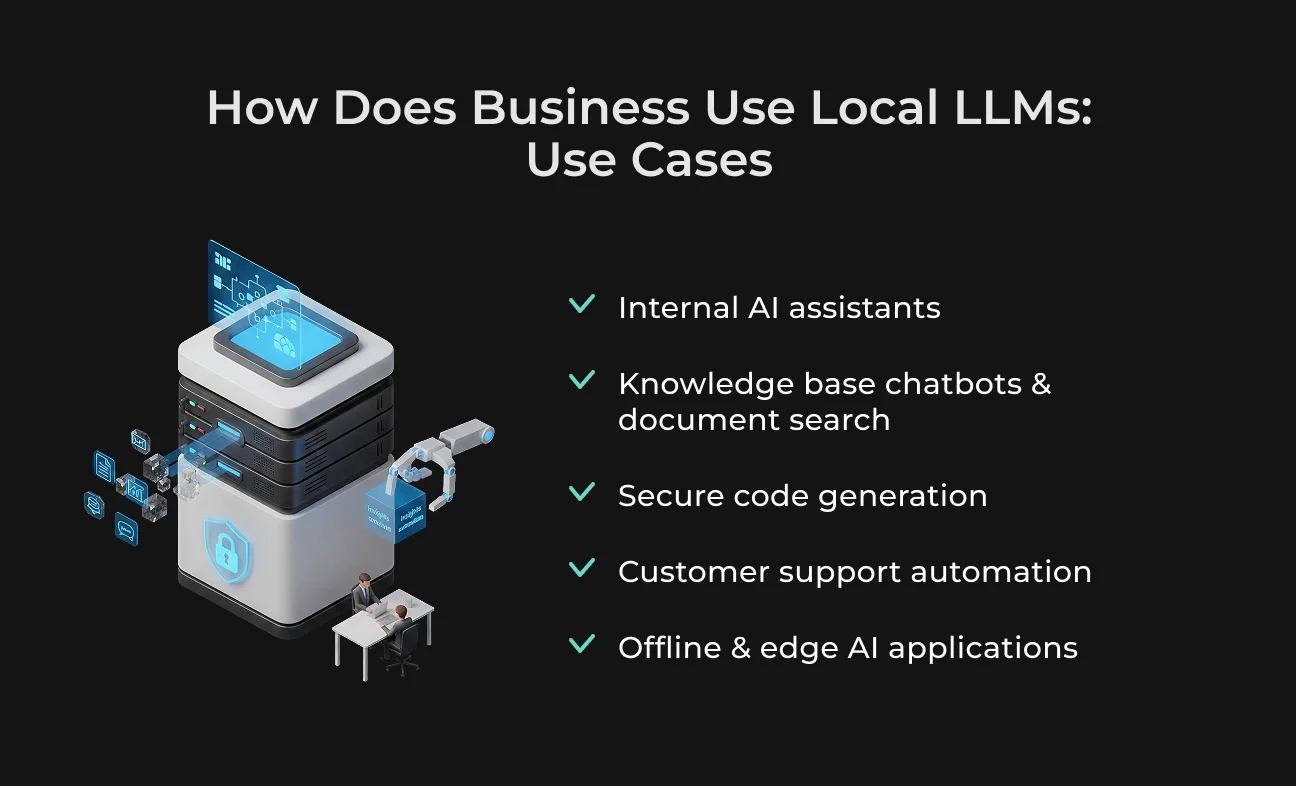
Local LLMs are most helpful when AI needs to run inside your systems, close to your data. Also, instead of using external APIs, companies can embed AI into their tools and workflows without exposing sensitive data.
Gartner said today’s local models could be up to 100 times more cost-efficient than similarly sized 2022 models.nWe will explore some use cases and applications of local LLMs.
Internal Copilots & Knowledge Assistants
Local LLM adoption usually begins by training internal AI assistants that are familiar with the company-specific context. This strategy already has its roots planted — about 27% of US B2B marketers are using chatbots as a part of their strategy.
These assistants can answer questions, summarize documents, and guide employees through internal processes. This saves time looking for information and results in a much smoother onboarding, especially for more complex organizations.
No wonder 64% of businesses foresee AI significantly increasing their overall productivity.
Secure Code Generation & Developer Productivity
Traditional low-code and no-code tools typically assist developers reactively — by auto-suggesting code snippets, completing lines, or generating small functions. But modern AI agents are much more proactive.
They can also conduct complete development cycles: understanding a requirement and solving it.
Another big difference is the breadth of what these systems can ingest. Previous tools were designed for clearly demarcated jobs like finishing a function.
The code generation agents of today can do so much more — they can handle vague requirements, construct larger parts of a project, help with testing or refactoring, and continuously refine code over time through feedback.
Customer Support Automation
Local LLMs can run customer support systems entirely on the company infrastructure. These assistants help users with ubiquitous requests (like providing directions) and are there in the background to provide quick answers to agents when needed.
It gives businesses the ability to automate support while keeping complete control over interactions and data.
Edge AI & Offline Applications
Local LLMs become critical for enterprise-level use cases or when the internet is slow or unreliable. They could also run natively on local systems or edge devices, offering a form of continuity no matter where you’re connected.
It’s also useful for sectors like manufacturing, healthcare, and defense, where systems must always be operationally safe and interactive.
Hardware Requirements for Running a Self-Hosted LLM
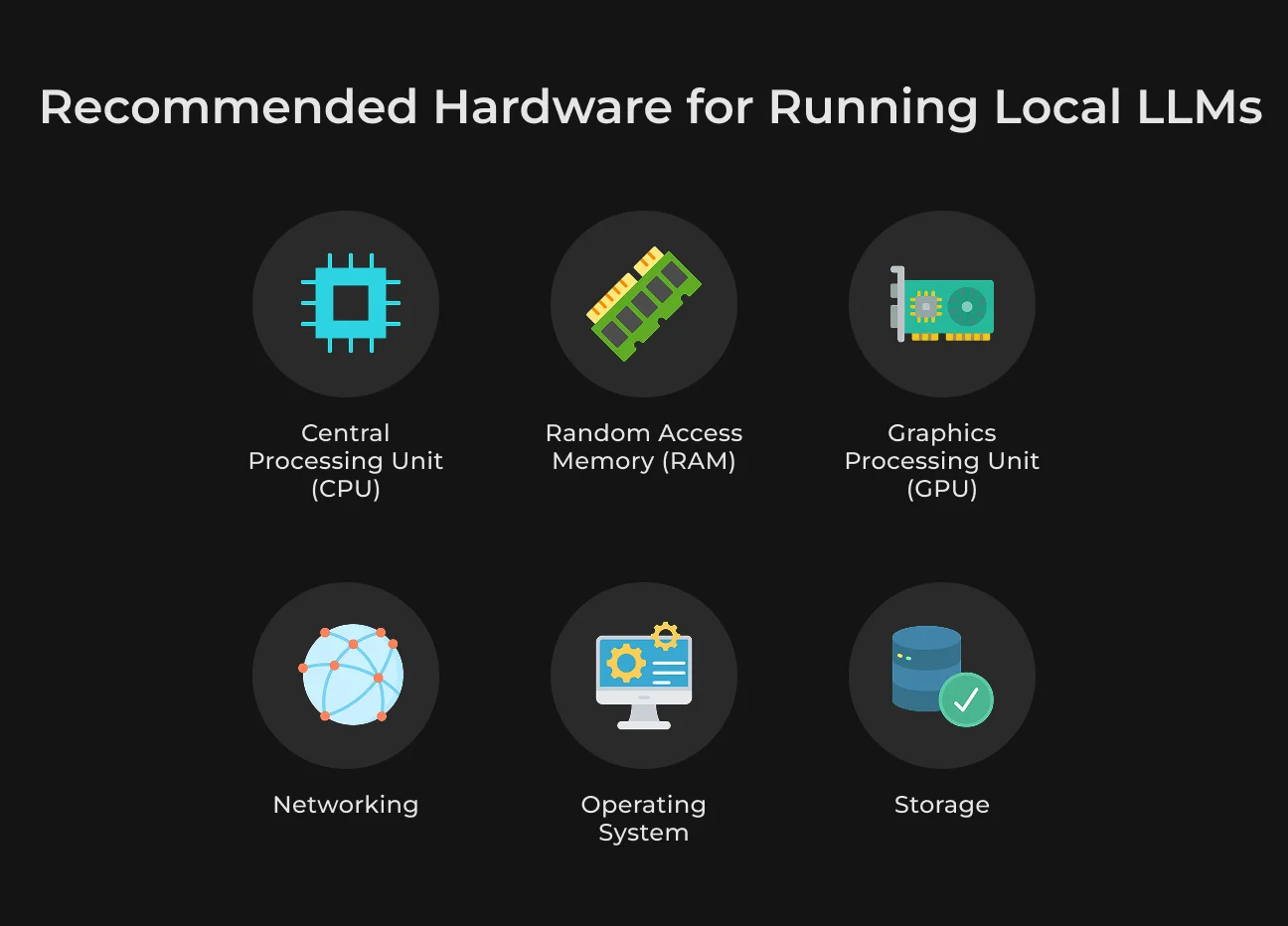
Due to the hardware requirements, running an LLM locally is more difficult than it seems. There is no one perfect setup. It's more about breaking down requirements into some key components and understanding how each will impact performance.
CPU
A CPU is enough for basic use, especially if you’re working with small, quantized models. Modern multi-core processors handle lightweight tasks like testing prompts or running simple local assistants.
However, CPU inference is slower, particularly for longer responses or continuous usage. For anything beyond experimentation, relying only on a CPU can become limiting.
GPU
A GPU is the most important upgrade for running LLMs efficiently. It significantly speeds up inference and allows you to work with larger models.
The key factor here is VRAM. If the model fits into GPU memory, performance is smooth and fast. If not, the system starts offloading to RAM or CPU, which reduces speed.
Entry-level GPUs with around 8–12 GB of VRAM are suitable for small models. However, 16–24 GB of mid-range GPUs make for a much better development experience.
VRAM Requirements
VRAM determines whether your model can run efficiently on the GPU. It stores the model weights and active data during inference. When everything fits into VRAM, you get low latency and faster responses. If it doesn’t, performance drops due to memory swapping.
As a general rule, larger models, longer context windows, and multiple users all increase VRAM usage. This is why memory is often the main bottleneck in offline LLM setups.
RAM Requirements
System RAM supports everything outside the GPU. It assists in operating the system and managing background tasks. It's also useful for storing extra data when video random access memory is insufficient.
16 GB is sufficient for some small setups, but 32 GB offers a far more stable experience. For heavier workloads, multitasking, or development environments, you'll need at least 64 GB.
Storage Requirements
In addition to the practical aspect, storage is one of those parts that often gets ignored. If you store multiple versions or formats of LLM models, they can occupy tens or even hundreds of gigabytes.
SSD storage is strongly recommended, with NVMe drives being even better as they help decrease model loading times and improve responsiveness.
Model Size vs Hardware Needs
This directly impacts hardware needs, as the larger the model, the more computational power it takes. Smaller models can run locally without too much strain, but larger ones are quickly costly in terms of GPUs and memory.
Quantization does help with reducing model size — local deployment becomes much more feasible. Yet, there are limits depending on your hardware.
Setup Levels
You can run a local LLM on your CPU with moderate RAM (for testing and learning) at the most basic level. Something with a GPU and more memory is sufficient for development and daily use.
Enterprise configurations at this scale will depend on powerful GPUs, lots of RAM, and fast storage to support both large models and multiple users.
Each piece of hardware matters, but ultimately, GPU VRAM is what makes or breaks performance. Start with a necessary configuration, and grow according to your models, workloads, or performance expectation changes.
Deploy Without the Headache
Skip the complexity — our engineers handle the entire setup.
Best Local LLM Models & Tools in 2026
In 2026, it is a long road of solid LLM models and usable tools. Local AI became available to more people than ever before. Below are some of the most common local LLM models for different use cases.
GPT4All
A local AI app for offline use, simple and easy to get started with. It’s useful for personal assistants, document Q&A, and basic RAG workflows without any deep technical setup required.
Ollama
A popular tool for local LLM runs. It reduces the setup effort to a command and supports many models, including Llama, Mistral, Qwen. Good for developers who need rapid setup with minimal configuration.
Mistral Small 3
This LLM variant runs exceptionally well on relatively mid-class hardware. It’s also a good fit for real-time applications, like autocomplete or chat tools, where low latency is important.
Llama 3.3
One of the best, well-rounded local 2026 models. With the perfect balance of reasoning, coding, and general tasking, it’s great for assistants and RAG pipelines. Llama 3.3 also has a massive ecosystem of fine-tuned versions, which gives it great flexibility.
Phi-4 Mini
Optimized for low-resource scenarios, the Phi-4 network can operate on machines with little free RAM. This is perfect for lightweight local assistants or any offline use case with hardware constraints.
DeepSeek
It’s a strong open model trained on reasoning and higher-level tasks. DeepSeek is growing in popularity for more advanced workflows where further logic and structured outputs are required.
Tools and Frameworks for Private LLM Deployment
There are plenty of local LLM solutions, from entry-level applications to advanced infrastructure frameworks targeted on the production stage. Check them out.
Beginner-Friendly Tools
These tools allow for running local LLMs with minimum technical knowledge.
- Ollama. An easy and well-known tool that allows you to run LLM locally with little setup. It is perfect for quick experiments and local assistants. You can download and launch models in a single command;
- LM Studio. A graphical interface desktop application for managing models. Best of all, you can browse, download, and run LLMs without a command line, which is great for newcomers.
Developer Tools
These frameworks give control and flexibility to build real applications with LLMs.
- LangChain. It facilitates linkage of models with data sources, APIs, and tools, which makes it beneficial for chatbots (ChatGPT), RAG systems, and automation workflow;
- Llama.cpp. Lightweight and performant runtime for running LLMs (especially on CPU) locally. It's optimized and offers quantized model support;
- vLLM. An inference engine built for speed and scale. It’s frequently used in production settings where the ability to handle multiple requests effectively is essential.
Containerization & Scaling
These tools are important for packaging and scaling your LLM applications beyond local experiments.
- Docker. Allows you to containerize your LLM environment and keep things consistent across all machines. It simplifies deployment and also makes managing dependencies easier;
- Kubernetes. This one is relevant in enterprises when you need high availability, load balancing, and resource management.
How to Run an LLM Locally: Step-by-Step Guide
This is a basic step-by-step checklist to set up a private LLM.
Step | What to do |
| Ensure your machine has sufficient CPU, RAM, storage, and preferably a GPU. |
| Choose a tool like Ollama, LM Studio, or Llama.cpp. |
| Start with a smaller or quantized model that matches your hardware. |
| Download and install your chosen app. |
| Pull or import the model you want to use locally. |
| Start with a simple query to verify everything works. |
| Integrate with files, APIs, or internal tools. |
| Set limits, logging, and basic output checks. |
| Use Docker or other tools if you need more performance or users. |
Local LLM Integration with Apps, APIs, Databases
LLM model on its own can answer general questions. But integration is what enables it to interface with a real business context, automate workflows, and make more accurate outputs.
Connecting to Internal Data
For a local LLM to be useful in real-world scenarios, it must have access to your internal data. This can be PDF documents, databases, or support tickets.
If this data is running within the system, it allows the model to produce answers not on generic responses but on everything that pertains to your organization.
Vector Databases
These are turned into vector embeddings and stored in a vector database. They allow the model to search for and retrieve relevant pieces of information based on meaning instead of just keywords.
FAISS and similar tools are lightweight and fast, so they are often in local setups.
Cloud-based options like Pinecone are common choices, but in the case of local LLMs, developers tend to turn to alternatives like Chroma or Weaviate to keep it all private and offline.
Integration with Business Tools
Local LLMs are easily matched with the tools teams use every day. This makes it easier to adopt, but allows AI to fit well into existing workflows.
Paired with the CRM or ERP systems, a private LLM can summarize customer interactions and write reports, and then help with data entry.
It can instantly scour relevant information and display it in a short, digestible format, saving employees time.
Performance Optimization & Tuning
Model optimization of a local LLM is necessary to ensure faster response times and reduced resource use. Here are the key techniques that have the greatest impact.
Quantization
Quantization reduces the precision of model weights (e.g., converting weights from 16-bit to 8- or even 4-bit). This enables huge models to run on consumer hardware with little quality loss.
Fine-Tuning
Fine-tuning makes some base model and trains it on a specialized task. Domain-specific training data will yield better accuracy, relevancy, and consistency for use cases like customer support, internal knowledge access, or code completion.
Inference Optimization
Inference optimization reduces the inference time and gives stable output in production use.
- Batching combines many requests into a single larger request in order to increase throughput and reduce the latency per request;
- Using the GPU resources (memory, cores, parallelism) properly gives you incredible speed boosts with different use cases compared to a CPU-only setup.
Challenges & Limitations of Local LLMs
Hosting an on-prem LLM gives you total control of things but also requires you to manage the problems cloud providers solve for you. So when you anticipate those limitations early, they are not the most expensive mistakes to have late.
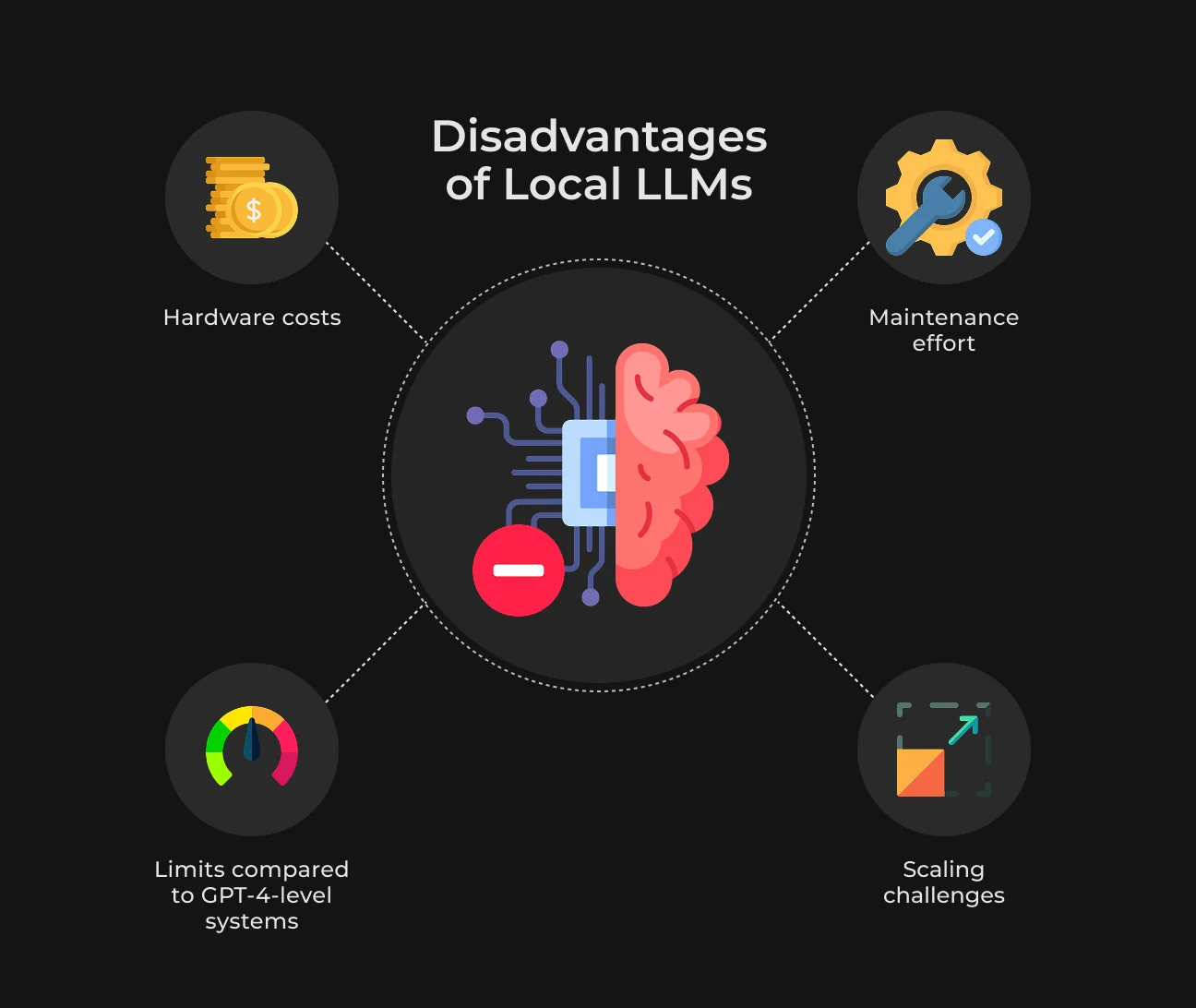
Hardware Costs
Running local LLMs takes significant computational resources. Even relatively small models can require high VRAM GPUs, fast storage, and enough RAM to work efficiently.
Teams typically use quantization to decrease size without negatively impacting quality. A more pragmatic approach is to begin with smaller models first and then use a larger scale only when there’s an evident need.
Maintenance Complexity
When you deploy a local model, it is not a one-off thing. It’s a system to maintain.
Containerization cleanses our environment and makes deployment consistent, which allows us to deal with that complexity.
Teams that invest early in monitoring and automation can escape this trap with little effort. They can find problems before they happen and make adjustments like scaling the service.
Model Limitations vs GPT-4-Level Systems
Open-source models are making huge leaps, but they still have not achieved the depth of reasoning, consistency, and flexibility of the best proprietary systems. This shows in more complex workflows, ambiguous queries, and anything multi-step.
For specific domains, fine-tuning can improve performance in ways that make a model much more suited for targeted use cases. Many teams also use a two-step approach, routing common requests through a smaller model and connecting to more powerful systems only when the situation needs it.
Scalability Challenges
As demand grows, you have to think about how to partition workloads, ensure response times, and avoid an LLM system from becoming a bottleneck.
This is typically solved not by adding hardware, but by tuning the request handling. When potential overhead through request grouping and queueing becomes apparent, they can be combined to increase throughput.
When teams have a close eye on usage patterns, they are in a better position to scale proactively rather than reacting after the performance problems occur.
Future of Local LLMs
Local LLMs are advancing rapidly, powered by efficiency, privacy considerations, and real-world implementation needs. There are several clear trends shaping their future.
Smaller, More Efficient Models
Large language models excel at high-level, general-purpose tasks. But most experts believe the next big advance with enterprise AI will come from smaller, more agile models.
They are good for targeted real-world use cases, and are much more efficient to fine-tune. This line of thinking is not unique to companies like Mistral AI, which point out that small models can outperform their larger counterparts on certain benchmarks.
As a result, AI is becoming more practical to deploy locally — no longer restricted to powerful servers.
Edge AI Growth
The market for global edge AI is anticipated to grow to over $118.7 billion by 2033. It is closely related to the growing ecosystem of local LLMs, which enable more AI workloads to move from centralized cloud systems onto devices.
By 2027, we estimate that approximately 80% of CIOs will depend on edge services provided by cloud providers to help accommodate the growing requirements of AI inference.
Hybrid (Local + Cloud) Architectures
Rather than local versus cloud, most systems are converging on hybrid setups that use both. Here, local LLMs suit sensitive data use cases, real-time tasks, and offline scenarios.
Cloud models can be used for complex reasoning, heavy loads, or peak demand. This decentralized model fits the progression of advanced AI architecture in which edge, local, and cloud systems cooperate.
How SapientPro Helps Businesses Use LLMs
SapientPro built a conversational AI shopping assistant for an e-commerce client in the Netherlands and Switzerland — delivering sub-1-second response times within just 180 hours of development, carried out by a single engineer.
The client's platform ran on ShopWare, and the core challenge was replicating the experience of a knowledgeable in-store salesperson digitally. Customers struggled with vague search terms, too many similar options, and no system to guide them through decisions.
SapientPro's solution combined LLM capabilities with a custom hybrid search engine — blending classical keyword search and vector-based semantic search. This allowed the assistant to interpret imprecise, natural language queries and return highly relevant product results in real time.
A key technical decision was migrating from Qdrant to PostgreSQL with pgvector, which gave the team greater control over filtering, aggregation, and accuracy — without sacrificing semantic flexibility.
The assistant handles parameter-based queries (color, size, price, availability), asks follow-up clarifying questions when needed, and integrates cleanly into the existing ShopWare stack without disrupting the client's workflows.
The result is an AI shopping experience that feels human, responds instantly, and is built to scale — demonstrating SapientPro's ability to deliver production-ready AI solutions efficiently, on complex existing infrastructures.
Why Choose SapientPro for LLM Development
Running a local LLM sounds easy until you're dealing with hardware bottlenecks, compliance requirements, integration complexity, and models that don't quite fit your use case. That's where most teams get stuck.
SapientPro's engineers have worked through exactly these problems — building local and hybrid LLM systems that fit real business infrastructure, not just demo environments. We handle everything from selecting the right model and runtime to connecting it with your internal data, tools, and workflows.
No runaway API costs, sensitive data leaving your environment, and black-box systems you can't control or maintain. You get just a working solution, built around your constraints, and designed to perform reliably in production.
Let’s work together to build the best solution for your business.
Your Data Stays Yours
Stop sending sensitive data to third-party servers