All
What is Intelligent Document Processing: Use Cases & Benefits Across Industries
January 22, 202615 min read


Businesses are still overwhelmed by paperwork. Intelligent document processing (IDP) is emerging as an industry disruptor when it comes to automating document-heavy tasks. The global IDP market size was valued at $7.89 billion in 2024.
The market is projected to grow from $10.57 billion in 2025 to $66.68 billion by 2032. In fact, 63% of the Fortune 250 have already implemented IDP solutions, with 71% adoption in the financial sector.
In this article, we explain what is intelligent document processing, how to automate document processing, and compare IDP vs OCR.
Key Takeaways
- 70% of companies were testing process automation in at least one and possibly multiple units in 2022;
- A logistics company used IDP to reduce its document processing time per file from over 7 minutes to under 30 seconds – a >90% time saving;
- Manual document processing costs an average of $6 to $8 per document, whereas automating that process brings the per-document cost down significantly;
- Doctors spend ∼4 times more time on non-patient-facing administrative duties compared to doctor-specific, patient-facing tasks;
- The HR agency implemented IDP and is now conserving over 320 hours of monthly resume processing alone.
What is Intelligent Document Processing (IDP)?
Intelligent document processing (IDP) is the process of using AI-based solutions to convert end-to-end document processing into automated workflows. It is also used to read and convert unstructured or semi-structured content into structured data that can be used within business processes.
In simple terms, IDP systems can read documents (scanned paper, PDFs, emails, etc.), "read" and understand them, extract the needed data, and feed it into your databases or apps with or without any intervention.
How IDP Works: Step-by-Step Explanation
IDP system goes through a multi-step pipeline to turn documents into usable data. Think of it as an assembly line where each station performs a crucial task.
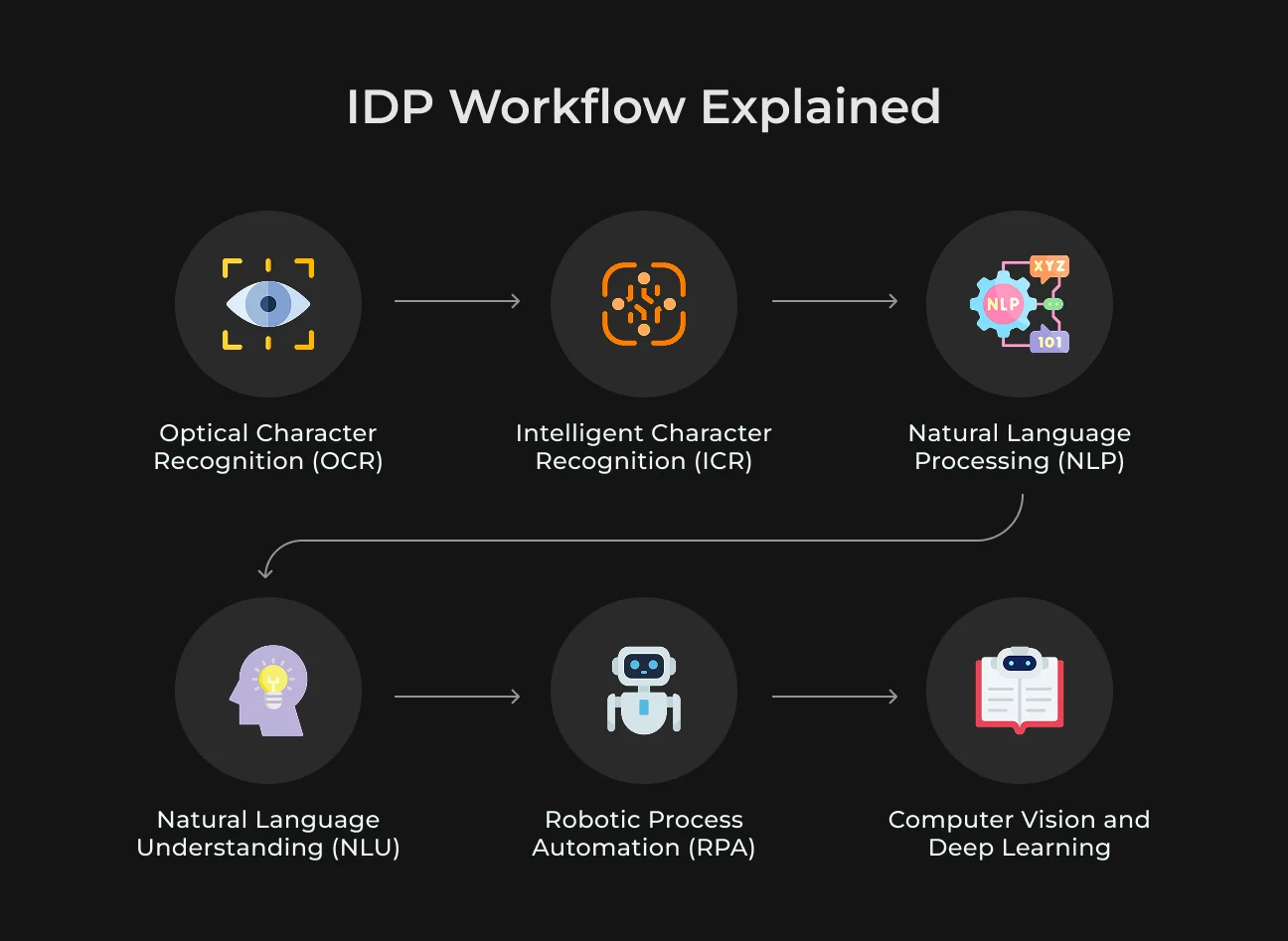
Optical Character Recognition (OCR)
Optical Character Recognition (OCR) is an old technology and is used to digitize paper data – i.e., to scan an on-paper form and get real text you can copy/paste or search against. In an AI document processing, OCR is what makes it possible for the system to "see" what's inside a document. Pre-processing of raw text is necessary before higher-level understanding can take place.
Modern OCR software is quite advanced. It can handle multiple fonts and layouts, and some even handle text in multiple languages or in rotated/angled images. For instance, OCR is often used to digitize old books or convert PDFs scanned into searchable PDFs. The benefits of OCR include tremendous time savings and improved accuracy for basic data capture.
Intelligent Character Recognition (ICR)
While OCR is operating on printed text most of the time, Intelligent Character Recognition (ICR) is a more sophisticated system for recognizing handwritten characters or non-standard fonts. ICR could be seen as OCR's smart cousin. It uses machine learning to push character recognition where characters are non-uniform or more difficult to read. Functionally, what ICR allows IDP to do is read cursive writing on a form, or messy handwriting, that standard OCR would most likely miss.
Say you've got a stack of handwritten job application forms, for example. ICR can automatically read the fields (names, addresses, etc.) that people wrote in by hand. ICR algorithms are likely to study the stroke, pattern, and shape of handwriting and learn from training data (ample handwriting descriptions) to improve over time at making intelligent guesses about what each scribble is.
Natural Language Processing (NLP)
After data extraction from documents via OCR/ICR, the next step is to make sense of that text. That is where Natural Language Processing (NLP) comes in.
NLP is a branch of AI that enables computers to interpret and process human language (text or voice) in an intelligent way. For document processing, NLP algorithms help the system identify things such as:
- What sentence is a name;
- What sentence is an address;
- Which category does this document belong to;
- Is this sentence expressing some intent, etc.
In document processing automation, NLP is used specifically for unstructured or semi-structured text. For example, extracting a total from an invoice will be slightly templated (it will generally be near a tag like "Total:"), but what about a long legal contract or the description of an insurance claim?
NLP software can analyze free-text like this to:
- Pull out entities (e.g. people, dates, monetary amounts);
- Determine topics or classify the document's content (e.g. is this an invoice email or just a general question?);
- Conduct tasks like sentiment analysis (though sentiment is more relevant to customer communication than to forms).
SapientPro has deep expertise in NLP, which is often a core component of document automation solutions we build. By applying NLP, we ensure that after OCR has given us text, the software can actually make sense of it, just as you would read and understand a document.
Natural Language Understanding (NLU)
Natural Language Understanding (NLU) is actually a subset or specific branch of NLP that focuses on the understanding of the meaning and context of text.
NLP is a catch-all term for language processing (which could potentially include things like translation, tokenization, etc.), but NLU is specifically about understanding intent, context, and semantics. It is about the deeper meaning that is behind the words.
With NLU capabilities in intelligent document processing, the system is not only able to study text, but also what the text is saying.
For example, consider the sentence: "Send a copy of the signed agreement." Simple text extraction would get the words, easy NLP could mark "signed agreement" as a noun phrase, but NLU would realize that this is a request for fetching or sending a particular document (i.e., the intent is a request for an action).
SapientPro offers Natural Language Understanding solutions to help software truly comprehend textual data. In document processing, adding NLU capabilities means fewer things slip through cracks due to phrasing variations. It opens up possibilities like automatically summarizing a lengthy document or finding specific clauses upon query, not just extracting predefined fields.
Robotic Process Automation (RPA)
Robotic Process Automation (RPA) is one form of technology using software "bots" to automate rule-based work by mimicking how humans interact with computer systems. In plainer terms, RPA bots can click buttons, copy-paste data, enter forms, and navigate software just like a person does – only much faster and never tiring.
Within document processing automation, RPA is most often the glue or delivery mechanism that captures the data that has been pulled out by IDP and inputs it into other systems or processes.
For instance, assume your IDP software has retrieved information from 100 invoices. How do they get entered into your legacy accounting system that doesn't even necessarily have a modern API?
An RPA bot can be configured to pull each invoice's data and enter it into the accounting interface (like an employee would, but automatically).
SapientPro generally combines AI for document extraction with RPA in our solutions to offer end-to-end automated processes for customers. The result: processes that used to require days of manual labor can execute in minutes 24/7, wirelessly connecting from legacy to new systems.
Computer Vision and Deep Learning
IDP software depends greatly on Computer Vision (CV) and Deep Learning behind the scenes to achieve its "intelligence". The words aren't used loosely sometimes, but here's what they refer to in IDP:
- Computer Vision is the ability of computers to understand and process visual information (images or video). For instance, CV can be used to recognize a page as having a company logo and tabular data, thus likely an invoice. Or it can be used to locate a photo on an ID document beyond text areas.
- Deep Learning is a machine learning based on neural networks with many layers ("deep" neural networks). Deep learning has transformed OCR and NLP in recent years. Modern IDP systems use deep learning models all around: to recognize characters (neural-network-based OCR engines), to determine the types of documents, to extract fields (model learns to forecast the data fields' locations), and to understand language (transformer models, etc.).
One example of the use of deep learning in IDP is the use of Convolutional Neural Networks (CNNs) on image processing – a CNN can handle a whole document image and classify it, or even do signature detection.
Another example would be using Transformer-based models (an architecture of deep learning) to process text in context – e.g., a BERT model could be trained to read through a snippet of a contract and highlight which section is the payment terms, etc.
Benefits of Intelligent Document Management
Adopting an intelligent document processing product can usher in revolutionary benefits to organizations. Let's unwind some of the key intelligent document processing benefits.
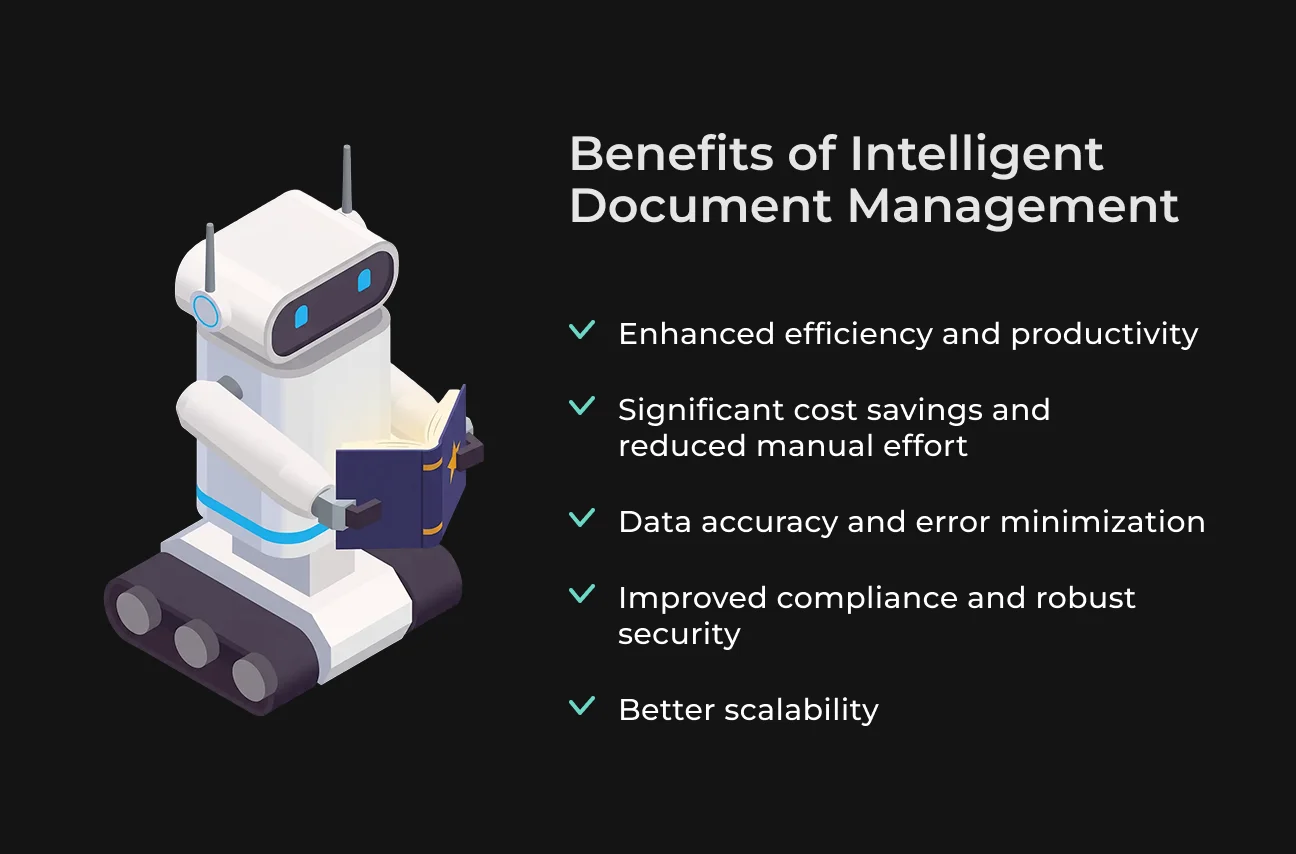
Enhanced Efficiency and Productivity
For example, similarly, much of the routine back-office activity (form processing, invoice input) can be performed automatically after the system is installed. Such speed means faster customer response, rapid turnaround of transactions, and the ability to handle more volume without backlog.
There's even a scalability advantage to this productivity. With manual processes, if you double your paperwork, you'll have to double your staff or suffer delays.
Applications scale with IDP – whether you get 1,000 documents a day or 100,000, the processing may be scaled up (especially if cloud resources are being used) without linear cost.
Significant Cost Savings and Reduced Manual Effort
Consider all the expenses tied to manual work:
- Salaries of staff doing data entry;
- Cost of errors;
- Delays in processes that might have financial penalties;
- Physical storage of paper.
Intelligent document processing benefits cut down or eliminate many of these. Manual document processing costs an average of $6 to $8 per document, whereas automating that process brings the per-document cost down significantly. Multiply those tens of thousands of documents, and the savings become glaring.
Data Accuracy and Error Minimization
If data is entered manually from papers, errors are inevitable – a keyboard slip of the finger, a misunderstanding of a smudged digit, etc. IDP software greatly improves data quality as it minimizes manual data entry.
Diverse types of AI don't get exhausted or skimp on the last entries of the day. With a properly trained IDP system, companies see far fewer typographical errors, skipped fields, or incorrect values than they did in the past.
Improved Compliance and Robust Security
More manual hand-keying of documents, especially those containing confidential data, can produce security and compliance issues. Physical documents can be lost, inappropriately discarded, or viewed by unauthorized parties. Hand-keying data can expose confidential data to unwanted eyes.
Intelligent document processing helps facilitate stronger security and compliance guidelines in numerous ways. First, by capturing documents into electronic form and processing them automatically, you create a clear audit trail of who handled data and when.
Most IDP systems record everything: which user signed off on a field, when a document was processed, etc.
This is great for compliance with ordinary laws such as GDPR, HIPAA, or financial regulations, as you can demonstrate control of data and create logs if needed. Digital files are also simpler to encrypt and restrict access to, rather than papers that may just sit on a desk.
IDP software can also be incorporated with security vetting directly within. For example, an IDP pipeline can simply automatically detect personally identifiable information (PII) and redact or mask it if needed (using NLP to detect things such as social security numbers or credit card numbers in documents).
This ensures that whenever there is a need internally to share documents, sensitive data is safe unless someone has clearance.
Better Scalability
In a manual system, scaling is painful – you need to hire and train more individuals, expand office space to store more file cabinets, etc. One of the best intelligent document processing benefits is that it is extremely scalable.
Once you have the system installed and running, it's usually as simple as adding more computing power or flipping more licenses on to process more documents, rather than scaling headcount linearly.
With document processing automation, you can process documents in volume without throughput or accuracy loss. Whether you must process 100 documents per day or 100,000, an automated pipeline can likely accommodate it, perhaps by doing tasks in parallel, leveraging cloud servers, etc.
Use Cases for Intelligent Document Processing and Management
Any department or industry with high volumes of paper can apply IDP to process automation. Let's consider some of the most prominent use cases and examples of intelligent document processing in action.
IDP in Financial Services
Banking, insurance, and accounting are very document-intensive and thus among the earliest to adopt IDP. Some common use cases include:
- Automated Invoice Processing (Accounts Payable).
- Invoice data entry automation is a classic IDP application. The system reads supplier invoices (scanned as PDFs or images), extracts line items, dollar amounts, dates, and posts them to the accounting system for payment.
- Loan Application Processing.
- A document automation platform is used by banks to process loan documents (applications, income reports, and tax returns submitted by borrowers). The IDP system can extract and retrieve salient information (like names, social security numbers, incomes, and credit scores) from a stack of papers and feed it into loan origination software in minutes.
- Insurance Claims & Forms.
- Insurers process claim forms, supporting paperwork (police reports, medical statements, photos), etc. AI document processing is able to read claim forms, verify all necessary fields are filled in, and even flag likely discrepancies or fraud indicators (via NLP reading of descriptions). It then imports claims into the system for adjudication.
- KYC and Compliance Documents.
- Banks must process KYC documents like IDs, addresses, financial statements, etc. AI document processing can extract data from IDs (with OCR on driver's licenses or passports), parse utility bills for address validation, and create a customer profile automatically.
- This reduces the new account onboarding time and regular compliance checks. In addition, regulator reports generally involve amalgamating information from many documents – IDP makes such reports precise and up to date with reduced manual preparation.
Applied widely across finance as well as numerous other sectors, it is one of the major growth drivers for the technology.
IDP in Healthcare
Healthcare is infamous for being in heavy administrative gear, and IDP is shedding the weight:
- Patient Records & Medical Forms. Hospitals and clinics gather mountains of forms (registration forms, consent forms, medical history questionnaires). A document automation platform can read this information from these so that, for example, a patient's intake form that is filled out by hand is transcribed automatically into the electronic health record (EHR) system.
- Insurance Claims and Billing. AI document processing is used by healthcare providers to process insurance claim forms (e.g., CMS-1500 or UB-04 forms in the US) and extract billing codes, patient data, etc., for forwarding to insurers. On the part of insurers, IDP processes received claims and attachments, speeding up approvals or reimbursement. With health insurance, there are a tremendous number of standard forms that are well-suited for IDP automation.
- Lab Results and Referrals. Lab results are typically returned as PDFs or faxes. AI document processing can read these results and update systems or alert physicians if it is emergent. Similarly, doctor-to-doctor referral letters or consultation notes can be scanned, and important details extracted to update patient records.
- Healthcare Compliance & Reporting. Hospitals are required to report a range of metrics to regulators, and many of them are drawn from documents (e.g., reporting instances of infection or outcomes). Document processing automation can automate data extraction from documents and facilitate easier reporting.
One jarring stat: doctors spend ∼4 times more time on non-patient-facing administrative duties compared to doctor-specific, patient-facing tasks. With IDP and AI, that administrative time could be cut to ~33%, so doctors regain enormous amounts of time for patients.
IDP in Human Resources
HR departments handle numerous documents per employee or candidate, and therefore, HR is a good location for cost-saving on IDP and document processing automation:
- Resume and CV Screening.
- Recruitment can involve sifting through hundreds of CVs or resumes. An IDP system can read each resume (PDF, Word, etc.), extract the key information (name, contact, education, skills, experience), and even conduct an initial qualification match or ranking.
- This very much speeds up the recruitment cycles as it automatically populates candidate profiles within an ATS (Applicant Tracking System) and indicates the best candidates. It reduces bias as well since it displays normalized information to compare.
- Onboarding Documents.
- When an employee is newly hired, suddenly there are forms galore – tax forms, direct deposit forms, ID verification (passports or driver's licenses for I-9 in the US), nondisclosure agreements, etc.
- Document automation platform can pull all of the information needed from them and update HR systems. For instance, read a W-4 tax form and update the payroll system with the withholdings, or extract bank routing numbers from a direct deposit form.
- Employee Record Management.
- Throughout the course of an employee's life, there are documents – performance appraisal documents, training certificates, expense receipts, leave of absence forms, etc.
- Rather than store and track these manually, a document automation platform can scan and categorize them.
HR must comply with many labor laws and documentation compliance requirements (e.g., maintaining eligibility-to-work records, tracking diversity statistics, etc.).
Document automation platform helps by maintaining documents stored accurately and enabling data to be aggregated for reporting against compliance. It can also alert if a necessary document is absent from an employee's file.
IDP Across Industries
Beyond the above, nearly every industry has document-intensive processes that can be streamlined by AI document processing. Below are a few additional examples:
- Logistics and Supply Chain. Freight and shipping companies manage bills of lading, customs documents, invoices, packing slips, delivery receipts, etc. AI document processing can route and automate this paper. For example, scanning automatically container manifests and updating inventory systems, or processing customs declaration forms to speed border crossings. Documents are processed quickly, the quicker the shipments, and the less lag. Logistics companies use IDP to automate tracking, paperwork compliance, and automatic settlement of shipments with automated invoice processing as well.
- Retail and E-commerce. Retailers can use IDP for processing purchase orders, vendor invoice reconciliation, and receipt scanning. For instance, a store with hundreds of vendor invoices can automatically reconcile them with purchase orders and delivery receipts, flagging differences (this is a typically time-consuming activity in procurement). E-commerce businesses can automate customer forms, such as warranty cards or return forms.
- Government and Public Sector. Government agencies are all too frequently swimming in forms – from business license permits to tax forms to benefits enrollment forms. AI document processing can significantly boost e-government by simplifying the processing of forms. For example, a city might employ IDP to process applications for building permits, extracting all of the information and even conducting initial rule checks. Or a social services agency might have aid applications processed more efficiently, assisting citizens through quicker approvals. Since the public sector's resources are often limited, IDP can do more with less and reduce backlog.
Companies are realizing that if someone reads and re-types something for hours, that is an opportunity for AI to step in.
Future Trends in Intelligent Document Processing
According to various sources and our engineers’ personal experience, we believe that the following trends will take place in the industry.
IDP and RPA are Converging Increasingly
The majority of RPA platforms are incorporating document understanding modules, while IDP platforms are providing easier ways to integrate with workflow automation tools.
The trend is toward one-stop shop automation platforms that can handle both unstructured data (with IDP) and structured task automation (with RPA).
Cloud-Based IDP Will Continue Its Transition
Cloud IDP solutions allow companies to process documents on demand with zero infrastructure. They also allow easier upgrades (AI models are updated in the cloud all the time). More and more companies are going to the cloud, and IDP-as-a-service will be the standard.
Blockchain-Based Documents
With more emphasis on data integrity and compliance, there is testing of blockchain to create tamper-proof records of document processing. In trust-intensive industries (government, finance, law), we might see IDP systems monitoring each document's fingerprint on a blockchain, or using smart contracts to verify document integrity.
Narrow IDP
We can expect more industry- or document-specific IDP solutions.
For example, mortgage-processing-optimized solutions, or healthcare document AI that understands medical terms and forms. Domain-specific models can outperform more general models in their specialized domains and are pre-trained on the relevant data.
Automation
The automation trend is worldwide. A McKinsey survey indicated 70% of companies were testing process automation in at least one and possibly multiple units in 2022. Nearly 90% expanded automation (including IDP) company-wide within the next several years.
How SapientPro Built an AI-Powered Document Processing Solution
SapientPro’s engineers developed an AI-driven solution for an HR company struggling to process candidate resumes at scale.
The Challenge
The client’s existing software could not reliably parse CVs. This forced staff to manually reformat and extract data from every resume—a tedious task that took up to two hours per document to scan and input into their database. The goal was to drastically reduce manual effort and accelerate the entire recruitment cycle.
The Solution: An AI-Driven CV Admin System
SapientPro designed a proprietary system featuring automated data extraction, categorization, and advanced search.
- Multimodal extraction: by merging OCRand NLP, the system handles Word docs, PDFs, and scans. It automatically pulls key details like contact info, education, work history, and skills;
- Smart classification: the AI recognizes different sections within a resume, regardless of its unique layout, and maps that data into the agency’s standardized tabular template;
- Cloud-powered infrastructure:
- Azure Cognitive Services: uses Azure OCR for text detection;
- Azure AI Search: indexes structured data to allow "blisteringly quick" candidate searches via keywords or filters;
- Azure OpenAI (GPT): decodes complex layouts and standardizes job titles (e.g., recognizing that "Software Engineer" and "Developer" represent the same role).
The results were clear:
Metric | Before SapientPro | After SapientPro |
| Processing Time | ~120 minutes per CV | ~5 minutes (light validation) |
| Manual Effort | Intensive data entry | Minimal oversight/monitoring |
| Time Saved | 0 hours | 320+ hours per month |
Partner with SapientPro to Create Your IDP Solution
Leverage our deep expertise in machine learning, natural language processing, and process automation to transform your document workflows.
When you partner with SapientPro, you gain an experienced team that stays at the top of AI advancement. We don't believe in "one-size-fits-all"; we take the time to map your unique business pain points to build high-impact solutions, including:
- Custom IDP platforms: modernize data management and eliminate manual entry.
- Predictive analytics: turn extracted data into actionable business foresight.
- Intelligent chatbots: bridge the gap between your data and your users.
Why Choose Us?
- Full-cycle development: we handle everything from discovery to deployment;
- Rapid value: our approach centers on quick prototyping and iterative improvements so you see results faster;
- Proven experience: we specialize in turning complex, unstructured content into structured business assets.
Ready to automate your document processing?
Reach out to SapientPro today!
Partner with SapientPro