
All How POS Data Analysis Improves Business Performance
March 31, 202610 min read


POS information is typically described as the "source of truth" for retail sales – every item that is sold, every payment that is made, and every customer who comes to the checkout produces a data trail.
When analyzed with advanced analytics, that POS information can provide compelling insights into sales trends, customer behavior, and operational effectiveness.
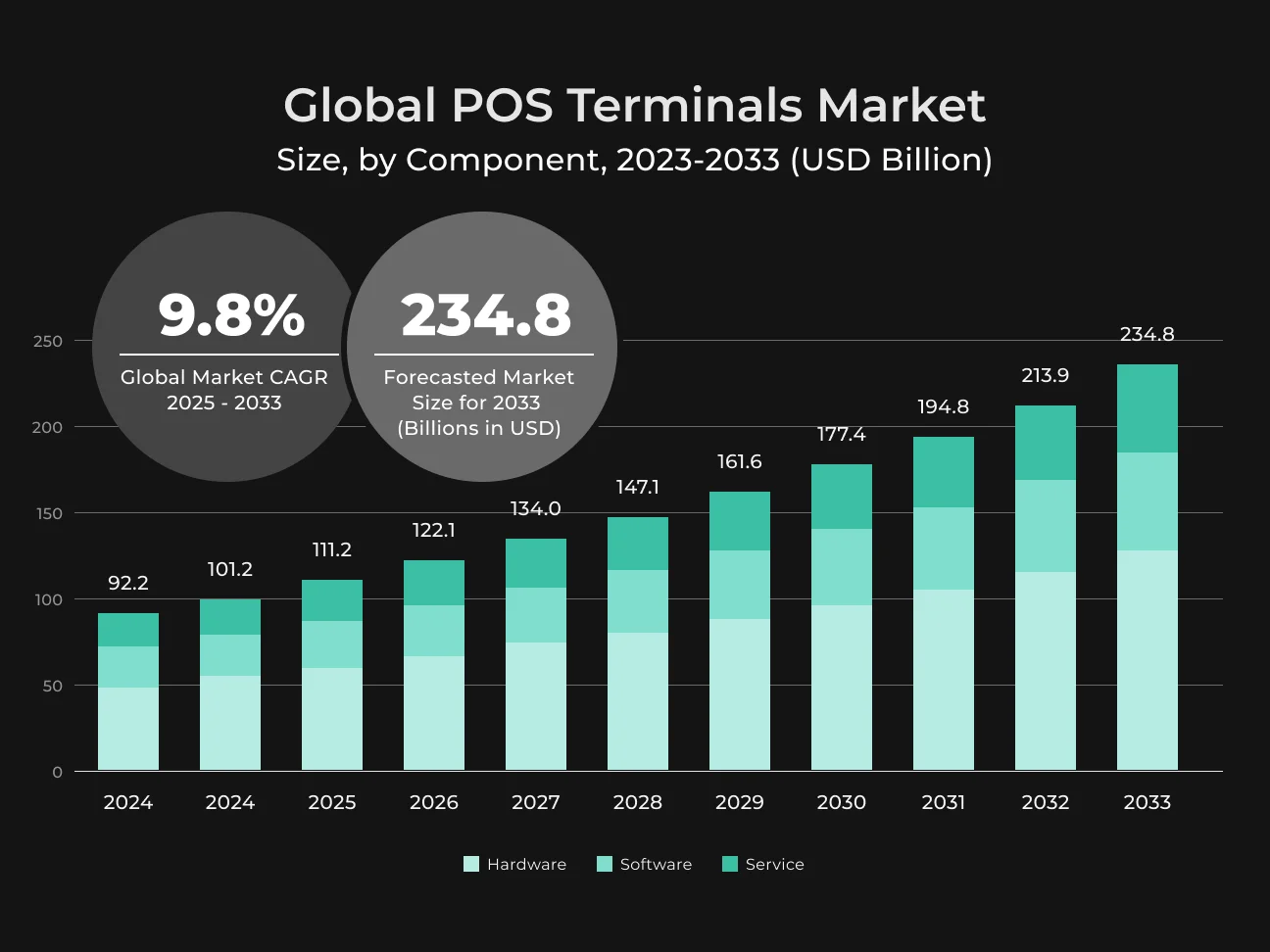
POS advanced analytics is more than routine daily sales reports.
It's more about bringing in data from various transactions and combining it with contextual information to spot trends and opportunities. Retailers are making investments in unified commerce platforms that bring together both in-store and online sales data into a single view.
With techniques like trend analysis, segmentation, and real-time dashboards, even a single store can now have enterprise-class insights. Let’s learn more about the benefits of POS data analysis.
What is POS data?
POS data is all the data recorded by a point-of-sale system at the time a sale is registered.
In other words, it's the computer record of "who purchased what, when, where, and how" in a store or online shopping checkout.
This may contain such data as:
- Products purchased;
- Quantities;
- Sales amount;
- Date and time of transaction;
- Payment method (cash or card);
- Store;
- Salesperson or cashier, etc.
Modern POS software often links with customer profiles, and thus, POS data may also have customer identification or loyalty membership data associated with the transaction. In essence, POS data stores purchase information and ancillary information such as stock updates and employee activity.
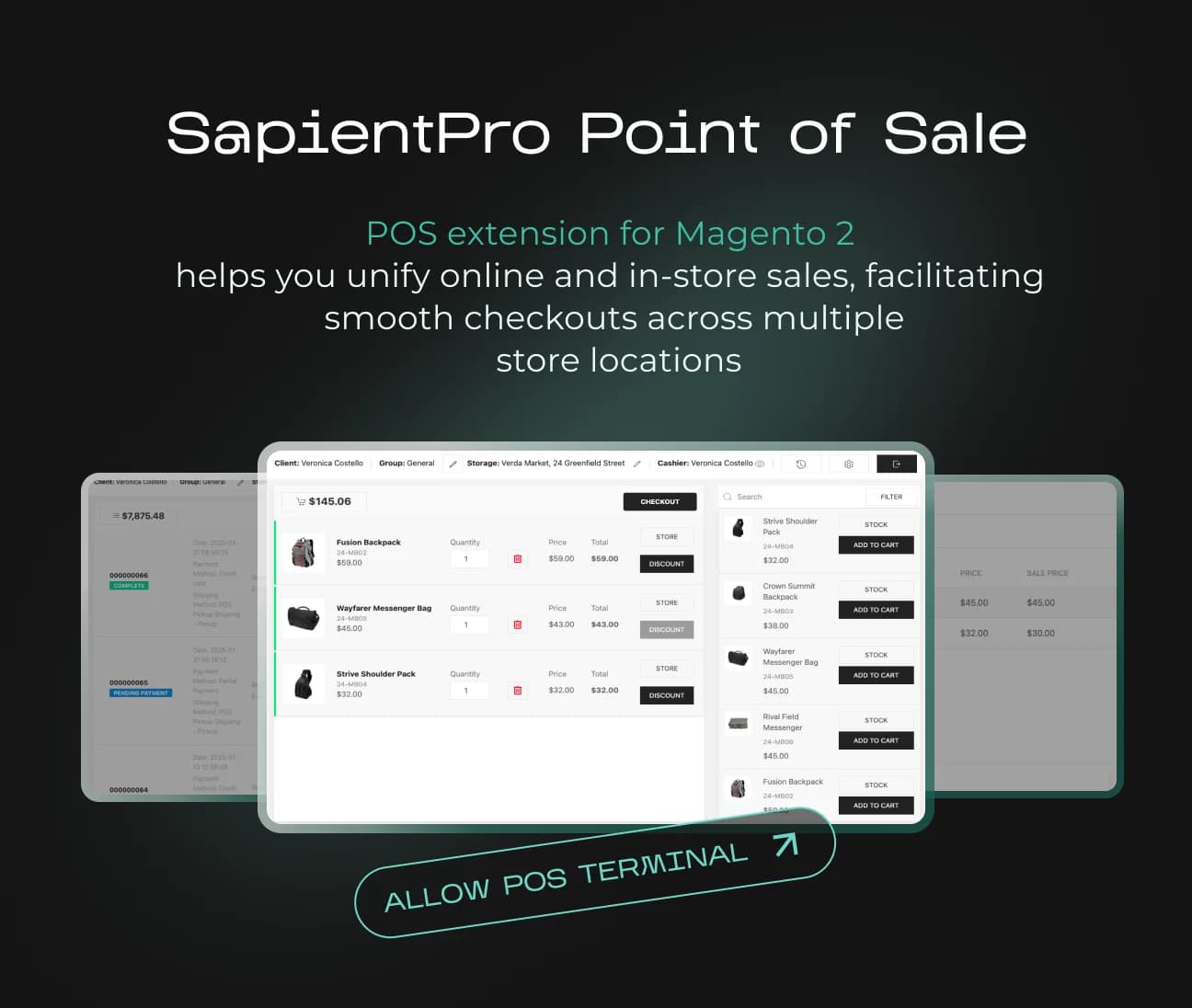
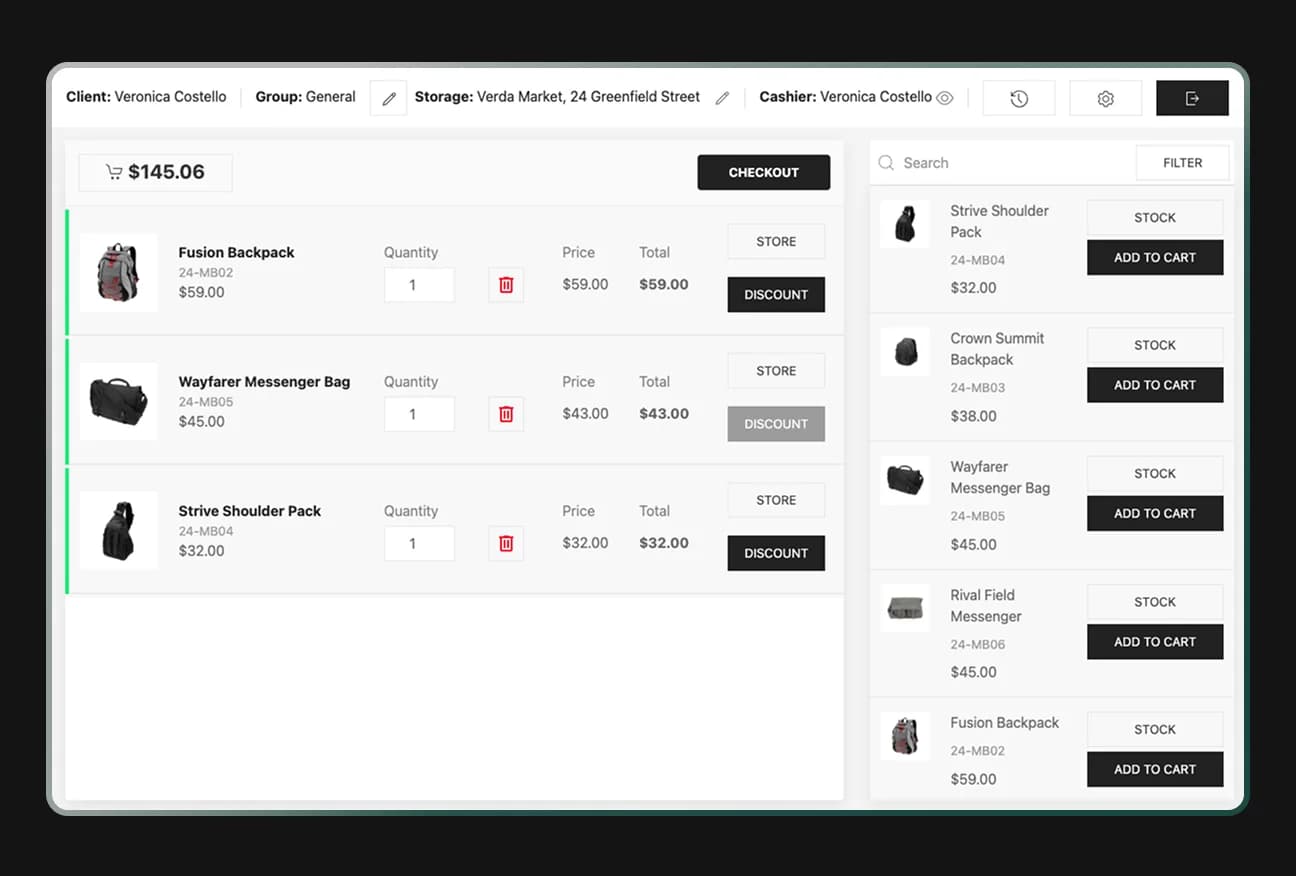
For example, SapientPro’s POS system for Magento 2 logs detailed sales data per cashier. It also integrates both online and offline customer data into one place. This means whether a customer registers online or in-store, they are tracked in the same database.
Most POS systems will automatically create reports from that data as a default program setting, such as daily totals for sales, on-hand inventory, or receipts. Still, the raw POS records themselves hold a goldmine for further analysis.
Types of POS data
A point of sale system doesn't just accept payments – it also gathers a wide range of information whenever it accepts a payment. The major types of POS data are.
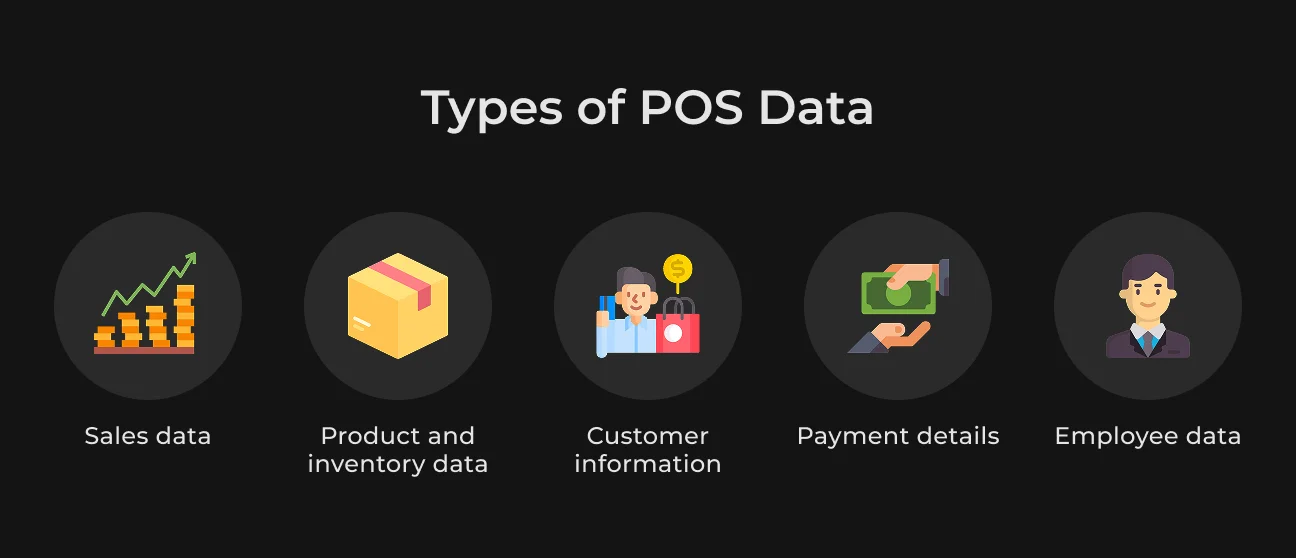
Sales data
Data on each sale like the list of products or SKUs sold, quantity, gross and net sales value, promotions or discount used, and sale time. Sales data shows what sells or accumulates unsold, and reflects revenue trends over time.
By examining sales numbers, businesses ascertain peak sales periods (e.g. season or day of week), top-selling products, and the success or failure of promotions or price changes.
Product and inventory data
Information regarding stock levels and product activity. Every time you sell, return, or restock a product, the POS tracks inventory levels. Inventory data informs you of what products you have in stock at any given time, what's running low, and how quickly each product is moving (sell-through rate).
Product-level POS data (e.g., SKU-level sales and margin) helps to segment bestsellers from slow movers.
In short, this data provides you with the right products in the correct quantity at the right time, without stockout or overstock situations. A store with SapientPro POS can monitor the levels of inventory across various locations and get notified when bestsellers are running low.
Customer information
If your POS is connected to a customer database or reward program, it can monitor data about the buyer. Customer POS data can cover a customer ID, name, or contact information, with metrics like how many times they shop, overall spend, and purchase history.
All of this helps to calculate customer lifetime value and preferences.
For instance, aligning POS data with e-commerce data can show if an in-store shopper later buys online and vice versa, piecing together a fuller picture of customer behavior across channels.
SapientPro’s POS extension ensures that all in-store transactions, regardless of location, sync seamlessly with Magento.
Payment details
Each transaction contains payment details – whether the customer paid through cash, credit card, mobile wallet, etc., and any relevant transaction IDs or fees.
Payment details from POS inform customers' preferred modes of payment and can identify such things as cash against card sales ratio. It also pertains to financial reporting (e.g. reconciling credit card settlements).
Employee data
Some modern POS systems even track who made the sale (via individual login or codes for the sales associates). This staff performance data enables store managers to track each employee's volume of sales, average ticket size, number of items per ticket, and even the number of returns or voided transactions they processed.
Tracking this data helps locate star employees, training needs, or best staff scheduling (e.g., to match busy times). Other types of POS data could be:
- Time stamps (enabling time-series analysis of sales by hour/day);
- Location codes (for multi-store companies for comparisons among stores);
- Device/channel identifiers (if selling on multiple channels).
How to run a POS data analysis
POS data analysis means translating raw product data and sales data into something useful to the business. It's a process that typically involves several steps.
Setting clear objectives and KPIs
Begin by establishing concrete goals for your analysis. For instance, are you attempting to boost weekday sales, lower inventory carrying costs, or improve customer return rates?
Identify key performance indicators (KPIs) that match your goals (e.g. weekly sales growth %, inventory turnover, customer retention rate).
Gathering and organizing the data
Retrieve the connected POS data to answer your questions. Most POS software should have reporting functions to categorize data by date range, product category, store location, etc.
For instance, you can generate a report of sales over the last 6 months, segmented by week and by product line. Ensure the data is error-free.
Placing context to the data
Numbers by themselves only tell half the story. To uncover the "why" of the sales trends, add context.
Take in third-party factors, including seasonality, holidays, sales, price changes, or competitor activity during the period. Did sales boom in November due to Black Friday sales? Did a particular product falter because a new model came out?
Using advanced analysis techniques
This can include using Big Data analytics toolkits, Business Intelligence (BI) software, or even artificial intelligence-based software.
Techniques like predictive modeling can forecast customer future sales based on historical POS data, which can help in demand planning. Cluster analysis can categorize customers into segments according to purchasing patterns.
The aim is to go beyond descriptive stats and apply analytics methods to drill deeper (e.g., identify correlations or create a predictive model of foot traffic vs. sales). SapientPro’s Adobe Commerce development team is ready to assist with any technical challenges, customizations, and integration needs.
Drawing conclusions and taking action
Finally, interpret the analysis findings and create strategies. If the analysis shows that some products sell only on weekends, then you might alter staffing or inventory for the weekends.
If a store location has a low conversion rate, you might schedule additional training or marketing for the store. The goal is to translate insights into actionable business decisions, for example:
- Redesigning a store fixture;
- Refining your marketing plan;
- Reacting to a customer segment with a new promotion or price changes.
Below you can find a checklist for all these points to implement in your business.
Phase | Task Description |
| 1. Objectives | Define Clear Goals & KPIs |
| Identify primary questions (e.g., Why are sales dipping on Tuesdays?) | |
| Establish metrics (Gross Margin, Basket Size, Conversion Rate) | |
| 2. Collection | Gather & Organize Raw Data |
| Export data from all POS terminals and integrated software | |
| Clean data (remove duplicates, fix formatting errors) | |
| 3. Context | Apply Situational Context |
| Overlay external factors (Holidays, Weather, Local Events) | |
| Factor in internal variables (Promotions, Staffing changes) | |
| 4. Analysis | Apply Advanced Techniques |
| Perform Trend Analysis (Year-over-Year, Month-over-Month) | |
| Run Correlation Analysis (Product A vs. Product B) | |
| 5. Action | Draw Conclusions & Execute |
| Summarize top 3 actionable insights | |
| Assign tasks/changes to relevant team members |
If you work with e-commerce, you might want to integrate blockchain technologies for faster and more secure transactions. Learn more about how blockchain helps your e-commerce business grow.
Examples of POS data analysis
To illustrate how advanced POS data analysis can drive business decisions, let’s look at a few practical examples and use cases.
Linking physical stores to online sales growth
Bricks-and-mortar stores don't just create in-store sales – they can actually propel online performance through the halo effect. Rather than assessing the effect of a retail store by the in-store sales, companies measure the effect of opening a new store on internet orders in the neighborhood.
For example, Allbirds measured online sales and new sign-ups in neighborhood areas around stores. After opening a store in Back Bay, Boston, they saw a 15% increase in local web traffic and an 83% increase in new online customers in the neighborhood within three months.
Such POS analysis (using online order location tags and POS data) showed that the physical store was truly a marketing vehicle fueling online growth.
Firms can replicate this analysis by using such reports as "sales by customer location" to look for online sales lifts in the neighborhood of a new store.
If there is a high lift, it verifies the overall effect of the store on customer acquisition. In fact, a merchant can use their POS and online data to decide whether to set up pop-up stores or permanent stores.
Improving customer lifetime and retention value
Combined POS and CRM data can demonstrate how shopping in multiple channels affects customer loyalty. Analysis has proven that shoppers who shop online and offline (omnichannel shoppers) are more profitable – they spend more per transaction and purchase more often.
Retailers can compare multichannel vs. single-channel metrics with POS data.
Jewelry store Astrid & Miyu used combined POS and web data to have a single view of all customers across all points of contact.
They discovered their dual-channel customers have a 40% higher lifetime value compared to those who purchase only online. Secondly, following a focus on this omnichannel experience, their repeat omnichannel customer rate increased fivefold.
Using POS data analysis, you can monitor such things as repeat purchase rate and average spend of first-acquired customers who were acquired in-store vs. online.
If first-store shoppers have a higher repeat rate, for instance, you might allocate more budget to events or personalized follow-up with those customers.
Deciding when and where to build stores
Location planning is another area enriched by POS analysis. Your online sales numbers are often a substitute for demand in markets where you do not already have a store.
Taking a glance at where your online orders are getting shipped is a way to spot a city or neighborhood with lots of customers that would be a great place to open a new store or pop-up.
Companies use POS reporting by geography (such as "sales by billing ZIP code") along with demographic information to make data-driven site selection.
This analytical approach removes a bit of the guesswork from expansion, as opposed to merely relying on demographics or expensive market studies. The company can use its own sales as a measure of where demand already exists.
Channel-optimized inventory
Inventory management is key to profitability, and analysis of POS data is a huge assistance.
One of the most glaring conclusions drawn from industry figures is that, on average, U.S. retailers have about $1.50 worth of inventory for each $1 worth of sales – proof that too many have too much inventory stock on hand, sitting on capital.
Advanced analysis of POS data determines where inventory can be reduced without impacting sales.
For example, you can examine POS sell-through rates and days of supply for each product at each location. As a result, you can find some stores where a product sits 90 days on the shelf unsold, but in others, it's depleted within 30 days.
In-store and online stock tracking is another case in point. Small player Elph Ceramics reconciled their in-store and online POS data and discovered that they could eliminate the daily manual reconciliation they had been doing.
With one system updating in real time, "the amount of times I count inventory is close to never," said the cofounder, as levels of stock now automatically sync as items are sold or returned.
How SapientPro’s POS for Magento 2 Integrates Data Analysis
SapientPro’s POS for Magento 2 enables seamless data analysis by synchronizing sales, inventory, and customer data across all channels in real time.
By unifying online and offline operations, the solution ensures that every transaction contributes to a single, consistent data layer, eliminating discrepancies and enabling accurate reporting.
This integration allows businesses to track performance metrics, customer behavior, and stock levels without manual data consolidation, which significantly improves decision-making and operational efficiency.
The system enhances Magento’s native analytics by continuously feeding real-time data into reporting workflows. As a result, businesses can generate detailed insights into sales trends, refunds, employee performance, and customer activity, which are critical for optimizing pricing strategies, marketing campaigns, and inventory planning.
Key capabilities include:
- Real-time synchronization of sales, inventory, and customer data across channels;
- Detailed reporting on sales, refunds, and staff performance;
- Customer data capture for personalized marketing and loyalty programs;
- Barcode scanning and fast product search for accurate transaction tracking;
- Offline mode with automatic data sync once reconnected.
Business benefits:
- Improved data accuracy and reduced operational errors;
- Faster, data-driven decision-making with unified analytics;
- Enhanced customer insights for targeted campaigns;
- Optimized inventory management and reduced stock discrepancies;
- Scalable reporting infrastructure for multi-store environments.
Summary
The value of POS data is tangible:
- Retailers can make better, data-driven decisions;
- Retailers can deliver customized experiences that wow customers;
- Retailers can streamline their operations and inventory for effectiveness;
- Retailers can generate more revenue and profit.
The ability to combine POS data with other systems only increases these advantages. Especially with CRM to understand the customer, and with e-commerce platforms to be able to share a view of unified commerce.
SapientPro’s POS module for Magento 2 is the perfect solution for retailers to unify online and in-store operations. You get real-time inventory updates, multiple payment methods, and an open-source solution for complete customization & scalability.
The best part: SapientPro’s engineers can implement any feature for your business on-demand. This allows you to get lifetime support with a product fully dedicated to your business.
Interested? Let’s get in touch!
Get Your Tailored POS Solution
SapientPro's engineers will help you get a customized app with everything you need.