All What is PDM Software: Connecting CAD, ERP, and Supply Chain Data
August 29, 20267 min read


In manufacturing, product data problems often start with a small CAD change.
An engineer updates a part, but the ERP still points to the old BOM. Purchasing uses that record, and production receives a component that no longer matches the design. What began as a minor change becomes a delay, rework, or urgent correction.
PDM software controls product data before ERP, procurement, or production uses it. The approved CAD model moves forward with its drawing, BOM, and change record. ERP receives the version approved by engineering, so planning and purchasing work from current product data.
That control becomes more important as manufacturers use more connected systems. Deloitte’s 2026 survey reports AI use at 62% in quality, 57% in production, and 49% in logistics or supply chain. These workflows need product data that matches the actual release.
This article explains how PDM supports daily manufacturing work, covering everything from CAD release and ERP synchronization to supplier files and production use.
What Is PDM Software?
Product data management software keeps production aligned with the CAD models, drawings, BOMs, and other product records approved by engineering.
Consider a simple part change.
An engineer updates a CAD model, the corresponding drawing changes, and the release record shows who reviewed and approved the new revision. PDM keeps these records linked and under version control, reducing the risk that an outdated file from a local folder reaches production.
Once the change is released, the approved product data feeds downstream processes.
ERP planning, procurement, and purchase orders can then work from the correct revision. If the wrong version is used, production may receive an incorrect component, turning a minor engineering change into delays, scrap, or rework.
In practice, PDM gives teams a controlled process for reviewing, approving, releasing, and tracing product data and engineering changes.
Why Product Data Splinters Across CAD, ERP, and Supply Chain
Product data gets split across systems because CAD, ERP, and supply chain tools handle different parts of the product lifecycle. CAD stores the model, drawing, and engineering intent. ERP uses released product data for costing, inventory, purchasing, and production planning.
Supply chain tools add supplier, sourcing, lead-time, and delivery information.
Problems usually appear when a change moves from engineering into operations.
A designer can update a part and release a new drawing while ERP still contains the previous revision. The BOM, cost data, or sourcing details may need to be updated separately. If those updates depend on manual handoffs, engineering and operations can end up working from different versions of the same product.
BOMs are another common source of mismatch.
The engineering BOM shows how the product is designed. ERP needs product data in a form that purchasing and production can use. Part numbers, quantities, units of measure, approved alternatives, and sourcing details all need to match the released design.
Even one incorrect field can affect a purchase order, production run, or cost calculation.
PDM software controls the engineering data before it is passed to ERP, procurement, and suppliers. It keeps the approved revision, drawing, BOM, and change record connected so downstream teams are less likely to work from outdated or conflicting information.
How PDM Connects CAD, ERP, and Supply Chain
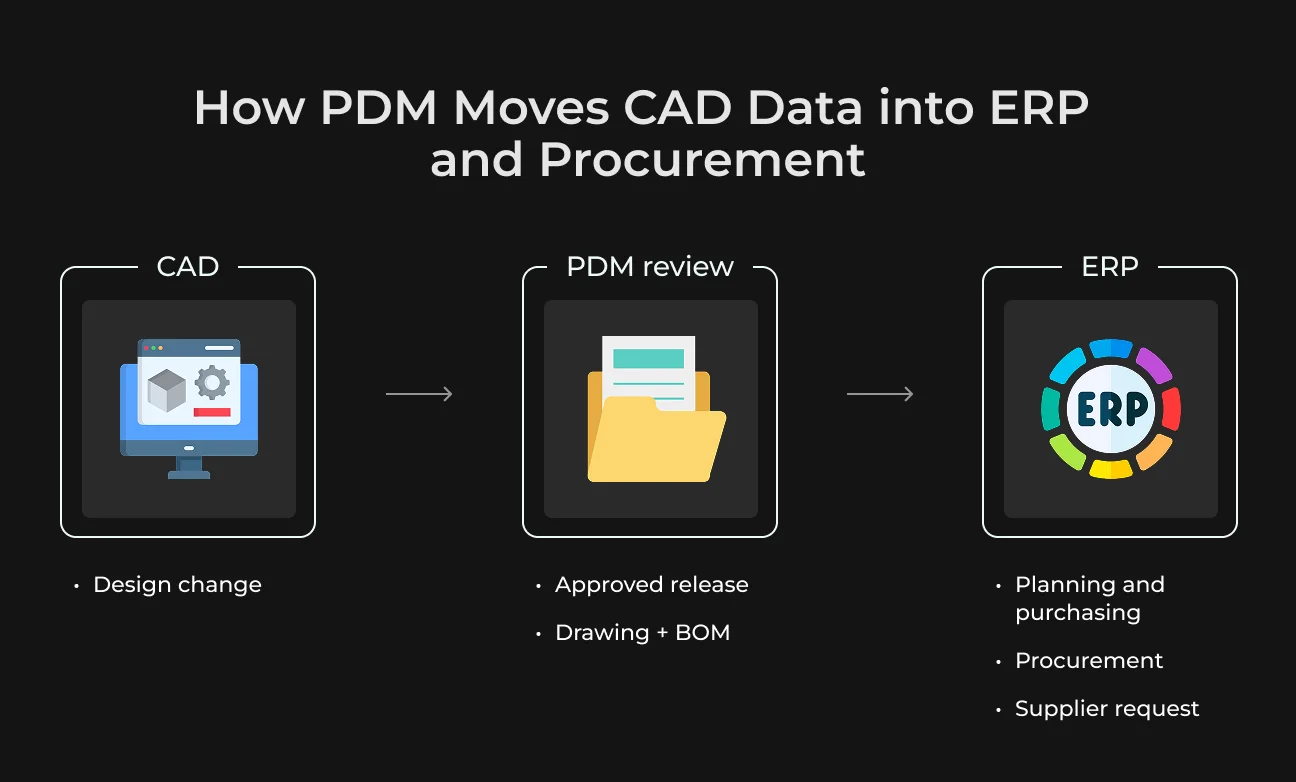
After engineering approves a CAD change, the data has to reach ERP and procurement in a usable form. PDM prepares that release package. The model goes forward with the approved drawing, BOM update, and change note, so ERP receives the version engineering signed off.
Procurement can use the released drawing for supplier quotes. Planning can use the BOM update for the next build. Draft files stay in review and do not slip into purchase orders.
This also makes the change easier to trace. A material update or BOM revision stays recorded with the release so teams can see the approved file before they order parts, plan production, or answer a supplier.
CAD Integration in Product Data Management
CAD integration is most useful while the change is still in engineering. An engineer updates a part, adds the related drawing, and sends the release through PDM. The file does not turn into another copy with a new name in a shared folder.
This becomes important for parts used in several assemblies. A small edit to a bracket or housing can affect drawings and BOM lines for other products. PDM shows those links before release, so the team can check the full impact of the change early.
After approval, the drawing and CAD revision move forward together. Production and purchasing work from the released file, with a clear path back to the engineering record.
ERP Data Integration
ERP needs product data it can use in operations. PDM sends the released part record and BOM update after engineering review. ERP then plans materials and calculates costs from approved data. Purchase and production orders start from the same release.
Mapping handles the details between systems. The item number in product data management software has to match the ERP item. Quantity and unit of measure need defined rules as well. This cuts manual typing and lowers the chance of ERP carrying an outdated engineering record.
ERP keeps using the approved version while a new change is under review. The update moves forward after the drawing and BOM are approved.
Supply Chain Visibility
A supplier quote depends on the drawing and BOM the buyer sends. If procurement sends an old drawing, the supplier can price or prepare the wrong part. PDM helps avoid this by taking supplier files from the approved engineering release. The buyer sends the current drawing and BOM revision, so the purchase order is less likely to start from outdated product data.
Core Capabilities of an Enterprise Product Data Management System
After release, a PDM system has to keep product data ready for the teams that buy, build, and audit it. These are the core functions that make that possible.
Feature | What it does | Why it matters |
| Version control and revision history | Shows the active release and keeps older revisions available. | If a defect appears later, the team can check the drawing used for that build. |
| BOM management | Keeps the engineering BOM close to the item data ERP uses. | Helps prevent buying or building from an outdated product structure. |
| Engineering change order workflow | Moves a change through review, approval, and release. | Purchasing and production receive a checked update. |
| Role-based access control | Limits edits to the people responsible for product data. | Other teams can view released records without changing them. |
| Audit trail | Keeps a dated release history. | During an audit or warranty case, the team can show which revision was used and who approved it. |
| Search and retrieval across file types | Helps teams find the right model, drawing, or part record faster. | Engineering gets fewer requests to resend the same release package. |
Benefits of Product Data Management Solutions
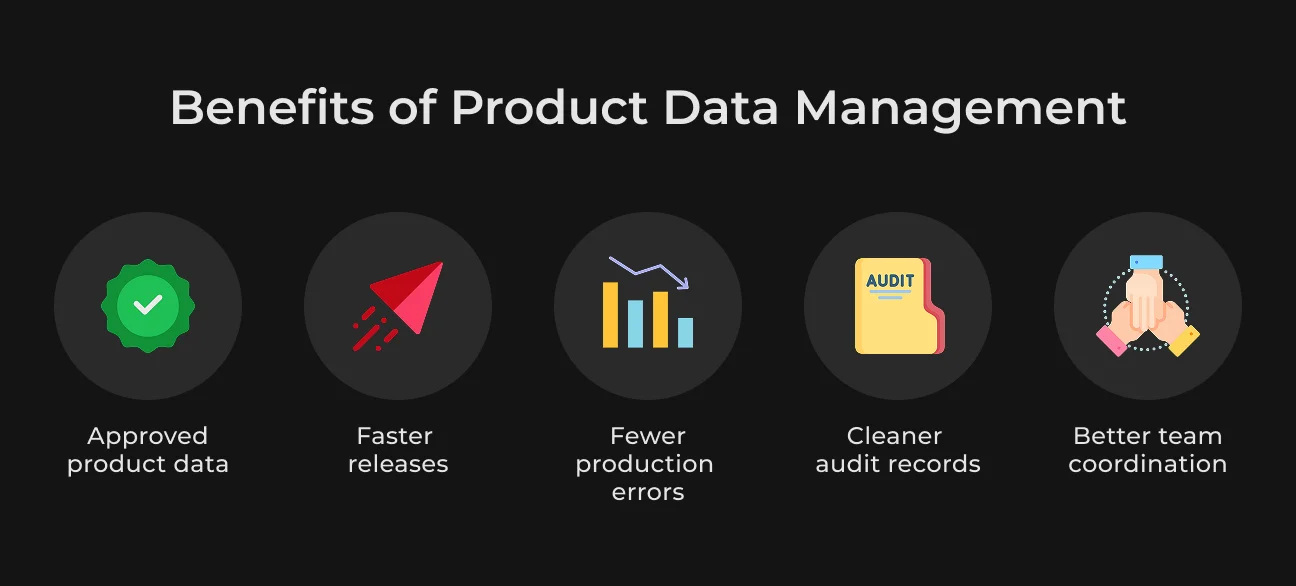
The benefits below show how PDM improves release speed, production accuracy, and coordination after engineering approves a change.
Faster Product Releases
PDM reduces the waiting time after engineering finishes a change.
The approved drawing and BOM update move forward together, so planning can continue without a long search for the current file. McKinsey reports that digital twin programs have cut total development time by up to 50% for some users.
Engineering product data management software is a different layer, but it supplies the controlled product data that connected development workflows need.
Fewer Errors Reaching Production
A wrong revision can create a wrong order, scrap, or rework. In a manufacturing company, that loss can start with one stale drawing sent to a supplier or one BOM line left out after release.
The PDM system lowers that risk by linking the approved release to the drawing and BOM used by ERP.
Audit-Ready Compliance Documentation
PDM keeps a dated approval history for each release. During an audit or supplier dispute, the team can show the exact revision used for a build and the person who signed it off. That record is easier to defend than a folder of exported PDFs and email approvals.
Better Coordination After Release
A reviewed release gives production the drawing and BOM that belong together. Procurement uses the same release for supplier quotes and purchase orders. This cuts the chance that an old email attachment becomes the source for a build or supplier request.
Ready to Stop Rework Before It Starts?
Contact SapientPro to discuss a PDM platform built for your CAD, ERP, and supplier data.

PDM Across Industries: Manufacturing, Healthcare, and Utilities
PDM works differently across industries, but the core need is similar. After release, product or equipment data has to stay accurate, traceable, and ready for audits or operational use. The examples below show how this works for production data, medical device records, and long-life equipment files.
Manufacturing
Manufacturing is the main PDM use case because released product data quickly turns into cost, purchasing, and production decisions. For discrete manufacturers, one part revision can affect a supplier drawing or the next assembly. For process manufacturers, the same control applies to formulas, packaging specs, and production records.
Quality control depends on clear engineering history. Version control shows the active revision, and the audit trail shows who approved it. Quality teams can trace a production issue back to the drawing and approval record used for that build.
Healthcare
For medical device companies, PDM supports design control.
A CAD update for a device part has to match the version used in manufacturing. Component updates, supplier parts, and material specs need the same traceable record. Without that link, the quality team may have a device on the market but no clear path back to the approved engineering file.
FDA’s 2024 QMSR final rule became effective on February 2, 2026. It brings U.S. medical device quality system rules closer to ISO 13485. For device manufacturers, this puts design records, approvals, and change history directly into quality work.
Recall data gives this point more weight. The U.S. recorded 1,059 medical device recall events in 2024, up 8.6% from 2023. Device failure also became the leading recall cause.
PDM helps during supplier issues and recall checks. The team can see the design file, change record, and review history connected with the manufactured device.
Utilities
Utilities manage equipment that can stay in service for decades. A substation transformer may be updated several times after installation. Each approved change has to appear in the technical file, so field crews do not work from an outdated drawing.
PDM connects the technical file with the asset record. A crew can open the current drawing and see the updates made after installation. During fieldwork, this lowers the risk of a repair based on the wrong diagram.
The record also helps with inspections and upgrades. Version history shows how the asset file changed over time, and approvals show who confirmed each update.
PDM Implementation: Process and Best Practices
Set up PDM around a release your team already knows. Take a recent CAD change and trace how it moved into ERP and purchasing. You will quickly see the messy spots like copied drawings, retyped BOM lines, or email attachments used as source files.
Then agree on the rules for the pilot and limit release rights to the people responsible for product data. Run the first version on one product line, fix the weak spots, then expand to more teams.
Build, Buy, or Customize
Buying a PDM platform is the practical route for most companies. CAD links, revision control, permissions, BOM workflows, and audit history already exist. The project can focus on process setup and ERP connection.
A custom product data management system gives full control, but it also brings long-term maintenance. Every CAD update, ERP change, security rule, and audit requirement becomes internal work.
Customization is like a middle path. The company can adapt fields, approval steps, dashboards, and ERP mapping while keeping the core platform stable.
Implementation Best Practices
These practices focus on the setup work that keeps PDM usable after launch, from clean data rules to clear ownership.
Step | What to do | Why it matters |
| Map one release path | Mark every manual file copy, retyped BOM line, and approval delay. | Shows where product data is most likely to break or slow down. |
| Set shared data rules | Use one naming logic for part numbers and revisions. Define BOM ownership and release status before migration. | Reduces inconsistencies between engineering, ERP, and other teams. |
| Move approved records first | Start with current drawings, active BOMs, and released part data. Keep archive files separate. | Keeps the migration focused on data teams actually use. |
| Test ERP sync with real BOMs | Check item numbers, quantities, units, and release status before launch. | Catches mapping and synchronization problems before they affect production. |
| Assign owners after launch | Give clear ownership for metadata, approval routes, and ERP mapping. | Keeps the system accurate as products, processes, and teams change. |
How to Choose the Right Product Data Management Platform
Your PDM choice has to prove itself on real release work. Use a recent CAD change and see how the platform moves it from approval to ERP and supplier files. This quickly shows where CAD links break, BOM data gets lost, or integration work becomes heavier than expected.
CAD and ERP Compatibility
A good PDM option needs to pass a real release test. Take one assembly your team already released and check how the system handles the model, drawing, and BOM update. This shows whether CAD links stay stable during review and approval.
Then check the ERP side. After approval, ERP has to receive the right item record, revision, quantity, and unit. A team that still rebuilds the BOM in a spreadsheet keeps the same CAD-to-ERP gap, even with a new PDM system.
Cloud or On-Premise Deployment
Cloud PDM is easier to use across several offices, plants, or approved partners.
Teams open released files through the same platform, and IT does not have to maintain a local PDM server at every site. Regulated companies also need to check file location, access logs, backups, and ERP connection rules.
On-premise PDM keeps the system on company infrastructure. This can fit older ERP setups, strict validation rules, or plants with limited external access. The company gets closer control, but upgrades, security patches, and support become their own work.
Scalability as Product Lines Grow
A clean pilot can hide future pressure. Add a product variant and a shared component to the test case. This shows how the platform handles growth before several teams depend on it.
BOM edits and search have to stay quick as the catalog expands. Permissions and ERP sync also need to work without adding extra admin steps to every release.
Security and Access Control
Access control has to follow the product record through its stages. Engineers edit active design work, while production and purchasing use released records. Suppliers receive a limited file package for the quote or build.
This protects the product structure from accidental changes. It also helps the company avoid duplicate file copies for external partners.
Total Cost of Ownership
PDM costs usually grow around integration work. The quote may show the license, but the real budget also includes ERP mapping, data migration, validation, and support after launch.
A platform can look affordable during purchase and become expensive during rollout. Custom work around BOM fields or release statuses adds cost quickly. The right option is a system that sends approved product data to ERP with less extra work after launch.
Get a Reliable PDM Platform with SapientPro
Standard PDM tools can miss company-specific release rules, document flows, and ERP logic. SapientPro handles this through custom software development. This means your platform is built around your product data management processes, from approval routes to system integrations.
A relevant example is SapientPro’s SDS automation platform.
Our team built an AI-powered web system for Safety Data Sheet processing in Switzerland. It extracts structured data from SDS files, tracks document versions, supports multilingual matching, and gives users fast searches across safety records.
For a PDM project, the same approach can support CAD release logic, ERP data management, and supplier documentation. SapientPro can create a new platform, extend an existing system, or connect separate tools into one workflow around the client’s product data.
Contact us to discuss a PDM solution designed for your release process, integrations, and compliance needs.
Let's Design Your PDM Roadmap
From pilot to full rollout, SapientPro helps manufacturers, medtech, and other teams implement PDM the right way.