All Image Comparison Libraries: SSIM, Metrics, Tools, and AI-Powered Approaches
March 1, 202615 min read


We have so much data around that summarizing it is tough. That’s why image comparison is essential for those tasks that need higher accuracy, like confirming that images are genuine or comparing results in automated testing.
Google Photos, for example, automatically organizes photos by identifying faces using AI image comparison tech.
In this guide, you’ll learn more about how to compare images, the types and ways to do so, and discover some of the best image comparison libraries out there.
What Is Image Comparison?
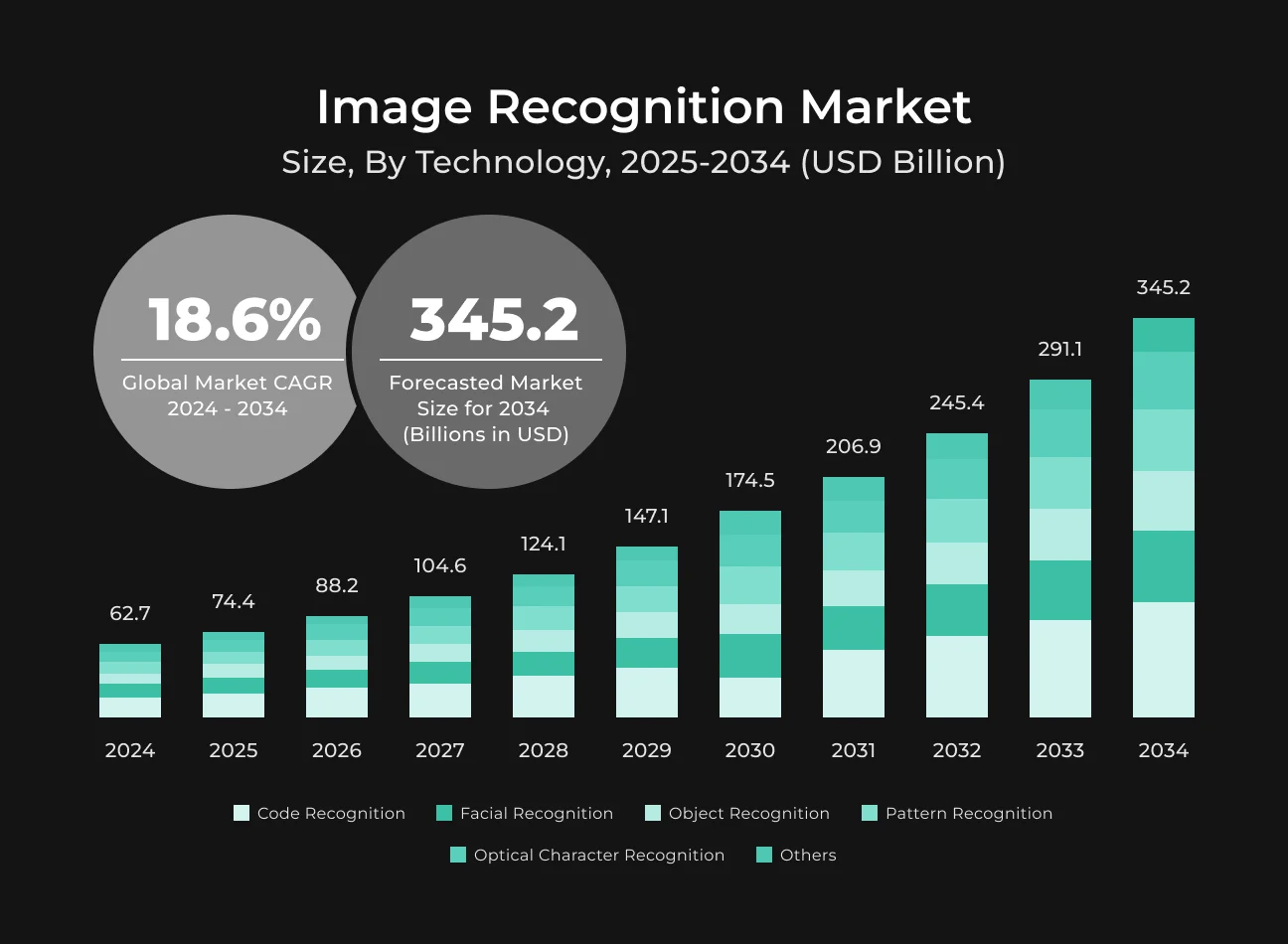
The global image recognition market was $47.14 billion in 2024 and is likely to reach $161.43 billion by the end of 2033. Further, the number of Internet of Things (IoT) devices could more than double over the next decade — from 19.8 billion in 2025 up to 40.6 billion in 2034.
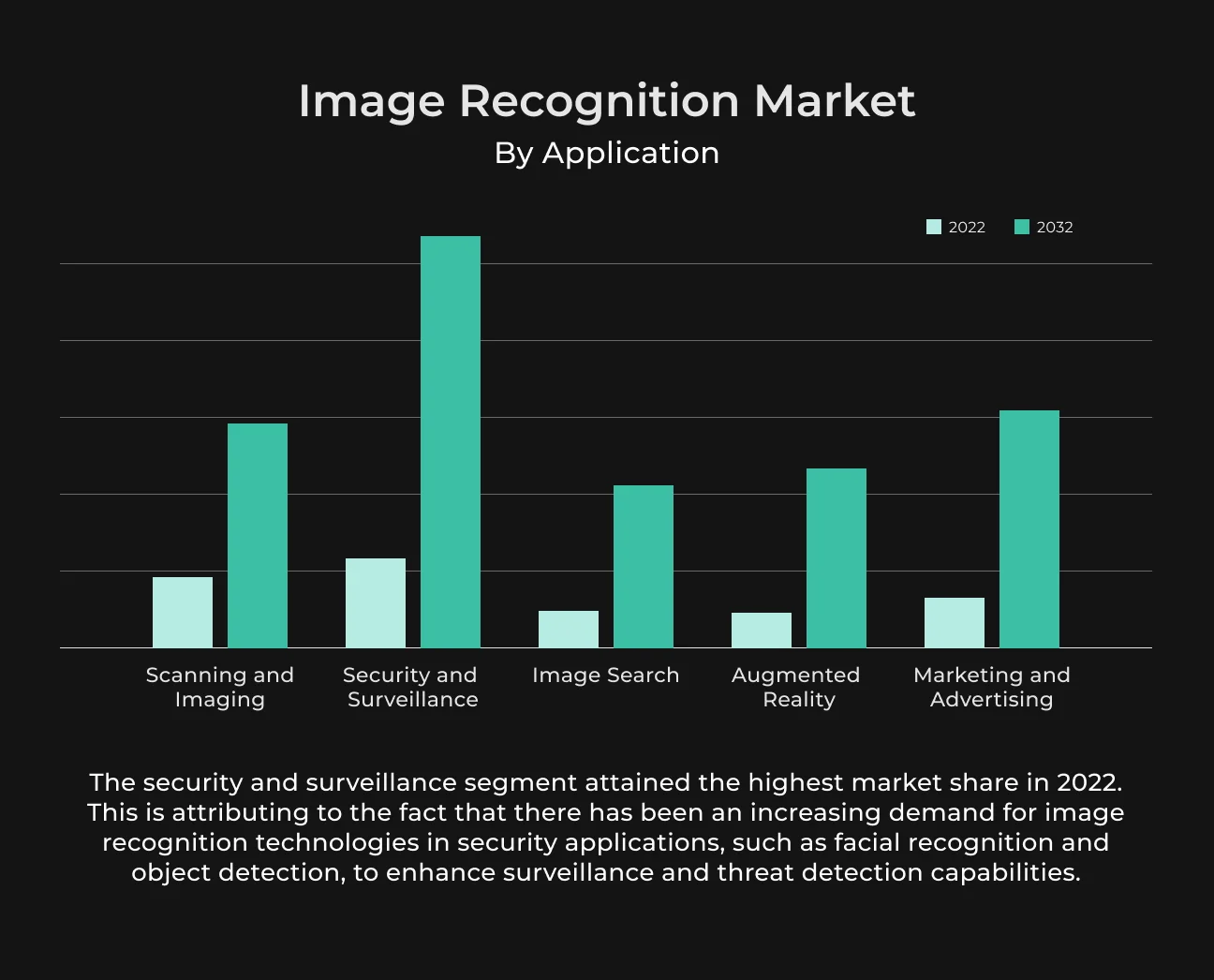
All this growth in IoT smart devices will produce a massive amount of visual data, making the demand for scalable image recognition even more pressing.
Image comparison, to be more specific, is a process of recognizing differences and similarities between two images.
It includes features like spatial resolution, image quality, dose, contrast, and noise. It’s a technique that is broadly employed in healthcare, social media, artificial intelligence, retail, and other fields.
Types of Image Comparison
Image comparison is a key component of media optimization, quality control, and automation in an era where visual content is everything and everywhere. Let's take a look at the various types of image comparisons.
Image Similarity vs. Image Difference
You need to understand the basic concepts of image similarity and image difference — that certainly holds for digital imaging.
Image similarity is how similar two images are. We measure this with tools like the Structural Similarity Index (SSIM) that inspect features our eyes perceive, like brightness and contrast. This can be useful in systems that seek images closely related to each other.
Whereas the image difference pays attention to how two images are different. This is vital for detecting variations or modifications. It’s applied in the field of digital forensics, where even minor changes to an image can have great meaning when it comes to authenticity.
The combination of these two gives us a better understanding of images and allows us to properly analyze visual data.
Pixel-Level vs. Perceptual Comparison
Image comparison can be approached from two viewpoints, the pixel-level and the perceptual. Pixel-based comparison looks at the pixels of images. It is suitable for tasks in which you are interested in finding exact matches or small differences between the objects — like for measuring duplicates.
This technique uses comparisons or pixel differences to get truly accurate results.
On the other hand, perceptual comparison refers to how humans visually perceive differences when comparing images. It employs models like SSIM or more advanced deep learning-based approaches.
This approach includes those modifications that are too small for a person to notice, but make a world of difference on a pixel scale. This is a neat trick when you want something to look the same to a human observer, even though all the pixels have shifted.
Digital Image Comparison in Practice
In 2024, over 2 billion devices globally had image recognition capabilities. More than 60% of global AI brands invested in visual computing. And image recognition applications are growing at 35% annually across all sectors.
In manufacturing, for example, it’s important in quality control; pixel-level comparisons can be the key to spotting tiny imperfections in products. This ensures each item meets the high standards of quality before it is released to the consumer.
In the media and entertainment businesses, image comparison is an integral part of the post-production process. Such techniques, which simulate human visual perception, are useful for keeping the image quality constant by editing or compressing. AI-generated content could make up as much as 90% of the information on the internet within a few years.
Digital image authentication often relies on image matching in digital forensics. This process compares current images with original ones to detect any manipulations.
In e-commerce, image matching can enhance customer satisfaction and operational efficiency. It can do fast matches between user-uploaded images and a retailer’s catalog, thereby helping customers discover items more easily.
Such diverse use cases speak not only to the value of digital image comparison but also demonstrate how it drives innovation, efficiency, and competition across industries.
Image Comparison Tool Use Cases
Some common image comparison applications we know include examining medical images to monitor disease progression, identifying and deleting duplicates to save hard disk space, or using facial recognition for security.
Let’s learn more about the capabilities of image comparison tools.
Image Quality Validation in Healthcare
Since AI is becoming a critical part of healthcare, we really need to have transparency on why it’s making the predictions.
While techniques like Gradient-Weighted Class Activation Mapping (Grad-CAM) are quite helpful, they are often too general and can overlook subtle issues in medical images.
One study tells us about the Pixel-Level Interpretability (PLI) model. This model uses convolutional neural networks with fuzzy logic to give more detailed, pixel-specific visual explanations of AI predictions.
This will increase the accuracy and expediency of diagnostics. Healthcare providers can then more accurately identify diagnostic features. This gives them information and boosts confidence in AI-supported diagnostics.
Detecting Differences Between Two Images
One common way to compare two images is to look at each pixel, but that’s not always feasible with modern dynamic user interfaces. For this task, the use of a CNN (convolutional neural network) is preferable.
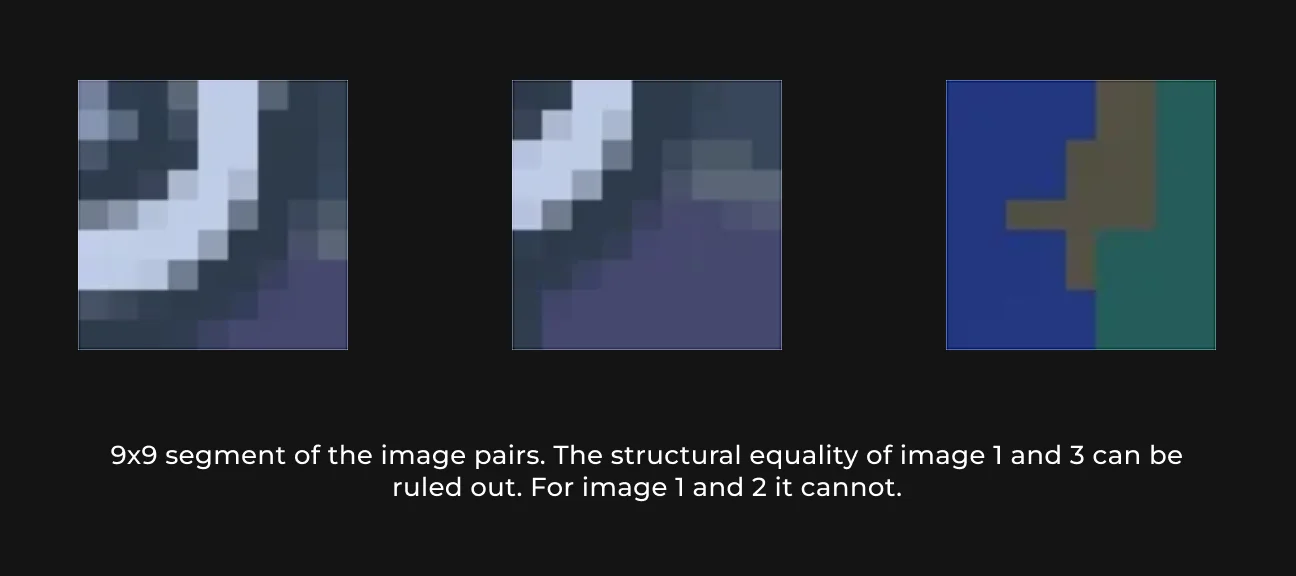
Instead of considering all pixels, a lot of informative content in the image is apparent when you zoom into little parts of it, for example, 9 by 9 pixel sub-images.
This resolution captures small movements and keeps the neural network compact, with 162 input nodes and one output node. For each color channel, training with grayscale samples is all that is necessary.
Comparing Image Files by Format, Resolution, and Size
Comparing images of different formats, resolutions, or sizes doesn’t mean simply trying to discern what might be the overlap between them. It also requires us to understand how their properties color what we see.
Perceptual hashing-based tools can facilitate the comparison of images with varying file types or quality levels. They can do this by generating an individualized hash that mirrors the visual aspect of the image.
By converting the images to a common format, they ignore minor differences and focus on the real content variations, making it easy to compare resized images.
Satellite Image Processing and Remote Sensing
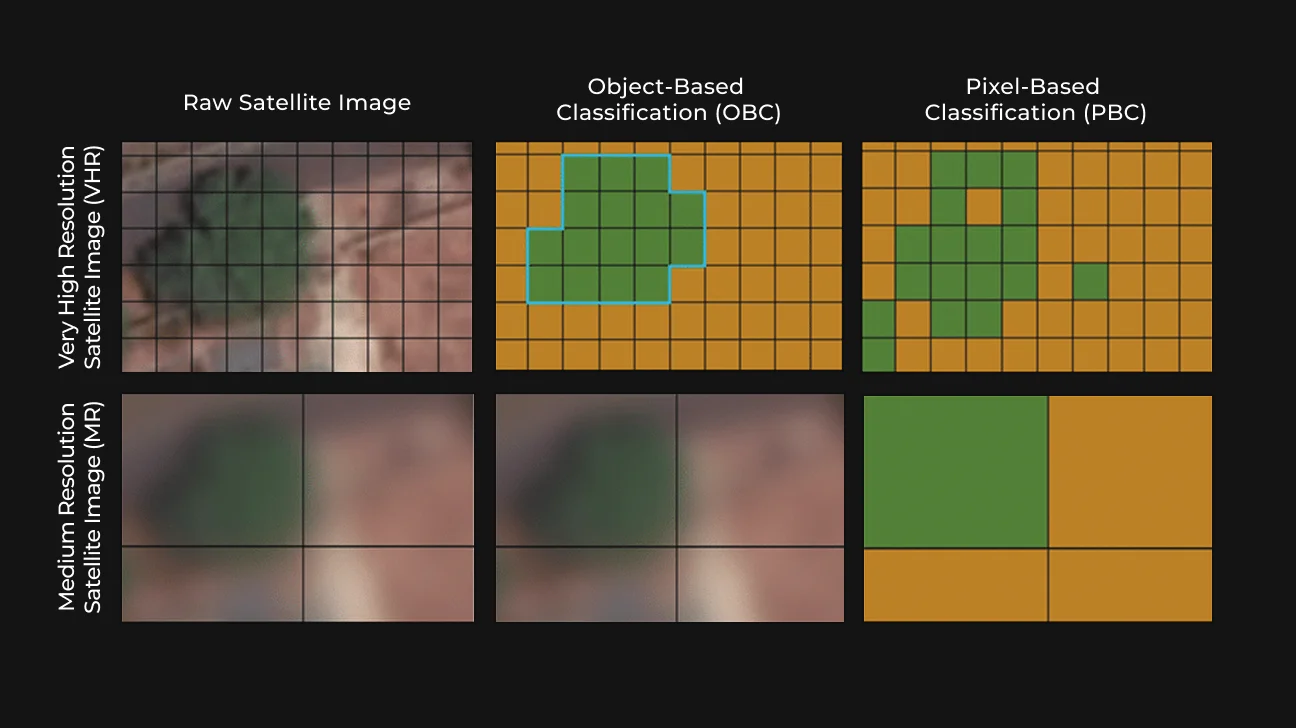
Recent advances in sensor technologies gave us higher resolution satellite images with improved spatial and spectral details. That lets us precisely monitor our terrain, atmosphere, or waterways. But so many records are still hard to keep track of.
AI offers a solution to these issues. Deep learning (with convolutional and recurrent neural networks) can be applied to image data at a huge scale.
Such technologies have improved image analysis tasks, including high-resolution image classification, object detection, image segmentation, and feature extraction. Particularly, when working with multi-spectral or hyper-spectral images.
Image Comparison Techniques and Algorithms
There are numerous algorithms used for image comparison. They generally go from basic pixel checking to sophisticated AI image libraries. Each has its own unique applications.
Pixel-Based Comparison
To compare two pictures, you’d take each pixel of one and compare it to the same position in the other. It is actually handy if we can quickly measure the size difference between those images.
Basically, you’re comparing the bright (or color) value at each pixel in this second photo to what it looks like in the first.
The main strength of this approach is its precision. It can be used to identify the slightest differences between images. It is convenient, for example, in the digital archiving and forensic scene when an exact duplicate is necessary.
But this same accuracy can also play against us. It has issues with variations like scaling, rotation, or differences in format. This can wash out mistakes in cases where images appear similar but are not perfectly registered in size. This is where other methods have more utility.
Histogram-Based Comparison
Histograms are a graphical illustration of the distribution of pixel intensities in an image. You can then compare two histograms from two images, and it will show you how similar they are, or not (without taking into account any spatial information).
This is helpful when comparing images quickly, and they are not well aligned.
Histograms are often used to sort images in a database. They provide an efficient way to represent color and work even if there are significant changes in the scene's size or lighting.
The disadvantage, however, is that histograms do not reflect image features. And they can result in a similar appearance between images with identical or near-identical intensity distribution.
Structural Similarity-Based Methods
Meanwhile, the SSIM quantifies how well an image is perceived by humans. Unlike per-pixel techniques, SSIM measures differences in structural information, luminance, and contrast.
SSIM calculation formula uses mean intensity (\(\mu\)), variance (\(\sigma\)) and covariance (\(\sigma{xy}\)) of the original image for calculations. \(C1\) and \(C2\) are additional terms to stabilize the computation.
SSIM excels at capturing how we perceive visual quality, which is why it’s so frequently used to rate how compression and editing change images.
SSIM is crucial in fields like video streaming and broadcasting, where there's a need for a compromise between image quality and efficiency of transmission.
Feature- and AI-Based Approaches
More advanced feature-based techniques employ machine learning to recognize image similarity by examining beyond low-level visual elements.
Typically, convolutional neural networks learn layered features to identify more complex patterns and structures in images.
These models are trained on large-scale data to better understand the content of an image. And can sometimes do more than traditional methods to identify similar images across different conditions.
AI-based models are involved in everything from facial recognition systems that can recognize the same individual in multiple locations to quality control lines where you want a product’s images to look alike.
The advance of AI has revolutionized image matching and enabled various applications impossible before.
10 Best Image Comparison Libraries
As technology evolved, many libraries were invented to ease the burden of image manipulation. Here are the top 10 high-performing image libraries.
1. SapientPro's Image Comparator
SapientPro's Image Comparator is a popular PHP package for comparing images, with more than 140,000 downloads. Developers can compare more than two images simultaneously and process rotated ones.
This image library is available on Packagist and hosted on GitHub. It’s popular for its user-friendly interface and robust algorithms.
Why SapientPro's Image Comparator is unique:
- SapientPro’s library offers precise pixel-by-pixel analysis, enabling users to detect even the slightest differences between images;
- It employs histogram techniques for fast comparisons of similarity;
- It’s flexible and can be used for a variety of applications, including scanning e-commerce images or biometric verification systems.
2. OpenCV
OpenCV is an open-source image library that has 2500+ algorithms. This program has toolboxes for image and video analysis. Plus, it works with several languages (including C++ and JavaScript).
3. ImageMagick
ImageMagick is a program to work with applications from the command line. It’s compatible with over 200 formats, including PNG, JPEG, GIF, and PDF.
ImageMagick is commonly used for batch processing, resizing, cropping, and applying special effects to images.
4. PIL/Pillow
Pillow is a much better alternative to PIL for the Python imaging library. They provide options for filtering pictures, enhancing details, and changing colors. These tools are frequently found in web applications and GUIs for image processing.
5. scikit-image
Built on top of SciPy, scikit-image is a Python image library. It is easy to combine with other scientific libraries, and can be used for research and education.
How SapientPro Built an AI App for Quality Estimation
We accelerated the produce quality evaluation by 87.5% due to automated evaluation through image classification.

6. CImg
CImg is an open-source C++ library for image processing. It’s easy to use, available on many platforms, and excellent for real-time applications.
CImg provides an easy way to load, save, process, and display images from simple 1D ones up to more complex 4D-images.
7. SimpleCV
SimpleCV is a free and open-source image library software program. It also makes the workflow easier in OpenCV with a higher-level API.
8. VIGRA
VIGRA (Vision with Generic Algorithms) is a C++ image processing library. Inspired by the generic programming ideas of the C++ STL (standard template library), it is designed to allow algorithms to operate on user-defined types.
9. GraphicsMagick
GraphicsMagick is open-source software you can run from the command line. It is great for processing, editing, and converting files. It also supports more than 92 different formats, including JPEG, PNG, and GIF.
10. BoofCV
BoofCV is an open-source and free computer vision library. It contains image processing, camera calibration, feature detection, 3D motion, and object recognition.
It is licensed under Apache 2.0 and can be used in both academic and commercial settings.
The choice of your library depends on a variety of factors, like what the app needs, the programming language, the size and type of images you’re working with, etc. Every library has values and strengths.
We recommend SapientPro's Image Comparator because it's really simple to use and has a lot of useful features.
How to Choose the Right Image Comparison Library
The process of choosing the right library has a lot to do with finding the balance between specifications and practical quality concerns.
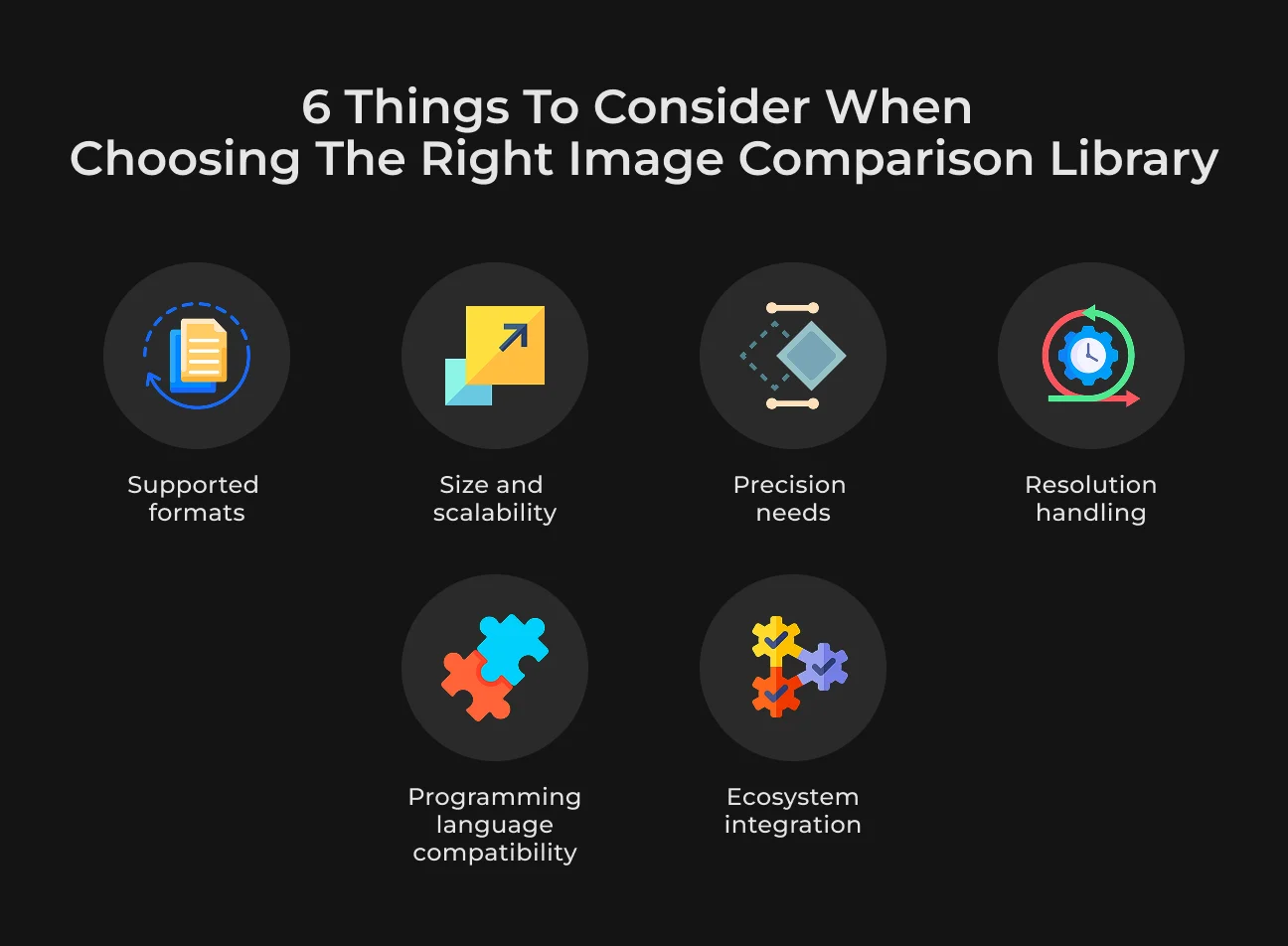
These are some of the factors likely to influence your decision.
- Supported formats. See if the library supports your image type (JPEG, PNG, TIFF, etc.). Some libraries can read many formats, while others only a few;
- Resolution handling. Ensure support with high-definition images of your library. These take a bit of processing to generate, and some libraries can be better at it than others;
- Size matters. Big pictures require more memory and processor resources. Select a library that can handle large images efficiently, especially if you need to analyze big datasets;
- Precision needs. If your application needs to detect very small differences, as in forensics or medical imaging, choose the library that is known for high precision, even if they need more resources;
- Programming language compatibility. Ensure the library is compatible with your team's programming language of choice (like Python image processing libraries);
- Ecosystem integration. Think about how well the library blends with other parts of your tech stack, like databases, machine learning tools, or cloud processors.
Open-Source Libraries vs. Commercial Image Comparison Software
This leaves everything in two forms: open-source and commercial.
Open-source libraries, for example:
- Are inexpensive. You can generally use them for free;
- Have community and support. They are generally active communities (yet, the quality of that support can vary);
- Are customizable. You get full access to the source code and can modify it to fit your project needs.
In contrast, commercial software has:
- Professional assistance. They are usually equipped with support and update services for continuous maintenance and feature updates;
- Reliability. Commercial solutions provide warranties and service level agreements.
To select a suitable image compare library, you must be certain about the goals of your project.
Best Practices for Comparing Images
Getting relevant and consistent image comparison results is not simply a matter of choosing the right algorithms. It also depends on carefully planning the entire process. Here are a few strategies to make your comparisons accurate and reliable.
Preprocessing Images for Credible Results
To compare pictures, we also need to preprocess the images so they are aligned. If it's a lot of misalignment, you might be comparing areas of overlap that shouldn't be on the same object. You may use alignment methods, like feature-based analysis, to match your images beforehand.
Use filters like a Gaussian filter to remove noise and keep essential information. This ensures that your comparisons are more precise.
Also, you can employ contrast stretching or gamma correction to enhance overall brightness and contrast.
Handling Resolution and Image Size Comparison
Scale the images to a uniform resolution. This will allow you to keep aspect-ratio values for comparison of pictures from different resolutions without deformations.
Instead of comparing a high-resolution image directly, adopt a multi-level method. Begin by comparing smaller versions to get a rough sense of the extent to which they are alike before investigating parts in detail using higher resolution.
Combining Multiple Metrics
You can join SSIM, histograms, and pixel differences to get the maximum from each technique. The SSIM metric is fantastic for how a picture looks to the human eye, histograms show color distribution, and pixel differences will find particular changes.
Adjust to the situation you deal with in practice. For example, if maintaining a structure is urgent, like in architectural photos, it's better to choose SSIM. For projects where color consistency is more important, like brand materials, try focusing on histograms.
Partner with SapientPro to Develop Image Processing Solutions
At SapientPro, we use our deep expertise to create innovative image processing solutions for your business needs. Our engineers turn tricky image data into useful information, ensuring more precise analytics and machine learning capabilities for your business.
Our teams work closely to build applications that improve performance, accuracy, and the user experience. Whether you’re looking to make security stronger or automate your quality checks.
Join us to ramp up your image processing and lead in the digital world.
Need Better Image Recognition?
SapientPro's engineers will help you get the best libraries, tools, and solutions.