
All
POS Testing Best Practices and Challenges
October 24, 202515 min read


The global POS market was valued at $29 billion in 2023 and is expected to more than triple by 2032. Yet even as retailers invest in modern POS systems, many still suffer costly outages. This is why rigorous POS testing is mission-critical.
Robust testing can prevent system glitches at checkout, protecting both revenue and customer trust in an industry where seamless transactions are a must. SapientPro’s experts prepared a detailed POS testing guide for your business.
Key Takeaways
- Testing point-of-sale systems prevents costly downtime and transaction errors;
- Effective POS QA involves functional, integration, system (end-to-end), performance, security, and usability testing to cover all aspects of hardware and software;
- Using POS automation testing (for repetitive scenarios, regressions, and multi-device coverage) accelerates release cycles and improves ROI;
- Hardware diversity, network dependencies, regional requirements, legacy integrations, and testing costs pose challenges, but each can be mitigated with strategy and tools;
- Best POS testing practices for 2026 include conducting continuous integration testing, adopting a shift-left approach, and performing regular regression tests.
What is POS Testing?
POS testing is the process of rigorously verifying that a point-of-sale system functions flawlessly. A typical POS setup consists of both software and hardware components essential for completing a transaction.
The hardware usually includes:
- Terminals (often touchscreen displays);
- Card readers (for credit/debit/contactless payments);
- Barcode scanners;
- Receipt printers;
- Cash drawers.
The software aspect covers the main POS application, as well as crucial integrations like inventory management systems and payment processors.
POS testing must therefore span both the software and hardware layers, including network connectivity and the interaction with peripheral devices. The core objective is quite simple: to guarantee that every sales transaction can be processed smoothly, accurately, and securely under all expected conditions.
To achieve this, testers perform full-scale validation:
- Software validation: they confirm correct screen flows, accurate tax and discount calculations, and seamless data exchange with integrated systems;
- Hardware validation: they physically interact with the system by swiping cards through terminals, scanning barcodes, and printing receipts to ensure all peripherals work as intended;
- Real-world scenario replication: testers also replicate challenging, on-premise conditions such as network downtime, power loss, or high-volume transaction loads to verify the system's resilience and recovery capabilities.
Importance of POS Testing
A checkout transaction may take only seconds, but any failure in that interval can have disproportionate consequences. Here's why POS system testing is so vital:
- Reliability and uptime;
- Better customer experience;
- Transaction and data accuracy;
- Integration and workflow verification;
- Security and compliance.
A POS transaction might seem to be a minor detail in the purchase flow, but its impact on the shopping experience is enormous. That's why testing POS hardware is essential to ensure everything works right.

Max Tatarchenko
Types of POS Testing
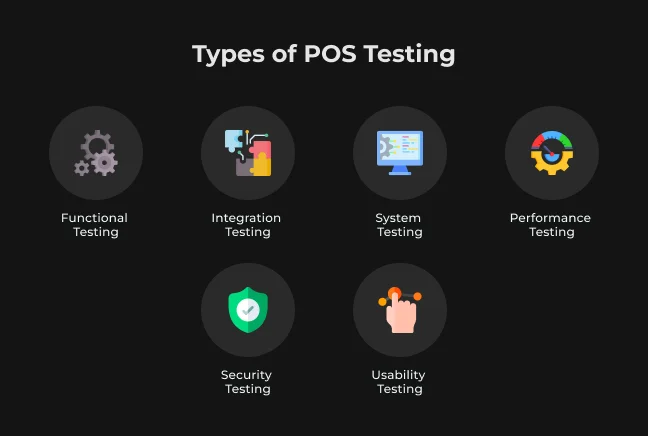
Effective POS QA is realized through a multi-faceted approach. Different kinds of tests target different dimensions of the system for comprehensive test coverage. The most significant categories of POS system testing include the following ones.
Functional Testing
Functional testing verifies that every specific feature and function of the POS system operates precisely according to requirements. Testers validate standard point-of-sale activities, including:
- Item scanning and correct processing of input product codes;
- Price computation, application of discounts, and accurate tax calculation;
- Payment processing and successful capture of payment details via card readers;
- Receipt printing.
Every workflow step is examined to check for correct outcomes like accurate totals, change calculations, and proper database updates. It also ensures seamless interaction with all connected hardware peripherals. The ultimate goal is to ensure the system’s accuracy in handling transactions and basic shop activities under normal operating conditions.
Integration Testing
Integration testing focuses on how well the POS system interacts with external devices and systems. A POS transaction is never isolated; it requires sending and retrieving data from multiple points.
This phase ensures seamless data transfer between the POS and all connected components, including:
- Payment gateways (for transaction authorization);
- Inventory databases (to decrement stock);
- Customer loyalty systems;
- Printers and other peripherals;
- Third-party services ( liketax calculators, gift card issuers) and internal APIs.
For example, testers simulate a sale and verify that the stock levels decrease in the back-end system. Integration testing is crucial for catching synchronization errors, incorrect API calls, or interface mismatches that could cause transactions to fail or data to be lost.
System Testing
System testing (often called end-to-end testing) validates the entire POS system operating as a single, cohesive unit in an environment that closely mimics the live production setup. QA engineers execute complete end-to-end user flows, such as:
- Scanning products.
- Taking payment.
- Printing a receipt.
- Reporting stock levels.
- Logging the transaction details in reports.
This type of testing often involves using realistic test data and configuration, along with concurrent use of several hardware peripherals and network connectivity that closely mirrors a live store. The aim is to ensure all subsystems and parts of the POS act in cohesion, revealing critical issues that only arise when the entire system is being used (like a specific printer module causing the main application to freeze).
Performance Testing
Performance testing is essential to determine if the POS system can handle varying levels of load and stress while remaining responsive. Retail systems, in particular, must maintain performance during peak traffic events, such as Black Friday sales or other holiday shopping periods.
Testers generate high-volume transactions, simulate concurrent checkouts, and execute other heavy-use cases to confirm the POS can handle the load and deliver acceptable response times.
Key metrics measured include:
- Transaction rate (the number of sales processed per minute);
- System response time per transaction;
- Terminal and server CPU and memory usage.
Load testing involves gradually increasing the volume of virtual users or threads to simulate a realistic peak shopping day. Stress testing takes this further, pushing the system past expected peaks to find the breaking point and identify potential bottlenecks. For instance, if printing receipts slows significantly under heavy load, it indicates an area that requires optimization.
Security Testing
Security testing is mandatory for POS systems because they handle sensitive payment information and personally identifiable information. Its purpose is to quantify the system's resistance to cyberattacks and verify compliance with relevant retail POS security standards.
Security testing often involves penetration testing, where ethical hackers attempt to find and exploit vulnerabilities in the POS application, network interfaces, or hardware. Key areas of examination include:
- Cardholder data encryption: is sensitive information properly encrypted during transit and storage?
- Access controls: the strength of user authentication and access controls is verified;
- System resilience: how resistant is the system to malware, tampering, and various cyberattacks?
Specific penetration testing activities include attempting to intercept data from a card swipe, injecting malicious input, or cutting network devices to check for data leaks. The objective is to proactively capture vulnerabilities before external attackers can exploit them.
Usability Testing
Usability testing focuses on the human interaction with the POS system, making it intuitive and efficient for all end-users: cashiers, store managers, and customers (for self-checkout systems). While a POS may be functionally sound, poor usability can lead to user frustration and mistakes.
In testing, actual end-users operate the system for typical daily tasks, such as a cashier scanning items, applying a coupon, and finalizing a sale, or a manager creating an end-of-day report. Metrics collected during usability testing include:
- Time to task completion;
- Error rates;
- Customer satisfaction scores.
By optimizing the workflow and user interface, usability testing ensures operations are fast, accurate, and require minimal training.
Try SapientPro's POS Terminal for Magento 2
POS Testing Automation Approaches & Benefits
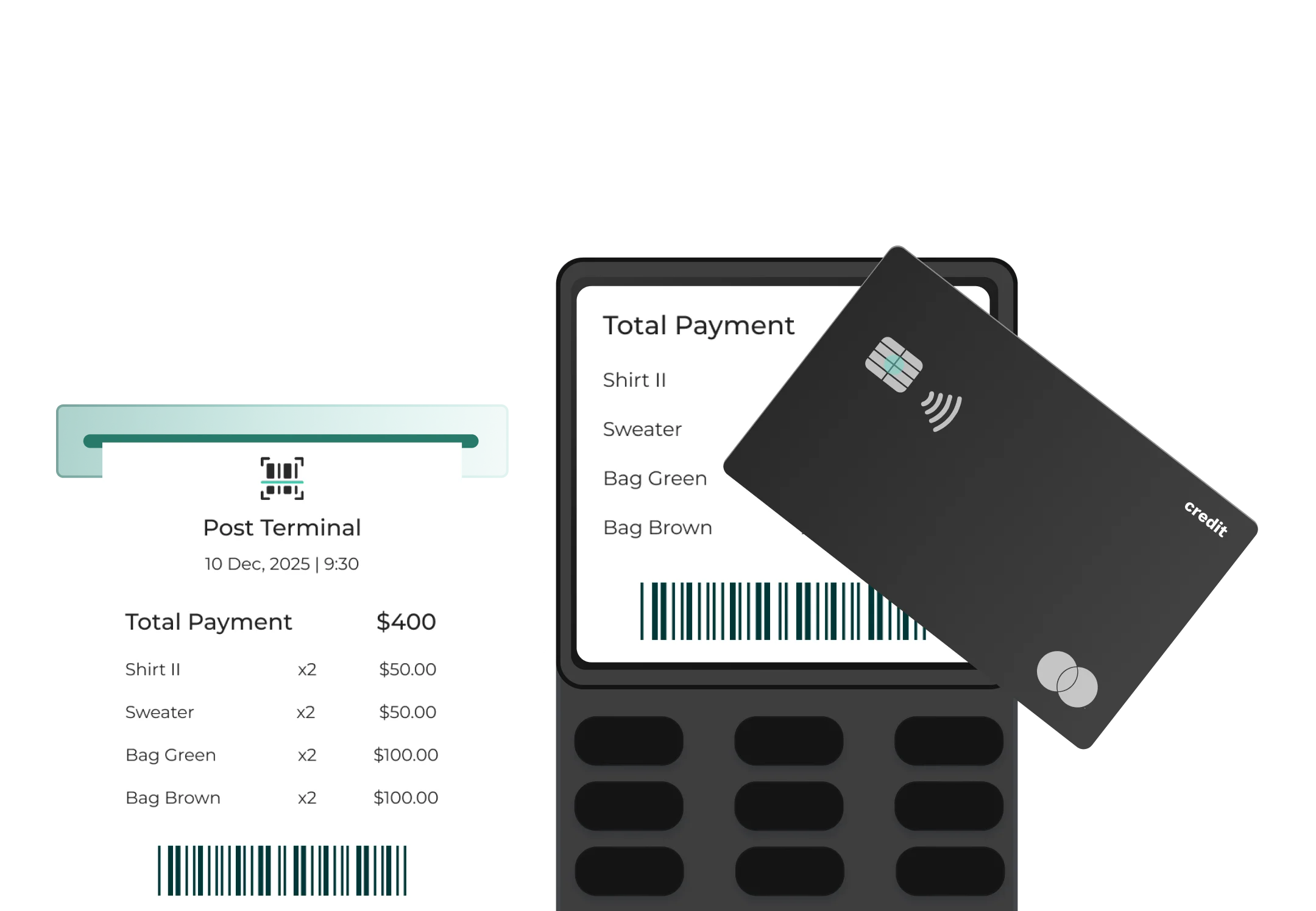
Modern POS systems are complex, with frequent updates and a large number of environment combinations. Automation of testing can radically improve the coverage and productivity of POS system testing, but it must be approached with caution.
When to Automate POS Testing
Not every point-of-sale test is a good candidate for automation. Automation should be strategically implemented to maximize efficiency and coverage. You should generally prioritize automating test cases that meet the following criteria:
- High-volume and repeatable tests: any test that needs to be run frequently, such as sanity checks on daily builds, regression suites for new releases, and tests that run across multiple environments or datasets.
- Data-driven scenarios: tests that require running against hundreds of different data combinations, such as validating hundreds of unique coupon codes or checking product pricing variability.
- Tedious and time-consuming tasks: automation is most useful for simulating large volumes of inputs or transactions that would be error-prone and tedious for a human to perform manually.
- Examples: simulating swiping hundreds of loyalty cards or conducting simultaneous checkouts across multiple store locations to test system load.
Rule of Thumb for Automation
As a general guideline, automate tests that you will often run and that are time-consuming or error-prone for humans to perform repeatedly. This also includes tests needed for long test cycles, such as overnight performance testing or simulating a continuous 24-hour store run.
What to Automate in POS Testing
In deciding what to automate, focus on those that yield the most value and are technically feasible to script. Some high-value candidates for automation in POS include:
Testing Type | Core Objective | Key Activities & Focus Areas | Why It's Critical |
| Functional | Verify every system feature meets requirements. | Validate scanning, pricing, payment, and receipt printing. Check hardware peripheral input. | Ensures system is accurate for daily shop activities. |
| Integration | Check seamless data exchange with external systems. | Verify stock reduction in inventory and data flow to payment gateways and third parties. | Catches sync errors and interface mismatches leading to data loss. |
| System | Validate the end-to-end system as one unit in a production-like environment. | Execute full user flows using realistic data and concurrent hardware. | Ensures all subsystems act in cohesion under real-world usage. |
| Performance | Determine if the system handles high load/stress while staying responsive. | Load/stress testing. Measure transaction rate and system response time. | Guarantees reliability during peak traffic (e.g., holiday sales). |
| Security | Quantify resistance to cyberattacks; ensure data compliance. | Penetration testing. Examine data encryption, access controls, and resilience to malware. | Protects sensitive data and ensures regulatory compliance. |
| Usability | Ensure system is easy, efficient, and intuitive for all users (cashiers, managers). | Users perform tasks. Measure time to task completion and error rates. | Reduces training time and minimizes cashier errors. |
Conversely, some things aren't worth automating. Highly visual tasks (like ensuring a UI layout renders properly on screen) require human eyes.
Similarly, usability testing relies on human feedback and is difficult to automate. Keep your automation efforts focused on deterministic processes with clear, predictable outcomes. Below is an example of several types of tests that can be automated.
Automation Candidate | Purpose | Example | Rationale |
| Regression Suites | Ensure new changes haven't broken existing features. | Running core transaction flows after every new software deployment. | High-value and highly repeatable; essential for stable continuous development. |
| Core Flows | Verify the most critical end-to-end transactions work 100% of the time. | Automated script performing scan, discount, payment, and receipt print. | High-volume and crucial to business operations. |
| Multi-Platform Tests | Ensure consistent functionality across different devices/OS. | Running the same transaction test on an Android tablet and a Windows terminal. | Provides consistency and coverage across the entire hardware ecosystem. |
| Data & API Integrations | Check data flow between the POS and back-end systems. | After an automated sale, querying the inventory database to confirm stock deduction. | Verifies data integrity and reliable communication between components. |
| Time-Consuming Inputs | Simulate inputs that are tedious or error-prone for humans. | Simulating hundreds of loyalty card swipes or complex coupon validation. | Ideal for long test cycles and testing complex, data-driven scenarios. |
ROI of POS Test Automation
Investing in automated testing for POS systems yields significant returns in speed and quality, especially for large retail companies that use continuous deployment. Key benefits and returns:
- Faster test execution and deployment cycle: the initial and most tangible benefit is faster testing. An automated test suite can run hundreds of test cases overnight or in minutes, providing a quick turnaround on deployments. This significantly accelerates the development cycle and the time-to-market for new POS features.
- Increased test coverage: once automation scripts are written, they can be easily executed across a large number of configurations, including different store locations, currencies, and device models. This expansive coverage catches situations that might be missed by manual testing due to time constraints, resulting in fewer critical bugs making it into the production environment.
- Reduced long-term cost: While there is an upfront investment in developing and maintaining automated tests, the cost per test run is drastically reduced over time. Every time you reuse an automated script, the testing is essentially free (excluding infrastructure costs). In contrast, manual testing involves a labor cost for every single execution.
The ability to identify a critical POS defect before a major event, such as a holiday sales weekend, can single-handedly fund the entire automation investment. By preventing lost revenue or avoiding expensive, high-priority rush fixes, automation proves its financial worth in the long run.
To ensure maximum ROI, you must actively maintain the automated suite by continuously updating scripts as the POS system changes. Furthermore, they should monitor valuable metrics to prove the value, such as:
- Reduction in overall testing time;
- Number of defects caught pre-release versus the number caught post-release.
POS Testing Checklist for 2026
Below is a POS testing checklist for 2026, covering major test categories, their objectives, and tools/approaches that can be used:
Test Category | Core Objective | Key Approach / Focus |
| Functional | Verify all features work. | Manual tests; automated UI scripts (Selenium/Appium). |
| Integration | Check communication with external systems and devices. | API testing (Postman); device simulators. |
| System | Validate end-to-end workflow in a production clone. | Full staging environment; offline mode simulation. |
| Performance | Handle high load/stress without failing. | Load/stress testing (JMeter): Monitor transaction latency. |
| Security | Find vulnerabilities and ensure data standards (PCI). | Penetration testing; vulnerability scanners (OWASP ZAP). |
| Usability | Verify UI/UX is intuitive for all users. | User testing sessions; session recording analysis. |
| Regression | Ensure new code doesn't break existing functions. | Automated suite in CI/CD; smoke tests for critical paths. |
Before any major POS deployment or upgrade, go through each category and ensure you have test cases and tools aligned to its objective.
- Example 1: if rolling out a new payment method, you'd hit functional testing (does it work?), integration testing (does it sync with the back end and print receipts?), and regression testing (does it break existing payment types?);
- Example 2: to prepare for a major sales spike, focus on performance testing and system testing.
For 2026, also consider adopting AI-driven testing tools to enhance continuous quality monitoring. For instance, machine learning can be used to generate test data or to detect anomalies in transaction logs that may indicate issues missed by traditional scripts.
Common Challenges in POS Testing
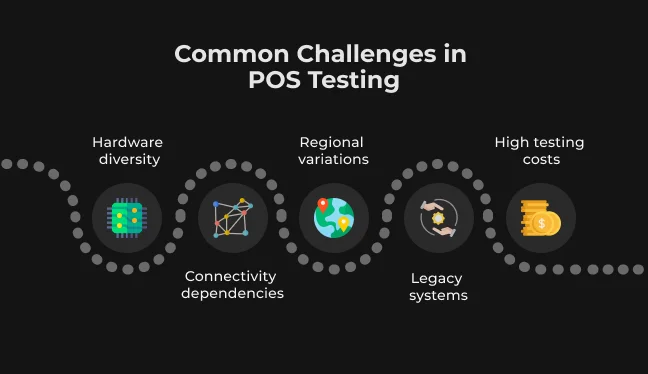
Testing POS systems is usually extremely difficult due to many reasons not faced in the majority of standard software programs. Some of the most common issues with POS testing are discussed in detail below.
Hardware diversity
The challenge of hardware diversity is immense because POS systems integrate various units from different vendors, each running unique firmware or operating systems. A minor update to one peripheral can easily introduce incompatibilities across the entire setup, creating a virtually unlimited number of hardware configurations to test.
How to overcome this challenge:
- Compatibility matrix: create a detailed compatibility matrix of all supported hardware and test at least one sample of each type;
- Hardware pools and simulators: maintain a central pool of standard equipment for real hardware testing. Use device simulators or cloud-based device farms to gain coverage for hardware you cannot physically access;
- Automated regression: automate device interaction regression tests (scripts that mimic scanner input or card tap events) to retest all supported device types rapidly after any software update.
Connectivity dependencies
A significant portion of modern POS functionality, particularly mobile POS, is network-dependent for real-time card payments, cloud synchronization, and inventory data retrieval.
Slow or dropped internet connectivity is difficult to simulate and can lead to transactions timing out, failing, or being queued incorrectly. Testing the POS's ability to handle network failure gracefully (maintaining an offline mode and resynchronizing later) is a major difficulty.
How to overcome this challenge:
- Network condition simulation: incorporate network condition simulation into test plans using software to emulate latency, packet loss, or complete disconnects;
- Failure scenario testing: test cases must explicitly address how the POS behaves immediately upon losing connection:
- Does it queue the transaction, retry authorization, or safely abort the process?
- If the system has an offline mode, ensure offline sales correctly post and sync once connectivity is restored.
- Secondary connectivity testing: test failover to secondary or backup connections (e.g., switching from Wi-Fi to a cellular hotspot).
Regional variations
Retailers often operate across numerous regions, and a POS must accommodate local needs in terms of currencies, tax rules, date/time formats, languages, and legal receipt requirements. A flow acceptable in one country might be illegal in another. For example, EU receipts must include specific VAT information, which is fundamentally different from the administration of US sales tax.
How to overcome this challenge:
- Localization testing: treat localization testing as a first-class category of tests with dedicated test cases for every region:
- Verify currency symbols and conversion rules;
- Ensure tax logic applies the correct rates and exemptions;
- Confirm correct date/time format and decimal separators;
- Domain specialists: employ test data with edge cases like different currency rounding rules. It's best to use in-region QA staff or domain specialists to review specific legal and functional requirements.
Legacy systems
Integrating a newer POS with or replacing an existing legacy system is inherently challenging. Legacy software often uses older APIs, unsupported protocols, or minimal documentation. Furthermore, legacy systems may not tolerate heavy transaction volume or support modern security requirements (like encryption), creating a vulnerability risk.
How to overcome this challenge:
- Interface review and stubs: start by reviewing legacy interfaces and identifying potential integration “holes.” If a test environment for the legacy system isn't available, create a stub or middleware capable of simulating the required legacy endpoints.
- Middleware/adapter layer: a robust solution involves creating a middleware “adapter” layer that acts as a translator between the new POS and the legacy system. This protects the new system from communicating directly with the older, unfamiliar technology.
- Data mapping and performance: focus on testing data mapping to ensure all required fields from the new system are correctly recorded in the old format. Crucially, test the performance of legacy transaction bursts, and implement and test robust failure modes when the legacy system fails or returns an error.
High testing costs
Comprehensive retail POS testing is expensive due to the need for specialized hardware labs, a large inventory of test equipment, skilled domain specialists, and extensive man-hours. Creating a full end-to-end in-store simulation (registers, terminals, networking) also carries a high price tag.
Additionally, since POS systems are critical for sales, testing must often be conducted after hours or in isolated windows, leading to higher labor costs (employee overtime).
How to overcome this challenge:
- Automation and cloud services: reduce costs by maximizing automation and leveraging cloud-based device farms whenever possible. Automated tests eliminate recurring labor costs for reruns and can run 24/7. Cloud-based services allow you to rent time on various hardware configurations on demand, eliminating the need to buy and hold a huge physical inventory of devices in-house.
- Risk-based prioritization: implement risk-based testing. Automate the routine, mundane regression tests and let manual testing focus solely on the most critical use cases and testing of new, high-risk features. This prioritizes human effort where it provides the most value.
Best Practices for POS Testing in 2026
To ensure success for your retail POS testing, consider the following industry best practices. They will help you define an effective testing program for retail POS systems in 2026.
Define Proper Test Cases and Scenarios
Start with a solid foundation of clear, complete test cases that cover all POS workflows and edge cases. Writing out detailed scenarios for each major function with variations is essential, including different payment methods and error conditions. This includes:
- Sales;
- Returns;
- Exchanges;
- Discounts;
- Redemption of loyalty points;
- End-of-day reconciliation, etc.
Remember to include not only the “happy path” scenarios but also failure cases, for example, an invalid card, printer paper running out, or a barcode scanner error. AI test case generators can help by suggesting failure modes you might otherwise miss.
Do End-to-End Integration Testing
A sale on the POS triggers many downstream processes: inventory updates, financial postings, loyalty point adjustments, and perhaps e-commerce order synchronization.
The best practice is to test the entire end-to-end process, rather than just the front-end interface. You must ensure that when a sale is made on the POS, all integrated systems receive and process the data appropriately.
Use end-to-end test flows that start with a customer checkout and confirm, for instance, correct stock decrement in the inventory system and correct sales posting in the accounting system.
If your POS is part of an omnichannel setup (online order, curbside pickup), test cross-channel flows. For example, verify that a customer can buy online and successfully return the item to the physical store.
End-to-end tests must also validate peripheral workflows: does the gift receipt print as expected, and is the corresponding transaction recorded in the system?
Automate Regression Tests and Use Continuous Testing
POS software, like any software, is subject to periodic updates, including new features, patches, and configuration tweaks. Regression testing is critical after every change, and automation is the only feasible way to execute it quickly and thoroughly.
You should integrate two approaches:
- Automated suite: develop a robust automated regression suite containing all high-priority test cases (sales, refunds, reports) and include it in your CI/CD pipeline. This setup ensures every code commit or build triggers the suite, and any regression bugs are caught instantly.
- Continuous testing: most retail technical groups now adopt continuous testing, where automated tests run on a schedule, such as a nightly full test pass, and results are monitored in real-time. Using cloud-based test environments, which can spin up multiple store simulations at once, makes continuous testing even more powerful.
You can run your entire suite on five virtual store servers every night, for instance.
Adopt Shift-Left Testing and Early QA Involvement
One of the best practices is shift-left testing: engaging QA professionals early in the software development lifecycle. For POS projects, this means testers (and perhaps store operations representatives) collaborate with developers and business analysts from the outset, verifying requirements and design for testability.
The earlier you find an issue in the lifecycle, the cheaper it will be to fix. By performing upfront static testing (like requirement reviews, code reviews, and unit tests), most defects are eliminated before they ever make it to a store. Performing shift-left also involves writing QA automation scripts at the same time as development, such as writing test stubs or API tests while the software is being coded.
Get SapientPro’s POS for Magento 2 Today
SapientPro’s POS for Magento 2 is a ready-made POS system that seamlessly integrates with Magento-based e-commerce stores. Our point-of-sale solution is designed to unify your online and in-store sales. We have built it with best practices in mind and saved the headache of building or extensively testing a custom solution from scratch.
Key features of SapientPro’s Magento 2 POS:
- Real-time inventory sync;
- Multi-store, multi-cashier support;
- Flexible payment options;
- Custom receipts and branding;
- Barcode scanning & fast product lookup;
- Customer management & loyalty;
- Discounts and promotions;
- Offline mode resilience;
- Extensive reporting.
If you’re running a Magento store or planning to launch one, SapientPro Magento 2 POS Terminal eliminates the need for third-party POS systems by offering a full native POS integration.
Contact us today to book a free demo and see how we can help.
Need a POS Solution?
SapientPro's engineers will help you integrate an existing or build a new POS system for your business.
FAQ
1. What are the physical components of a POS system?
The main physical parts are the POS terminal (this could be a computer, touchscreen monitor, or tablet running the POS software) and the input/output devices connected to it. Common devices include a cash register or cash drawer, a barcode scanner, a credit/debit card reader (payment terminal or PIN pad), a receipt printer, and often a customer-facing display so the buyer can see prices or enter a PIN. All these pieces are connected either via cables or wirelessly to the central POS terminal.
2. What are the trends in POS testing?
An important trend is the shift-left approach, meaning testing (and testers) get involved earlier in the development cycle to catch issues sooner. We also see a rise in exploratory testing for usability, recognizing that beyond functionality, the user experience for cashiers and customers is critical. Additionally, AI analyzes transaction logs to identify unusual patterns or predict high-risk areas of the application to focus tests on. Some retailers use ML to generate synthetic test data that mirrors real customer purchase patterns.
3. What are the main parts of a POS system?
A POS system consists of two main parts: hardware and software. The hardware is the physical equipment. This includes the POS terminal or computer (which could be a traditional register or a tablet), and all the peripheral devices like cash drawers, card readers, scanners, printers, and displays that we discussed as physical components. The software is the brain of the POS system. It’s the application that runs on the terminal and manages the sales process.

