
All
Importance of POS Security in Retail
July 16, 202510 min read


Merchants rely on POS systems for all sales, and that makes POS security mission-critical in 2025. 6% of all cyber attacks accounted for the retail and wholesale industry in 2024. The average retail data breach now costs around $3.48 million, aside from reputation damage and lost customer trust.
High-profile attacks of earlier years put things into perspective. POS systems are still an attractive target for threats. In this article, we want to discuss the most common POS breaches in 2025 and the best practices for POS security market.
Key Takeaways
- In fact, 65% of the breaches that were examined in 2023 were caused by hackers taking advantage of external remote services such as RDP;
- 2023 NCR Aloha POS outage was caused by a ransomware attack likely stemming from a remote access breach;
- In the period 2020-2023, malware like Magecart (treated more as e-skimming) basically operated as web-based POS keyloggers, recording all card numbers entered on web checkout screens;
- In early 2024, researchers found Magecart skimmer code on a staging server of a major Middle East retailer's site, and an Internet-wide scan flagged over 1,800 sites with possible infection by similar e-skimming scripts;
- 78% of late 2024 seasonal retail employees got absolutely no training at all in social engineering or phishing.
What is POS Security?
POS security encompasses the procedures, technologies, and best practices employed to safeguard point-of-sale systems (both hardware terminals and software platforms) against theft, misuse, and data exposure.
In plain terms, POS security involves creating a secure environment where customers can slide, dip, or tap their cards and make payments without their payment details falling into the wrong hands.
Why is POS security so important? Remember that a single compromised point-of-sale (POS) terminal or application potentially exposes millions of credit card numbers to criminals. POS applications are generally storing or forwarding useful information: card numbers and expiration dates, indeed, but also names, emails, and other personally identifiable information (PII).
When attackers break into a retailer's POS application, they could end up with card data, as well as access to other back-end systems (inventory, CRM, etc.), which is more of a breach. For example, the notorious Target breach in 2013 began with POS malware and ultimately affected 70 million payment cards. The aftershocks were over $200 million in costs and irreparable damage to consumer trust.
Most Common POS Breaches in 2025
Despite increased vigilance, POS breaches continue to be the retail and hospitality industries' scourge in 2025. Cyberthefts have perfected a mix of means to strike POS terminals.
Some high-tech, some low-tech, but effective where defense POS security measures are weak. Let’s examine the most common POS breach channels faced recently.
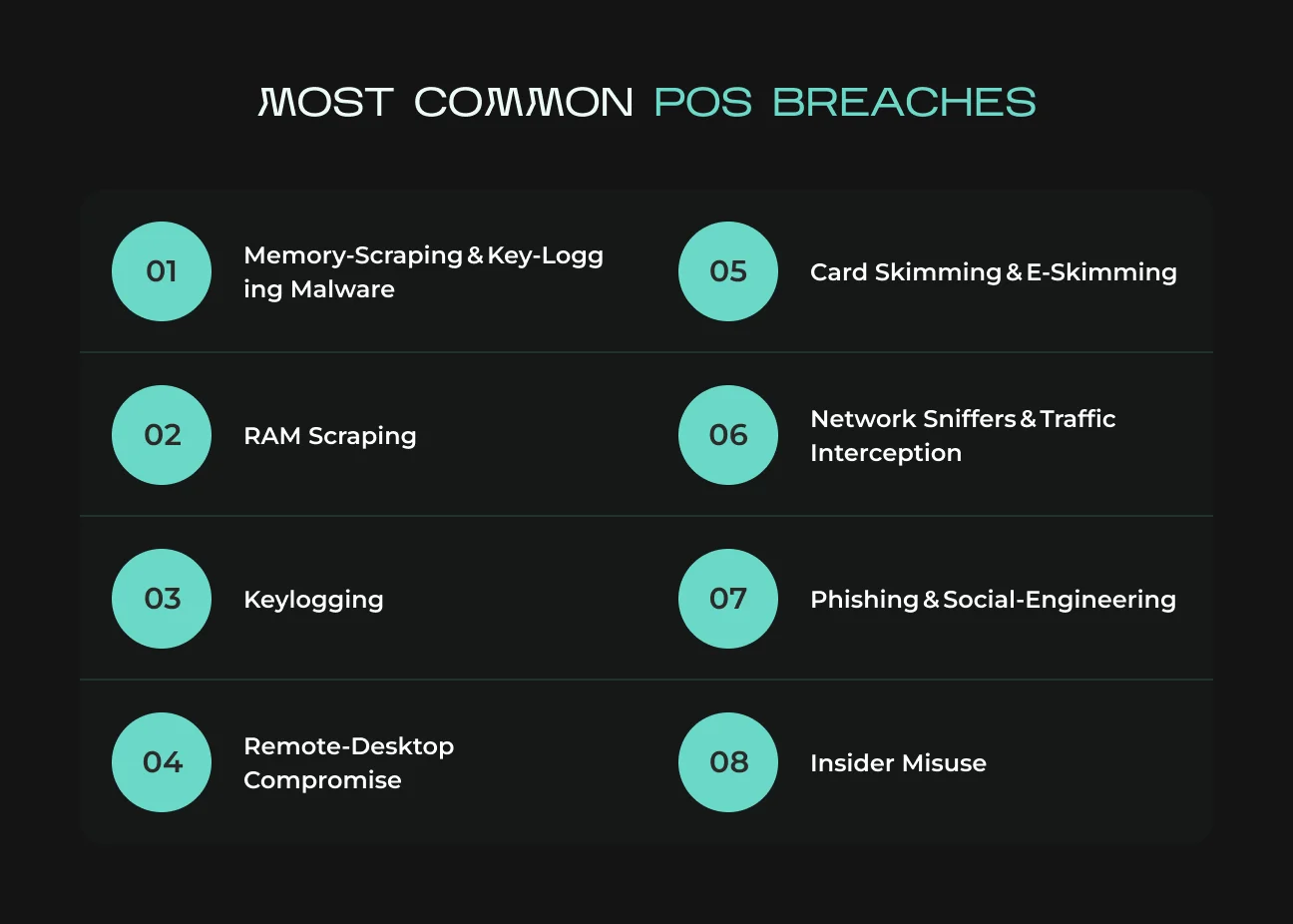
Memory‑Scraping & Key‑Logging Malware
Memory scraping malware (or RAM scrapers) and keyloggers remain two of the biggest threats to POS systems. These malware infect the POS software or operating system and steal payment details directly from memory or user input. Here's how.
RAM Scraping
When a card is inserted or swiped, POS software holds card data in plaintext temporarily in RAM (specifically when not enabling immediate encryption). Malware like notorious BlackPOS or more contemporary derivatives waits patiently to "scrape" this data out of memory and send it to attackers.
This was the method behind the majority of major breaches – the Target breach, for instance, utilized malware that stayed on POS terminals and captured magstripe data milliseconds following each swipe.
Even in the last few years, attackers have evolved this method. Prilex is an advanced POS malware variant that takes basic scraping to include cryptographic tricks and even turns off contactless (NFC) transactions to trigger a fallback to weaker chip transactions.
As such, Prilex can pilfer chip-and-PIN card details that otherwise would be out of reach.
Keylogging
Keylogger malware silently records keystrokes in a POS environment. Card numbers (e.g., if a card magstripe is not functioning) or login credentials must be entered manually by staff, and a keylogger will intercept them. Some keyloggers also capture screenshots.
In fact, POS keyloggers are not as common as RAM scrapers (since most card data is via chip/swipe, not keyboard), but can be a threat, particularly to virtual POS systems and e-commerce (snapping up what someone types into a payment field).
The scary part: keyloggers are stealthy – they may not show any obvious signs except for slight system slowdowns.
In the period 2020-2023, malware like Magecart (treated more as e-skimming) basically operated as web-based POS keyloggers, recording all card numbers entered on web checkout screens.
On the malware front, there are newer RAM-scraping malware families emerging – e.g., ModPipe attacked hospitality Oracle Micros POS terminals to steal passwords and card data.
Remote‑Desktop Compromise (RDP/VNC)
A common site of entry for POS compromise is through remote access tools. Many retailers use Remote Desktop Protocol (RDP), VNC, or their equivalents to enable managers or technical support personnel to access POS systems remotely.
To your bad luck, attackers are fully aware of it – poorly protected RDP/VNC ports are an open backdoor to your store.
Attackers use automated scans to find organizations with open remote desktop ports or using stolen credentials available on the dark web. Once inside, they have administrator-level access to the POS device or back-office server – usually enough to introduce malware (such as the RAM scrapers mentioned previously) or extract data directly.
In fact, 65% of the breaches that were examined in 2023 were caused by hackers taking advantage of external remote services such as RDP. Sophos also found that cybercriminals used RDP in 90% of the attacks they analyzed – a record high.
How do these breaches play out? A good example was a Sophos case in which a retailer was hit by ransomware four times in six months, each time because the attackers re-entered through an open RDP port that hadn't been properly secured.
Another scenario is attackers brute-forcing or cracking a weak remote desktop password (such as "Password123") – sadly, not at all uncommon for small companies. Once in, the attacker can turn off antivirus, disable security cameras, install keyloggers or scrapers, and effectively remote-control your POS terminals.
RDP/VNC compromise sometimes serves as the portal to ransomware. For example, the 2023 NCR Aloha POS outage was caused by a ransomware attack likely stemming from a remote access breach. Payment systems in thousands of restaurants were taken offline for days.
Card Skimming & E‑Skimming
Not all POS attacks require high-level malware – some are simply low-tech but functional, like skimming. Skimming is the stealing of card data directly from the interface of the card reader, either by a physical device or via malicious code for “e-skimming”.
Physical Skimming Devices
For many years, criminals have utilized small skimming devices that are surreptitiously attached to card readers (e.g., an imposter overlay on a credit card slot or keypad) to read card information during a transaction. We are typically familiar with skimmers at ATMs and gas pumps, but retail point of sale terminals and self-service checkout devices are not exempt.
For instance, six individuals were charged in 2023 by U.S. federal agents in a multistate retail skimming operation that deployed devices on point-of-sale terminals and ATMs. Thousands of customers' card numbers and PINs were stored on these devices and stolen by the thieves, who then used them to make unauthorized payments.
Physical skimming is difficult to spot. Why? The devices are made to look as natural as possible and can be fitted or removed within seconds (sometimes by someone inside or a thief pretending to be a technician).
E-Skimming (Magecart)
E-skimming (or Magecart attacks, after the groups/hacks that have made it so popular) involves the injection of malicious JavaScript code onto an e-payment page or an e-commerce site (a virtual POS). The code acts as a virtual skimmer. When a customer enters their credit card information at checkout, the script quietly steals that data and transmits it to attackers, while the purchase can continue as usual.
Such attacks have been directed at big brands and millions of small sites. There is a recent example. In early 2024, researchers found Magecart skimmer code on a staging server of a major Middle East retailer's site, and an Internet-wide scan flagged over 1,800 sites with possible infection by similar e-skimming scripts. The British Airways breach and Ticketmaster breach were also prominent Magecart attacks.
Network Sniffers & Traffic Interception
Certain criminals attack information on the move by taking advantage of network vulnerabilities. A packet sniffer is an application (goodware or malware) that captures network traffic. If card data is transmitted unencrypted over a network, an interceptor tapping the same network will be able to capture it.
In the past, this is how one of the biggest retail breaches occurred. In the TJX breach, attackers entered an unsecured Wi-Fi network in a store and sniffed unencrypted card transactions sent to the processing facility. They harvested over 45 million card numbers for several months.
Modern POS systems and payment processors ought to be encrypting data in transit (e.g. SSL/TLS or VPN tunnels). Misconfigurations still persist. In smaller networks, we sometimes have point of sale terminals exposing over plain HTTP or legacy protocols on the internal network. A local attacker or network malware could sniff credit card numbers and other confidential data on the wire.
The second method is to hijack a network device (e.g., router) and use it to perform a Man-in-the-Middle (MitM) attack, where they trick the POS into talking to the attacker's system in an intermediary way. Though less common than other attack vectors these days (gracias to the encryption requirements), network interception attacks still occur.
For example, certain POS malware contains sniffer modules: one module drains RAM, another intercepts network traffic for card data patterns, providing belt-and-suspenders card data theft.
The 2008 Heartland Payment Systems breach was essentially a network interception – malware on their network sniffed transaction information in transit between POS devices and Heartland's servers. 100 million cards were stolen. In 2020, Visa posted a warning on malware named "Alina" that had RAM scraping and network scan capabilities to steal tracking data from non-encrypted POS terminals.
Phishing & Social‑Engineering Footholds
Phishing emails, fraudulent phone calls, and other social engineering tactics are used to mislead employees into unwittingly helping attackers defeat POS security. Common ploys include:
- Phishing emails.
They are sent to corporate or store staff with malware (perhaps disguised as an invoice, a software update, or some policy manual). If an access-granting staff member opens a malware-laced attachment, it could install a keylogger or backdoor on the POS network.
- Impersonation calls.
The attacker dials the store and poses as an IT support engineer or payment processor representative. They ask for a critical update to the POS system or warn that the POS system will fail a compliance test. The unwitting staff then grant the attacker's request to download software or give remote access to the POS terminal.
- Baiting/USB drops.
Leaving a labeled "Store Sales Data" infected USB flash drive in the break room with the hope that someone will insert it into the POS back-office PC out of curiosity, thereby installing malware.
- Fake Wi-Fi.
In case your mobile POS or POS tablets connect using Wi-Fi, an attacker may set up a fake access point with the same type of name as your network (e.g. "Store_Guest_WiFi") to make your staff devices connect. This enables MitM attacks or stolen credentials.
In 2019, a massive gas station POS breach (Circle K in Europe) traced back to a phishing email that one of the employees fell victim to, allowing the attacker to install POS malware. In yet another case, the "Finnish POS Trojan" was planted after the employee of a retailer got a call asking to alter some remote access settings – the caller pretended to be the POS vendor's support team.
Social engineering attacks are on the rise because they target the human element, typically the vulnerable spot. 78% of late 2024 seasonal retail employees got absolutely no training at all in social engineering or phishing. First of all, teach how to disconnect affected systems from the network.
46% of companies shut down systems when a breach is discovered.
Insider Misuse (Rogue or Departing Employees)
Abuse by an insider may be deliberate or inadvertent, but in either case, insiders may override or bypass POS security unless proper controls are implemented. These include:
- Fraudulent employees or contractors.
An employee might steal customer card data knowingly, for example, by replicating receipts, using a handheld skimmer on cards, or collaborating with external fraudsters. In retailing, an employee just installs unauthorized software on the POS terminal (e.g., a keylogger) or even sabotages security systems for personal gain or due to coercion.
- Privilege abuse.
A user with full POS admin rights can export a file with tens of thousands of credit card numbers (if the system is not encrypting/storing them properly). It is a breach from within. Or an angry IT support staff member can disable the firewall or open an RDP port knowingly.
- Human error.
Not so much "misuse", but insiders can make mistakes that lead to incidents. For instance, an employee may insert an infected laptop into the POS network to print something and install malware. Or get duped by the previously discussed phishing. Insider negligence (like jotting down the POS system password on a sticky note next to the register) falls under this category as well.
Mitigating insider threats relies on the principle of least privilege and oversight. This means individual user accounts for each employee (so activities are logged and traceable), role-based access controls (cashiers can’t export data or install software, only perform sales; only a small number of trusted admins can make system changes), and monitoring.
For example, SapientPro’s POS system provides separate accounts for every cashier and role-based permissions, which ensures one person can’t access more than they should, and any unusual access stands out.
Need a reliable POS system?
SapientPro's POS for Magento 2 will help you get a secure, compliant, and reliable point-of-sale solution for your business.

Best Practices for POS Security in 2025
Staying ahead of POS threats requires a layered security strategy.
Here are the best practices for POS system security in 2025.
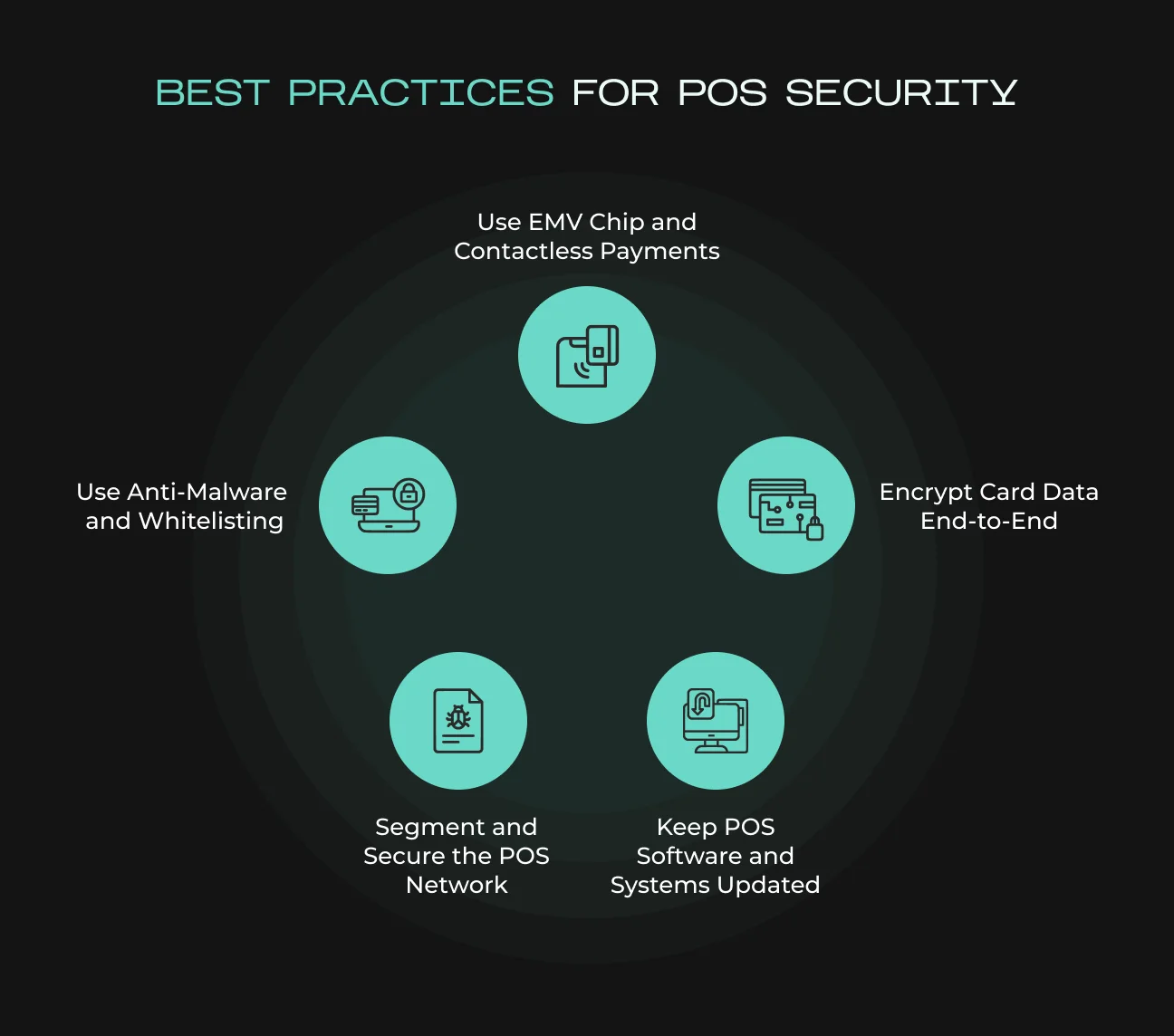
1. Encrypt Card Data End-to-End (P2PE)
All cardholder information should be encrypted from capture when accepted at the POS terminal, in transit, and while being stored. This beats memory scrapers and network sniffers – even if malware steals the data, it's garbage without the encryption keys.
Implementing a PCI-approved point-to-point encryption (P2PE) solution means the card data is encrypted inside the card reader device and only decrypted on the secure payment processor side.
Tokenization is also advisable: replace stored card numbers with tokens provided by your payment gateway. Tokens are useless to attackers and keep real card data out of your databases.
Key tip. If you’re using modern EMV chip readers and contactless payments, take full advantage of their security features (dynamic cryptograms, etc.). These, combined with encryption, make it very difficult for the attacker to gain useful card data.
2. Use EMV Chip and Contactless Payments
Ensure your POS is adequately setup for EMV chip cards and NFC/contactless payments. EMV chips render each purchase a one-time transaction code, so cloned card fraud is essentially impossible. Contactless retail security solutions (whether chip cards tapping or mobile wallets) use dynamic techniques (and often tokenization). Magstripe swipes, however, are static and much less secure (easy to skim or replicate).
Upgrading to EMV-compliant terminals and disabling fallback to magstripe (except when absolutely necessary) closes a huge vulnerability. Many jurisdictions have liability shifts that put fraud costs on merchants who haven’t adopted EMV. But beyond compliance, it's just safer – EMV has dramatically reduced in-person card fraud in countries that deployed it.
So too with contactless, which not only speeds through checkout but also keeps a card out of the customer's (and skimmer readers') hands for fewer seconds.
3. Keep POS Software and Systems Updated
Most POS breaches are successful because there are known system vulnerabilities that haven't been addressed with patches. Whether it’s the Windows or Linux OS under the hood, the POS application, device firmware, or third-party plugins, apply security patches as soon as they’re available.
Create a maintenance cycle to verify updates (most modern POS platforms can auto-update during off-peaks – use that feature). Don't overlook firmware: card reader and PIN pad manufacturers issue firmware patches to help detect tampering and other security features.
Some older POS systems ran Windows XP Embedded well past its end-of-life, making them sitting ducks for malware. Upgrading to supported OS versions or using modern cloud-based POS software can eliminate those legacy risks.
Also, web-based components (like an e-commerce plugin or an API integration) should be kept current.
SapientPro’s POS for Magento 2 is built to integrate seamlessly with Magento’s update cycle, ensuring that as Magento or Adobe Commerce releases security patches, your POS extension can be updated accordingly. We also provide post-launch support and maintenance to keep clients’ POS systems hardened. Remember, out-of-date software is an open door – close it by staying current.
4. Use Anti-Malware and Whitelisting
Just as you would protect office computers, you should put reputable antivirus/anti-malware software on POS terminals. Even custom POS development needs this. Next-gen endpoint security can pick up known POS malware signatures and even behavior (e.g., a process trying to map memory that it shouldn't). It's another hurdle that can shut down an attack or alert you at least to potential suspicious traffic.
And also deploy application whitelisting on dedicated POS terminals. Whitelisting is where only sanctioned software and processes are permitted to run – everything else is denied by default. Given that the purpose of a POS terminal is very narrow (it only needs to execute the POS app and fulfill required services), whitelisting is sensible and highly effective.
5. Segment and Secure the POS Network
Your POS systems should not be on the same network as public Wi-Fi or general corporate data. Network segmentation is a must: isolate POS and payment processing to a firewalled, secure VLAN with very limited access in or out. This way, even if an attacker compromises another part of your network (like an employee’s infected laptop), they can’t easily “pivot” into the POS environment.
Use a strong firewall to whitelist outbound traffic from POS terminals only to necessary endpoints (like your payment gateway or corporate servers). Block internet access from POS devices unless required for updates. Many breaches have occurred because malware on a POS could freely communicate out to upload stolen data – restricting network egress can mitigate that.
Furthermore, change default network passwords (routers, Wi-Fi, etc.) and use WPA3/WPA2 encryption on any wireless used for mobile POS. If you offer guest Wi-Fi in-store, absolutely keep it separate from any system that touches payments.
Regularly scan your network for unknown devices. A clever attacker might try to plug a cheap mini-computer into your network (e.g., behind a POS counter) to sniff traffic or open a tunnel.
For instance, a convenience store clerk in New Jersey in 2023 noticed a foreign device attached to the card reader, and it turned out to be a Bluetooth skimmer. Good network access control and monitoring can spot such rogue devices.
Looking for the perfect POS solution?
SapientPro's POS for Magento 2 is fully customizable, scalable, and built for future growth. Contact our team today for a free demo.
POS Security Checklist
Use this POS security checklist to quickly assess and reinforce your point-of-sale protections. This list covers technical and procedural items that every retail CEO/CTO/COO should ensure are in place across their stores and systems.
POS Security Checklist | Description |
| Software Up-to-Date | All POS terminals and back-office servers are running the latest OS and POS application versions, with recent security patches applied. No end-of-life operating systems in use. |
| Strong Passwords & 2FA | Default passwords on POS devices, databases, and network gear have been changed. All accounts use strong, unique passwords (no “store123” or shared logins). Two-factor authentication is enabled for remote admin access or any sensitive logins. |
| Firewall & Network Segmentation | The POS network is segmented from other networks (e.g., guest Wi-Fi). Firewalls are configured to allow only necessary traffic to/payment processors and block all else. Remote desktop access is behind VPN or disabled when not in use. Public Wi-Fi or IoT devices are on a separate VLAN away from POS. |
| Anti-Malware Installed | POS systems (or the servers they connect to) have antivirus/anti-malware software installed and updated. Application whitelisting is implemented on POS terminals to block unauthorized executables. |
| Encryption Everywhere | Encryption is enabled for card data in transit and at rest (databases, file backups, etc.). Ideally using a validated P2PE solution, so card data is encrypted from swipe/tap through to the processor. |
| EMV & PCI Compliance | EMV chip-capable terminals are deployed and EMV is being used for all chip cards. The business maintains PCI DSS compliance (annual self-assessment or audit) to ensure all 12 requirements are met (from secure network to regular testing). |
| Device Security Checks | Confirm seals, screws, and casing on card readers and PIN pads are intact (no unknown skimmers attached). Keep a log of inspections. |
| Least Privilege Access | Each POS user has an individual account with appropriate role permissions. Cashiers cannot install software or alter system settings. Only designated admins have higher privileges. Access control lists are reviewed periodically to remove ex-employees or unnecessary accounts. |
| Monitoring & Alerts | Logs from POS systems are monitored (either manually or via a SIEM) for unusual patterns (failed logins, off-hour transactions, etc.). Set up alerts for critical events like a device going offline, repeated declined transactions, or changes in system files. |
| Backup and Incident Plan | Regularly backup POS data/configurations (encrypted backups, stored securely offline or in cloud). Have an incident response plan specific to a POS breach – including steps to contain (disconnect systems), who to notify (banks, law enforcement, customers as needed), and how to restore clean systems. |
By checking off these items, you greatly reduce your risk of a POS compromise. This checklist can be used as part of your internal audits or store manager walk-throughs.
Feel free to customize it for your organization’s needs – for example, adding specific steps if you have an integrated e-commerce POS or mobile POS devices.
POS Security Regulations and Standards
Navigating the alphabet soup of payment security standards can be challenging. Here we summarize the key regulations and standards relevant to POS system security, and what they mean for your business.
Standard / Regulation | Description & Importance |
| PCI DSS (Payment Card Industry Data Security Standard) | A mandatory security standard for any entity that processes or stores credit card data. It outlines ~12 requirements (maintaining secure networks, protecting cardholder data, access control, monitoring, etc.). Compliance is assessed via annual questionnaires or audits. |
| EMV Chip Card Standards | EMV stands for Europay, Mastercard, Visa – the global standard for chip-enabled payment cards. EMV compliance isn’t a “law” but a technical requirement by card networks to avoid fraud liability. EMV cards contain a secure chip that generates a unique transaction code, preventing cloning of cards. |
| Point-to-Point Encryption (P2PE) | If you use a validated P2PE solution (hardware + software), your card data is encrypted immediately at swipe/tap and only decrypted at the payment processor. This reduces the scope of PCI DSS compliance and vastly improves security (even if attackers breach your POS, they can’t read encrypted data). |
| PA-DSS / PCI Secure Software Standard | PA-DSS was the Payment Application Data Security Standard – a guideline for payment software developers to create secure applications. It’s being phased into the new PCI Secure Software Framework (SSF). If you’re using off-the-shelf POS software, ensure it’s PA-DSS validated or PCI SSF compliant. |
| GDPR (General Data Protection Regulation) & Privacy Laws | GDPR is an EU regulation that, while not specific to POS, impacts any business handling EU residents’ personal data. If your POS or loyalty systems store customer info (names, contact, purchase history), GDPR mandates protecting that data and reporting breaches promptly. |
| PCI PTS (PIN Transaction Security) | This is a standard for the physical security of card readers and PIN entry devices. It’s mostly the responsibility of device manufacturers to ensure terminals are tamper-resistant and encrypt PINs. Also, abide by PED handling rules (e.g., never install a device that has been compromised or from an unknown source). |
Get SapientPro’s Secure POS for Magento 2 Today
SapientPro’s Magento 2 POS Terminal is an all-in-one retail POS solution designed with the latest best practices in mind. If you’re running an eCommerce store on Magento (Adobe Commerce) and have brick-and-mortar or pop-up shops, our POS seamlessly connects your online and offline sales with security at its core.
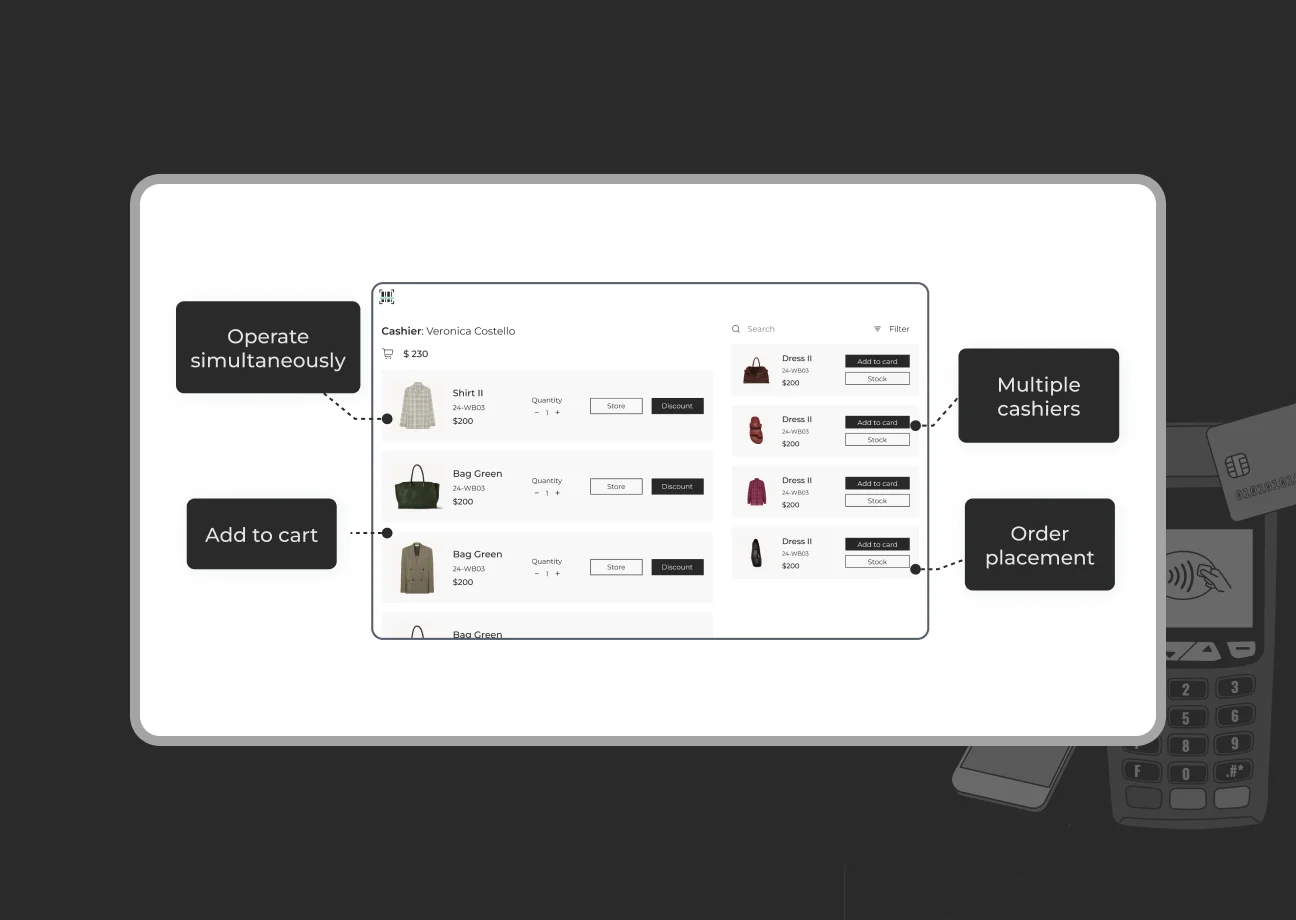
Our POS terminal system is fully PCI DSS compliant and employs end-to-end encryption for payment data. We implement role-based access controls and separate cashier accounts to ensure only authorized staff can perform sensitive actions.
Data transmission between the POS and your Magento back-end is encrypted over SSL, and no card data is stored on the POS device after the transaction (it’s securely routed to your payment gateway).
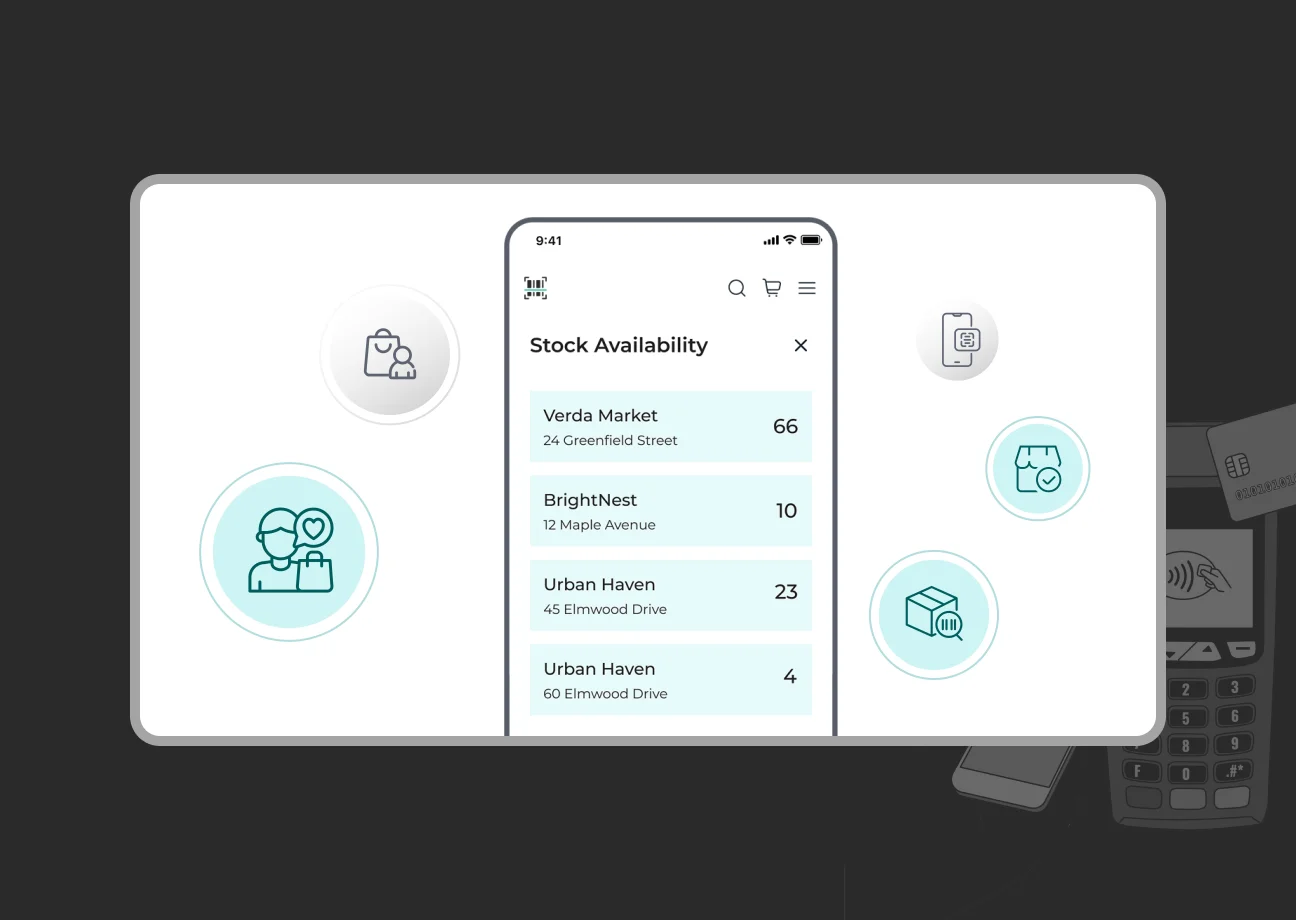
Our POS directly integrates with Magento 2, eliminating clunky third-party connectors and reducing potential security gaps. Your inventory syncs in real-time between your website and physical stores, preventing overselling and allowing accurate stock visibility across channels.
A unified customer database means that whether a client buys online or in-store, their profile, purchase history, loyalty points, and rewards are consistent.
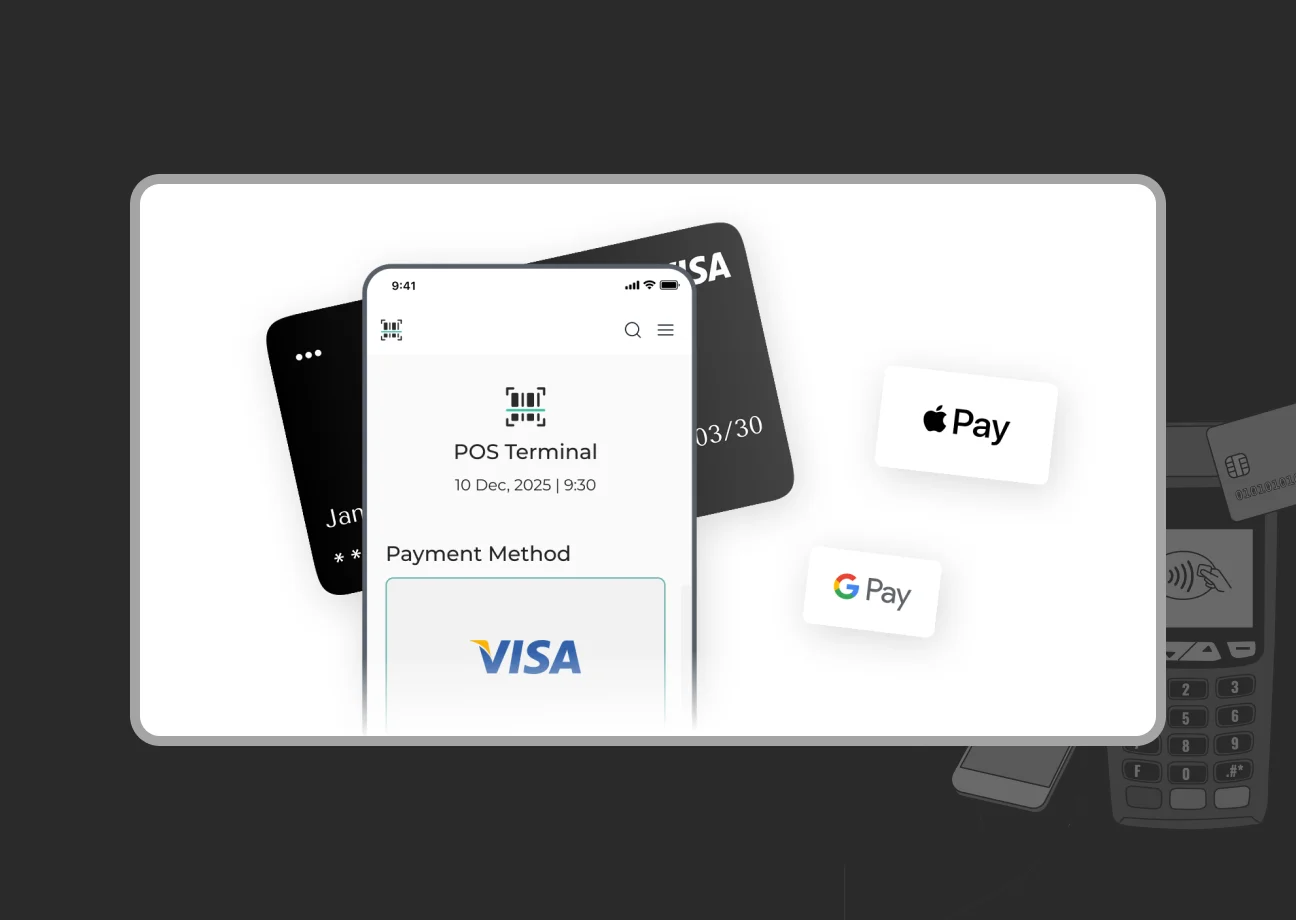
Support for chip & PIN, contactless, mobile wallets, and traditional swipe – all in one system. You can take cash, credit/debit, gift cards, or even custom payment types.
Transactions are processed quickly, and sensitive payment info is handled securely via your chosen payment processor (we work with various PCI-compliant gateways).
If you’re running a Magento storefront or planning to launch one, SapientPro Magento 2 POS Terminal eliminates the need for third-party POS systems by offering a full native POS integration.
To see it in action and discuss how it can be customized to your business, contact us today for a free demo.

