All Lab Data Management Software: Extraction and Compliance
July 31, 202615 min read


A lab error can begin with something as small as one copied value. A technician might miss a decimal point or copy an instrument readout into Excel with a typo. Manual data entry leads to a 1% to 4% error rate, and labs make even more mistakes during busy shifts.
A single typo goes straight into the final batch record. When that happens, every decision down the line is based on wrong numbers.
Audits easily expose these weak spots. In fact, data integrity gaps cause about 15% of FDA warning letters for drugs and nearly 20% for medical devices.
Lab data management software reduces manual copying by pulling readings directly from instruments. It keeps approved versions, records changes, and links electronic signatures to the report. Before an audit, the team can trace the path from raw result to final approval much faster.
This article shows how SapientPro helps automate that process.
What Is a Laboratory Data Management System?
A laboratory data management system stores and protects raw instrument files before they move into review or reporting. It is not an Electronic Lab Notebook (ELN). Scientists use ELNs to manually document their thoughts, experiment notes, or daily hypotheses.
This software does something else. It captures raw data from lab instruments and reduces the need to move files manually.
It is also distinct from a traditional Laboratory Information Management System (LIMS). LIMS usually manages samples, test workflows, schedules, and reporting steps. It assigns IDs to samples, reminds staff which tests to run, and generates final PDFs for clients.
In contrast, laboratory data management software focuses entirely on the heavy technical files. The moment a lab machine finishes a test, the software grabs that original, raw file and locks it away before anyone can accidentally change or delete it.
Labs use this software for two simple reasons. Modern instruments generate large files that standard office storage is often not designed to manage. At the same time, FDA inspections can flag missing, modified, or poorly controlled raw files as data integrity problems. Laboratory automation software solves both problems by securing every file before an audit.
LIMS Software vs. Lab Data Management Software Difference
While both systems work in the same lab, they have different jobs. LIMS software tracks processes and people, while data management software protects the files from edits or deletion. Here is how they compare.
Feature | LIMS Software | Lab Data Management Software |
| Primary focus | Sample tracking and laboratory operations | Automated data extraction and file security |
| Core function | Manages workflows, test status, and client reports | Secures raw analytical files and audit trails |
| Data handling | Stores text-based operational metadata | Ingests large binary files and raw instrument outputs |
| Regulatory role | Records chain of custody for samples | Supports data integrity for analytical results |
Running both platforms together means you track your lab workflow and lock down your data at the same time.
Save Your Team's Time
Read how we built an AI tool that cuts out manual processing and saves teams 320+ hours every month.

Core Components of a Laboratory Data Management System
Laboratory data management software uses five basic features to handle scientific files without human error.
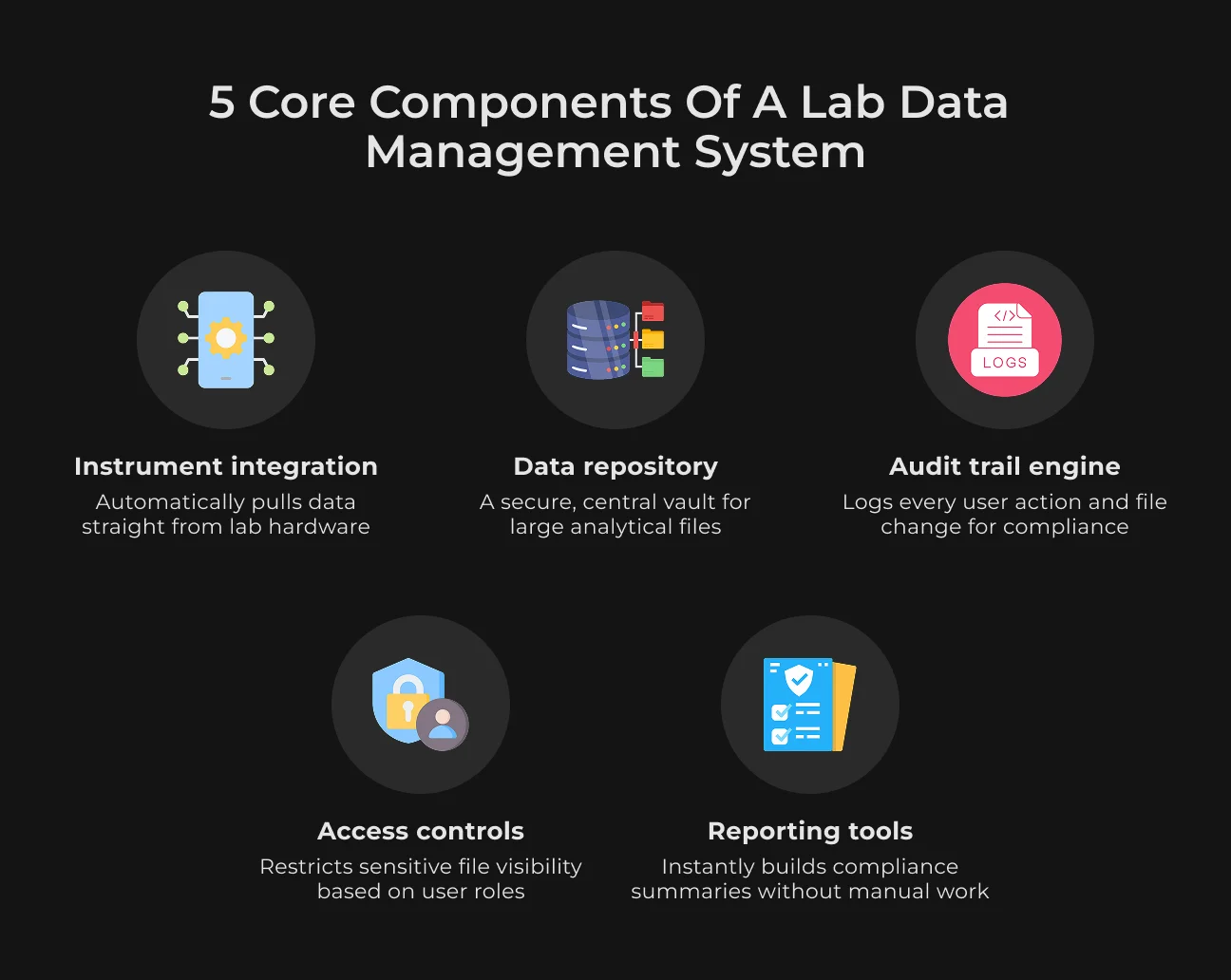
Instrument Integration
This feature links directly to your laboratory hardware. It pulls files from balances, chromatography systems, or mass spectrometers automatically. You do not need manual USB transfers or folder drops.
Data Repository
This is the central repository for analytical outputs. It keeps large binary files and unstructured data in one organized space. Technicians can quickly find and review these files even years later.
Audit Trail Engine
The engine tracks every single action inside the software. It logs who opened a file, when they viewed a dataset, and what settings changed. This log gives regulatory inspectors a clean history.
Access Controls
This layer blocks unauthorized users from seeing sensitive files. Administrators set strict permissions based on job roles. Only approved personnel can look at raw data or sign off on results.
Reporting Tools
These tools pull raw metrics straight from storage to build compliance summaries. The system automatically assembles the files and metadata. This saves you from compiling data manually before quality checks.
How Lab Automation Software Extracts Data Without Manual Entry
The software reduces transcription errors by connecting directly to the data source. When an instrument finishes a test, it does not rely on a technician to copy numbers or move files. Instead, the system uses custom drivers or native APIs to pull raw data directly from the machine's software layer.
For setups where direct API connection is impossible, middleware bridges the gap. This software acts as a neutral translator. It monitors specific folder pathways where instruments dump raw outputs and moves those files into the central system as they appear.
Legacy paper records and older screens also fit into this workflow. The software uses targeted OCR and document parsing tools to scan printed reports. It can extract selected analytical values and send them into the database with review rules around the result.
Instrument and Equipment Integration Methods
Building a connected lab environment requires standardized data pathways. To make different brands of hardware talk to each other, systems rely on a few industry-standard integration methods:
- SiLA standards. This protocol standardizes lab automation by defining how devices control and share data. This makes it easier to plug hardware straight into the software network;
- ASTM & HL7 protocols. These classic communication standards allow clinical and analytical instruments to transfer raw results directly into data management networks;
- Vendor APIs. When standards fall short, native application programming interfaces (APIs) open a direct line to proprietary equipment software, avoiding closed file formats.
Where Manual Transcription Causes the Most Damage
Typing numbers from an instrument screen into a spreadsheet is a big risk for quality control. Real hospital data proves how often human entry fails. A study matching paper records against automated digital logs found that 13% of all manually entered glucose values contained errors.
When a lab processes thousands of values a week, these percentages turn into hundreds of false records. A single typo can easily ruin a whole batch, trigger a failed audit, or force a company into expensive re-testing.
Barcodes reduce some entry errors, but they do not remove every source of risk. Scanners sometimes misread characters, and technicians can easily scan a stray label left on the desk from a previous run. Automation lowers this risk by pulling data directly from the machine.
Automation Leads to Accuracy
Check out how SapientPro automated produce inspections to slash processing times by 87.5%.
Version Control for Scientific Data: Why It's Non-Negotiable
Version control is part of regulated lab work because every change has to be explainable. Inspectors usually look past the final report and check the change history behind it. A good log connects each edit with the user account, timestamp, and reason for the change.
The same record history also helps with repeatability. Research teams may struggle to reproduce results after a raw file, method, or script was changed without a trace. Version control prevents those hidden edits and keeps the approved file, settings, and report history available for later review.
Audit Trails and Data Lineage in a Lab Data Management System
Systems log these actions silently. Every time a user opens, edits, or approves a record, the database locks in a stamp with the date and time. The technician doesn’t need to trigger it or change their workflow.
Data lineage tracks where numbers come from. It shows the path from the raw machine test, through the formulas, right into the final report. If a quality check finds an unexpected value, you can just look at the log and trace the number back to see where it went wrong.
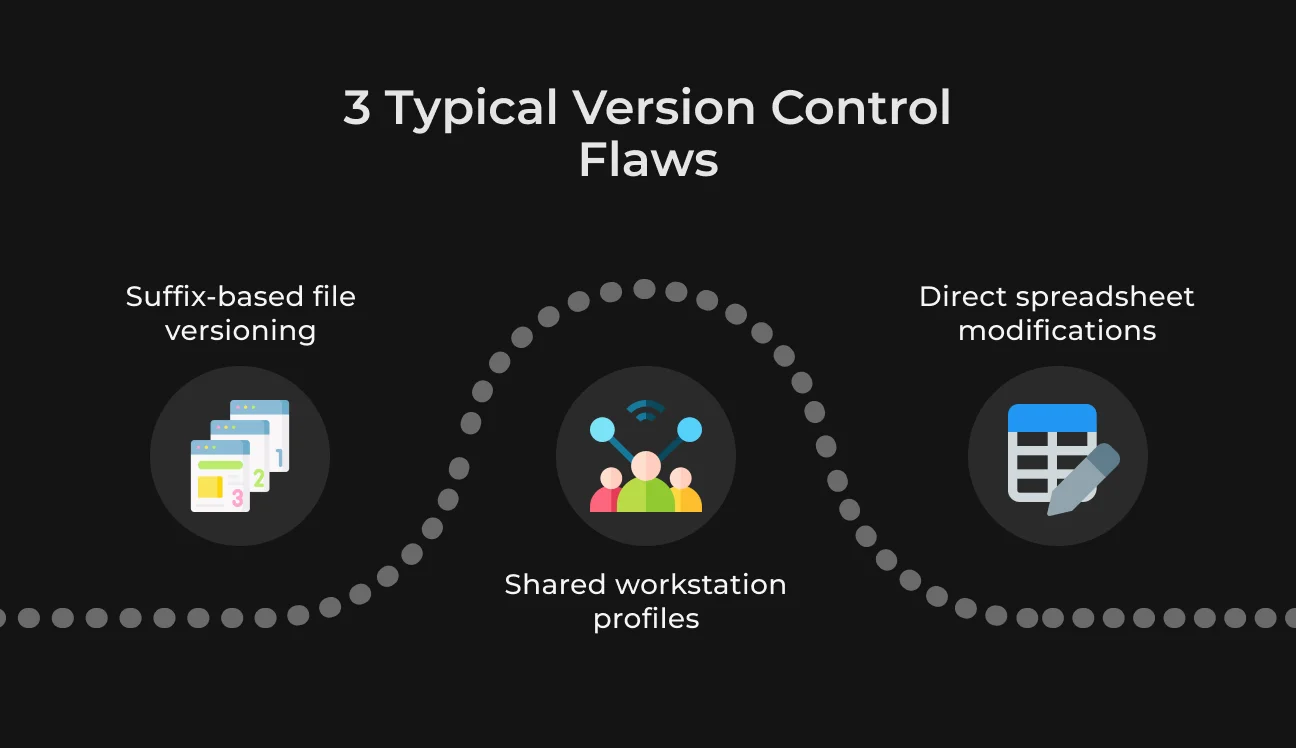
Common Version Control Failures in Laboratories
Even with good tools, bad habits still break lab data. The biggest issues happen when people mix manual habits with digital files.
- Naming files with suffixes. Staff frequently save files with tags like v2, final, or updated. This leads to situations where different people edit different versions of a final file simultaneously, which results in overwritten records;
- Using shared computer logins. When multiple technicians share a generic login on a lab PC, individual accountability is lost. The log shows that a change occurred, but it cannot identify the specific person responsible;
- Editing cells directly in spreadsheets. Altering a result inside a basic spreadsheet without an active audit trail removes the history. Once a user overwrites a cell and saves the file, the original raw machine data disappears from the record.
What Regulators Actually Look for in Lab Compliance Management Software
FDA and ISO auditors look past marketing claims about compliance. During a real inspection, they basically focus on how the system handles user errors and workflow flaws. The core evaluation usually centers on three specific sets of standards.
21 CFR Part 11 and GxP Requirements
Pharma and biotech platforms must ensure digital records are traceable and durable. Systems usually fail compliance because everyday user actions often create the real compliance risk.
Auditors specifically check if a technician can bypass a bad result. When someone closes the application window mid-test to hide a poor outcome, the software has to capture that event. Safe infrastructure automatically records aborted runs, sudden connection drops, or discarded entries in an uneditable log file.
ISO/IEC 17025 Compliance
Testing operations rely on verifiable data accuracy. The software enforces standard operating procedures by directly controlling instrument access and data flows.
Inspectors regularly match equipment maintenance logs against actual test times.
Running a sample on equipment with expired calibration can create a serious inspection finding. Modern setups prevent this by disabling instrument access as soon as a maintenance deadline passes.
The software also blocks users who do not have the required training certificate in their profile.
Data Privacy Regulations
Labs working with human trial data may face both retention duties and privacy requests. The system has to separate identity data from analytical results, so privacy actions do not damage scientific records.
For example, personal information like names and IDs lives in a separate, encrypted layer. If a patient requests deletion, the software scrubs the identity profile, while the raw scientific numbers and machine curves stay intact for statistics.
Key Features in Lab Information Management Software
To maintain compliance and prevent the workflow flaws mentioned above, modern lab platforms rely on four core technical capabilities:
- Logs must generate automatically without user input.
A lab automation software system secures every database modification with a cryptographic timestamp and a unique user ID. When someone modifies a test parameter, the software saves the original value alongside the new entry and forces the user to log a reason. Nobody in the lab has permissions to edit or wipe these logs;
- Granular permissions prevent unauthorized setup changes.
System administrators restrict access based on specific operational roles. For example, a junior technician can enter raw numbers but cannot modify test methods or sign off on final results without QA manager credentials. The software also triggers automatic logouts to secure idle terminals;
- Document approvals require double-authentication e-signatures.
To meet 21 CFR Part 11 standards, the platform asks for a password or biometric verification exactly at the moment of approval. This process permanently links the technician's digital identity to that specific version of the record;
- Direct hardware integration cuts out manual typing errors.
The platform pulls raw data files straight from chromatography units, spectrometers, and balances. If an instrument misses its calibration deadline, the software immediately locks the interface to stop new tests on that device.
How SapientPro Builds Lab Data Management Solutions
Standard business software often falls short in labs that need strict validation, controlled records, and audit-ready workflows. To see how custom engineering solves this, look at two projects from our portfolio.
In our work with Steeltrace, the focus was material traceability. We built a system designed to secure product authenticity across deep supply chains, ensuring that every digital record matches physical validation.
The system protects the audit history and prevents unauthorized changes to test records. When an audit happens, external inspectors get instant access to verifiable compliance records.
Our team automated the processing of hazardous chemical profiles for the SDS Automation platform. Instead of typing fields manually, the system extracts critical hazard statements from text documents, matches duplicate SDS entries across different languages, and restricts editing to authorized admins only.
This setup catches formatting shifts and regulatory mismatches across product files.
Here is what we can design and build for your laboratory:
- Custom laboratory information management system software. We shape the digital workspace around your specific daily testing volumes, validation rules, and sample pipelines.
- Built-in compliance controls. You get automated background logs, dual-authentication electronic signatures, and secure terminal lockouts that run quietly in the background.
- Spreadsheet-to-database migration. Our team cleans up messy, unstructured data from loose sheets and text files, moving everything into secure SQL or NoSQL databases.
Contact SapientPro to discuss a lab data management system built around your instruments, records, and compliance process.
Stop Losing Data to Typos
Talk to our team about locking down raw instrument files before they ever reach a spreadsheet.