All How to Build a Custom CRM: Features, Steps & Cost (2026)
Updated:September 21, 202615 min read


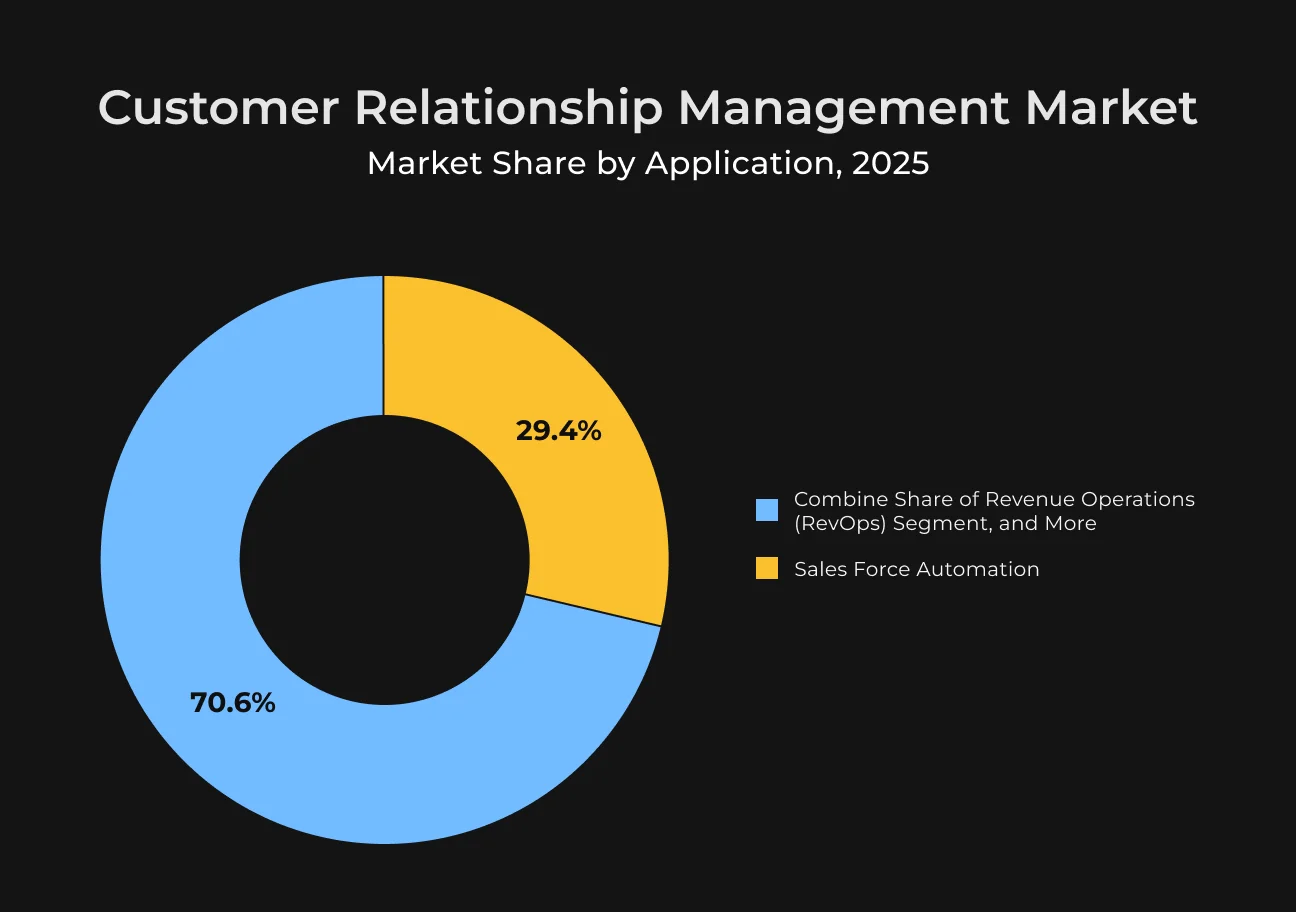
If you run a business and want to hone your customer relations, you definitely need a custom CRM system. The CRM market continues to grow and should hit $109.07 billion this year. And it's continuing its 9.80% yearly growth until 2030, when it’s expected to reach $158.55 billion.
Custom CRM software can significantly impact the way a company engages customers.
Still, many wonder whether it is worth the money and how soon they will see dividends or returns on investment.
When everything is implemented correctly, CRM can give you back $8.71 for each dollar spent through increased sales and enhanced customer retention, along with other benefits.
Check out this guide from SapientPro’s engineers to see how to build customer relationship management and what it’s going to cost you.
What is a CRM?
CRM, or customer relationship management, is software that companies use to manage interactions with current and prospective customers. Its primary objective is to reinforce these connections in order to grow the business.
That’s where a CRM system stores all information you need about customers, like who to contact and when. Then, companies can analyze that information from activities such as sales forecasting, campaign creation, product innovation, or other traffic generation and marketing processes.
CRM also helps companies operate more seamlessly, keep customers satisfied, and increase sales — all of which make a business more profitable.
Why Businesses Choose Custom CRM Development
The out-of-the-box CRM may not fit your specific business needs, could limit your progress, and could cost you a lot. And that is why companies are spending on creating a custom digital solution that’ll help better manage customer data and increase return on marketing spend.
Limitations of Out-of-the-Box CRMs
Generic CRM products are fast and easy to deploy, usually in a SaaS format. But they, too, have limitations — and they’re not for everyone. Here are a few concerns.
Little Flexibility
They provide little to no CRM customization and are not capable of serving complex processes, specific workflows, or individual branding requirements.
They may not accommodate detailed pricing rules or manage returns based on specific policies. And more often than not, businesses need to tailor their existing processes to the platform instead of customizing the platform to fit their processes.
Generic User Experience
Because they’re not industry-specific CRMs, ready-made solutions might not be personalized and intuitive for your team to work with. In this way, you can lose time for productivity.
Less Data Control
Your customer data may be held on the vendor’s servers, which raises questions about privacy, compliance, and security. And businesses may have little control over how their data is stored and used — something that can be challenging for heavily regulated companies.
Business Benefits of a Custom CRM
Customizable CRM software has so much potential to improve business. It tends to result in a big increase in conversion rates, meaning more successful deals.
Companies that use CRM for sales can see their lead-to-customer conversions increase by 17% and customer retention by 16%, and they have a relative productivity increase of 21% among sales representatives.
These show the necessity of CRM systems in streamlining how businesses function and manage their customer relationships. And guess what's even smarter than that? It's automation. And a tailored CRM system is exactly what can help automate the process massively.
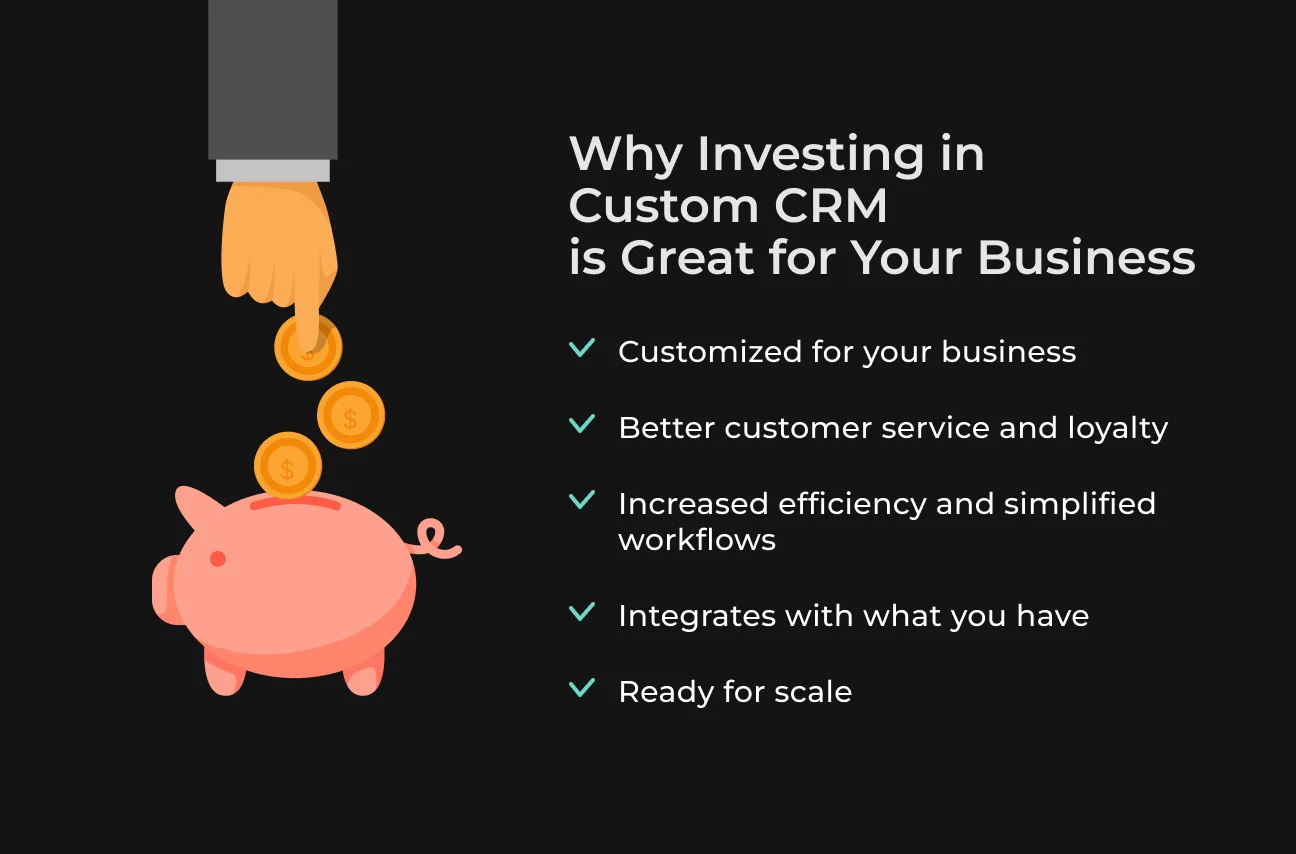
Here are a few more benefits of bespoke CRM.
Tailors to Unique Business Processes
Each company is different, and the CRM that’s made for you works with how your business functions. When companies change their CRM providers, they often prioritize how easy it is to use.
Rather than universal software, which makes you use one-size-fits-all features added to it, a custom CRM system gives you the freedom to adjust and incorporate only what is essential for your business.
This means you aren’t paying for any excessive modules or having to handle a messy interface with fields that are irrelevant in your case. By customizing everything to your sales cycles and support workflows, you simplify the system and lessen your internal teams' load.
Improves Customer Service and Retention
By having all client engagements, preferences, and purchase history in one place, staff can deliver more intelligent and personal service that goes beyond simply knowing a customer’s name.
More than 75% of business and tech professionals consider improving customer experience a high priority for their firm.
With customer-focused CRM, every team’s customer touchpoint can be maximized, converting great service into return sales and referrals.
Boosts Productivity and Streamlines Operations
CRM systems automate busy work and centralize all of it. Tasks like entering data, routing leads, and prompting follow-ups are all automated according to your custom rules.
If your CRM has AI features, it can also be a competitive edge. Organizations using AI in their CRM have identified a 44% increase in leads. This shows how much adopting this technology can boost sales and marketing.
Integrates with Existing Systems
A custom CRM platform can even work with your current tech stack. So you won't feel out of touch with the rest of your data.
For example, it can integrate with your ERP, accounting system, e-commerce, or marketing solution. After the infrastructure is configured, information will be automatically transferred between these systems.
Scales for Future Growth
As you acquire more customers and data, custom systems can scale by incrementally adding more users, records, and CRM software features without a complete rework.
Unlike those ready-made choices with hard limiters, custom CRM can scale to fit your business’s changing needs. That way, your solution is useful for years to come.
Essential Features of a Customizable CRM
Here are a few features that help you get the most out of a flexible CRM system.
Contact Management
A contact management system helps CRM keep an in-depth record of correspondence interactions with client contacts. It stores any contact information, like names, addresses, and communication history — as well as any preferences or other notes about that person.
Visualizing the Sales Journey
A helpful sales pipeline feature visually outlines the process from lead to sale. This functionality allows teams to work strategically, improve workflow processes, and accelerate sales by working with the right lead at the right time.
Analytics and Reporting
Analytical and reporting capabilities in CRM help businesses understand customer behaviors and needs. You can generate reports on sales, customer interaction, or conversion rates. These reports give you the information in a way that’s useful, and only when it’s reasonable to you.
AI-Driven Forecasting
Forecasts driven by artificial intelligence allow companies to predict what their customers are going to do next — when they will buy a product or in which direction markets should go. This enables them to predict resources, plan, and be proactive.
Data Centralization
Having all of your data centralized in a single CRM system provides a full picture of customer interactions.
By breaking down information silos, we get to see everything.
This fosters more collaborative decision-making in teams and results in the development of more customized strategies for clients.
Collaboration Tools
Through incorporation, CRM systems facilitate non-interruptive teamwork with features such as calendars and task assignment. These are tools designed to keep everybody on the same page and to ensure transparency.
Customization and Scalability
Scalable CRM is a system that works with your business and adapts as you grow. Dashboards and workflows are customizable, and the scalable platform scales with your data and users.
This flexibility is also why the CRM can stay useful over the years of deployment.
CRM Integrations to Consider in Your Solution
CRM integrations' goal is to manage data with precise efficiency and unify experiences of employees and customers. Consider integrating these key solutions into your CRM.
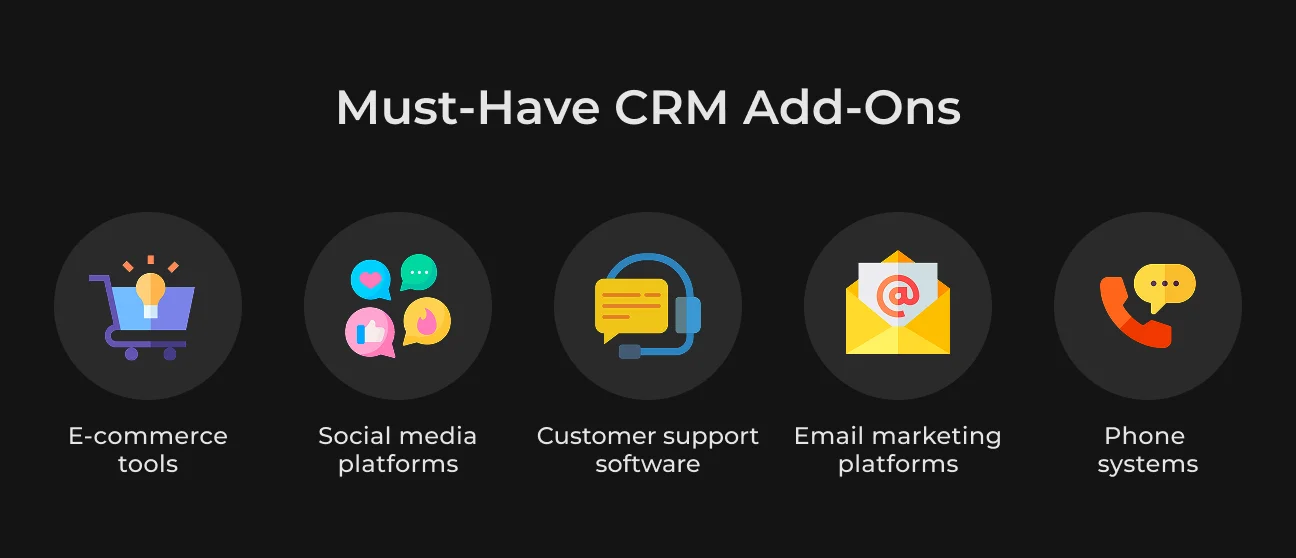
E-Commerce CRM integrations
E-commerce integrations in CRM, such as inventory management and payment gateways, link different systems so that information flows between them automatically. The goal is to automate how these systems connect and share information.
When a customer makes an order, information must be passed to your warehouse, inventory counts updated, a shipping label created, and sales recorded in accounting software — perhaps even adding the customer to a marketing list. Doing this by hand without integration is time-consuming.
For example, organizations that integrated the PayPal payment gateway saw a high number of online transactions, averaging $2.02 million and drawing about 602,000 unique visitors to their websites.
Customer satisfaction with payment options greatly improved to 92%, thanks to easy use and setup. This increase in satisfaction helped boost revenue by an average of 11% for those surveyed organizations.
Social Media Tools
If you want to see how people engage with your brand on social networks, you can connect your CRM with a product like Buffer or Hootsuite.
And so, when a customer pings you on Instagram or Facebook, you can keep that chat at arm’s length in the CRM (where all emails and calls are also stored).
That’s how you give your marketing team the strategic advantage they need — detailed customer profiles to power those targeted ad campaigns. They can highlight customer pain points and offer solutions just at the right moment.
Customer Support Software
Half of customers say they could move to a competitor following one bad experience, so good customer service is key. It’s important to integrate your CRM for business development with customer-service programs like Zendesk or Intercom.
As these services are integrated with your CRM, all the information you have about those buyers is stored under one roof.
And now, when support agents answer these buyers, they will have everything they need for a holistic view of that customer (i.e., past purchase history or previous interactions with support).
Integrations With Email Marketing Platforms
When you do email marketing with CRM, it enables you to build a detailed customer profile. You can personalize the marketing automation for every customer with this integration.
Let's say you can send emails about cross-selling. If someone buys a kid's bed, you might email them a few months later and ask if they need an extra mattress. Or you can create and send special offers to entice back customers who haven’t purchased in a while.
Consequently, it can boost your recipient engagement and email click-through rates.
Combining CRM With Phone Systems
With CRM and phone systems syncing up, when prospects call in, they can go directly to the specified team/agent. It reduces hold time and sends customers to the right person who can satisfy their particular needs.
Through an integrated phone system, agents can get what they need with their mobile devices while also working out of the office.
It keeps them connected to all CRM features, ensuring customers consistently receive reliable care no matter where the agent is located.
The number of integrations you will need for your custom solution can be overwhelming. But it’s really nothing to be concerned about. At SapientPro, we handle everything and provide a ready product with the essential integrations for your business.
CRM Security: Protecting Customer Data
Your CRM is invaluable since it contains all the pertinent customer contact information, potential client data, and sales intelligence to propel growth while nurturing trust.
Unfortunately, this data is what hackers want the most. If they can work their way into your CRM, you’re not just compromising that data — it could ruin the reputation of your company. One such case was Leroy Merlin France, which faced a cyberattack in December 2025
The breach exposed the full names, phone numbers, emails, home addresses, and dates of birth of thousands of users. And we don’t even know who the attacker is yet.
Check out these sly security risks that could cause much trouble:
- Data leakage. Sensitive info leaks out when you’re not paying attention, even in emails or shared files;
- Phishing and social engineering. Tricks that fool people into giving away passwords or other sensitive details;
- Malware and ransomware. Nasty programs that screw up your CRM systems or other connected tech;
- Human error. People might accidentally delete, alter, or disclose critical information;
- Integration monitoring. Even a few unreliable third-party apps can put your data at risk.
Keeping your CRM data safe from all those threats is about good security habits. These are the right steps to protect your system.
1. Choose CRM That Prioritizes Security
CRM systems are definitely not all created equal, so make sure you pick a reliable one. Explore what the alternatives are, because your business depends on that decision.
For instance, you will want to seek out providers with international standards like ISO 27001 and GDPR. The good providers also make all their security details public.
You can also request security FAQs or SLAs that detail how your data is protected.
2. Strengthen your CRM with a Defense
A layered defense strategy is necessary to secure your CRM. No solution can provide complete protection, but implementing multiple measures can increase your security.
Equip your enterprise with strong firewalls and endpoint detection. EDR solutions provide early warnings about suspicious activities, preventing them from becoming threats.
Keep all operating systems up to date, including CRM software and applications that focus on security. Also, shield yourself from phishing attacks with a secure antivirus.
3. Master Password Security
Because passwords are your first line of defense, find out everything about password security basics. Be sure all of those passphrases are at least 16 characters and never repeated.
Use 2 factor authentication (MFA) on all accounts. This is a must for anything that has access to your CRM photos or images.
You’ll be better off with options like biometrics, security keys, or an authentication app as alternatives to just text codes.
4. Teach Your Team
Technology does a lot, but it’s your employees who facilitate data security. If they get in on a phishing or social engineering scam, technology might not be enough to come to your rescue.
Don't just train security measures at onboarding — make this a regular practice, at least yearly. Limit employees' access to only necessary information, tell them why it’s needed, and that these security consequences will reach far.
Also, explain how to find public Wi-Fi hot spots that are secure and how to use the internet safely in public.
Customers trust you with their data, do not forget that. That's why securing your CRM data is not simply an IT issue. A security breach, if it happens, can affect every aspect of your business and damage your reputation.
Step-by-Step Guide to Custom CRM Development
We have prepared a step-by-step reference guide on how to build your own CRM system.
Read on to know what each step includes.
Step | Description |
| #1 Clearly articulate goals | What do you want CRM to support in your business? Whether it’s generating leads, boosting customer satisfaction, or anything else. |
| #2 Rank features | Make a log of essential features, such as automation, analytics, and integrations. Rank them by your priorities and what you can afford. |
| #3 Pick the right technology | Choose a tech stack that has room to grow. |
| #4 Develop a prototype | Make a working model of something you want to build and see what features are really needed before implementing them in full. |
| #5 Protect data | Include safeguard features, like user account management and data encryption, to secure customers’ information. |
| #6 API integrations | Create APIs for integration with other tools, like ERPs and email platforms, so data can sync in real time. |
| #7 Test a lot | Perform rigorous testing – both load and security testing – to find bugs. |
| #8 Create a feedback loop | Do this through surveys and reporting to refine CRM features after launch. |
| #9 Prepare for growth | Develop ways to scale the capabilities of CRM as your business expands, like employing modular architectures for updates. |
| #10 Monitor post-launch | Measure with KPIs to track performance and see how effectively users engage. |
How Much Does CRM Cost?
This sheet explains what CRM application development in terms of time and budget may look like. Note that these are very rough estimates based on the industry’s average costs, so actual expenses depend on things like tech stack complexity and specific requirements.
Feature | Development Time (Hours) | Development Cost ($) |
| Contact management | 120 hours | $8,000+ |
| Sales pipeline | 150 hours | $12,000+ |
| Analytics | 200 hours | $15,000+ |
| Reporting tools | 160 hours | $10,000+ |
| Email marketing integration | 100 hours | $5,000+ |
| Support ticketing | 140 hours | $10,000+ |
| Social media integration | 100 hours | $5,000+ |
| Sync with accounting software | 140 hours | $8,000+ |
| Mobile CRM system development | 250 hours | $20,000+ |
| User role management | 100 hours | $6,000+ |
| Data security tools | 160 hours | $9,000+ |
| API development | 200 hours | $10,000+ |
We understand that each company is unique and there are specific requirements for everyone. Upon the first meeting and basic analysis, SapientPro provides a detailed personal estimate based on the exact needs that will give you full transparency of the process.
This structured method means you get a precise blueprint and knowledge of the investment required to create a CRM solution.
How SapientPro Helped Sprinkle Get 75k+ Users
Sprinkle, a trusted water delivery brand in Thailand, needed a modern CRM system and an updated digital look to improve their service.
SapientPro’s engineers moved their system to EspoCRM to give them more control over logistics and subscriptions. We customized EspoCRM to manage regular shipments, monitor order history, and service deadlines according to Sprinkle’s requirements.
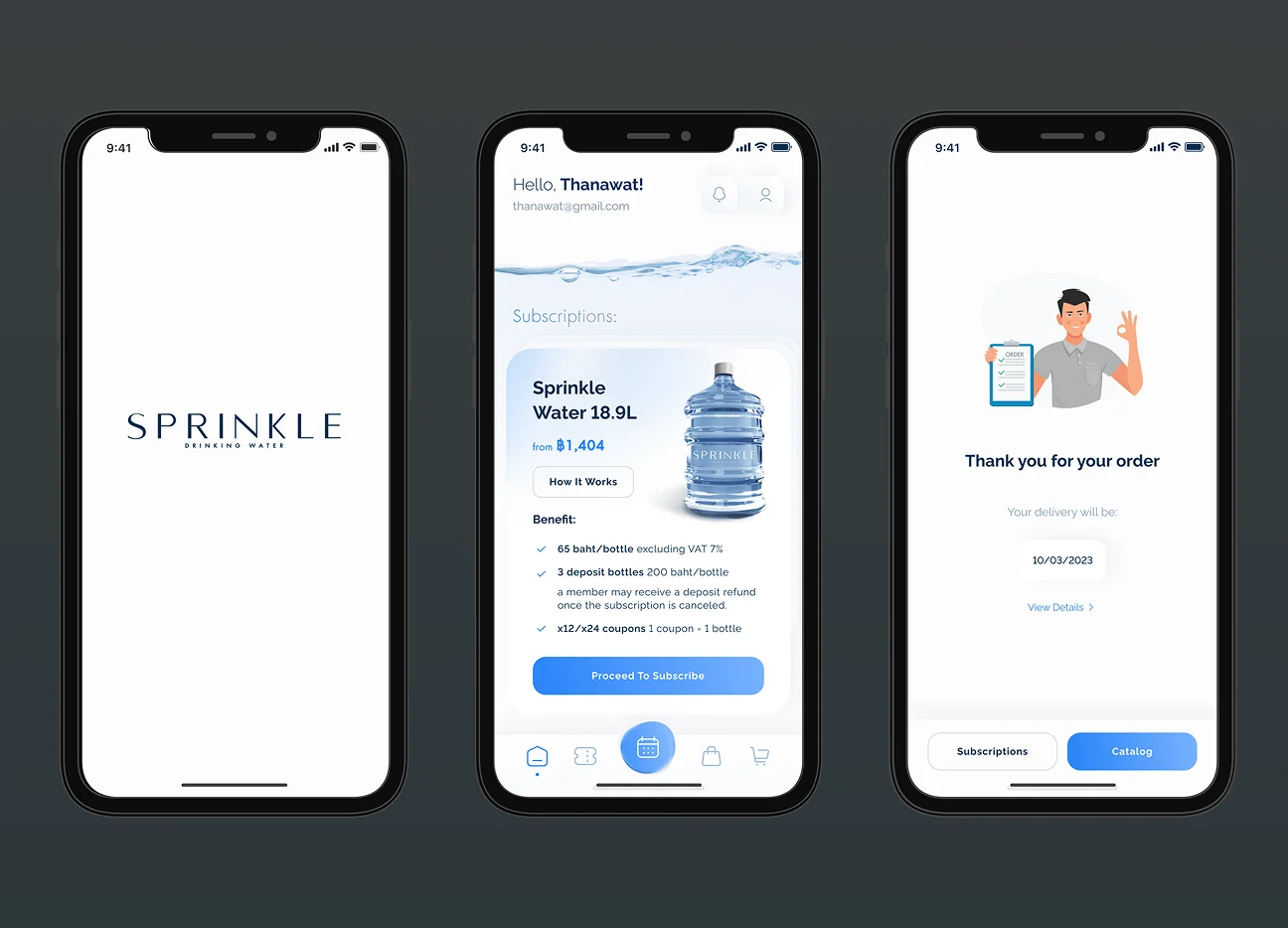
The system maintains an extensive log of each client’s history, which has helped with support follow-ups. The website was also optimized for performance and is both faster and more robust. It's now optimized for use on desktops as well as mobile.
With these enhancements came 75,000+ new users and a 50% drop in the delivery costs.
Here you can learn more about how SapientPro transformed Sprinkle through its operations and user experience.
Partner with SapientPro to Build Your Own CRM Software
As you grow your customer base, you’ll eventually want a more advanced CRM system that will help you improve and automate your sales. Our engineers create custom CRM solutions that not only perfectly fit business processes but also work as your personal assistant.
You’ll get everything needed for your workflow:
- Lead and contact management;
- Sales pipeline tracking and forecasting;
- Marketing automation and email campaigns;
- Customer support and ticketing systems;
- Analytics dashboards and custom reporting;
- AI-powered recommendations and insights;
- Workflow automation and task management;
- Third-party integrations (ERP, payment systems, APIs);
- Mobile access and cross-platform support;
- Data security and role-based access control.
We can scale the solution as your business grows, supporting you at each step.
Talk to our experts to get an estimate and improve your customer management with SapientPro.
Build Your Custom CRM Today
SapientPro's engineers will provide a detailed estimate for your requirements.