All 15 Best Open-Source CMS Platforms: Features, Integrations, and Custom Capabilities
February 7, 202615 min read


Almost all websites now need a good CMS on the back end. A custom content management system is no longer just creating and publishing pages. It's capable of including full website design, AI-powered features, search engine visibility, and making a user experience better.
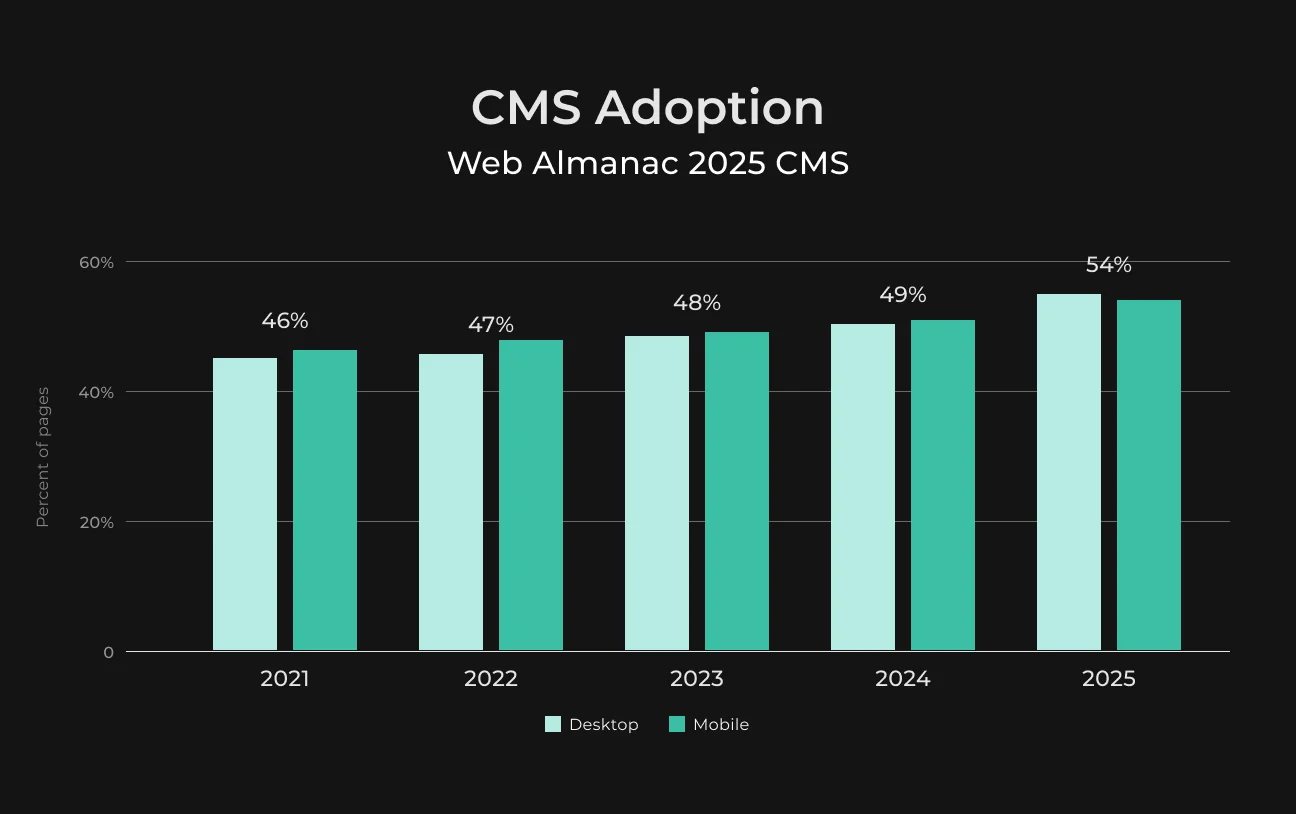
In 2025, more than half of all websites had a CMS.
In the case of more complex and custom-built websites, a CMS is necessary to make sure everything runs smoothly — and that users can actually do what they’re supposed to (instead of being slow and unmanageable).
Choosing an open-source headless CMS allows companies to maintain greater ownership over their digital content. That lets them customize and scale freely, without concerns about licensing costs.
In this article, we’re looking at the best open-source CMS options out there. Our experts provide all you need to know about how to make your own content management system without learning to code.
Key Takeaways
Here’s a quick look at the best 10 CMS platforms, and their benefits and drawbacks that have set them apart.
CMS Platform | Pros + | Cons - |
WordPress |
|
|
Drupal |
|
|
Joomla |
|
|
Strapi |
|
|
Chost |
|
|
Magento (Adobe Commerce) |
|
|
Craft CMS |
|
|
Shopify |
|
|
Grav |
|
|
SilverStripe |
|
|
What Is CMS Implementation and Why Is it Important
A CMS is kind of a central point for creating and managing web content. Teams can easily create, review, and publish updates on websites, mobile apps, or other platforms using a CMS. And there’s no need for custom work each time.
High-end CMS products also connect to DAM (data asset management) systems and marketing workflows to prevent the same content from getting reused.
They also ensure a consistent look globally, among other uses.
One particular benefit is the real-time content editing and preview function that lets users see what their final work will look like prior to release.
This reduces the effort required during production and approval.
A CMS connects to your digital asset library so you don’t waste time updating and duplicating resources.
Why Use an Open-Source Headless CMS
Without open-source software and the ecosystems that support code development, companies would have spent approximately 3.5 times as much to create their own versions of software and platforms, or about $8.8 trillion.
An open-source headless CMS works with APIs to serve content to any device. While a regular, traditional CMS is bound to certain templates that cater to desktop and mobile browsers.
Classic CMSs need complex coding to show content on web browsers, while a headless CMS simply uses API calls to send content directly.
The market is moving so rapidly, and open source makes it easier for enterprises to be agile. The flexibility of open-source systems means companies can avoid being locked into proprietary vendors or systems.
Companies can switch applications or change code to better suit business needs.
And companies value not only the flexibility of open-source software but its ecosystem as well. It’s basically about ensuring that we can build a thriving developer community that is able to innovate and push the boundaries of open-source technology.
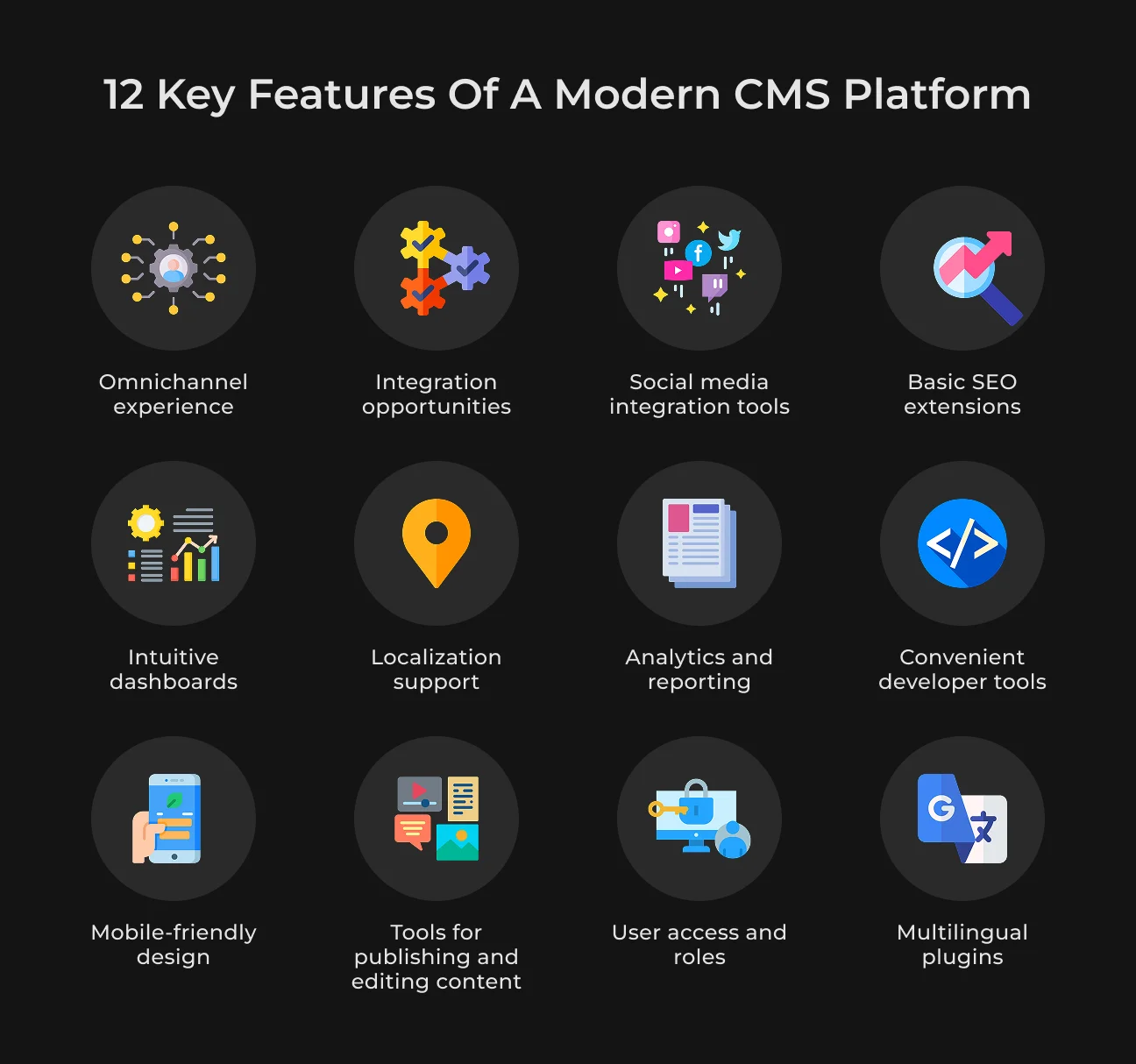
Main Features of a Modern CMS Platform
When you decide on a CMS, the relevant question to ask yourself is, what are the goals of it?
Is it selling products online, blogging, or providing services?
No matter what your need is, these features must be present in your CMS platform.
1. Omnichannel Experience
The brands people engage with are just about anywhere they seem to be, from websites and mobile apps to social networks and email, you name it.
An omnichannel CMS can help you publish to all those touchpoints without making it seem like the same exact effort, many times. This means your users get the same flawless experience no matter what they are using.
2. Intuitive Dashboards
You should look for a CMS that has a feature rich backend dashboard, which makes site management easy to do. The majority of (source and paid) CMS options have plugins available that will drag real-time data, like online sales or user comments, to one place.
3. Mobile-Friendly Design
Google crawls websites to index and rank them based on its mobile version — with a smartphone agent. This is called mobile-first indexing.
If you’d like to maintain or even improve your position on searches, ensure that you choose a responsive design that works across all devices — mobile phones, tablets, and computers. Bad mobile experience can make users go somewhere else for services or products.
4. Integration Opportunities
Implementing some other functionality on your CMS website is a simple process with plugins. These integrations enable you to link other products or services. Offerings might also include business tools, payment solutions, carriers (shippers), and browsing off of other sites. WordPress, for example, has over 65,000 plugins.
If your site captures sales leads and is not tied into your customer relationship management (CRM) software, then those two systems need to be manually updated regularly.
5. Localization Support
If you want an international audience, you will have to communicate in their language. Your CMS needs to enable content across locales, which will allow you to provide the content and customer service in the reader’s native tongue.
A traditional CMS may need to duplicate content manually in different languages. This can delay the post, because content is pending at different moments.
How we Built a Real Estate Management Platform
SapientPro created a solution with KYC features and detailed property management.

6. Tools for Publishing and Editing Content
Many older or large CMS platforms depend heavily on engineering teams for even small content updates. Meanwhile, other CMS systems are so flexible that editors might feel overwhelmed. It's crucial to check what editing and publishing options are available, especially with visual building tools.
7. Social Media Integration Tools
A solid CMS can boost your social media presence with every post. Such platforms have built-in social media integrations for showcasing posts and photos on your site.
Connecting social media accounts to your CMS, either directly or through plugins, keeps your content fresh. For example, posts from Facebook can automatically be fed into your site.
If your CMS does not include social media integration, you’ll have to physically post content on each platform and have links to your social pages on your site for visitors.
8. Analytics and Reporting
A modern CMS should make processing content simple, even complex datasets. You also want to be able to view user activity across multiple interfaces for reporting. As that can help you gauge engagement rates, performance, conversion rates, etc.
The key here is understanding which content is performing well in terms of engagement on specific pages. So that you can refine your products to make them more appealing to potential leads.
9. User Access and Roles
Defining distinct user roles is always helpful in your CMS for setting up access. Usually, there is one or two people with open admin access. This reduces the potential for errors or security breaches. It also makes troubleshooting easier for when we have to figure out what happened.
Even if you are the primary user and editor, at some point you will probably want to bring in a content writer or web designer. Role assignments allow you to grant temporary access to new users for a specific project and then reassign the rights, which is quite secure and effective.
10. Basic SEO Extensions
If you’d like to optimize your site for organic marketing or lead-based sales, then you will want to focus on search engine optimization (SEO). Just posting on the web isn’t enough.
SEO tools can scan your content for keywords, optimize images, and have other useful features to enhance the SEO potential of your site. For example, your CMS should enable you to customize the URL of every page rather than going with a default title.
11. Convenient Developer Tools
When selecting a CMS, consider how it supports your teams to prevent them from using separate, disconnected tools. A good CMS empowers content managers and editors to manage tasks independently, which saves developers time.
To support developers, it should provide tools like content migration features, a custom command line interface (CLI), and DataSync tools to reduce API calls.
12. Multilingual Plugins
Creating multilingual content that you can add in your CMS, your website becomes accessible to users worldwide. This will have a positive impact on your global SEO and increase conversions.
A number of open-source CMS options support multilingual plugins. These plugins are capable of translating your site automatically with the use of artificial intelligence.
15 Best Open-Source CMS Platforms in 2026
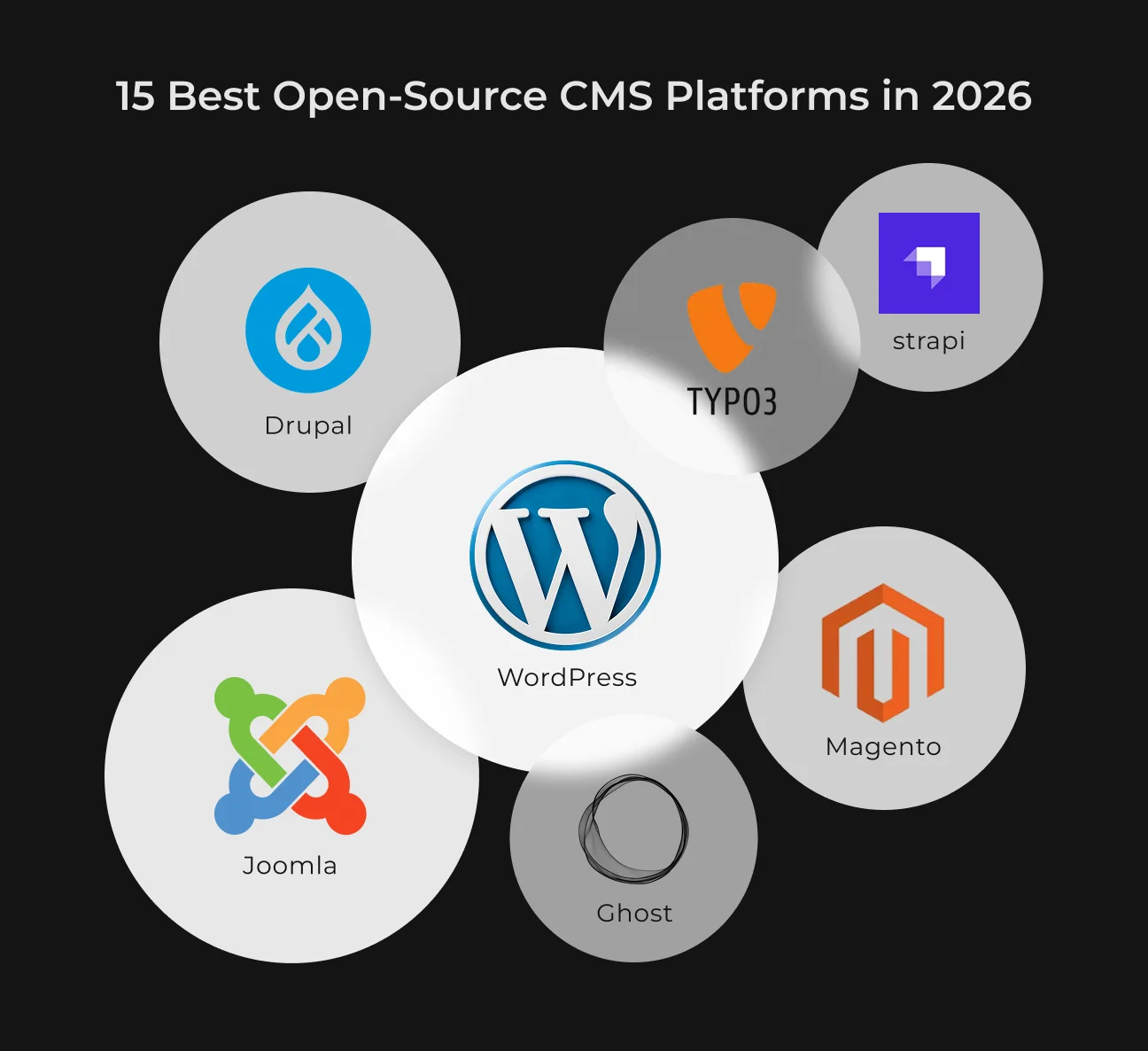
If we look at the top 10,000 websites, WordPress is the preferred choice for 58% of CMS users. Drupal is deployed by around 6–7%. Check out some more open-source CMS platforms you can use in 2026.
1. WordPress
WordPress is the world’s most widely used open-source CMS. It powers over 43% of the entire internet. WordPress is also bundled with a variety of plugins and themes, which are ideal for everything from blogs to e-commerce sites.
You may start with a free plan or choose a paid pricing plan for extra features and plugins. For instance, the Premium model lets you create a unique website with advanced design tools for as low as €8 per month.
2. Drupal
Drupal is open-source software for businesses for creating and editing websites of all types — from mall sites to large corporations. It’s easy to use and available in several languages.
Drupal is free to use. Total fees usually vary according to hosting and CMS development requirements. Small websites can usually pay between $100 and $500 per month. Enterprise-level plans are more expensive, like from $2,000 to over $10,000 per month.
3. Joomla
There are thousands of free, easy-to-install add-ons and templates available for Joomla. So you can configure your site just how you like.
A Personal subscription costs $99 per year. The Business subscription is $199 per year and covers up to 5 websites. While the Agency plan costs $399 per year and includes unlimited websites.
4. Strapi
Strapi is a headless CMS that allows developers to build their own APIs for all kinds of applications. It is flexible, highly customizable, supports both REST and GraphQL, and has a great plugin system.
For example, by using Strapi development services, some companies automated over 80% of their SEO page creation. This allowed their content teams to concentrate on writing without needing help from developers.
Strapi custom development offers both free and paid plans. The Essential plan is priced at $18 per project each month, and the Pro plan — at $90 per project a month.
5. Magento Open Source (Adobe Commerce)
In Magento Open Source, you will find everything necessary to build and manage a customized Magento store. This open-source e-commerce solution is perfect for small to medium-sized businesses.
Adobe Commerce doesn’t charge a fixed license fee. Instead, it's based on a tiered system that relies on your store's Gross Merchandise Value (GMV), or annual store revenue sum.
6. Ghost
Ghost is an open source platform for modern publishers, independent writers, and journalists. It comes with subscription management tools, the ability to send email newsletters, and audience engagement analytics.
It can be hosted by yourself at no cost or on a paid hosting plan for as little as $9 per month.
7. Typo3
TYPO3 is a powerful CMS for large websites, and it's flexible and provides multilingual support. It’s powered by a system that actively encourages volunteer participation while fostering a responsible commercial ecosystem.
TYPO3 is open source, so there are no extra fees beyond the CMS itself, its platform, or add-ons.
8. OctoberCMS
OctoberCMS is a simple and easy-to-use website template for web developers. It's a perfect one for those who are just starting and can use it in personal or commercial projects.
One year’s worth of updates is included in the free version, and you can extend that for $39 per year.
For agencies or organizations managing multiple projects, an unlimited license subscription is available for $26 per month. This offers excellent value for managing several websites at once.
9. Shopify
Shopify is an easy-to-use e-commerce website builder that offers businesses the opportunity to design and manage their online store. It has affordable plans, good-looking designs with many features, and strong sales capabilities for a new business selling products online.
You can try it free and then opt for the Basic plan at €19 EUR per month, paid yearly. The first three months are only €1 per month. There are also advanced pricing models for teams and agencies.
10. Craft CMS
Craft CMS is perfect for developers and content authors alike. You can create your own types of entries and custom fields to fit your content.
Craft CMS is free if you are building a site for personal use. For team projects, it’s from $279 per project. The Pro plan costs $399 per project for a professional, enterprise-grade website.
11. SilverStripe
SilverStripe is a quality framework and CMS for websites. More than 400 freelance developers and agencies have already registered there.
There is no installation fee, and users are not required to pay license fees. The regular expenses include building, hosting, and maintaining.
12. Grav
Grav is a fast, simple, and flexible flat-file CMS. It provides flexibility through its robust APIs and advanced Package Manager.
And since Grav is an open-source project, it’s completely wide open for anyone to suggest ideas and contribute. You can also support Grav by buying their Premium plugins, themes, and skeletons.
13. Wix
Wix is a website builder and content management system that offers over 800 templates (with the option to build from scratch) and an easy-to-use, drag-and-drop engine for creating websites.
You can begin for free with Wix and upgrade when you’re ready. There are a bunch of plans to pick from, like Business Elite (for $159 a month), Business ($39), or Light ($17).
14. Pimcore
Pimcore’s Digital Experience Platform (DXP) integrated traditional and headless management, enabling pain-free content distribution wherever it is needed. It is a WYSIWYG and lets users edit pages like in a word processor, supports multiple languages, and has rich media management.
Pimcore offers annual licenses to suit different needs. For instance, a Professional license is priced at $9,900 per year. There are also more expensive Enterprise and PaaS (platform-as-a-service) licenses that offer a wider range of features.
15. Concrete CMS
With Concrete CMS, it’s easy for designers and developers to set up and manage a complete content workflow. It gives you a pleasant editing experience with in-context editing and has an extendable architecture to fit many applications.
The Starter hosting plan is ideal for personal projects and costs $4.99 per month. For a team managing a website, the Business plan is available at $19 per month.
Custom Integrations for Your CMS
SapientPro's team can help you implement any tool into your system.
CMS Integrations to Consider in Custom CMS Development
In building a CMS, it’s handy to take some time and build tools that help the system work faster and make users' lives easier. Some key CMS integrations include:
| 1. Analytics and tracking | Services such as Google Analytics will give you detailed stats and reports about traffic, user experience, and conversion rates. |
| 2. SEO Tools | Yoast SEO and other similar plugins optimize content for search engines. |
| 3. E-commerce solutions | Scalable open-source e-commerce solutions like Magento and Shopify. |
| 4. Email marketing | Companies can use tools like Mailchimp or Sendinblue to create, send, and track their email campaigns. |
| 5. Customer Relationship Management (CRM) | Cloud-based software like Salesforce, HubSpot, or Zoho CRM with sales and marketing features. |
| 6. Security tools | SSL certificates secure the data between users' browsers and your site. |
| 7. Backup solutions | With plugins like UpdraftPlus or BackupBuddy, you can set up recurring backups. |
| 8. Contact forms | Forms like WPForms have drag-and-drop form builder capabilities. |
| 9. Payment gateways | Stripe and PayPal securely accept online transactions. |
| 10. Caching and performance | Cache plugins like W3 Total Cache or WP Rocket. |
| 11. Content Delivery Network (CDN) | Cloudflare and Amazon CloudFront provide CDN coverage. |
| 12. Live chat and customer support | Fully integrated suites for customer support like Zendesk, Intercom, and LiveChat. |
| 13. Events and booking | Plugins like The Events Calendar provide a simple interface for managing events. |
| 14. Advanced page builders | Elementor or Divi Builder allows you to create custom pages. |
| 15. Advertising and monetization | Integration with Google AdSense can help you make a profit from your site. |
How SapientPro Helps You Get a Custom Content Management System
SapientPro’s team has developed multiple content management systems that were fully customized to our clients’ needs. Each project starts by researching your business needs and finding the best approach to provide a powerful solution.
That’s why our clients get scalable, secure, and user-friendly systems.
Here are SapientPro’s principles when developing a custom CMS:
- We use the most modern technologies that cover all your needs;
- Our designs are focused on a user-friendly UI that allows the easy management of content creation and distribution for both admins and users;
- We build custom CMS solutions that are reliable and stable. They can be easily scaled up if you need more functionality.
SapientPro engineers develop APIs for your CMS and other systems to communicate with each other. So that the data is always correct and your operations are efficient.
We can also customize out-of-the-box platforms to align better with your workflow for greater platform performance and user experience.
Partner with SapientPro for Custom CMS Development Services
By collaborating with SapientPro for CMS solution development, you can get full control over your content. We provide simple tools that help you create digital content quickly and easily, available anytime. Here are some of our previous case studies:
- Securing €6M in Investments for a Talent Startup
- Real Estate Management & Insurance Platform Development
- Smarter CRM & Stronger Brand: Sprinkle Digital Upgrade
Our offer is a complete package that includes all you need for the integrations and features to make a solid platform. We also offer ongoing support and maintenance for ultimate success.
SapientPro delivers a robust and flexible system to take your content strategies and business growth to another level.
Contact us to talk about your project.
Build Your CMS with SapientPro
We can help you set up an existing or develop a custom CMS for your business.