All
Guide to Custom Strapi Development: Scaling Your Content Infrastructure in 2026
June 26, 202615 min read


Traditional CMS systems are outdated.
They have less flexibility for specific use cases: custom APIs, validation, or content stuff.
So, if you're a content creator (or developer) searching for the right tools to enhance your workflow with an effective CMS, turn to a headless one. Strapi is one of those great solutions that solves all the issues of traditional content management systems.
Strapi lets you customize as much of your CMS to suit your needs. It was recently rated the 4th fastest-growing headless CMS software and has 11,808 current customers.
In this article, we’ll take a look at Strapi development services, cover the pros and cons, and tell you how to integrate it into your development strategy. Let’s dive in and find out what exactly this CMS has to offer.
What is Strapi Headless CMS?
WordPress works until it doesn't. The themes and plugins cover a lot of ground, but the architecture assumes your content lives on one website. If you're pushing content to a web app, a mobile app, and a third-party platform at the same time, a traditional CMS starts creating more problems than it solves.
Strapi is a headless CMS: the content layer is fully separate from whatever displays it. Your content sits in Strapi; a public API delivers it wherever it needs to go. The frontend — Next.js, Remix, Astro, or anything else — pulls from that API and renders independently.
That separation also keeps your content clean. No HTML embedded in body fields, no presentation logic mixed into your data model. When you migrate, update, or switch frontend frameworks, the content structure stays intact.
Pros of Strapi Headless CMS
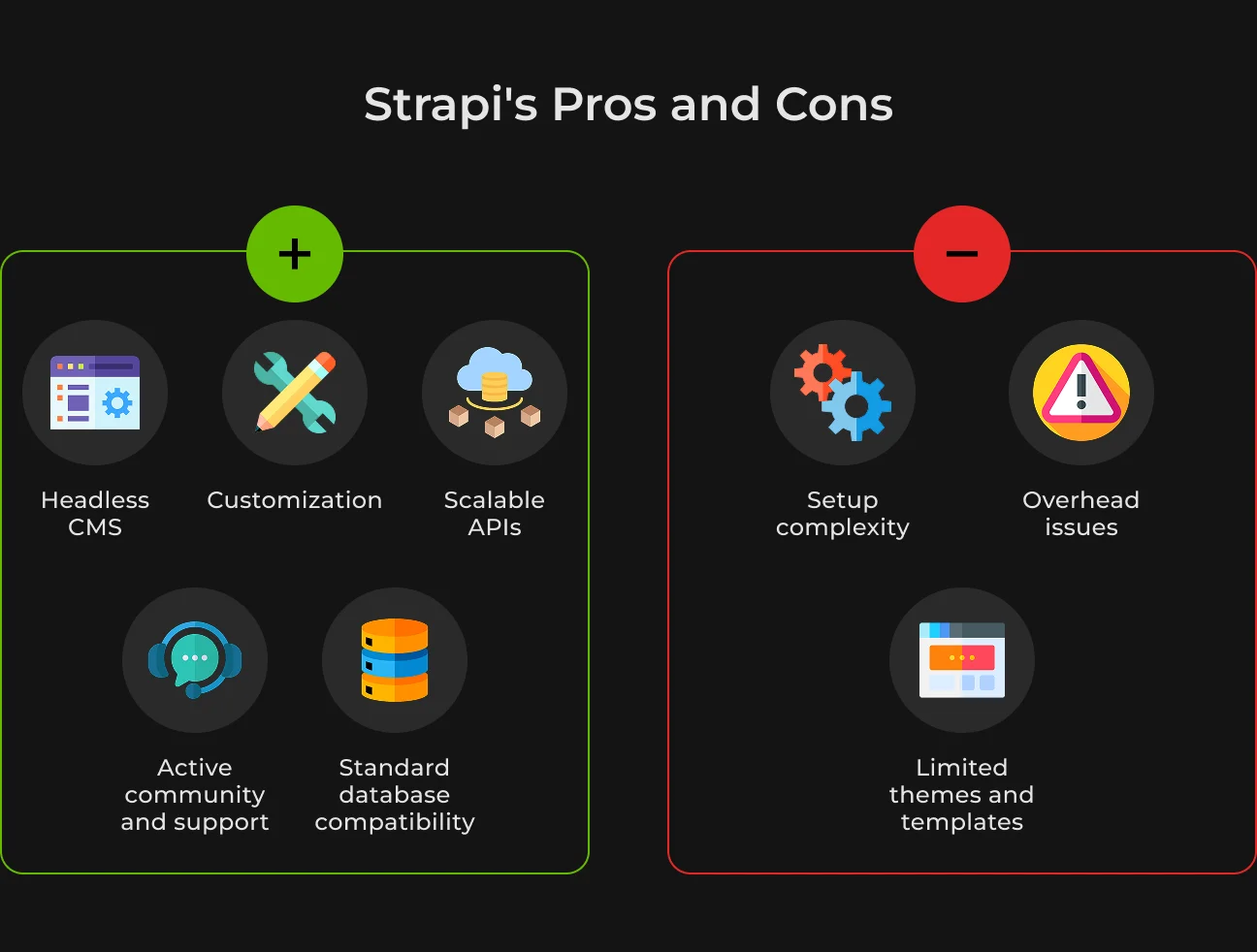
Strapi has 70K+ stars on GitHub. But like any modern tool, the platform has its pros and cons. Let's find out why Strapi is growing more popular among companies.
- Headless CMS. Strapi is the most advanced CMS to build an API. This frees us to use the best tool for a given project without compromising any other aspect;
- Customization. With custom plugins, you can create unique solutions without having to modify the core;
- Scalable APIs. Strapi comes with built-in RESTful & GraphQL capabilities, so you get the right data where you want;
- Active community and support. Being an active community, you have plenty of sources, tutorials, and forums for help;
- Standard database compatibility. Strapi is compatible with all popular databases (such as SQLite, MongoDB, and Postgres). So, you can adjust the scale of your project (including an enterprise).
Cons of Strapi CMS
Let's look at the downsides below.
- Setup complexity. Strapi is developer-friendly. But it still needs to be managed and tailored. This may not suit those who want a simple plug-and-play solution;
- Limited themes and templates. As opposed to other CMS platforms with plenty of themes and templates available, Strapi offers theming for the frontend instead. This means you have to do a bit more custom building on the front end;
- Overhead issues. The complexity of Strapi may be a bit too much for small projects or personal blogs. Specifically, when competing with some lightweight CMS solutions.
Despite these downsides, Strapi is still ahead in the headless CMS category, thanks to its flexibility and 100% focus on what the dev experience should be for you.
Main Features of Strapi’s Headless CMS
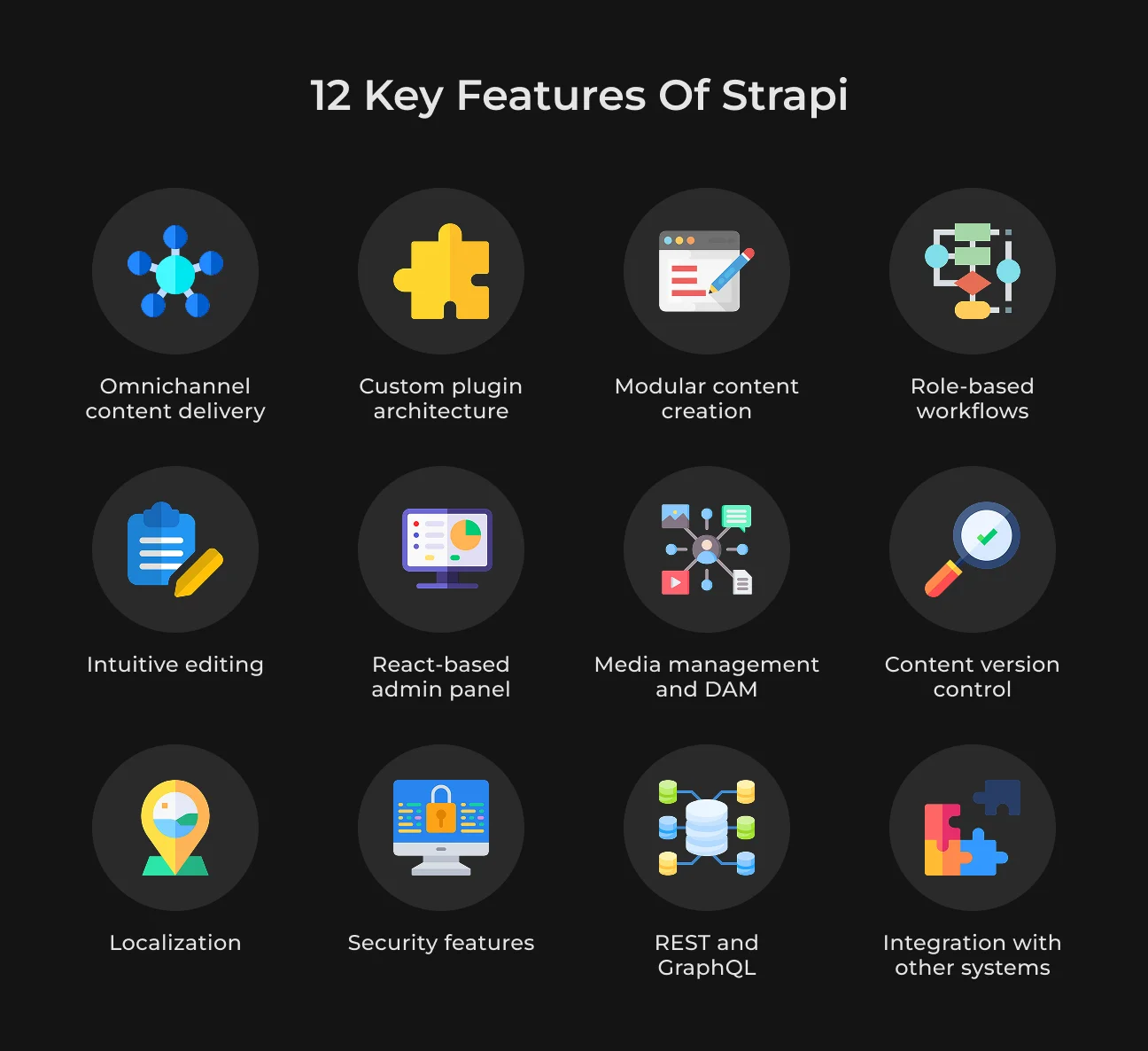
Strapi provides the leading open-source platform while maintaining a powerful, intuitive, and user-friendly UI. This is what makes it a perfect choice for any type of project. Check out Strapi headless cms features that make it possible for effective content management.
1. Omnichannel Content Delivery
Content delivery across all platforms is what we call omnichannel. With this type of plan, you only produce your content once and distribute it to websites, mobile apps, IoT devices, and other channels without doubling your effort.
That’s thanks to an API-first headless Strapi CMS model, which detaches content and the way it is displayed. This content sharing is as simple as using standardized APIs everywhere.
2. Role-Based Workflows and Collaboration
Behind the scenes are teams who write, edit, and publish content to keep it all running. In Stripe, the permissions associated with these roles are explicitly defined to ensure everything works flawlessly.
Strapi will allow you to restrict who can or cannot create the content types at the API level.
3. Media Management and DAM (Digital Asset Management)
Dealing with multiple images, videos, PDFs, and other assets across multiple campaigns can get hard. Without something like a centralized set of approved materials, users are spending time and energy hunting for assets to approve. Or they use old, repetitive resources to recreate the same things that already exist.
This is something Strapi makes easy with its Media Library, a feature that puts all your assets in one place. The platform also includes an AI Media Library that optimizes assets uploaded with automatically created alt-text, captions, and tags for improved accessibility and SEO.
4. Security Features
Strapi secures its cache even further by implementing features like CSRF protection, CORS settings, and secured password hashing.
For businesses, it means more sophisticated security options like SSO integration, audit logs, and permission settings.
5. Custom Plugin Architecture
In Strapi, you can plug in various functions like authentication, internationalization, documentation, GraphQL, or email support. These plugins are basically independent modules and can be easily changed or disabled without affecting the basic system.
Strapi also allows developers to create their own plugins for third-party integrations, business workflows, or new ideas directly in the admin panel. These plugins can generate different new UI elements or integrate Strapi with other systems, e.g., CRM or payment gateways.
6. Intuitive Editing Experience
Editors should have tools that fit their needs, not complex database setups. Strapi’s content manager is a specialised tool made for editors. It comes with markdown support, WYSIWYG editors, and custom field types without technical configuration.
You can build custom fields fast, as well as combine content types and modify validation rules. What’s more, Strapi AI accelerates the process by generating content models based on natural language descriptions, existing project files, or Figma designs.
7. Content Version Control
Failing to verify the content you publish can lead to surprises. Strapi introduces Draft and Publish to enhance content management capabilities. This way, editors can change the content while the old one remains visible.
This is easily integrated into your frontend using custom preview URLs through the document service API.
8. REST and GraphQL
You can create APIs automatically in Strapi when you define a content type. Developers can avoid writing backend code and instead focus on building frontend components or integrations. These APIs are RESTful, and you can also get the content from various devices (mobile apps or websites).
GraphQL also serves as a way to make exact queries and speed up the way you access data in performance-oriented applications.
The GraphQL schema is updated if you change things on the content types. And the new fields are directly available for queries.
9. Modular Content Creation
If you continue to create the same content for different pages, it will be time-consuming. And if you need to make changes, you may run into consistency issues.
Modular content architecture allows you to build a block once and use it anywhere.
With Strapi's modular system, you can easily define content blocks that can be used in different types. Editors can construct pages with these blocks without developers’ help for every new page. This can also save time by minimizing the search for already existing content to reuse.
10. React-Based Admin Panel
Strapi’s admin panel is in React. So it's a more reactive application for your content editors or admins. It's a plug-in architecture that is easy for non-developers.
Editors can create types and entries, upload images and videos, and review content through drafts or revisions.
The React structure empowers developers to program their own views, custom fields, and attach external data from wherever it lives. You can even white-label the admin panel to match your organization.
11. Localization
For big projects, enterprise-wide internationalization is useful to house the translation process and monitor localization status. And it maintains continuity of content between multiple languages.
In Strapi, there's built-in internationalization support. It automatically links different language versions, allowing content management in multiple languages from a single platform.
Editors can confirm localization levels: which languages are available in released forms, where updates must be made, or if there is no translation at all.
12. Integration With Other Systems
As an API-first platform, your workspace can communicate with stakeholders' systems, increasing the efficiency in your workflow. The Strapi ecosystem includes pre-built plugins to set up integrations.
You can also create your own field types, admin sections, or even plugins. You're free to organize your content flow according to your business-specific requirements.
Backend Strapi CMS Development
Strapi makes backend development easy with its Node. js-based headless structure. It creates REST and GraphQL APIs for you based on the content types you set up. Let’s further explore how it works.
Node.js Foundation
Strapi is built on Node. js, with all the capabilities of server-side JavaScript. Node.js performance and scalability are what make it ideal for applications that have to handle hundreds of thousands of simultaneous connections.
Plugin-Based Architecture
Strapi is designed with a plugin system. It allows you to easily enhance features of Strapi or your application.
- Modular Strapi custom development. Strapi plugins can be easily added or removed, offering developers all the extension capabilities they need without modifying core code;
- Custom extensions. This method lets you easily develop custom features to meet specific needs. Plugins can include certain functions without affecting the entire system.
Using Strapi with PostgreSQL
Strapi offers multiple databases and supports Postgres, which has some significant benefits.
- Data integrity and reliability. With its good support for transaction properties (ACID compliance), PostgreSQL is reliable enough to manage complex transactions and preserve data integrity;
- Scale and performance. PostgreSQL handles large databases effectively and performs under heavy load.
Choose Strapi with PostgreSQL if:
- You have complex data needs that involve relational data with advanced queries;
- Your project requires strong data security, integrity, and transaction support;
- You expect your project to scale significantly and manage complex data structures in the future.
Build Your Strapi Setup With Us
We handle custom plugins, integrations, and access control — built for your workflow.
Strapi Plugins and Plugin Development
Strapi plugins are a way to turn up what the CMS does. In addition to the official Strapi development solutions, there are custom-made and community-made ones. Here's a closer look at how plugins are organized in Strapi.
Official vs. Custom Plugins
Official plugins, created by the Strapi community, offer built-in support and compatibility. Examples include authentication and email setup.
Developers can also make their own plugins for use where none of the official ones satisfy requirements. These custom plugins can add functionality unique to their application.
Common plugin use cases include:
- Authentication and security. Improve how users log in and secure their data with tools like OAuth or JWT;
- Data. Use plugins to handle complex data queries or integrate with external APIs for better data processing;
- Content management. Streamline tasks like managing media or supporting multiple languages.
Plugin Lifecycle
Here's how Strapi's plugin lifecycle looks:
- Installation. Use the Strapi CLI or the admin panel to add plugins and enhance functionality;
- Configuration. Adjust plugin settings in configuration files to suit specific requirements or behaviors;
- Maintenance. Easily update or remove plugins to keep your Strapi app flexible and free of technical issues.
Plugins also help your site connect to other third-party services such as payment gateways, CRM systems, or email marketing providers. You can build plugins to manage the data coming in and out, via APIs and webhooks, for better integration.
Admin Panel Extensions
You can modify the admin interface in Strapi, making it even more convenient for your users. Let’s say, if you want your team to monitor daily engagement stats, they might implement custom widgets on their admin panel.
It’s also possible to add external Strapi CMS development services to power the admin panel beyond its base capabilities. You might link content workflows to an analytics tool, schedule with a calendar, or include live support chat.
Modern Strapi Integrations
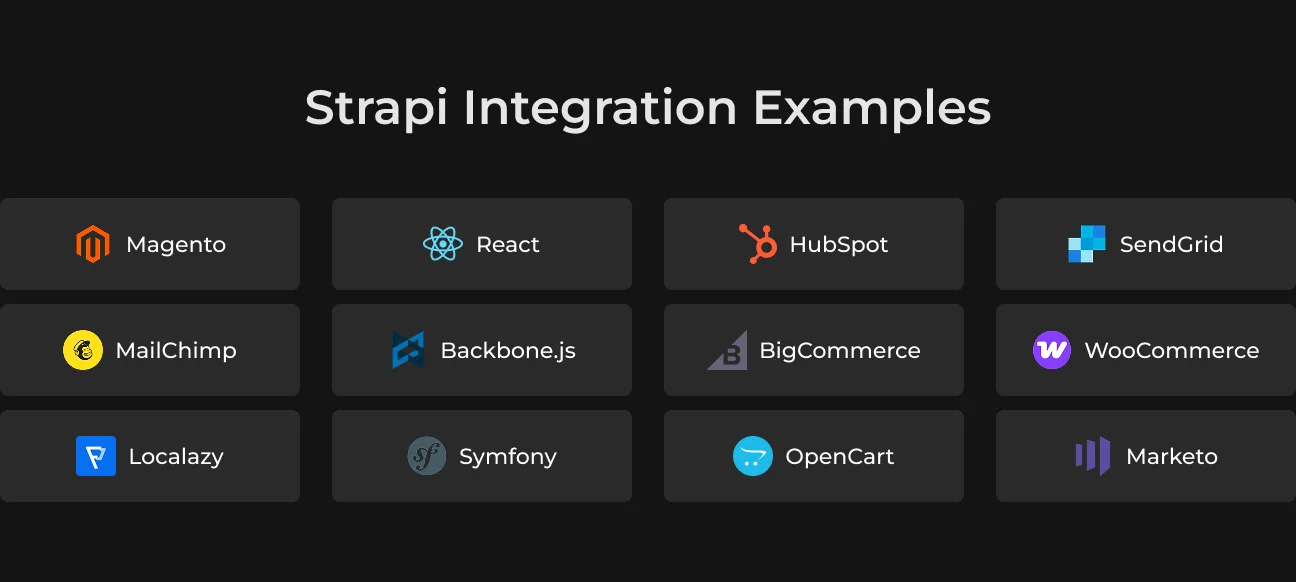
With Strapi being headless, it opens the door for a wide range of integration possibilities depending on your business requirements. Let’s take a look at some of Strapi’s latest integrations and how they can be easily applied by a tech partner like SapientPro.
Salesforce
One example is syncing Strapi with Salesforce, one of the top CRMs. This integration allows customer details to be auto-fed directly to your CMS. So sales and marketing have real-time insights right in their CRM.
Algolia
Algolia is an API for search on websites and mobile apps. You can improve your searching functionality by setting it as an input in your Strapi CMS. This means your visitors can immediately get what they seek, no matter if you sell something or produce content.
Shopify
In such a powerful combination like Strapi and Shopify, each does its own job. Strapi is responsible for content management on an online store, and Shopify runs the e-commerce side.
This enables companies to create a consistent brand experience on their digital channels. Product descriptions and campaign information can be managed in the same location.
Google Tag Manager
Google Tag Manager allows you to manage tracking scripts from a single web interface. You can take care of content modeling and API delivery in Strapi, while GTM manages the frontend analytics.
This configuration means updates in Strapi won't affect your analytics. And you can add or modify tracking tags in Google Tag Manager without modifying the code of your app.
GitHub
Developers can coordinate their team's code projects on GitHub. Having your Strapi projects connected to GitHub allows all of your code to be versioned. You can see who made what change, when, and for what reason — then simply rollback if necessary.
Branching lets your team develop more features at the same time, review code with pull requests, or just merge things when nothing’s broken.
SapientPro has valuable experience in developing unique solutions for your business by customizing integrations. We know Strapi inside out and can masterfully handle the intricacies. So all tools integrate flawlessly with your CMS for the best results.
Typical Strapi Development Workflow
Here's an easy-to-follow process for building SaaS applications in Strapi.
Local Setup
Start your Strapi project with a local setup. Ensure you have Node. js and npm to be used by Strapi. You can generate a custom new default project with an SQLite database as the platform for testing and prototyping.
Your local server is now up and running, so you can gain access to your admin panel. You can handle content types and add users here, and start building the API without any additional code.
API Testing
By default, Strapi automatically creates the API endpoints for your content types. You can drive your local server and play with these APIs by making http requests. Testing will provide trust that your API is working as it should and the requests are just right.
Strapi can work with GraphQL if your project needs it. You can easily activate it with a plugin, adding more flexibility to your queries.
Environment Configuration
To create powerful Strapi applications, you'll need different environments (development/staging/production). With Strapi, you can easily customize the various settings for each.
For Strapi website development, you can use a local database with extensive logging. In production, this means you’ll have fewer logs, sped up by a tool like PostgreSQL.
Strapi Deployment and Hosting
You can host your Strapi application on traditional servers or select the hosting platform you love. You can also use Strapi Cloud, the hosting platform specifically tailored for your Strapi app.
Here’s a quick guide suggested by the Strapi team:
- If you don't have a Strapi app yet, generate one locally (at least v4.8.2);
- Fill in some plugins or your own code if you want;
- Organize your code on a Git service, like GitHub or GitLab;
- Ship your app with Strapi Cloud.
Before you start, you will need these on your computer:
- Node. js. Choose from 18 or 20, as releases like 19 or 21 aren’t supported;
- Your preferred Node. js package manager. NPM (version 6 and above);
- Python. It's required if you use an SQLite database.
You have other choices for how to deploy your app, like using AWS, Azure, Google Cloud, or Heroku. The latest is one of the most common platform as a service (PaaS) that offers managed infrastructure and easy deployment.
Security Considerations and Vulnerabilities
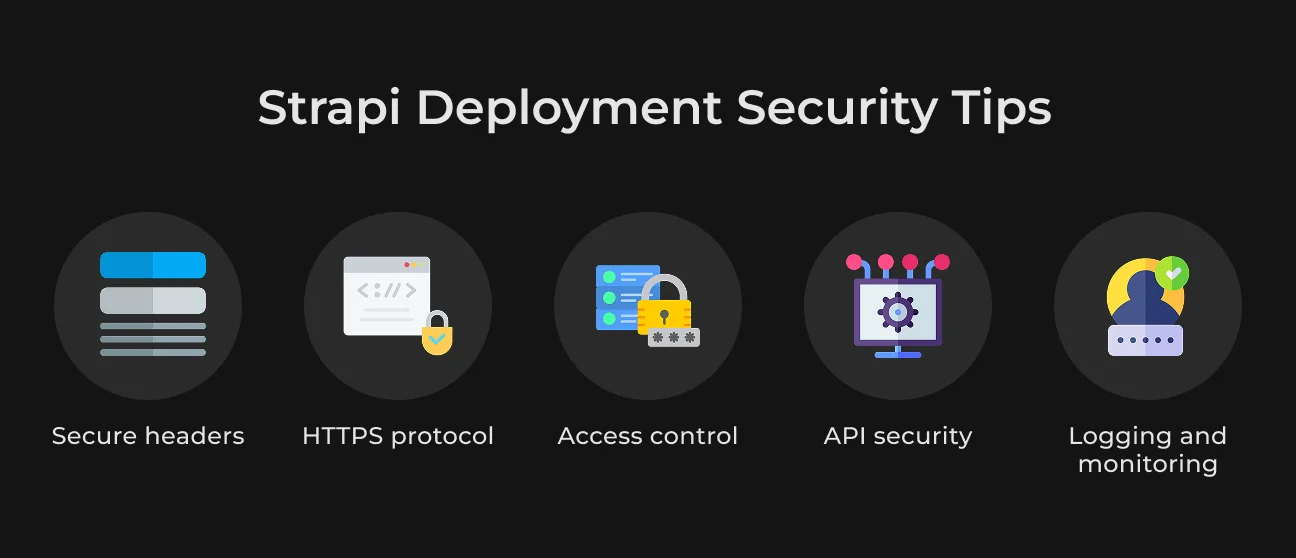
To lock down your Strapi deployment, we recommend the following:
- Secure headers. You can secure your app from XSS attacks by using security headers, e.g., content-security-policy, strict-transport-security, or X-content-type-options;
- Use HTTPS. Be responsible with your data and only send under https. Use Let’s Encrypt certificates or SSL offerings from your hosting;
- Access control. Set up role-based access control (RBAC) to avoid unauthorized access to the Strapi admin panel. If possible, employ 2FA for another layer of security;
- API security. Use JWT or OAuthto secure APIs, allow only authenticated requests;
- Logging and monitoring. You'll have to set up logging anyway. So you may check the requests or any unusual behavior with tools like Datadog or New Relic.
How SapientPro Integrated Strapi in Its Ecosystem
Strapi's default plugin set covers the obvious cases.
What it doesn't cover is where most real projects actually live — custom user group permissions, provider-agnostic AI integrations, content feedback tied to specific paragraphs. That's the work SapientPro has been doing on Strapi-based platforms.
On the access control side: we've extended the built-in RBAC with per-group content visibility, permission inheritance, and API-level policy checks. Editors see only what their role allows — no admin panel gymnastics, no separate middleware layer.
The custom plugins we've built and ship with client projects:
- AI integration plugin. Connects Strapi to any LLM provider. Prompts are managed from the admin panel, so swapping providers or updating instructions doesn't require a deployment.
- Glossary plugin. Syncs term definitions between the editor interface and the admin content entity. Useful when multiple teams are working across content types that share terminology.
- Content feedback plugin. Readers highlight a passage and submit feedback tied to that exact paragraph. Authors get notified; logged-in users can receive a reply.
- Search engine plugin. Supports interchangeable providers (Algolia, Meilisearch, others). You pick which content types and fields are indexed, and control when re-indexing runs.
- Analytics plugin. Tracks user sessions and search queries inside Strapi — no third-party service required.
- Knowledge base plugin. Tree-based drag-and-drop interface for managing category-article relationships. Built for teams running large documentation or support libraries.
- CKEditor extensions. Accordions, Tabs, Callouts, and hidden blocks that tie into the access policy system to show or hide content by user type.
As mentioned by Vadym Toporovskyi, Web Developer at SapientPro:
"With Strapi, the official plugin set gets you maybe 70% of the way there. The remaining 30% is always specific to what the client actually does — their workflow, their user types, their content structure. That's where we spend most of the interesting time. The AI plugin was a good example: the client needed to swap providers mid-project without a deployment. We built the provider abstraction into the plugin from the start, so now it's a config change in the admin panel."
Partner with SapientPro to Integrate Strapi into Your Workflow
Most CMS projects stall at the same point: the platform handles basic content publishing fine, but the moment you need custom user roles, third-party integrations, or content structures that don't fit the default schema, you're patching around the tool instead of using it.
SapientPro builds and extends CMS platforms to cover what the defaults don't.
What that typically involves:
- Custom plugin development for Strapi (AI integrations, search providers, feedback systems, knowledge base tooling);
- Access control systems beyond built-in RBAC — per-group content visibility, permission inheritance, API-level policy checks;
- Third-party integrations: CRM, analytics, payment gateways, search engines;
- Multilingual support and content localization (we rebuilt Easygenerator's site with full multilingual support);
- CMS migrations and legacy modernization — moving off WordPress or a custom-built backend without losing content structure.
Get in touch with our team to talk through what your project needs.
Need More From Your Headless CMS?
We extend Strapi with custom plugins, access policies, and third-party integrations.