
All AI for Coding Isn’t What You Think: Lessons from SapientPro’s Engineering Team in 2026
April 27, 202615 min read


AI in software development is doing more than speeding up coding. It is changing how developers plan, build, review, and ship software. Stack Overflow’s 2025 Developer Survey states 84% of developers use or plan to use AI tools for coding in their development workflows.
Still, AI does not remove the need for engineering judgment. It shifts the developer’s role from writing every line manually to guiding, checking, and improving AI-generated output. You have to be able to orchestrate multiple tools and technologies for a worthy result.
With tools like ChatGPT’s Codex and Claude Code, development often starts with natural language instead of syntax. Developers now spend more time defining tasks, reviewing logic, spotting weak code, and shaping AI-led workflows.
In this guide, SapientPro developers share how they use AI for programming in real projects — where it helps, where it fails, and what still needs human control.
How AI Entered Software Development
AI didn’t appear in development overnight. It moved in steps, and each one shifted how engineers work. But everything started with autocomplete. IDEs began predicting variables, methods, and whole lines. This saved time on typing but didn’t change how problems were solved.
Developers still handled architecture, logic, and debugging end to end.
The next shift came with AI copilots. Tools like GitHub Copilot introduced real code generation from short prompts or comments. GitHub reports up to 55% faster task completion, while early studies showed 85% of developers felt more confident and 88% stayed more focused when using it.
At this stage, developers began delegating small chunks of implementation. You could describe intent in plain language and get usable code back. Still, review and testing remained fully manual.
Now we’re seeing AI agents built on large language models. These systems go beyond suggestions — they can modify codebases, run tests, and propose changes during development.
The role of the developer shifts again: less manual execution, more control, validation, and direction of the system.
A Shift in How Developers Think
According to Vlad Opaets, Full-Stack Engineer at SapientPro, development workflows used to be fragmented — constantly switching between code, documentation, and search just to move forward, especially when dealing with unfamiliar areas.
With AI, that process has changed. Instead of breaking focus, developers can now query an agent directly and get immediate, context-aware answers.
Vlad also notes that AI expands the range of tasks developers are willing to take on. Work that once felt too time-consuming or outside their expertise, like infrastructure or new technologies, has become far more accessible.
At the same time, AI doesn’t replace real knowledge; it enables progress, as long as developers can critically evaluate the results.
How AI Changed the Way Developers Write Code
AI didn’t just speed things up — it changed the way developers actually approach coding.
From Manual Coding to Ai-Assisted Generation
Not long ago, building a feature meant starting from a blank file and writing everything line by line. Now the flow looks different. Developers begin with a prompt, get a draft, adjust it, and repeat.
Tools like GitHub Copilot or ChatGPT turn coding into a prompt–response loop. You describe intent, get working code, then refine it step by step until it fits the task.
Writing code is still part of the job, but it’s no longer the main effort. More time goes into reviewing outputs, fixing edge cases, and aligning the result with real requirements.
AI as a Pair Programmer
AI now fits naturally into the workflow as a second set of eyes. You can throw ideas at it, ask for clarification, or debug issues without breaking focus. It responds instantly and adapts to follow-up prompts, which removes a lot of small daily blockers.
This shows up clearly in routine work. As Andrii Unhurian, PHP Developer at SapientPro, notes, tasks like CRUD generation, database migrations, and test writing take far less time than before. What used to be repetitive effort is now handled in minutes, not hours.
AI isn’t flawless, so developers still verify outputs.
But as a support system, it cuts friction and keeps momentum steady.
Shift From Syntax to Logic
The bigger shift is in thinking.
Writing perfect syntax matters less than defining what the system should do.
Tools like NotebookLM help process large volumes of information with less mental strain. At the same time, AI speeds up research and experimentation — developers can test ideas quickly and build rough prototypes before committing to full implementations.
How Developer Workflow Actually Changed
The day-to-day workflow looks different now.
Before AI, solving a problem meant a lot of context switching. You’d search Google, scan Stack Overflow, read docs, test snippets, and repeat. It worked, but it took time and broke focus.
Now the loop is tighter. Developers describe the task to tools like ChatGPT, Gemini, or Claude and get a usable answer or direction right away. Fewer tabs, less switching, faster feedback.
The main shift isn’t just speed — it’s effort distribution. Less time spent searching, more time checking results. Less writing from scratch, more refining outputs. And instead of getting stuck on one path, it’s easier to test multiple approaches quickly and move forward with what works.
Andrii Unhurian shares a simple but very relatable example of how his daily workflow has changed with AI.
It used to be a very linear and lengthy process. I began with task analysis, then I would research — reading the documentation or searching it up on Google or Stack Overflow. From there, it was a matter of piecing together various solutions and adapting them to the final project, as well as ensuring that everything actually worked. Much of the work was spent on finding the best approach to do so.

Andrii Unhurian
Now, the flow looks different. The first thing (still) is to figure out what to do, but instead of doing long research, Andrii describes the problem and agrees on a solution with an AI tool, and then lets the agent produce working groundworks.
Instead of reading through multiple sources, I can quickly get a clear direction and move forward. It’s also much easier to work with unfamiliar technologies — what used to take hours or even days can now be understood much faster.
Andrii Unhurian
Andrii also notes that building small applications has become significantly quicker. Things that previously took weeks can now happen in days.
Nonetheless, he makes a crucial point.
AI is an incredibly powerful accelerator, but only if you have some sense of what’s going on under the hood. Like any tool, it functions best when used together with actual experience and expertise.
Andrii Unhurian
AI Tools Developers Actually Use (Not Just Trends)
These days, the developer stack isn’t just about frameworks and libraries — it’s increasingly influenced by the AI tools that assist, automate, or even co-pilot entire workflows.
But what tools do engineers use in the actual development beyond hype about them?
Let us analyze it from the perspective of practice.
AI Coding Environments
Agent-based IDEs like Cursor are becoming a new layer over code. Instead of just editing files, developers interact with the system through prompts, rules, and automated flows.
At SapientPro, this shift is already visible. As PHP developer Andrii Unhurian notes, Cursor works as a primary environment because it brings everything into one place — prompt handling, MCP setup, rules, skills, and even result previews in a built-in browser.
But he doesn’t lean on it blindly — final validation always takes place in traditional software like PhpStorm. This hybrid setup is common: AI handles generation and iteration, while traditional IDEs remain the ground truth for validation.
Andrii also points out an important shift: agent IDEs are no longer just assistants — they’re becoming a control layer, where developers orchestrate implementation instead of writing every line manually.
Claude Code (Terminal-Based Agent)
Full-stack engineer Vlad Opaets has fully committed to Claude Code as his main tool.
And his reasoning is practical:
- It’s editor-agnostic — works equally well with VS Code, JetBrains IDEs, or anything else;
- It lives in the terminal, making it always accessible regardless of setup.
He also highlights a standout feature:
You can start a session on your laptop and continue it directly from your phone.

Vlad Opaets
At the same time, Vlad emphasizes that real value doesn’t come from simple prompt — output usage. To get real benefits, you need to dig deeper.
Copilot (Autocomplete)
Even with the rise of agent-based tools, classic AI autocomplete hasn’t disappeared. Andrii still actively uses GitHub Copilot inside PhpStorm.
This shows us that not all innovations replace existing tools — some of the older AI solutions remain highly effective in their niche.
Supporting Tools
Developers are also using AI-powered analysis tools to navigate complex systems and large amounts of documentation.
For Andrii, NotebookLLM is a clear favorite. He describes it as indispensable when working with large projects full of internal logic, specs, and edge cases.
Instead of manually digging through docs, he uses it to:
- Quickly locate relevant information;
- Understand system nuances;
- Even consume content in audio format when reading isn’t practical.
This turns documentation from a bottleneck into a searchable, interactive resource.
ChatGPT / Claude (Ideation & Debugging)
When it comes to discussing topics, exploring problems, and brainstorming solutions, conversational AI is still key. ChatGPT meets 90% of Andrii’s day-to-day needs — from debugging the cause of non-obvious issues to generating ideas for implementations.
In more specific cases, he switches to Claude or even experiments with tools like Grok. The key benefit isn’t just answers — it’s iteration speed. Developers can test multiple hypotheses in minutes instead of hours.
AI Commits (Commit Generation)
Automation also extends into version control workflows.
To streamline commits, Andrii uses AI Commits, a plugin that analyzes code changes and generates commit messages based on prompts.
What makes it especially useful in his workflow is customization:
- Commits can automatically include task links;
- Change context is preserved;
- Future debugging becomes easier.
As he explains, this makes it simple to trace why a change was made, not just what changed.
A Broader Stack in Practice
Senior PHP developer Taras Hanych takes an even more exploratory approach. His toolkit features Claude, Cursor, Antigravity, Gemini CLI, Codex, and Bonsai — a trend becoming more common with skilled developers.
Rather than sticking to one tool, engineers build a flexible AI stack and use whatever works for the task at hand.
What This Tells Us
Across all these perspectives, one thing becomes clear. AI tools are not replacing developers — they’re reshaping how development happens.
- Agent IDEs introduce a new abstraction layer;
- Terminal agents enable environment-independent workflows;
- AI assistants accelerate thinking, not just coding;
- Supporting tools remove friction from documentation and versioning.
Or as Andrii’s experience suggests, the real power of AI isn’t in doing everything automatically — it’s in giving developers better control over complexity.
How AI Changed Key Development Processes
AI didn’t just speed things up — it reshaped how core tasks are handled.
1. Research
Earlier, research meant constant tab switching. Developers moved between docs, forums, and Google search results to piece together an answer.
Now, answers come directly into the workflow. You can ask inside your IDE or terminal and get context-aware responses without breaking focus. This keeps momentum and reduces time spent hunting for information.
2. Implementation
Implementation often starts with a generated base instead of a blank file.
Common tasks like CRUD operations, database migrations, or tests can be produced and adjusted quickly. Developers refine and validate rather than build everything manually. This shortens delivery time and helps move features into production faster.
3. Debugging
Debugging is now more structured and faster.
When the root cause isn’t obvious, AI helps narrow it down quickly.
Instead of trial and error, developers can get several likely causes in one interaction — usually a short list to check step by step. As Andrii Unhurian shares, this reduces guesswork and speeds up issue resolution, especially in complex cases.
4. Architecture and Planning
AI is also moving into higher-level thinking. Developers can outline a task and explore different implementation approaches before writing a single line of code.
As Andrii Unhurian explains, many AI tools for software development now include a planning mode.
In this mode, AI helps structure the problem and clarify the task before execution begins. With this kind of upfront planning, the results tend to be much more effective compared to working through scattered, one-off prompts.
You can also ask AI to clarify questions, which helps immerse yourself in the context. It is better to plan in detail once, describe specifications, rules, and skills, than to correct misunderstandings with the agent several times later.
The Real Benefits of AI in Software Development
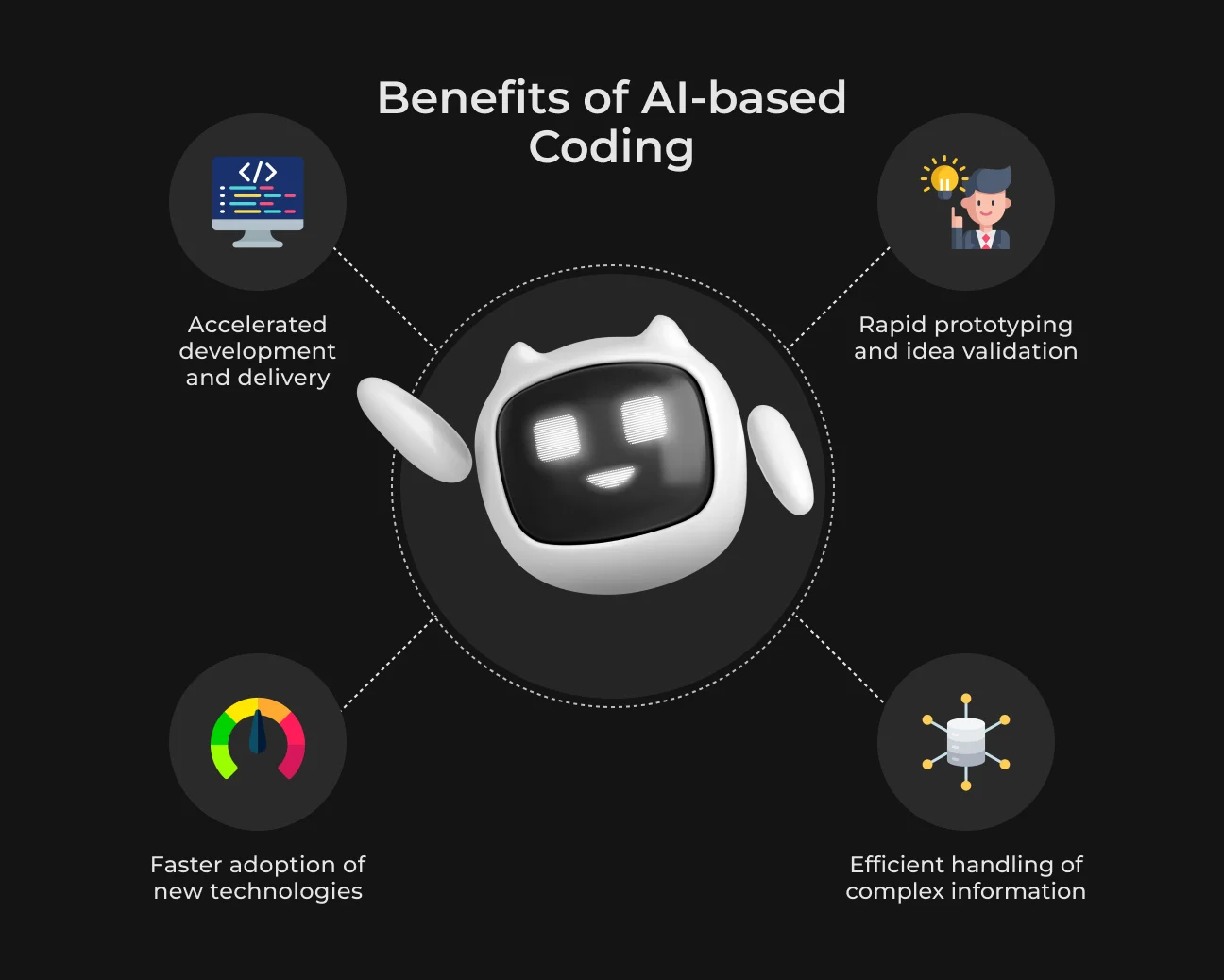
The real value of AI in programming comes in day-to-day workflows, where tiny accelerations compound into significant improvement.
Speed
Routine tasks, like generating CRUD operations or writing boilerplate code that once took hours, now take minutes to handle. This directly translates into faster delivery cycles and quicker iteration.
According to Senior PHP Developer Taras Hanych, the main advantage is speed.
But he also notes this comes at a cost — with everything speeding up, it’s easier to miss the important stuff. That balance is crucial. AI speeds up execution, but developers still need to be vigilant and discerning.
Working With Unfamiliar Technologies
AI substantially reduces the barrier to entry with new tools, frameworks, or languages.
This way, instead of taking days reading documentation, a developer can:
- Ask contextual questions;
- Get tailored examples;
- Iterate on solutions in real time.
This leads to easier onboarding into new stacks and a noticeably reduced learning curve. What had been a steep ramp now becomes the guided passage through which AI takes us as tutor and assistant.
Prototyping and Idea Validation
PHP Developer Andrii Unhurian highlights how AI enables rapid exploration of concepts and implementation approaches. Instead of debating ideas abstractly, teams can now build and test them almost instantly.
He shares real cases where clients used tools like Lovable to generate initial product concepts and arrived with working prototypes ready for further development.
This changes the dynamic entirely:
- Ideas are validated earlier;
- Feedback comes faster;
- Development starts with clearer direction
AI essentially compresses the gap between concept and execution.
Working With Large Amounts of Information
Modern projects encompass huge volumes of documentation, specifications, and organizational knowledge. It used to take a lot of time and mental bandwidth to navigate all of that.
Now, tools like NotebookLLM are redefining this process. Andrii notes that working with large volumes of information doesn’t seem so complicated anymore. Instead of manually searching through documents, developers can summarize complex materials and explore specific questions without reading everything.
In practice, documentation shifts from a bottleneck to an interactive resource.
Taras also points out, speed comes with responsibility. The real benefit isn’t just moving faster — it’s knowing when to slow down and verify what matters.
The Hidden Shift: Developers Now Spend More Time Thinking
One of the most meaningful changes AI has introduced into development is where effort is spent. Developers are no longer buried in syntax and repetitive tasks. Instead, more time is going into thinking, planning, and making decisions before code even exists.
Technical Design Becomes More Important
As AI takes over much of the implementation, the real leverage moves earlier in the process. The difference between a mediocre and a strong result is no longer how fast you write code, but how well you design the solution up front.
Senior PHP Developer Taras Hanych highlights this shift:
There is now real time to work on technical designs before implementation. It turns out that in practice, a well-thought-out technical design gives super advantages. I personally underestimated their importance before.

Taras Hanych
System structure, dependencies, or edge cases are taking longer for developers to code.
That upfront clarity pays dividends in fewer rewrites and more predictable results.
Prompting Becomes a Core Skill
Prompting is becoming an engineering discipline. This creates a new skill: developers improve not just code, but how they give instructions. The better the thinking behind a request, the better the result.
As PHP Developer Andrii Unhurian emphasizes, the way you formulate a prompt plays a huge role in how well AI understands the task. It’s not something that can guess your intent — clear context matters.
In his opinion, a well-structured prompt already solves more than 50% of the final AI impact on software development jobs.
Risks and Limitations of AI for Coding
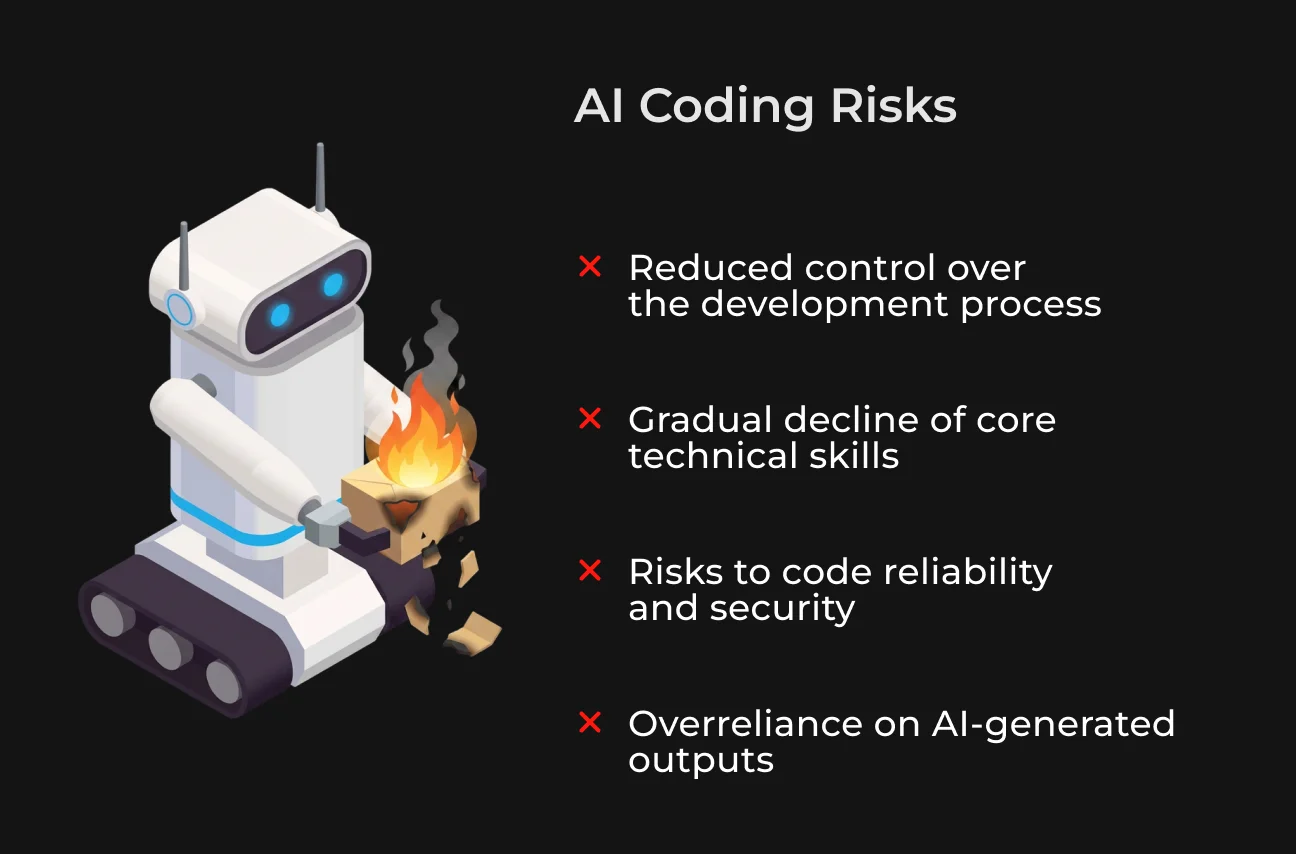
A recent study revealed that around 48% of code generated by AI tools included security vulnerabilities. AI-powered software development introduces new kinds of risks for which developers need to actively respond.
1. Blind Trust in AI
One of the biggest risks is how convincing AI can be — even when it’s wrong.
Andrii Unhurian highlights that trusting AI outputs too quickly is a serious mistake. Models often generate responses that look structured and confident, but may still contain incorrect assumptions or miss important context.
Full-Stack Engineer Vlad Opaets describes a common developer behavior: relying on the agent without checking the result. The output seems correct, so it gets accepted without verification, but hidden issues remain.
The biggest trap is to trust the agent without checking. You think it wrote it correctly and move on.
Vlad Opaets
2. Code Quality and Security Risks
AI-generated code is not inherently safe or production-ready.
Andrii explains that outputs may include logical errors, insecure implementations, or simply fail to account for the specifics of a real project. He mentions situations where developers executed AI-suggested commands without verification.
This results in serious issues like accidental data loss.
Because of this, his approach is strict: AI generates a draft, but every part of it is reviewed, improved, and validated with tests and code quality tools.
3. Knowledge Decay
Another subtle but important risk is the gradual loss of core skills.
According to Andrii, the speed and convenience of AI can lead to developers relying on it too much. Over time, this reduces the need to recall fundamentals, and those skills may weaken.
He says more developers are beginning to see this effect. The trick is not to replace thinking with AI, but to use it as a helpful tool. Otherwise, long-term expertise can decline.
4. Loss of Control
With agent-based tools, developers could also lose sight of what’s going on in the codebase. AI might rewrite working code, make changes that aren’t evident, or optimize only for the prompt context without long-term maintainability in mind.
Vlad points out that the agent will always optimize for the request it receives. If the task is poorly defined (or the result isn’t checked), the outcome will reflect that.
Will Coding Be Replaced by AI?
AI is fundamentally changing how software is written, but it isn’t taking developers’ jobs.
There are still critical areas in which AI falls short, for example,
- Deep business understanding. Of course, reading requirements is something AI can do — but it doesn’t know how to write for business objectives, user needs, or long-term product strategy;
- Responsibility and ownership. AI is not liable for decisions, risk, or outcomes. That, however, is completely down to the developer;
- Ensuring correctness. AI can write code, but it cannot change the fact that only human validation can always ensure that it’s correct, secure, or appropriate.
Dev leaders are becoming the ones who direct, approve, and take ownership of what gets built.
How to Use AI in Coding Effectively: Best Practices from Developers
AI has the potential to greatly increase productivity, but not without intention. Developers who find real value in it don’t simply use AI but design their work with it.
Write Clear, Detailed Prompts
AI responds directly to how you ask. The output is better when your prompt is more structured and contextual. Write prompts as though they are mini technical specs, not casual questions.
Use Planning Before Coding
Jumping straight into generation often leads to rework. Full-Stack Engineer Vlad Opaets recommends using planning mode before complex tasks — discussing the approach first, aligning on structure, and only then moving to implementation.
This reduces unnecessary refactoring and keeps the process controlled from the start.
Always Review Generated Code
Vlad emphasizes that reviewing code (especially in critical areas like business logic, security, and database changes) is essential. AI predicts, but developers must think. Catching issues early, even before pushing changes, prevents bigger problems later.
Keep Micro-Commits (Git Control)
PHP Developer Andrii Unhurian shares a practical approach: committing small, meaningful changes before letting the agent continue working.
He uses Git as a safety net, making micro-commits to save good solutions so he doesn’t accidentally overwrite working code.
This habit helps track progress, isolate changes, and maintain stability in AI-assisted workflows.
Advanced techniques
These are advanced techniques tested and proven by SapientPro engineers. And they’re worth adopting if you want to get the most out of AI for software development.
- Customize AI workflows. To unlock real value, you need to go beyond basic usage. Vlad explains that tools like Claude Code offer advanced capabilities. Skills, MCP integrations, and context management can be adapted to your workflow. Spending time understanding these features leads to better results;
- Manage context intentionally. As sessions grow, so does the risk of hallucinations and inconsistent outputs. Vlad notes that large context windows can cause the agent to lose track of the task. A practical approach is to reset sessions when they become cluttered and restart with clear, focused input;
- Stay within your expertise. Ignoring limits on your competence and not being able to check results is risky.
AI agents are not magic and do not replace the developer. They are a tool that strengthens the one who knows how to use AI in software development.
Vlad Opaets
Common Mistakes Teams Make with AI
Even experienced teams can use AI in ways they don’t even realize are harmful. Small habits like omitted checks and focus-filling sessions can turn the best tools into error generators.
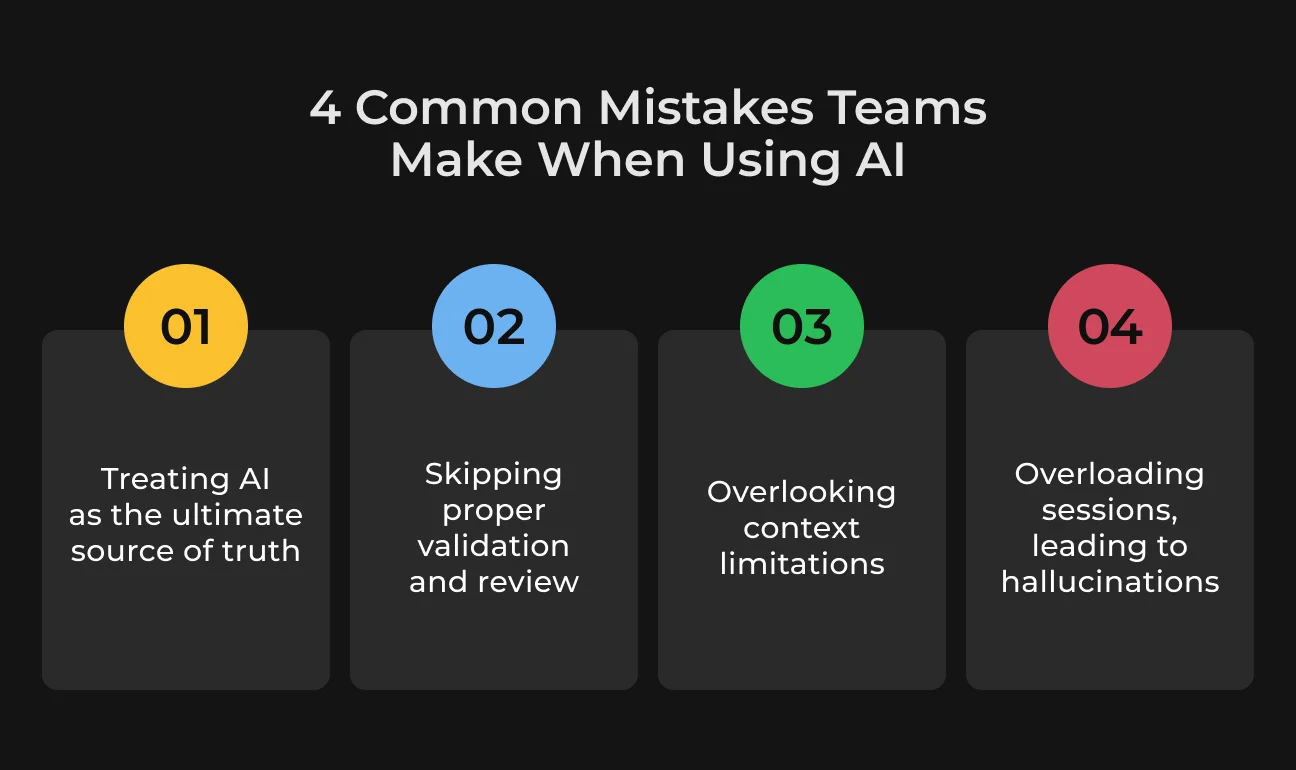
Here are the greatest mistakes not to make:
- Treating AI as the source of truth. Teams assume AI is always right because the output looks confident. In reality, it often just sounds correct before it is actually correct;
- Skipping validation. Generated code gets accepted without review or testing. This saves time upfront but creates bigger problems later;
- Ignoring context limits. AI doesn’t remember everything reliably. When context gets too large, accuracy drops, and inconsistencies appear;
- Overloading sessions (hallucinations). Long, cluttered sessions confuse the model. The result: contradictory answers, invented details, and unstable outputs.
How AI Is Changing Engineering Culture
AI is redefining the way engineering teams think, collaborate and decide things. What once took days of discussion, trial and error, could now happen in hours. All this has had an effect on the mindset of modern software teams.
Faster Iteration Cycles
Having less time between an idea and actual working code means faster updates, fixes, and more frequent upgrades. It also establishes a tighter feedback loop, allowing teams to react more quickly to user needs.
More Experimentation
Due to lower implementation costs, teams are more open to experimenting with ideas. With AI it’s easy to spin up prototypes, compare approaches and throw out whatever isn’t working without investing a huge amount of time.
AI-Assisted Code Reviews
Tools powered by AI are playing a role in enhancing how effective and consistent code reviews can be. Tools can flag potential bugs, recommend optimizations, and call out sections of code that may be considered code smells. All before a human reviewer ever sees the code.
Shift in Collaboration
Engineers have been using more AI pair programming. This changes team dynamics, minimizes dependency bottlenecks, and enables people to take up work closure to complexity while still being fast as a team.
Future of AI-Powered Software Development
We are entering a new era of software development where AI is a co-pilot in the way we build products. In writing code, forming architecture, and automating workflows, AI is changing not only the process but also the role of developers. Let's see what will define the future of engineering.
Autonomous Agents
Agentic AI will be able to address up to 80% of routine customer service requests by 2029, without the need for a human being anywhere in the process. This can also reduce operational costs by over 30%.
Today’s coding agents have long since advanced beyond simple chat-based assistants. Rather than having to wait for a step-by-step prompt, we can provide them with high-level goals.
And then reason together about how they translate those into low-level actions, design decisions, or plan experiments.
AI-Native IDEs
Unlike a plugin, Codeium or Cursor has AI built into its infrastructure, fundamentally shaping how developers work with code. AI-native IDEs understand context, generate entire flows of logic, and even assist developers navigating through obscure codebases.
So while traditional IDEs aren’t disappearing anytime soon, we’re seeing AI-native environments get a lot of traction in the meantime. They help junior engineers deliver at higher levels while freeing up experienced developers to spend more time designing systems and making decisions.
Human + AI Hybrid Teams
AI-fueled coding tools aren’t replacing developers, they’re creating new fronts for both engineers and software firms, according to Morgan Stanley Research.
Instead of doing rote coding, as engineers have done in the past, architects are about to take on more strategic roles — reviewing AI-generated code, integrating systems, and tackling complex problems. According to this shift, the developers are less coders and more decision-makers guiding intelligent systems.
As Andrii Unhurian puts it:
Before, a developer might write around 200 lines of code. Now, AI can generate 2,000 lines very quickly. That’s why control, review, and refining generated code to a high-quality standard have become more important. And you can always ask the agent to review that code as well.
Andrii Unhurian
Partner with SapientPro to Turn AI into Real Business Value
AI only works when it fits your workflows and data.
SapientPro’s engineers ensure you get a full-scale practical implementation covering everything from AI-assisted development pipelines to custom automation systems that scale.
With experience in AI & ML development since 2017, our engineers can help you with:
- AI PoC development: fast validation of ideas with working prototypes;
- Custom AI implementation: tailored solutions integrated into your systems;
- AI consulting: use case discovery and strategic guidance;
- AI product development: end-to-end creation of AI-powered applications;
- Process automation: streamlining workflows with intelligent automation;
- AI integration: embedding AI into existing tools and infrastructure.
SapientPro’s average rating of 5/5 on Clutch.co proves the team is a reliable vendor and technological partner for all tasks.
Turn AI into your Advantage Today
Talk to our engineers to discuss your idea and bring it to life.

RELATED ARTICLES
10 min
Five Lessons from AI Failures in Production
95% of enterprise AI pilots never make it to production. We asked the founders who've seen it firsthand — here's what they said.